
The Statement Approval feature allows you to introduce an additional layer of control by requiring specific users to approve statements before they can be finalised. This is especially useful if one team member is responsible for preparing statements, and another is responsible for reviewing and authorising them.
Once this feature is enabled, statements will remain in Draft status until approved. Only approved statements can be marked as Sent or Paid.
Enabling the Statement Approval Feature
To enable the statement approval feature:
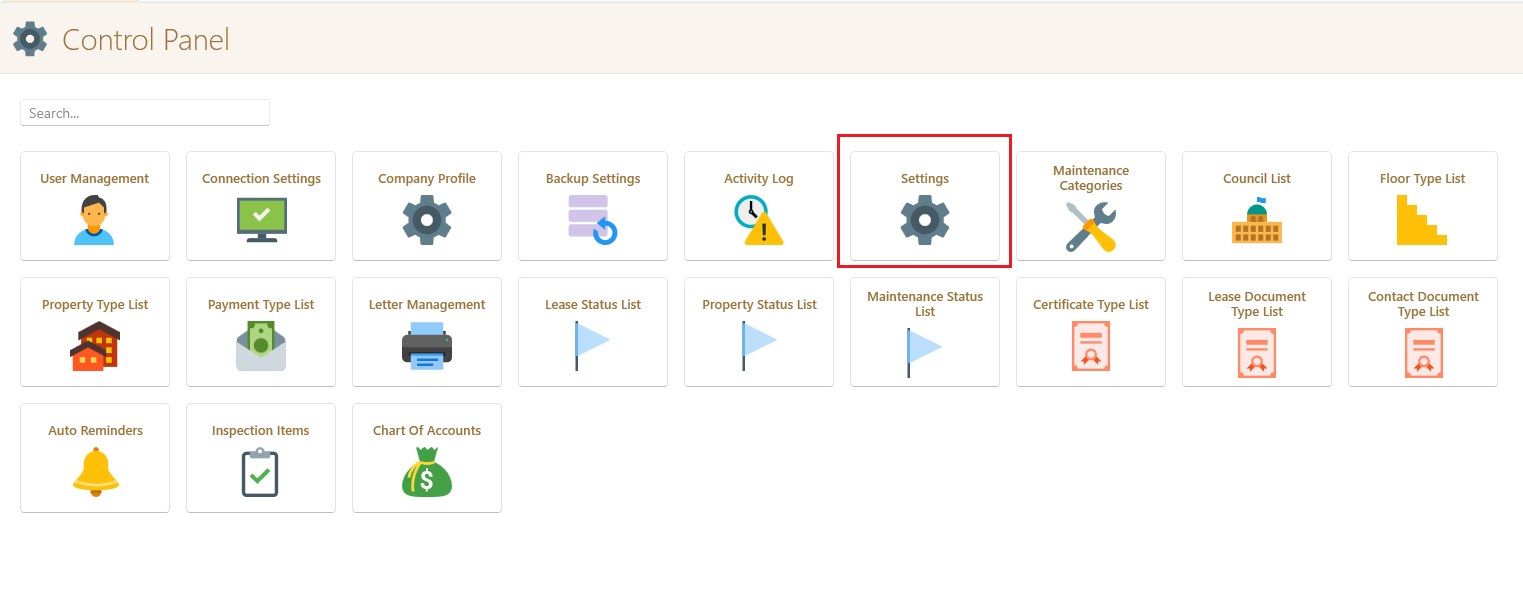
- Go to the Control Panel.
- Click on Settings.
- Once the company profile is open click Owners Statements
- Toggle the Require statement approval before processing switch.
- Click Save.
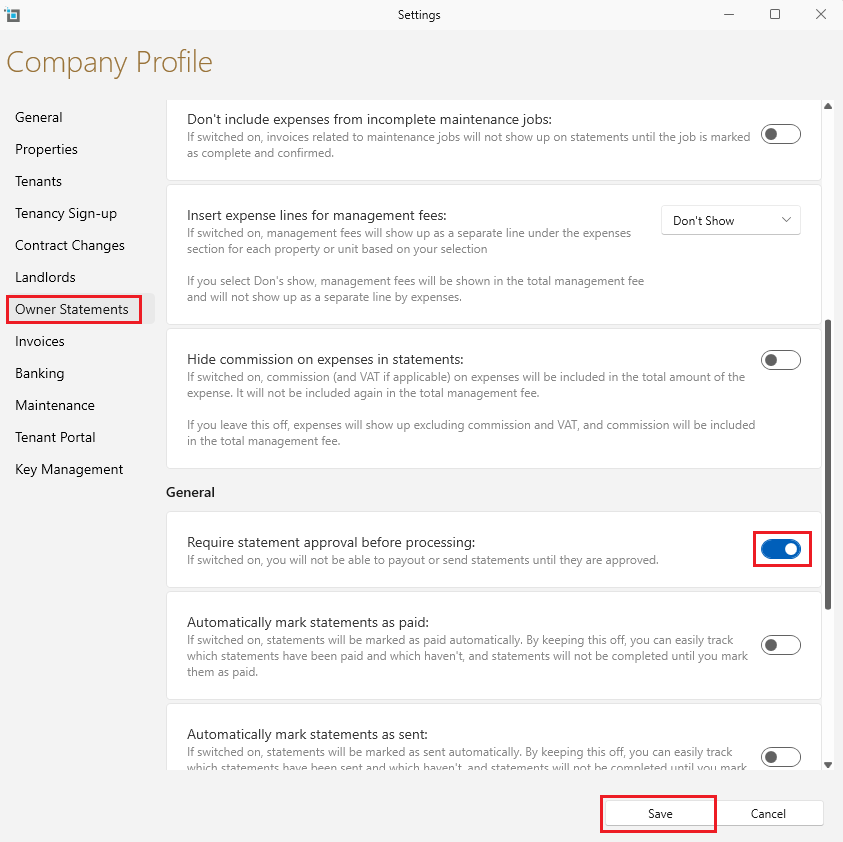
Once enabled, all new statements will require approval before further action can be taken.
Assigning Approval Permissions to Users
Only users with the correct permission can approve statements. To assign this permission:
In the Control Panel click User Management.
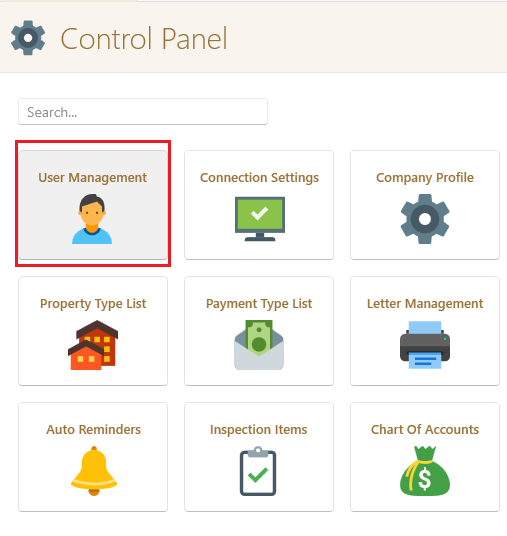
Select the relevant user.
In the Permissions section, find the view Landlords permissions dropdown.
Tick Approve Statements.
Click Save.
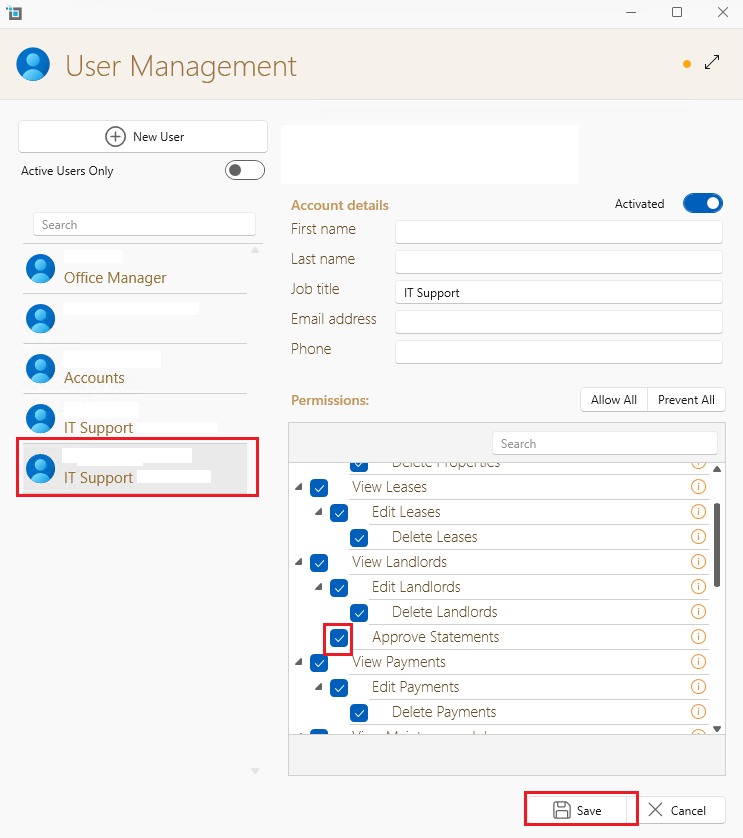
Repeat these steps for each user you wish to authorize for statement approvals.
Approving a Statement
When a user with the correct permissions opens a Draft statement:
They will see an Approved checkbox.
Tick the checkbox to approve the statement.
Click Save and Close.
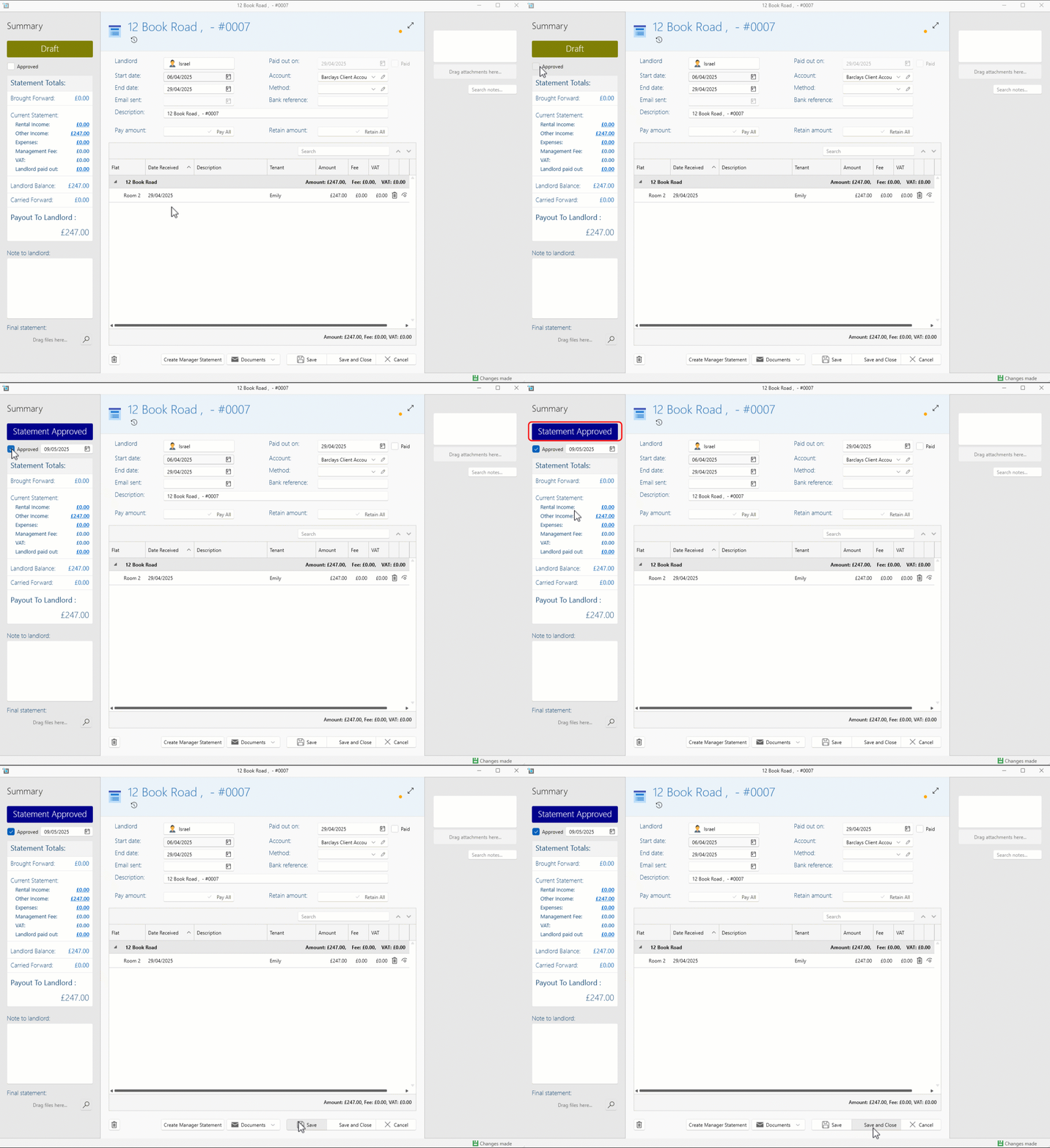
The approval will be logged in the Activity Log, along with the date, time, and user who approved it. Any updates or changes to the approval status will also be recorded.
Statements cannot be marked as Sent or Paid until they have been approved.
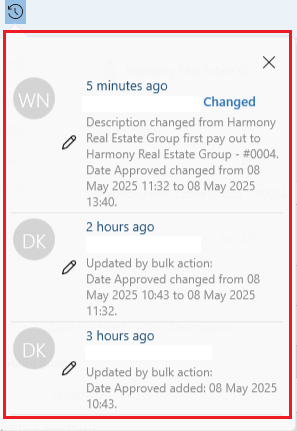
Bulk Approval and Managing Statements
For users who approve multiple statements:
Go to View Landlords.
Filter to view all Draft statements.
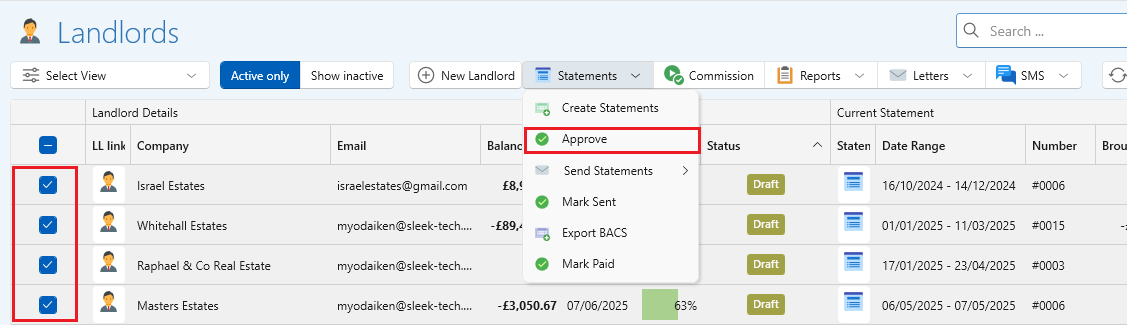
Approve them in bulk, streamlining the review process.
Once approved, you can filter by Approved status to easily send or pay the statements.
This bulk approach helps teams handle large volumes of statements efficiently.
For more information on managing statements see the articles below: