
For each tenant, you can specify when they usually pay by going to the Lease page, clicking Edit, and then navigating to the Details tab.
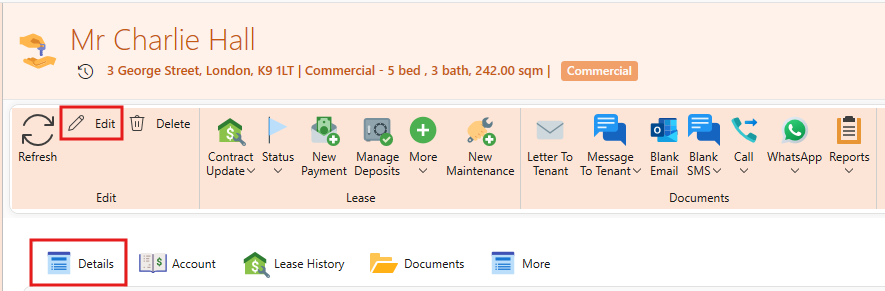
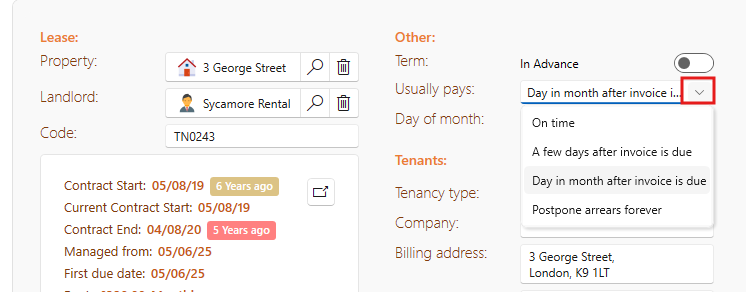
Whenever an invoice is created for a tenant, this selection will be taken in account and the expected date for the payment of that invoice will be calculated on that.
For instance, if a rental invoice is created with a due date of 05/10/2025 the expected payment date will be as following:
- If selection was: A few days after invoice is due, and the amount of days is set to 5, the expected payment date will be 10/10/2025.
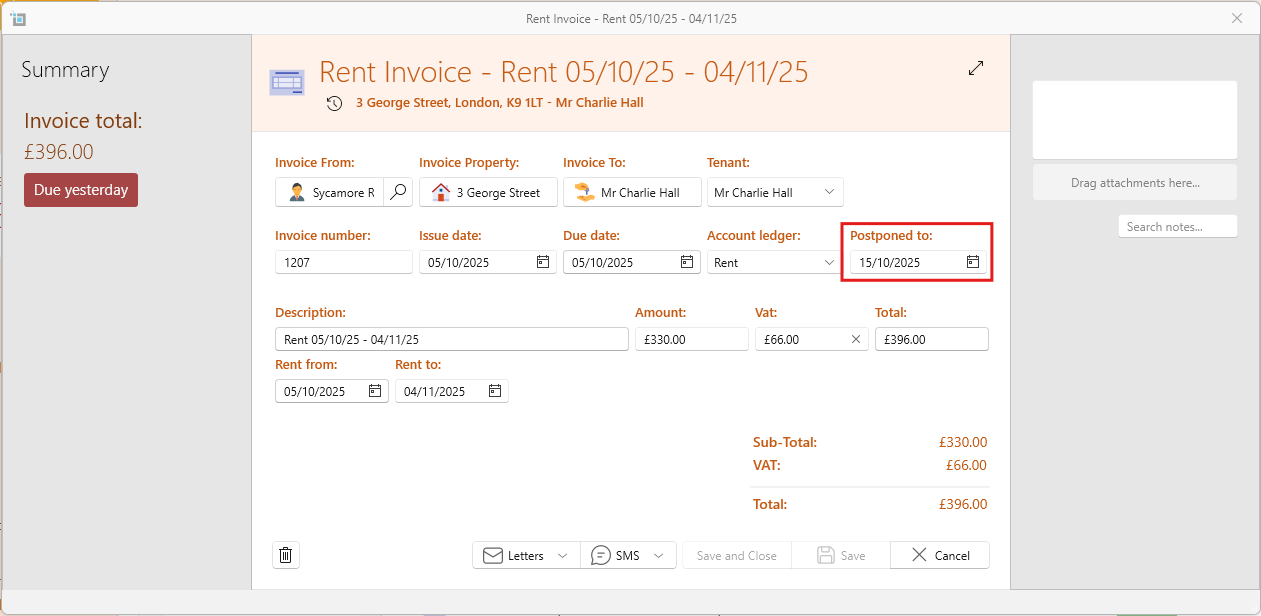
- If selection was: Day in month after invoice is due, and the day is set to the 15'th, the expected payment date will be 15/10/2025.
- If selection was: On time, the expected payment date will be the same as the due date.
The postponed date can also be be changed manually from here for any individual invoice.
If an invoice is already past the due date, but payment isn't expected until a later time, it will be indicated in the account window with a clock icon as shown below.
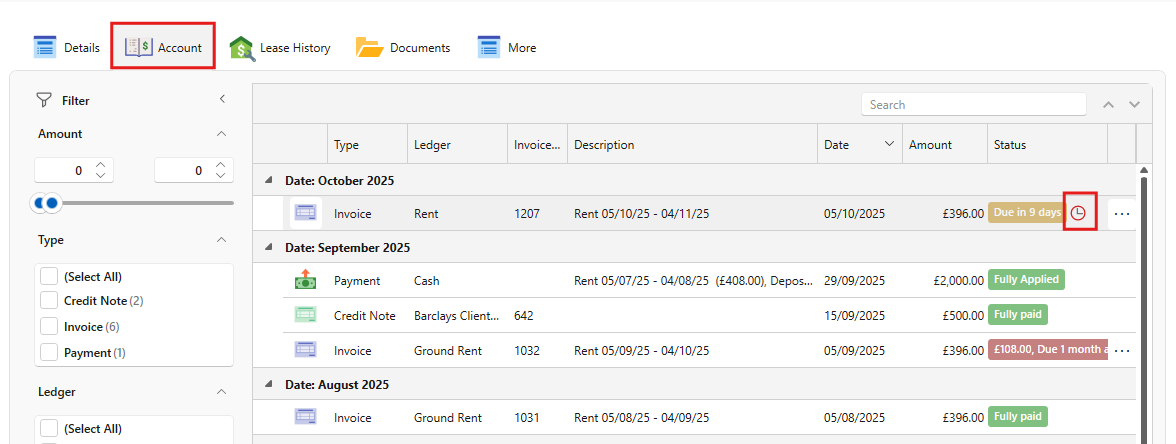
Because payments are not expected until the postponed date, tenants will not show as Outstanding until the expected date.
However, the current balance will show everything outstanding that's already due even before the postponed date.
You can postpone any invoice individually by changing the postponed date to a later date in the future.