The software creates all rent invoices based on their rental terms.
If a tenant has paid more rent than currently due in advance, you should create the next rent invoices so you can apply the payment to the future invoices.
You can create more invoices in advance if the tenant paid a few months in advance.
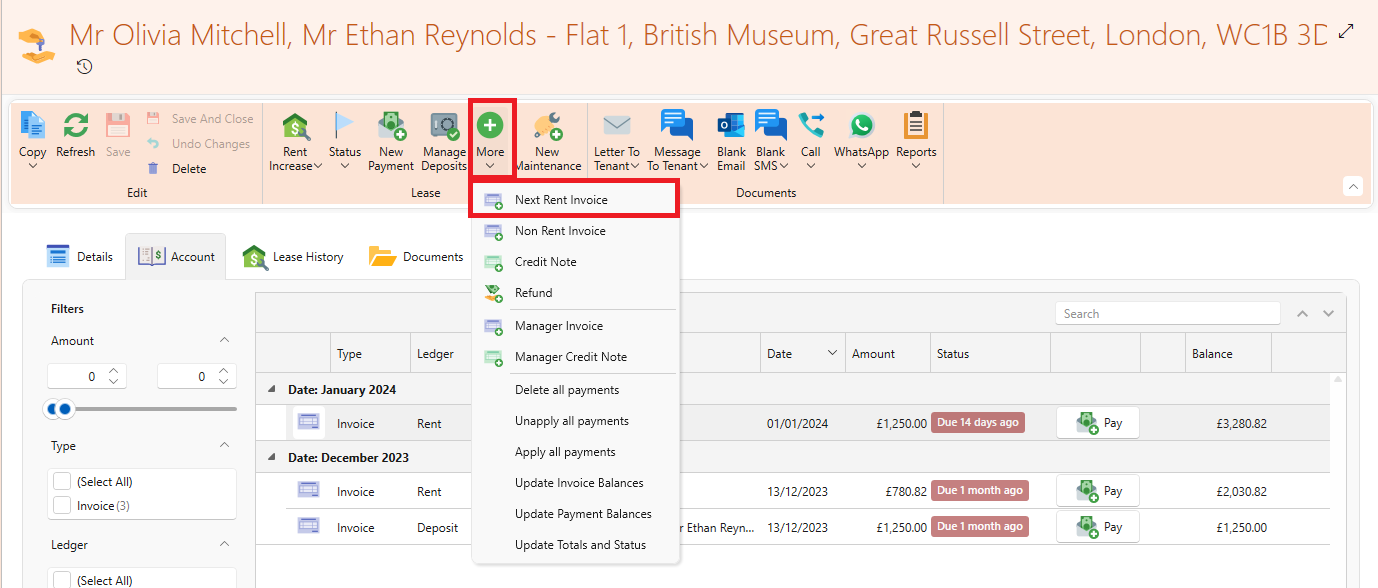
This is how to allocate rent paid in advance from your lease page:
- Go to lease page.
- Click the More dropdown from the page ribbon
- Click Next Rent Invoice
- An invoice for the next month will be created and shown. You can do this as many times as needed
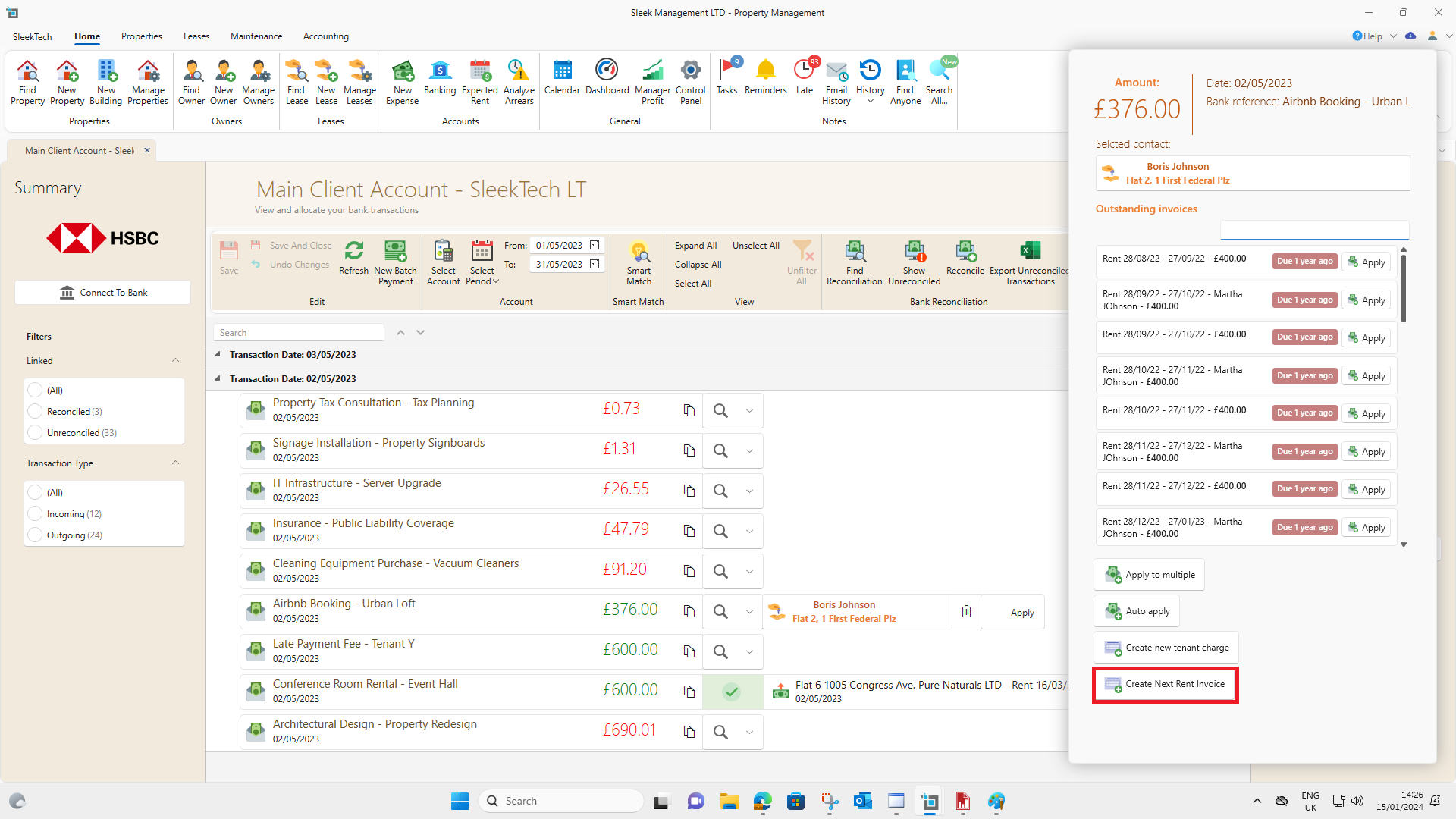
This is how it is done from the banking window:
- Go to banking window and find the desired payment.
- Under the dropdown next to the payment click on Find Tenant
- Click Create Next Rent Invoice.