
If a tenant has made a big payment you can decide which invoice to apply it to.
To do this through the Lease page:
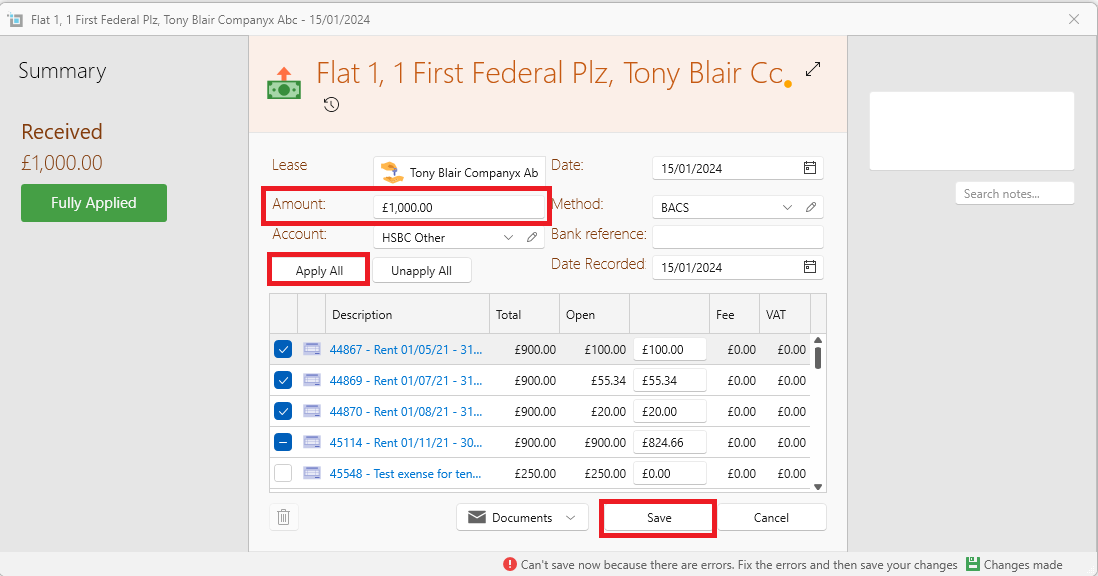
- Click New Payment from the page ribbon
- A box containing all unpaid invoices will appear. Put in the amount paid in the Amount box.
- Click Apply All or click on the invoices you want it to be applied for.
- Click on Save.
To do this through the Banking page:
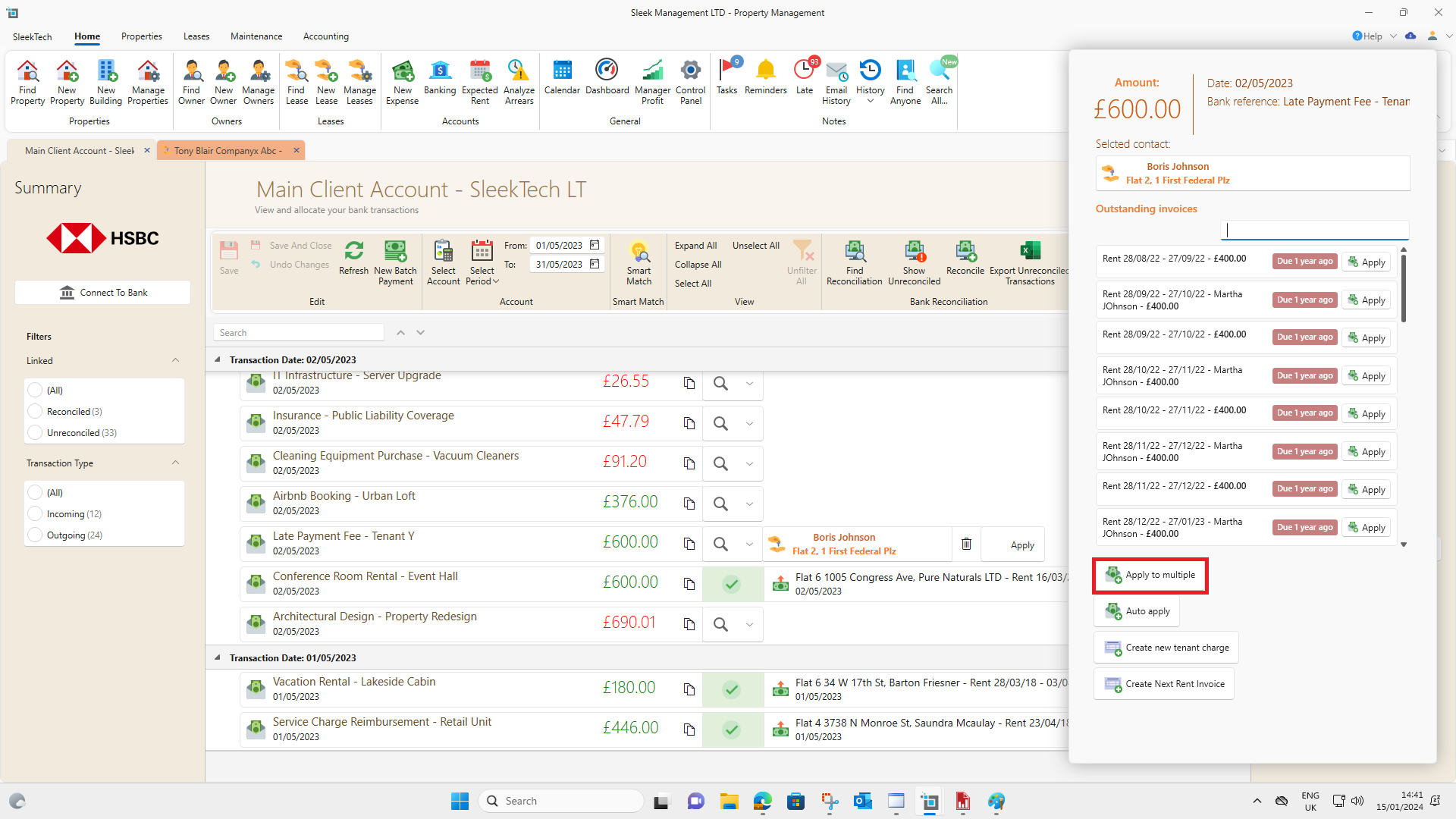
- Go to banking window and find the desired payment.
- Under the dropdown next to the payment click on Find Tenant.
- Click on Apply to multiple. This will open up a box containing all unpaid invoices.
- Put in the amount paid in the Amount box.
- Click Apply All or click on the invoices you want it to be applied for.
- Click on Save.