
This is how to apply an incoming payment to multiple tenants:
- Find the payment in the banking window.
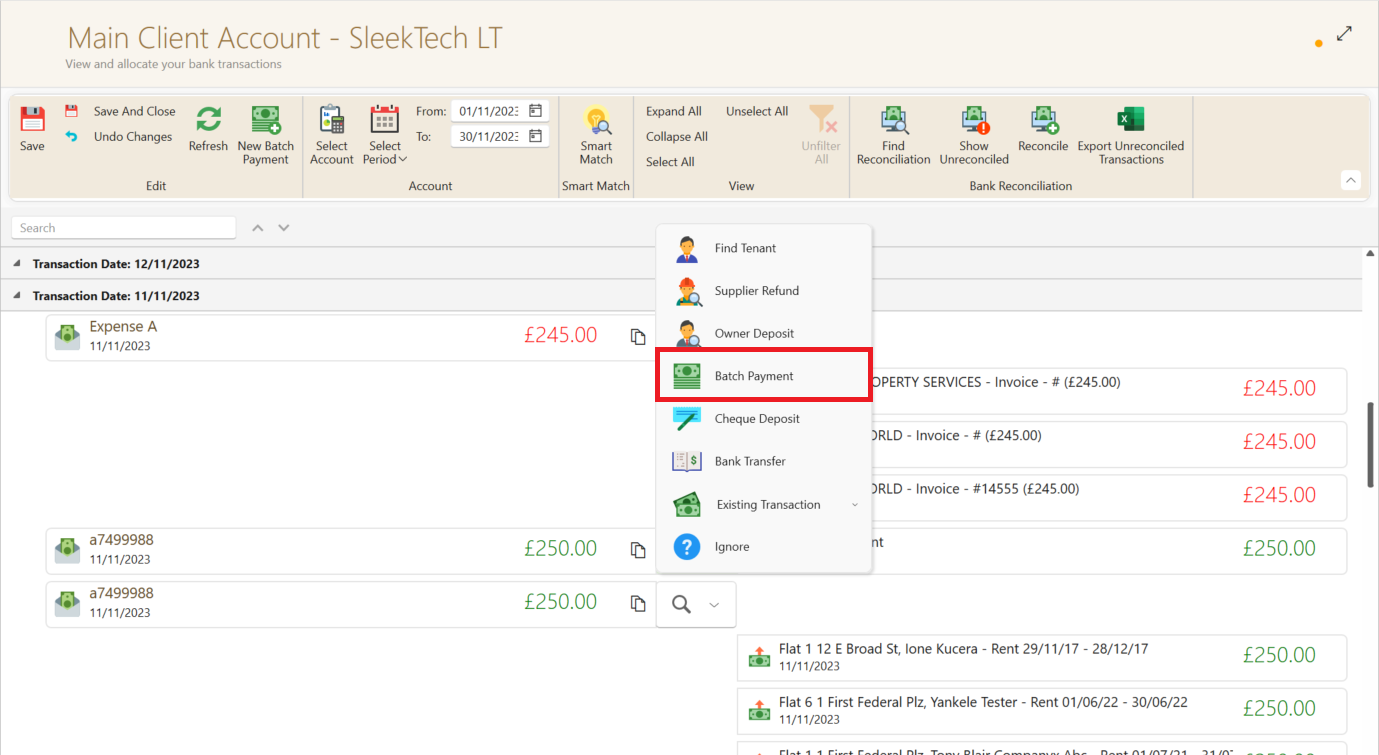
- Click the search button next to the payment and select Batch Payment from the dropdown.
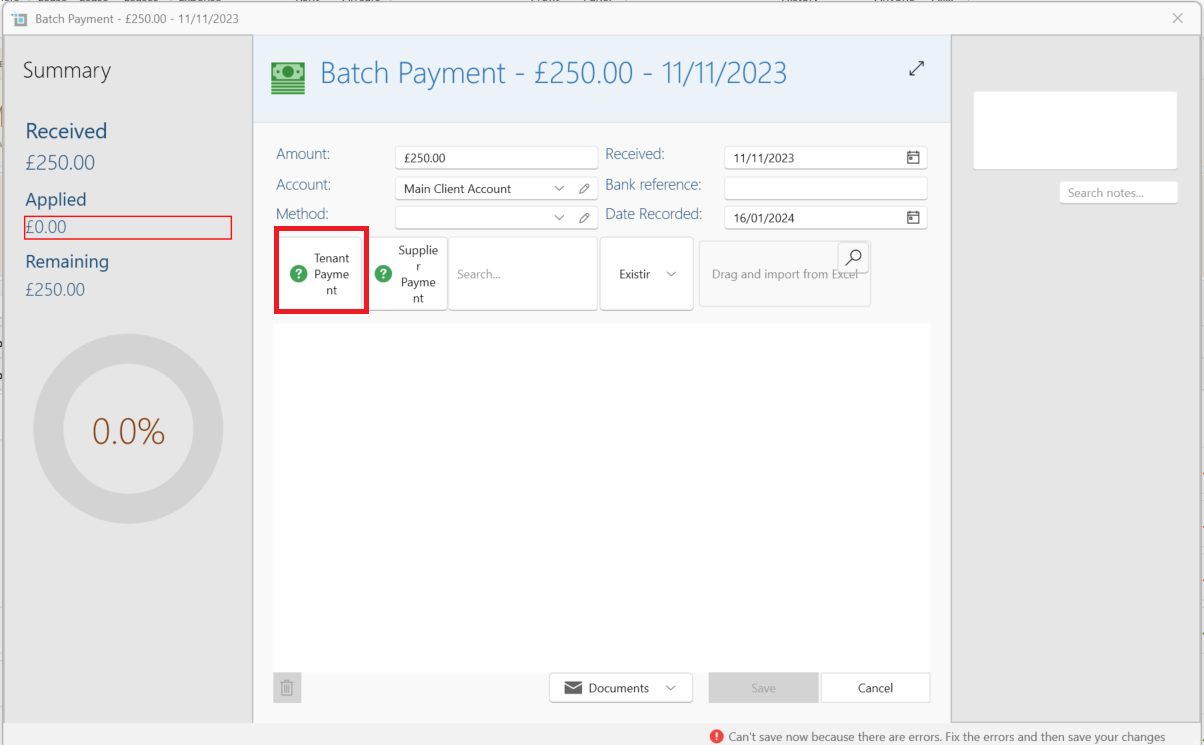
- The batch payment window will open up.
- Click Tenant payment and select the first tenant.
- Apply the payment from the Apply dropdown just like you do for any individual payment from the baking window,
- Then click Tenant payment again, and do the same for the second tenant.
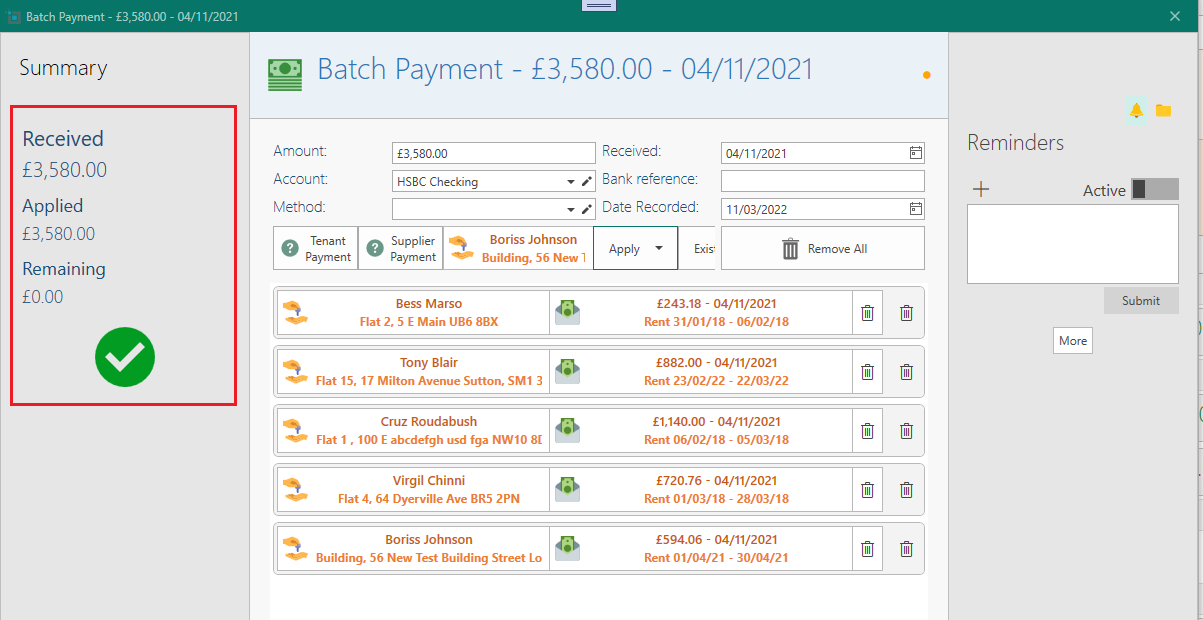
- You can do this for multiple tenants until the total of all payments match the payment amount.
- You can only save the batch once the total of all payments match exactly the payment amount which will be indicated by the green check.
- Click save.
- All tenant payments will be saved under this batch.