
Record a management fee pay-out:
As a manager you will periodically pay out your accumulated management fee from the clients account to your business account. You will create a manager statement in order to have a statement of the calculation of how much fees to transfer to your business account:
Click on the Manager either by:
- Selecting the person icon in the top left corner and the choosing your company name from the dropdown.
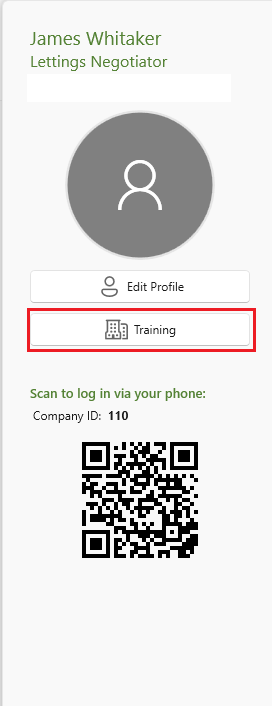
Alternatively if you have a few mangers:
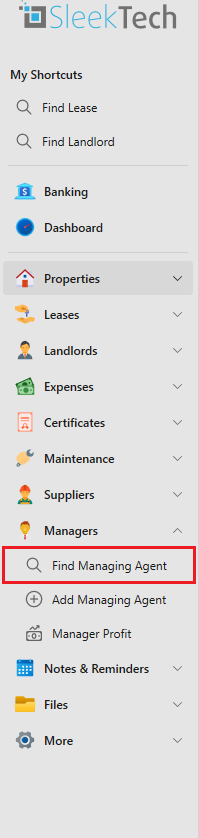
- From the side panel go to the Managers tab.
- Click Find Managing agent.
- Select one of the managers
- Click on Pay Managers Fee on the page ribbon and select Full Statement.
- Alternatively, you can also choose to either select some specific owners or properties for which to collect management fee.
The manages statement window will now open.
- Once the statement window opens, you will see all transactions from this manager (or properties, if you selected Property Statement) that are not yet included in any previous statement.
- The statement date will be the current date by default. If you change it to an earlier date, the transactions will refresh and only show transactions up until the selected date.
- Change the Paid out on date to the date you actually plan to pay out the funds to your business account.
- You also have the option to only make a partial payment or retain all the funds so that a balance will get carried over to the next statement.
- On the left hand side you will see a panel labelled Statement Totals. You will find a summary of all transactions included in the statement and at the bottom the amount you should pay out to the manager.
- Click Save.
- Once saved, the statement will appear in the list of statements on the manager page under the Statements tab.
Which transactions will appear on the statement.
- Management Fee: Commission from incoming payments from tenants rental income (credit).
- Manager expenses: business expenses - charges from suppliers to the manager (debit).
- Manager Income: Manager invoices issued to tenants (credit)
- You can choose to select or deselect the following: manager expenses - tenant income or only the payments that have been remitted to the owner.
Invoices from the manager to an owner are the same as a supplier invoice and will need to be paid out manually from the client account to your business account.
These invoices will not show up in the manager statement it will only show up in the manager reports.
For further information on how to create a manager invoice click on the article below.
How to create a manager invoice to an owner