
This is how to generate a report to view the total of your management fee for a specific period.
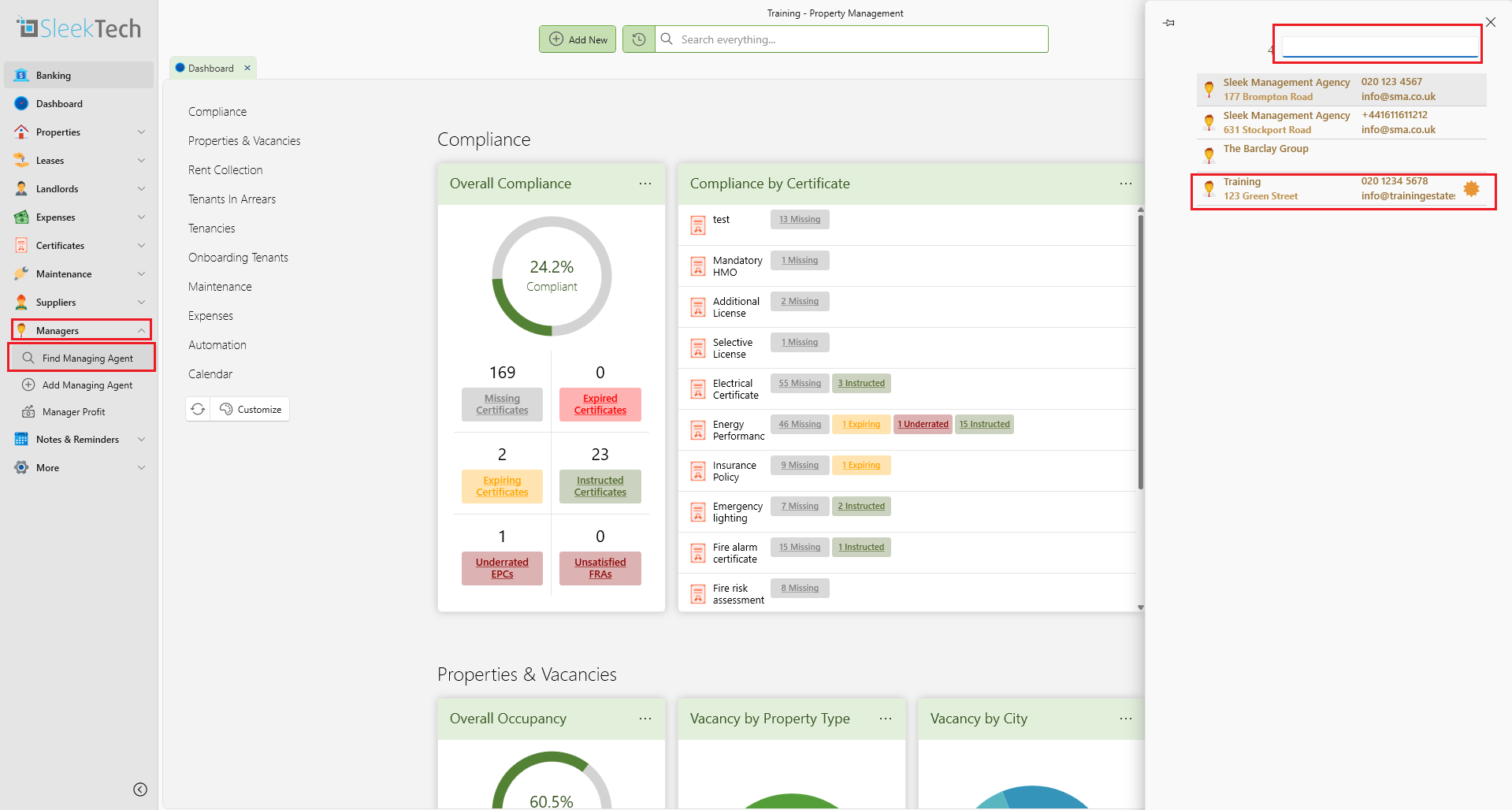
- On the main ribbon go to Managers.
- Under Managers Click Find Managing Agent.
- Search for the managing agent.
- Click on the managing agent you want.
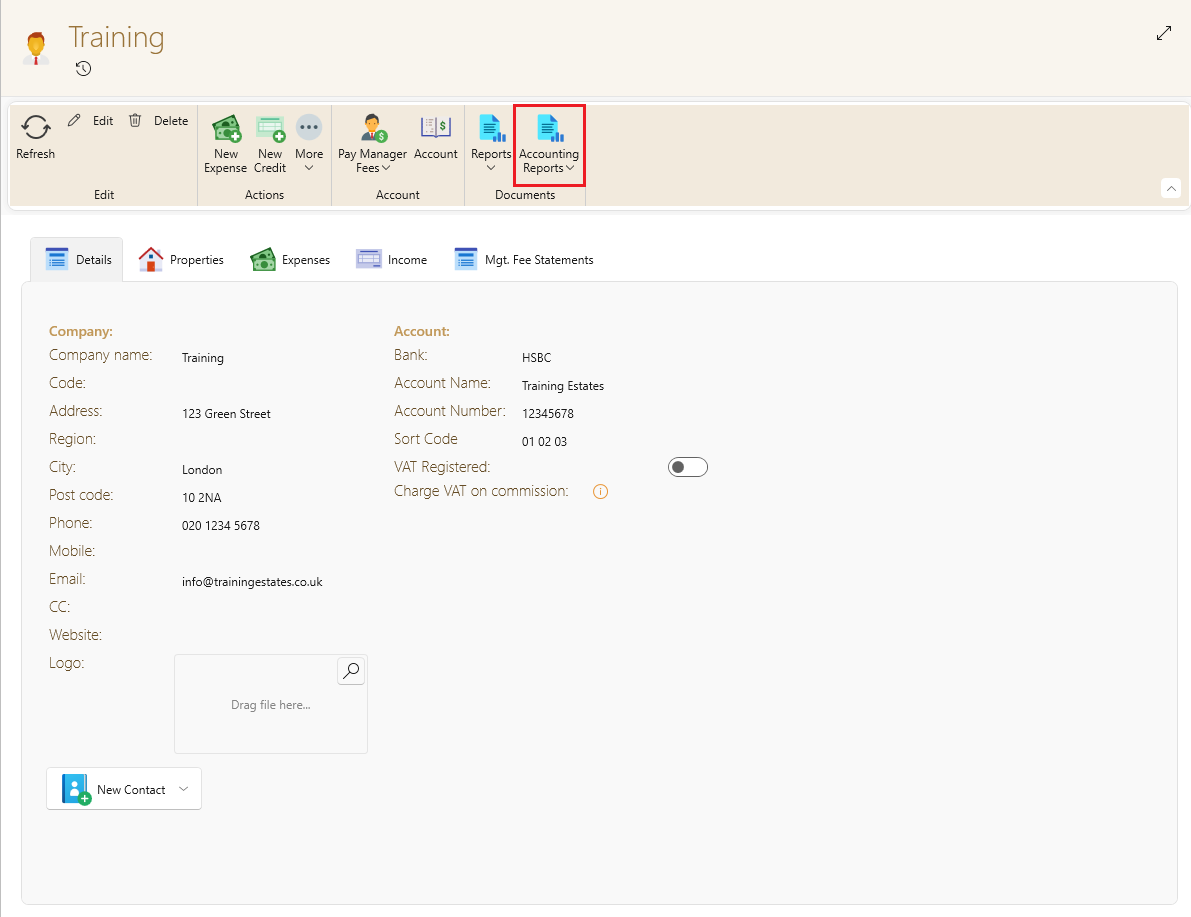
- Once the mangers page is open, on the top ribbon click on accounting reports.
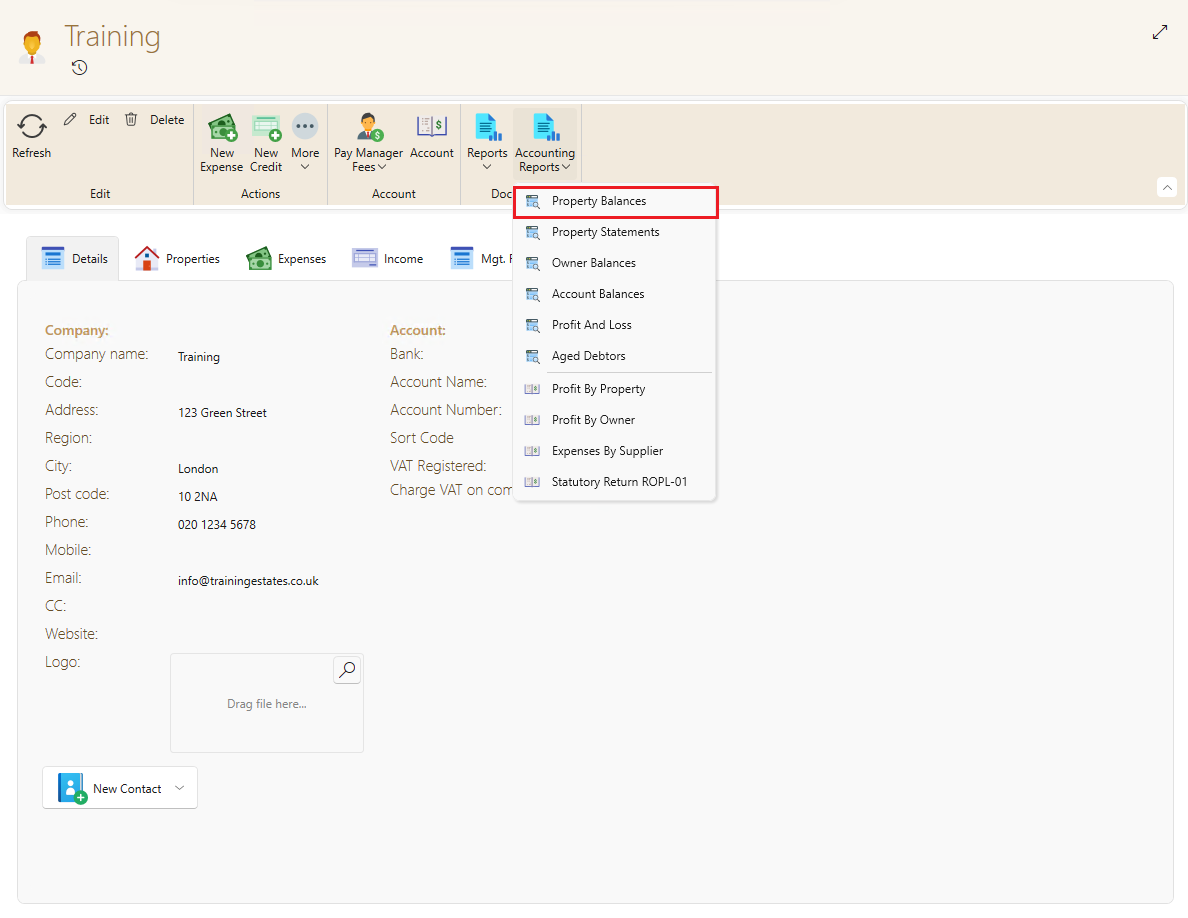
- You will get a dropdown with different reports, click on property balances.
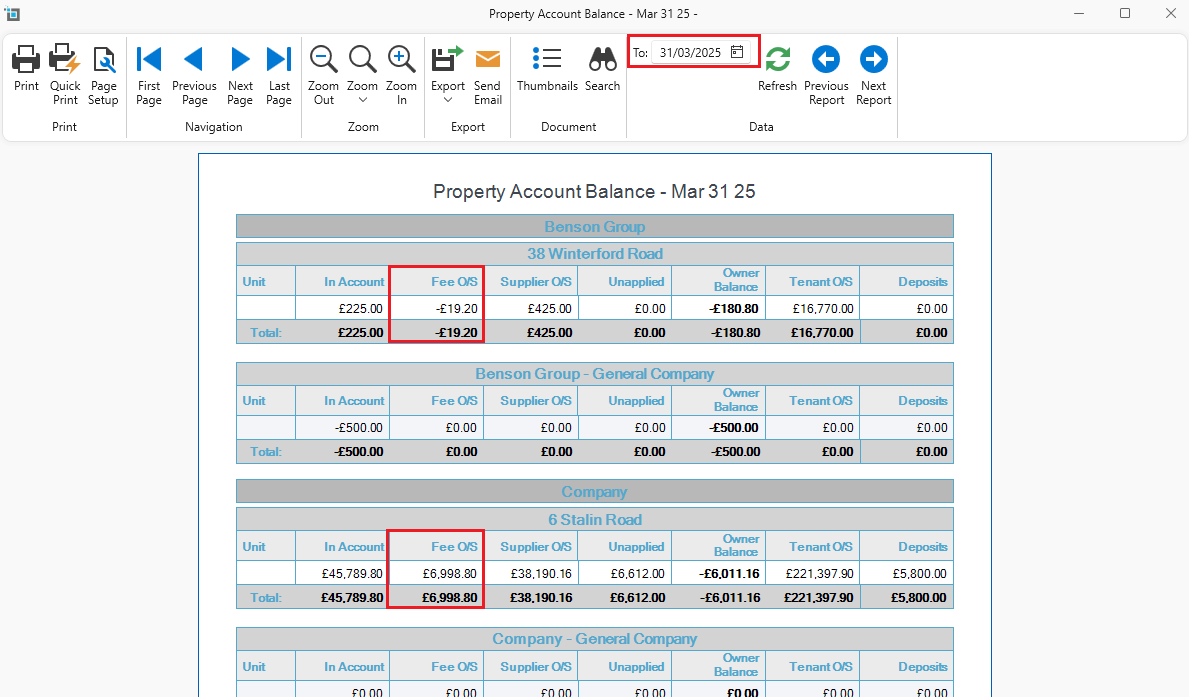
- Specify the date range.
- An excel sheet will open with a list of all properties.
- Under the Fee column you will see a total fee collected for the specified period for each property.
- At the bottom of the table you will have a sub totals for all properties.
- You can also get the same report based on each owner rather than by property, by clicking on Accounting and then select Profit By Owner.