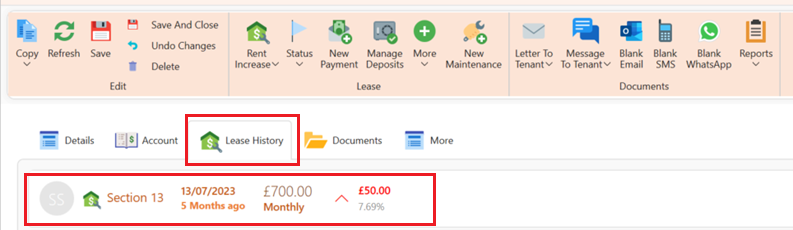
This is how to create a rent increase for a tenancy from a specific date:
- Open the lease page.
- On the page ribbon click on Contract update.
- Select Section 13 - Rent Increase
The following pop up will now show:
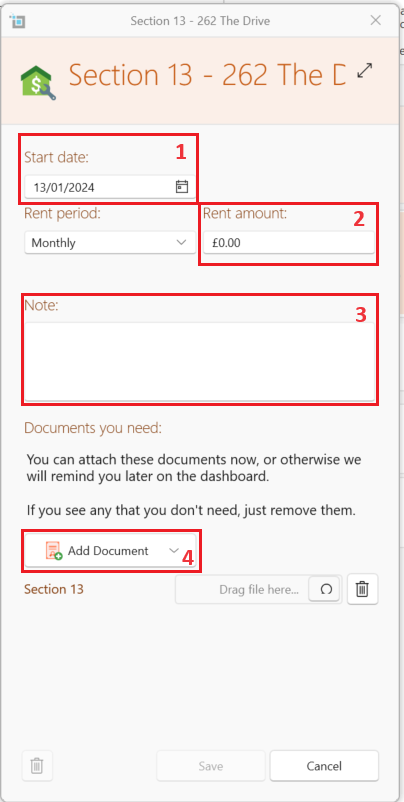
- Insert date to start from (1) Rent period and rent amount (2) .
- You can insert any relevant notes(3) or attach documents(4).
- Click Save.
- From the pop up select Save and recreate in order for the current rent invoices to reflect this change.
The invoices created from the specified date will be generated with the new terms.
You can see the history of all rent changes under the Lease History tab.