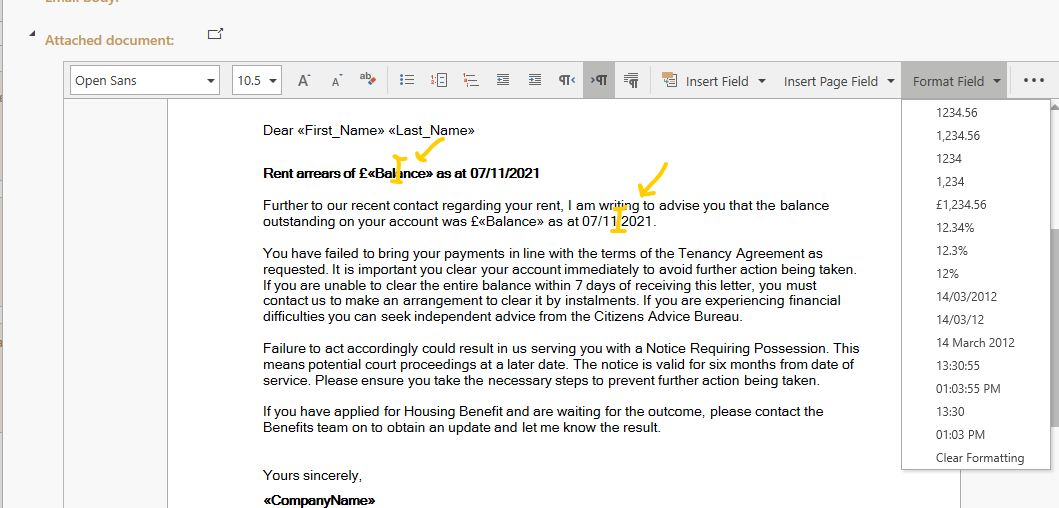
Here is how to change number or date formats when editing letter templates.
- Insert cursor anywhere in the date field or number field you want to change the format for.
- Click the Format Field dropdown as shown in picture below.
- Select any of the number or date formats.
- You can also select Clear Formatting to revert back to the defaults.