
This is how to charge VAT on tenant rent and other invoices.
VAT can be charged on tenant rent and other tenant invoices when the landlord and property meet the required VAT conditions and the Option to Tax (OTT) has been applied correctly.
Requirements before VAT can be charged
1. Landlord Must Be VAT Registered
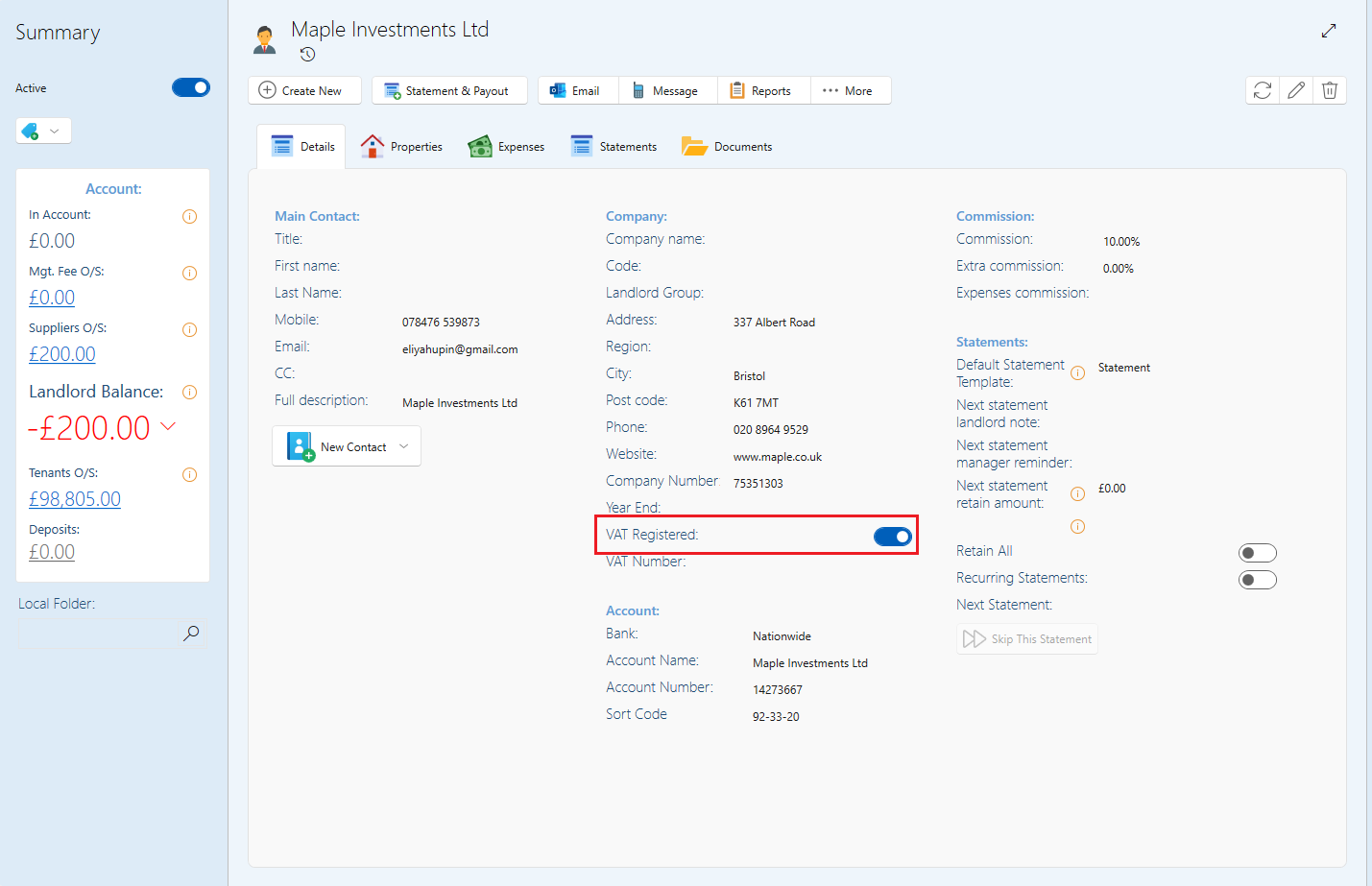
The landlord must be marked as VAT registered in the system.
If the landlord is not VAT registered, VAT cannot be charged on tenant rent or invoices.
- Go to the owners page.
- Switch on the toggle for VAT registered. You will need to switch this on even if not all the properties under this owner will be charged VAT. (Each property will be switched on separately.)
2. Enable Option to Tax on Commercial Properties
Once the landlord is VAT registered, you can enable Option to Tax (OTT) on commercial properties.
If the property is part of a building, you must first enable Option to Tax on the building before enabling it on the property.
(Please note that Option to Tax can only be enabled on buildings that are set to Commercial or Mixed Use, as these building types include commercial elements (for example, a shop with residential units above)).
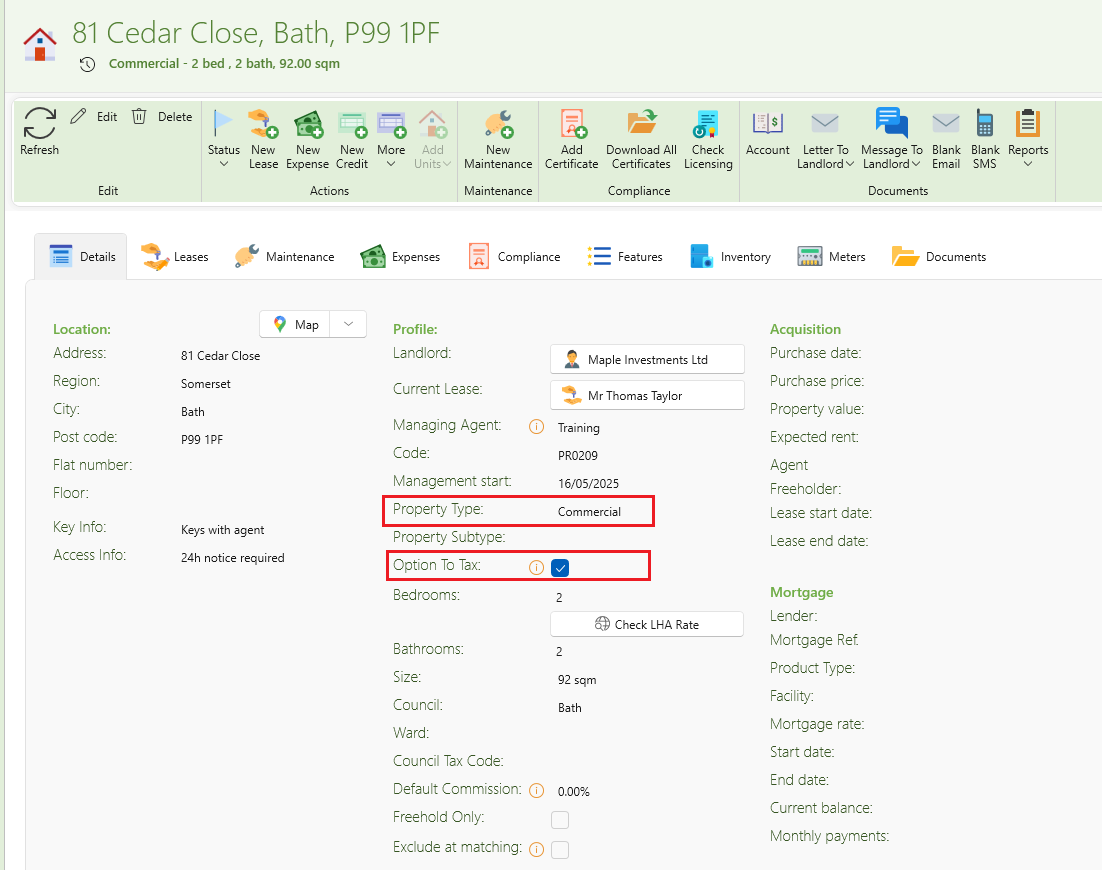
- Open the property. You will need to do this separately for each property.
- Under the Details tab find Property type.
- Make sure this is set to Commercial.
- Once this is set to Commercial, the Option to tax button will appear.
- Tick the checkbox and save.
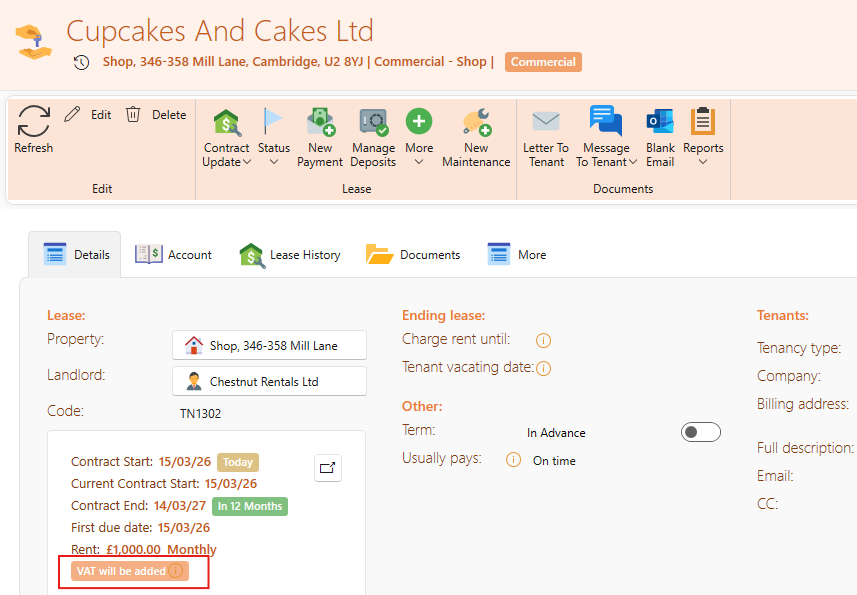
- All old and any upcoming tenants under this property will now automatically have VAT added.
- If you open the tenants page, you will see the wording VAT will be added stated in the Contract box
- All new invoices created for this tenancy will have VAT included.
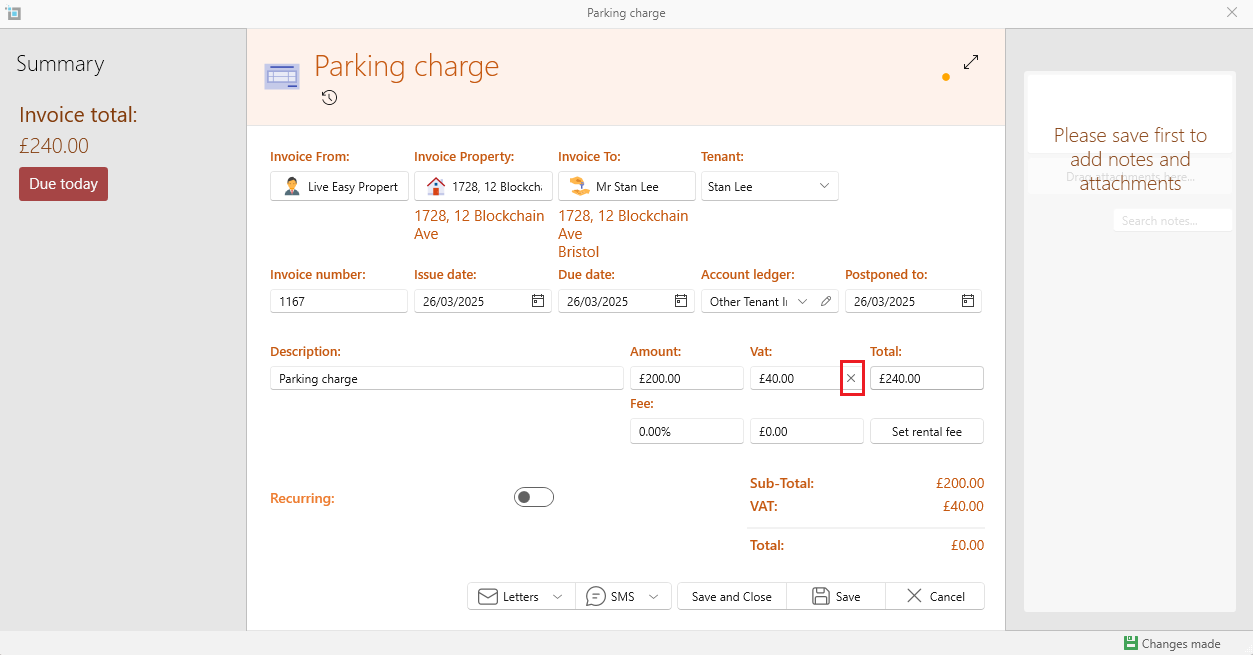
- If you create a manual invoice, this will also have VAT included.
- If you create an invoice from the manager to the tenant, this will be based on whether the manager has VAT registered switched on.
- You can always change the VAT to be switched on by checking the tick next to the VAT option, or to switch it off by checking the cross next to the Vat option.
Important: VAT Only Applies to Future Invoices
VAT will only be applied to new invoices created after Option to Tax has been enabled.
Any invoices created before Option to Tax was enabled will remain unchanged, and VAT will not be added retrospectively.
If VAT needs to be applied to older invoices, they must be adjusted or recreated manually.