
This is how to view all owner balances:
- On the main software ribbon select the Landlords tab.
- Click on the Landlord icon of the landlord you want to view balances for.
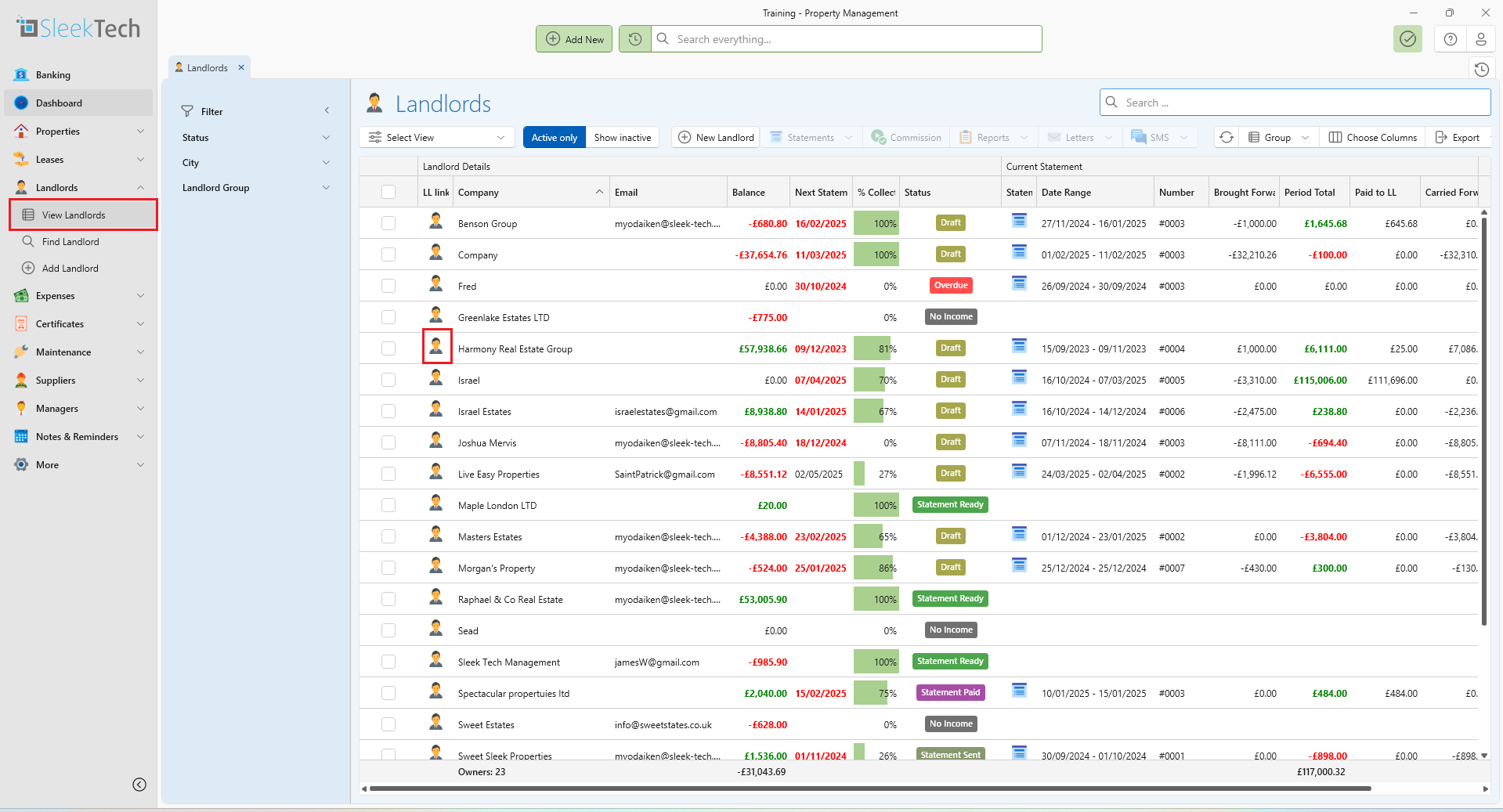
- In the landlords page you will see a summary on the left.
- The summary will contain the following:
- In Account = Funds in your account on behalf of the owner.
- Fee O/S = Amount owner is outstanding for management fee to your company.
- Supplier O/S = Amount owner is outstanding to suppliers for other expenses.
- Unapplied = Tenant income not applied to rental invoices yet.
- Landlords Balance = In Account - Fee O/S - Supplier O/S -Deposits - Unapplied.
- Tenant O/S = Amount all tenants outstanding to owner.
- Deposits = Tenant deposits held in your account for the owner.
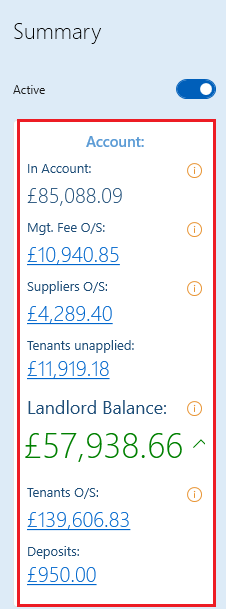
- All these amounts give you a detailed report when selected.
And that's how to view the landlords balance.