
Follow the process below when becoming a VAT registered company.
Charging VAT on commission.
First let's change the setting to automatically charge VAT for commission for all new leases entered in SleekTech.
- From the main software ribbon go to Control Panel.
- Click Settings.
- Select Owners tab.
- For "Charge VAT on commission by default" Slide the toggle to the on position
- Click Save.
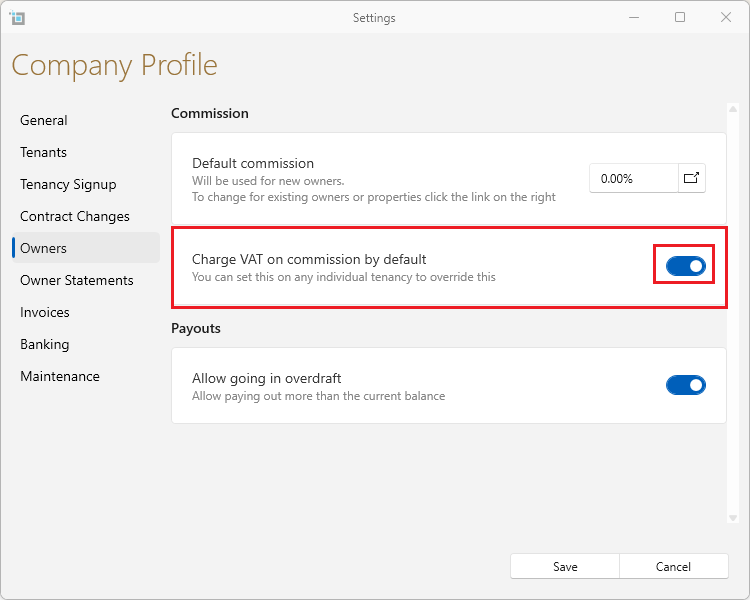
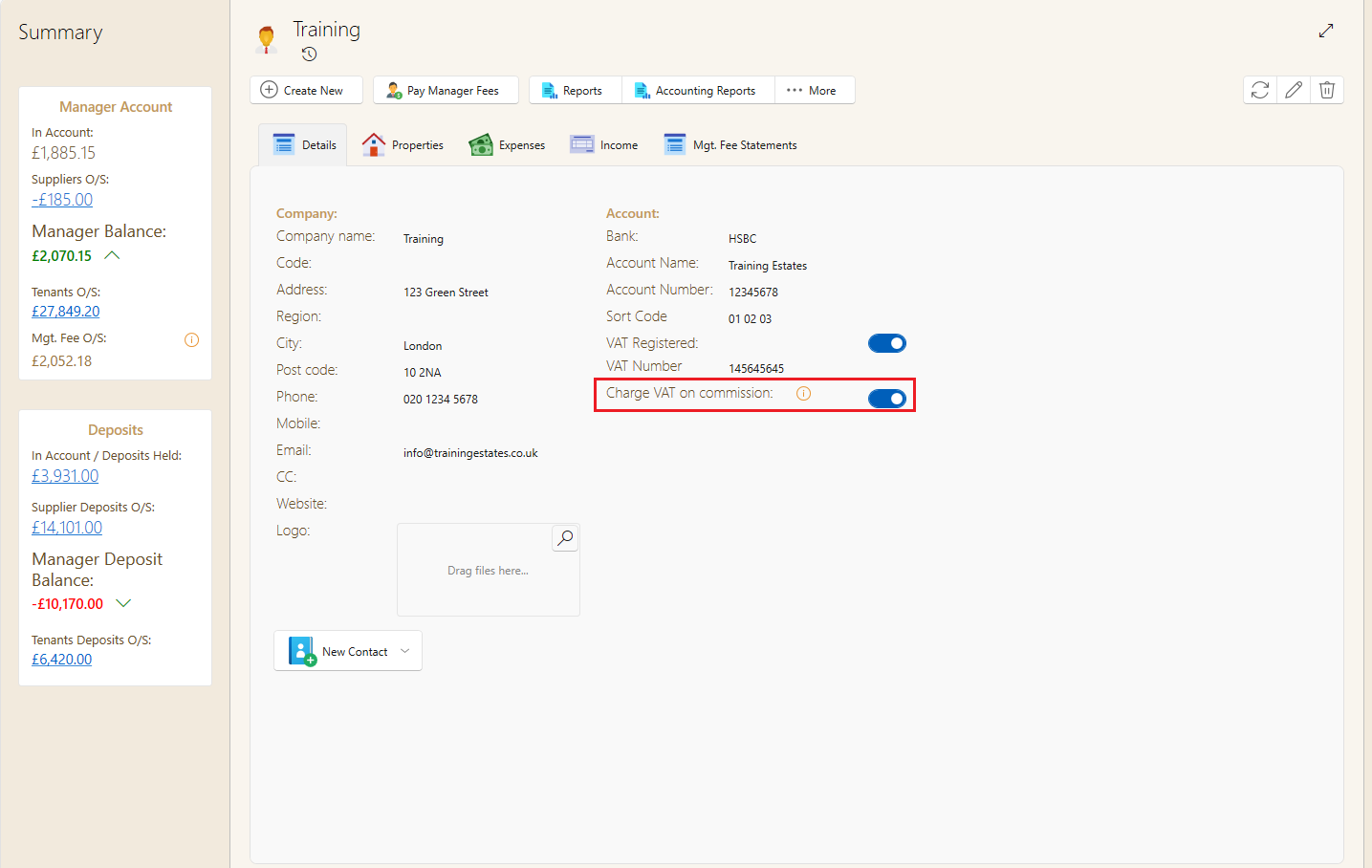
Now we need to make sure that the manager(s) have VAT switched on. Any new managers created will always take the default setting as created above.
- From the main software ribbon go to Managers
- Click on View managers
- Find the manager from the list
- On the details page, check if the toggle is on as shown below.
- If not, switch it on now.
Next let's update all existing leases to charge VAT for commissions.
- From the main software ribbon go to Manage Leases.
- Make sure View All Leases is selected and all leases are shown.
- If the table is filtered, click Unfilter All.
- Click on the Checkbox in the top left corner of the columns to select all.
- On the window ribbon select Bulk Action.
- Select Commission VAT.
- Save.
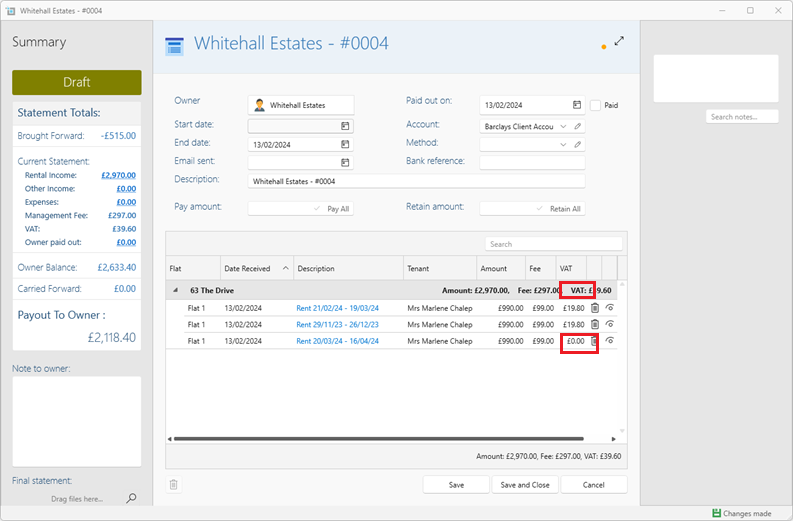
Updating existing payments.
- Click on the blue rental period
- On the payment window select un apply all
- Tick the Check box for the required invoice again and press save.
- Close the statement preview - Reopen it and check that the vat is now showing
You can do multiple edits in a go, you do not need to close the preview each time. However your changes will only show up once the preview has been closed and reopened.
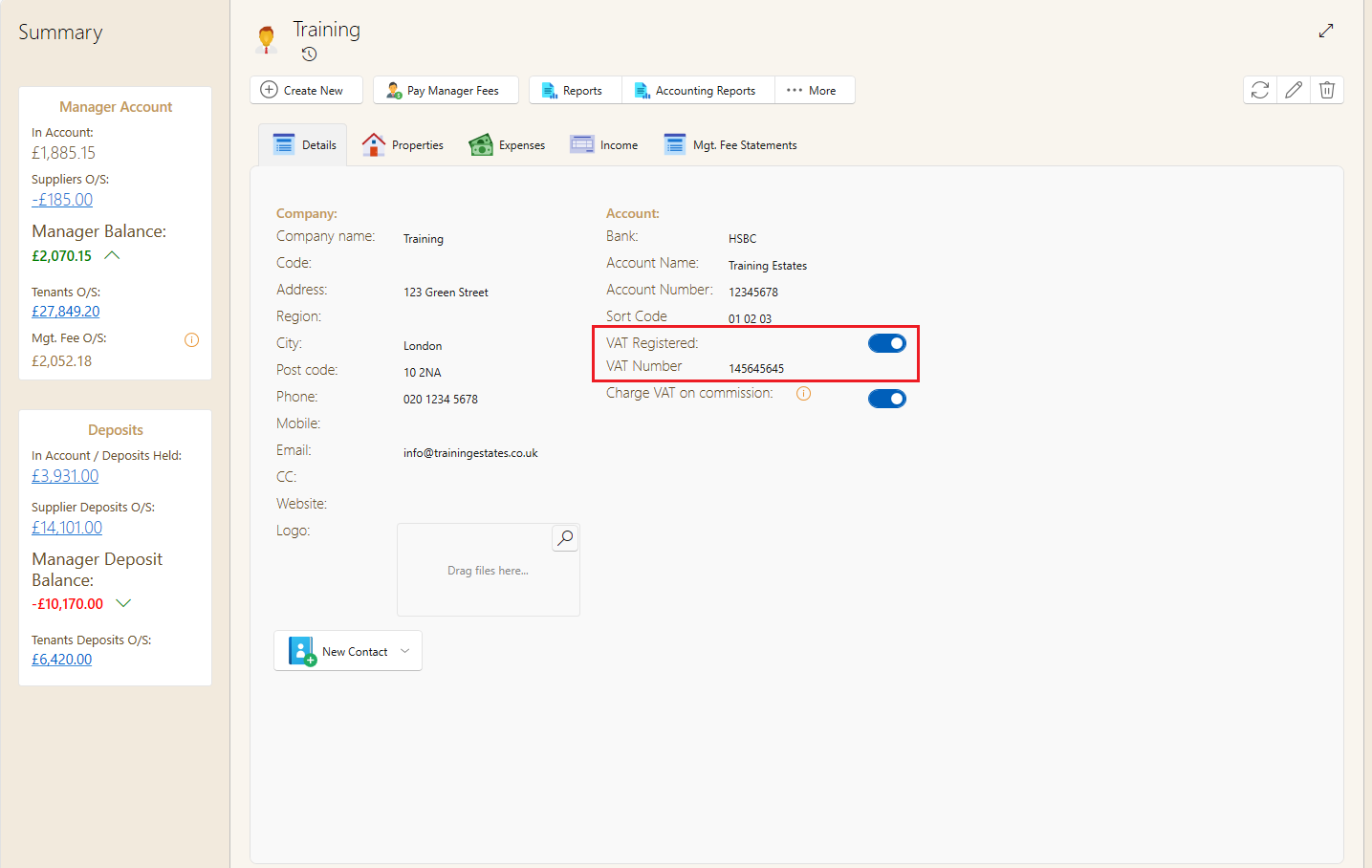
Next you will need to check that your statements and manger invoices are showing your vat number and vat totals.
You may need to contact us to insert it for you.