
This is how to find a property:
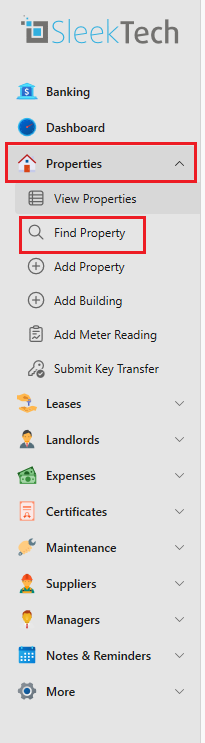
- On the side panel click on Properties and then on Find Property
- Start typing to search.
- You can search by:
- Address
- City
- Postcode
- Property Code
- Council Tax Code
Use the arrow keys to select your property and hit enter. If you have typed in something and only one property appears, or the property desired is the first one, you can just press Enter without needing to click on that one with the mouse.