
This is how to inactivate a property:
- Open the property page.
- Ensure that the Owner Balance is £0.
- If the balance is not £0 create a landlord statement to settle the outstanding balance.
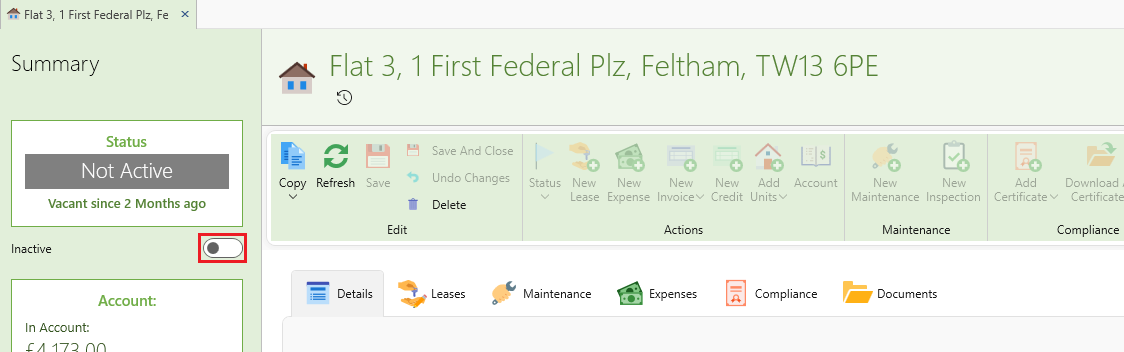
- On the left side panel slide the switch to Inactive (see pic below).
- Click Save.
- The property and all its tenancies will now be inactivated.
- Inactive properties and tenancies won't show up by default when searching properties or tenancies.
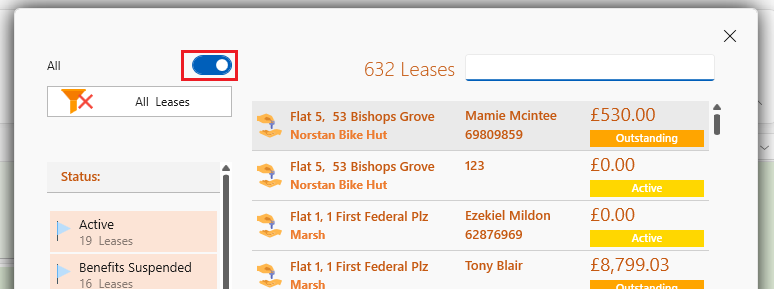
- You can always find inactive items by moving the switch to All on the search panel.
Want to know more? Click on following links.