This is how to apply an outgoing payment to multiple supplier invoices in your banking window.
- Open your Banking Window.
- Click on the dropdown next to the payment and choose Find Supplier.
- Select the correct supplier.
- Click Apply.
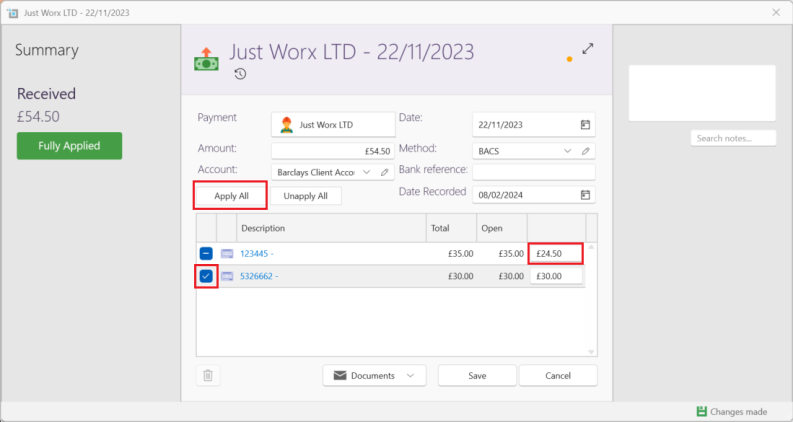
- Select Apply to Multiple.
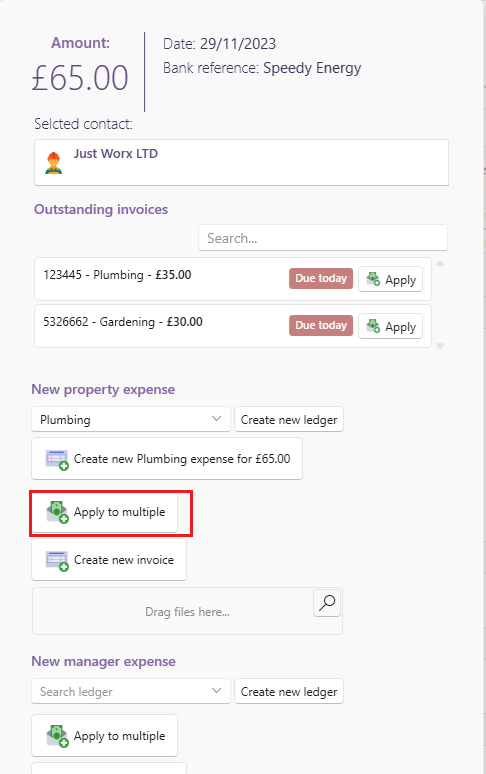
Once the payment window opens, you can either:
- Click Apply All to apply the payment in the order the invoices were created first to last.
- Click or unclick the checkbox to the left of each line, to manually apply the payment to the specific invoices you want.
- Alternatively if you would like to allocate partial payments, you can fill in the amount you require on the final column.