This is how to adjust SleekTech resolution for laptops or small screens:
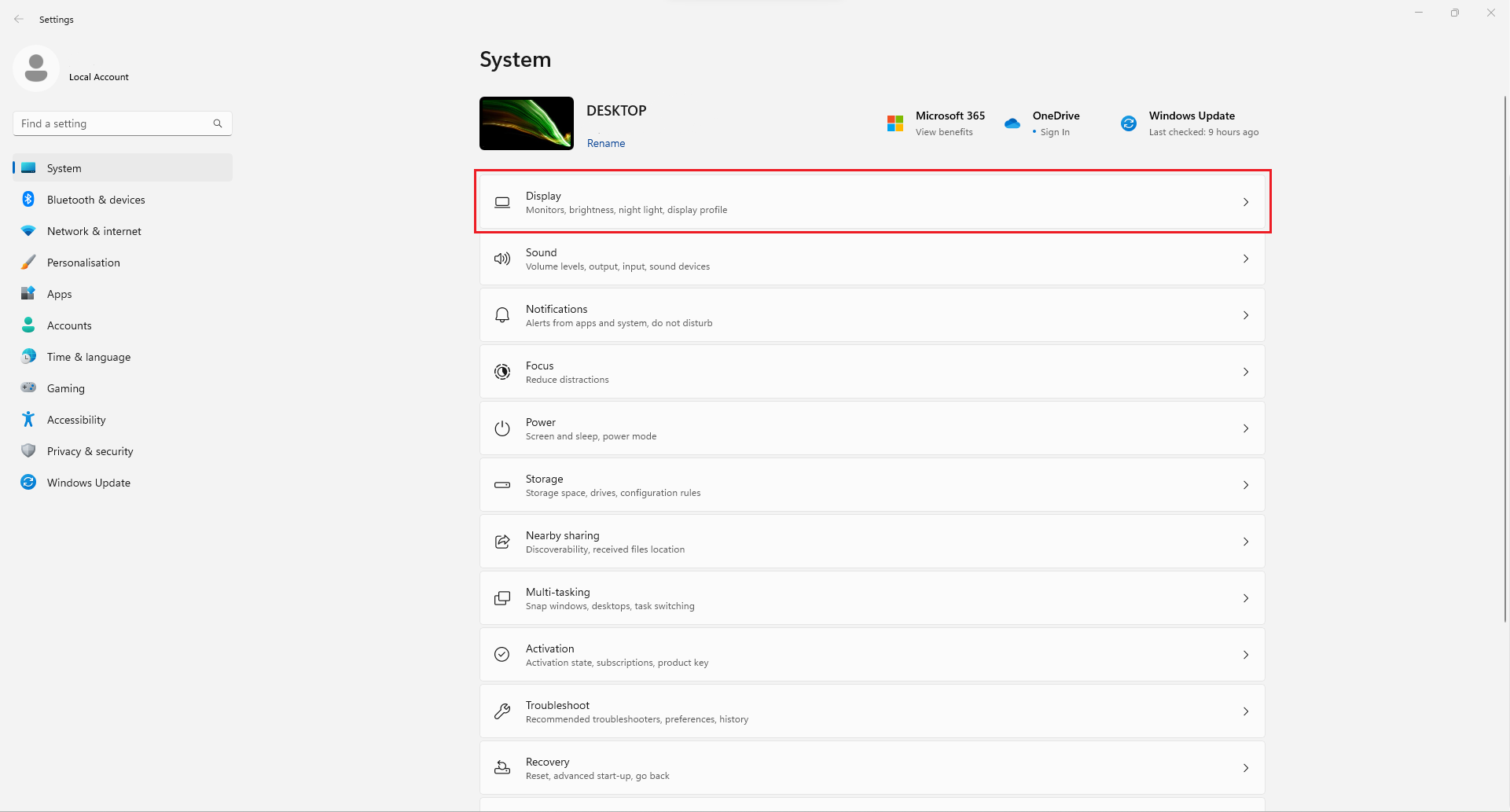
- Go to window Settings.
- Click on Display
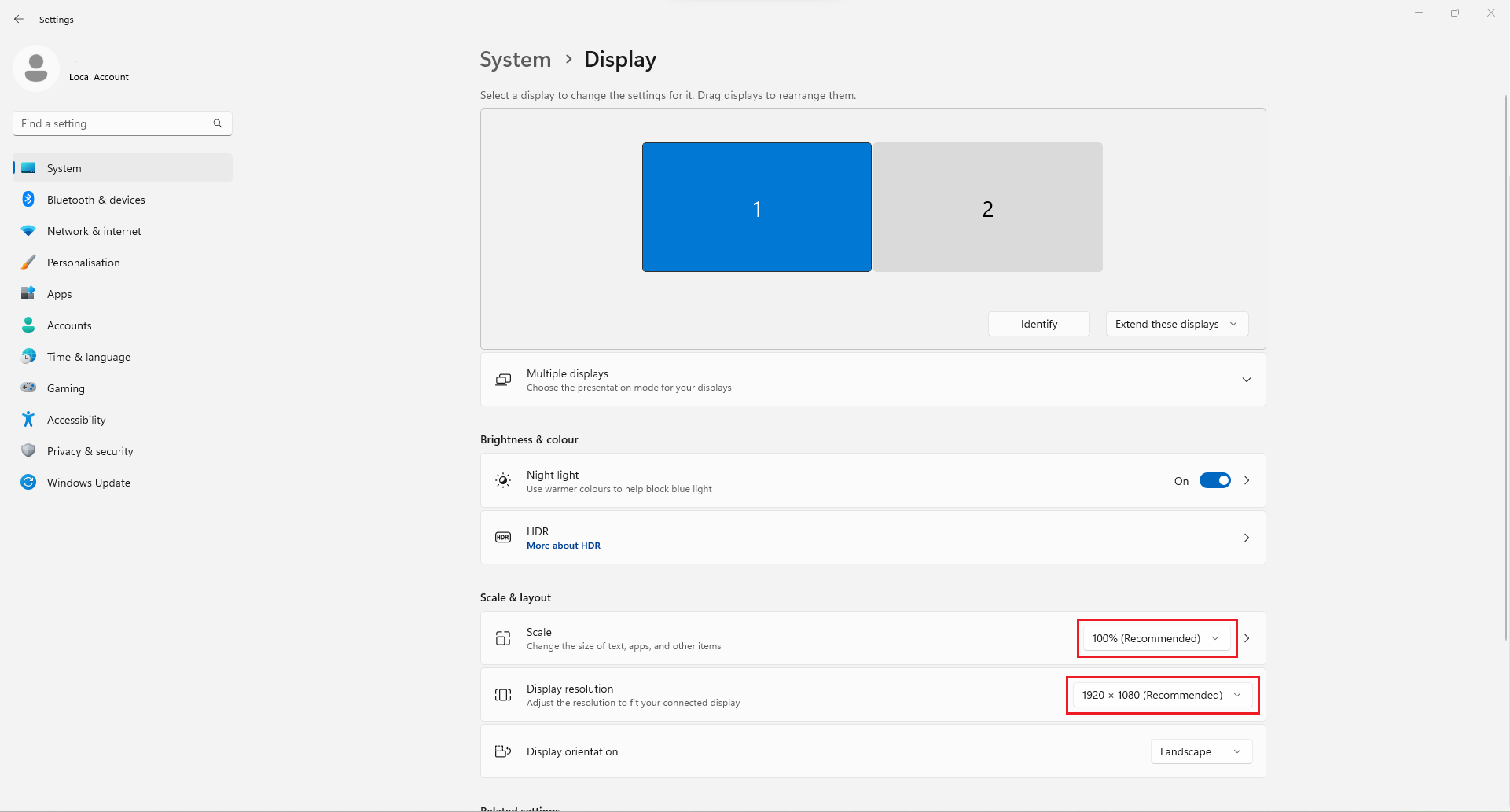
- Make sure Scale is set for 100%.
- Make sure Display Resolution is set to maximum.

Modified on: Thu, 15 Dec, 2022 at 2:40 PM
This is how to adjust SleekTech resolution for laptops or small screens:
Did you find it helpful? Yes No
Send feedback