
Sometimes when importing an excel sheet you can get the following error: The 'Microsof.ACE.OLEDB.12.0' provider is not registered on the local machine.
This is what to do when you get above mentioned error:
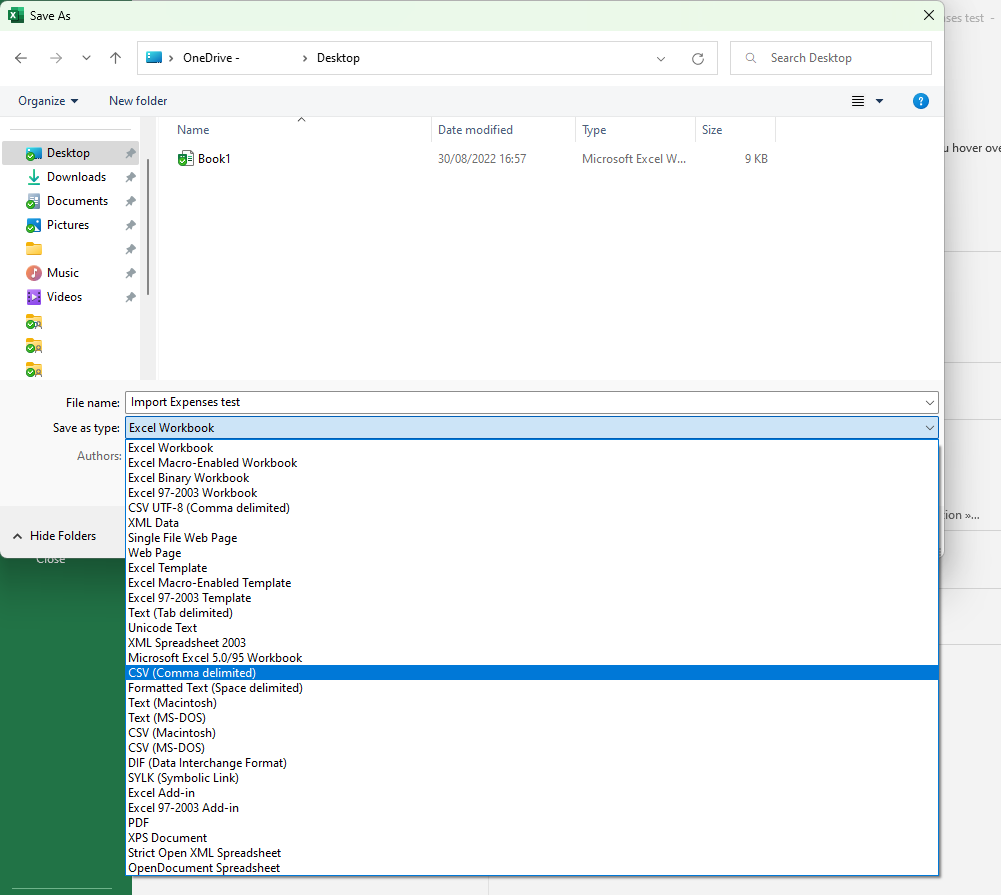
Option 1: Save excel sheet as a CVS (Comma delimited) by doing the following:
- Open excel
- Go to File - Save as and choose place to save your document.
- Save as type: CVS (Comma delimited)
Option 2: Download 'Microsof.ACE.OLEDB.12.0' provider by doing the following:
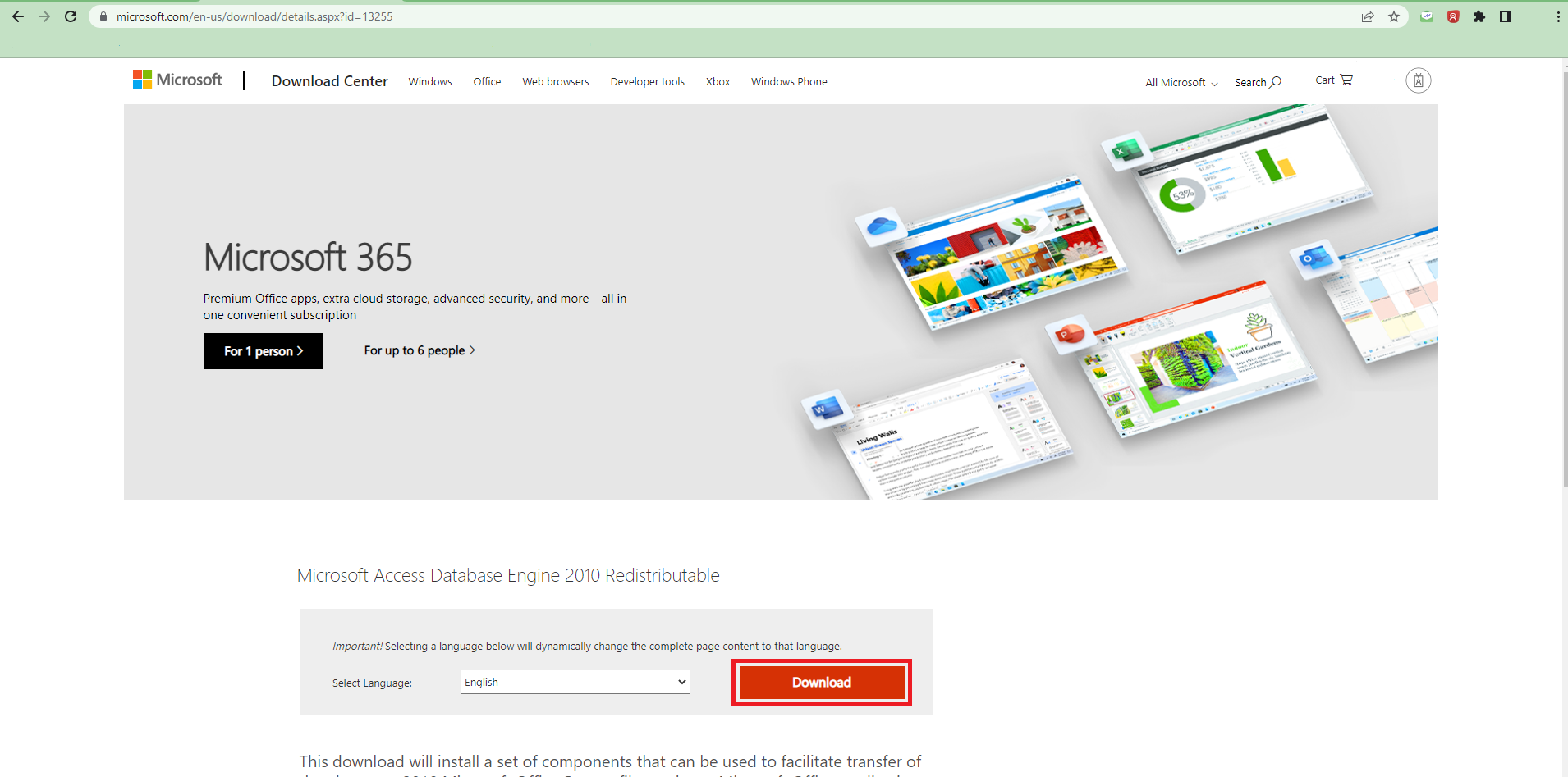
- Click following link: https://www.microsoft.com/en-us/download/details.aspx?id=13255
- Click Download
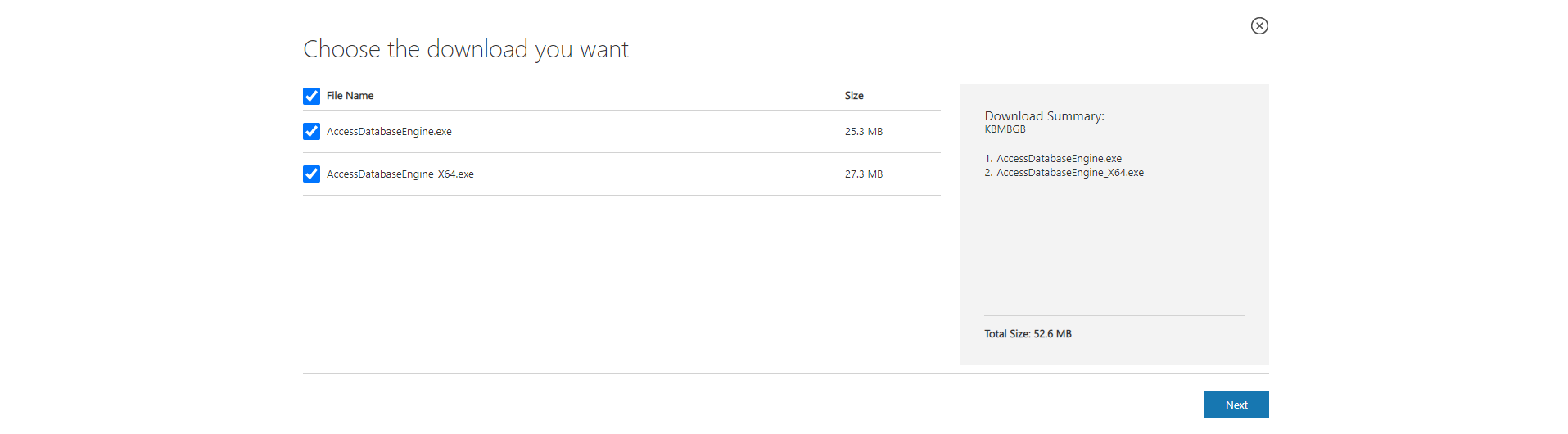
- Check both downloads.
- Click Next
- Locate and double-click the .exe file. (It will usually be in your Downloads folder.)
- A dialog box will appear. Follow the instructions to install the software.
Only one download will work on your computer, you can ignore the other one.