
You might want to create an invoice for an owner when you provided a service for them e.g. renovations, arranging certificates etc.
This is how to do it:
- Open the relevant property.
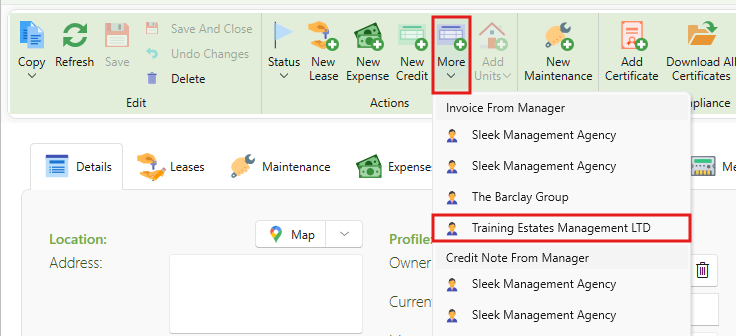
- Click More.
- Select the manager you would like to invoice from under Invoice from manager.
- This will open a new invoice from your management company to the property owner.
- Fill in the description, account ledger, and amount.
- Click Save.
- The manager invoice will now show up in the landlord statement like all supplier invoices.
Note: Manager invoice will not show up in the Manager statements, unless you have selected to include owner transactions.
Manager invoices that you choose not to include in a manager statement will need to be paid off the same way as a supplier invoice.
The invoices can be tracked in manage expenses alongside the supplier expenses.