You might want to create an invoice for an owner when you provided a service for them e.g. Letting fee, renovations, arranging certificates etc.
Creating a Managers invoice
This is how to create a manager invoice to a landlord:
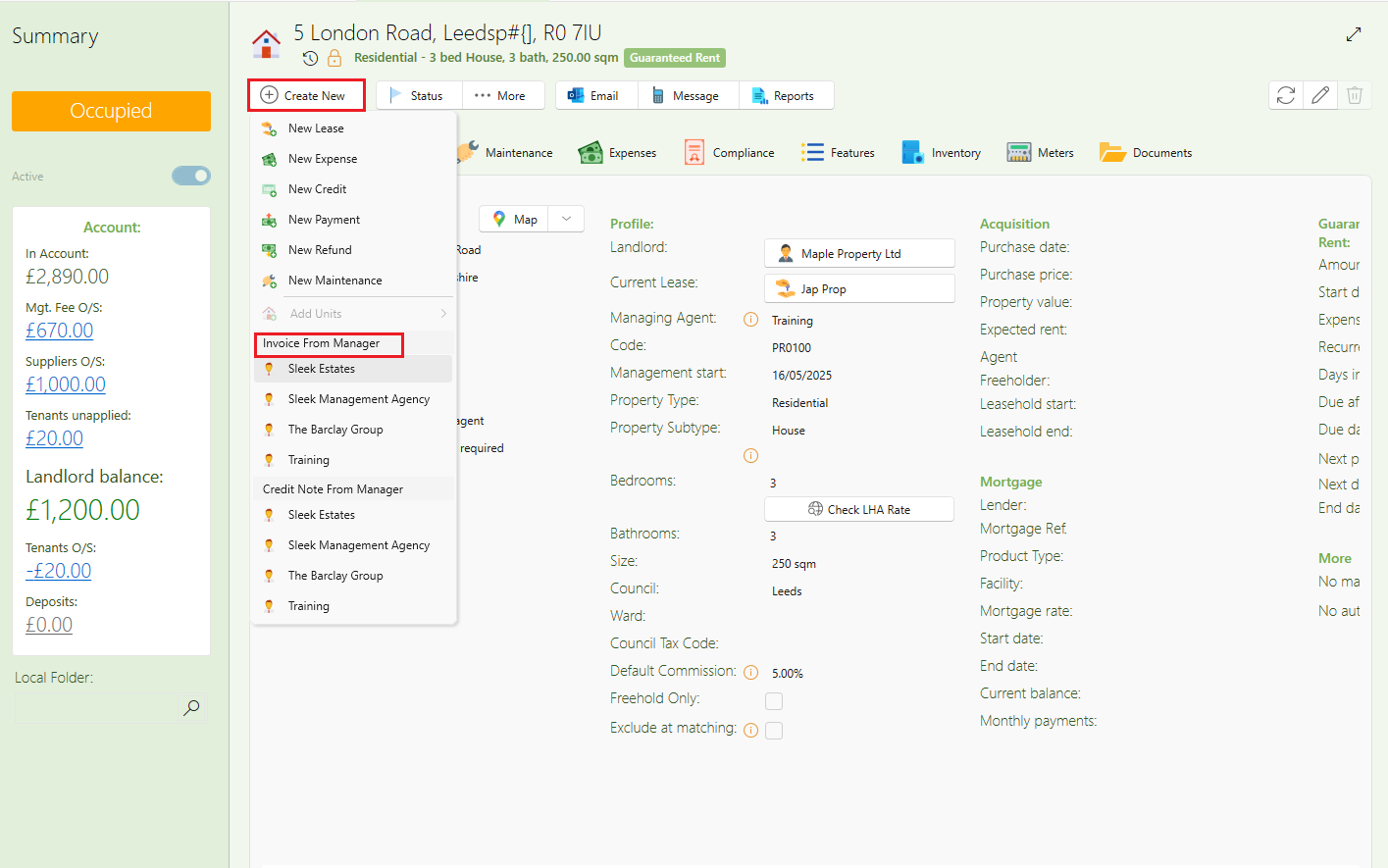
- Open the property or landlord which you want to create the invoice for.
- Click More>Invoice from manager.
- Choose manager and click to open.
- A new expense window will pop up where you see the expense being invoiced from the Manager to the property owner.
- Fill in the description, account ledger, and amount
- Click Save.
- The manager invoice will now show up in the landlord statement like all supplier invoices.
Sending a Managers invoice
To send the invoice as a letter to the owner, follow below steps:
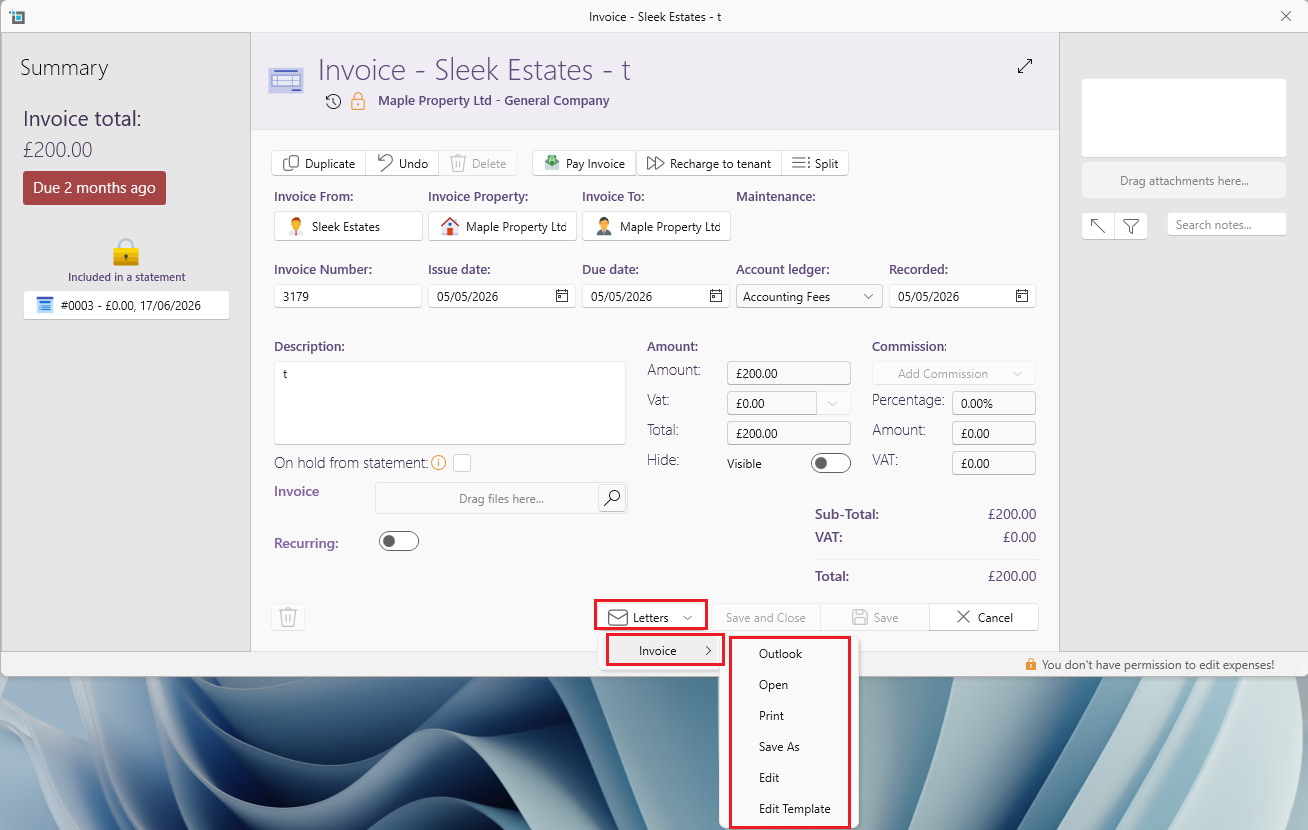
- Open the invoice.
- Click Letters - Invoice
- You can open letter in pdf, print, send via outlook etc.
If you're missing this letter e-mail SleekTech for help.
Marking the invoice as paid and receiving the funds
Any invoices created from a manager to a landlord will appear under the Expenses tab by the owner and property.
They will also appear under the View expenses window.
You can identify these expenses by the icon.
Manager expenses have a manager icon and regular supplier expenses have a supplier icon.
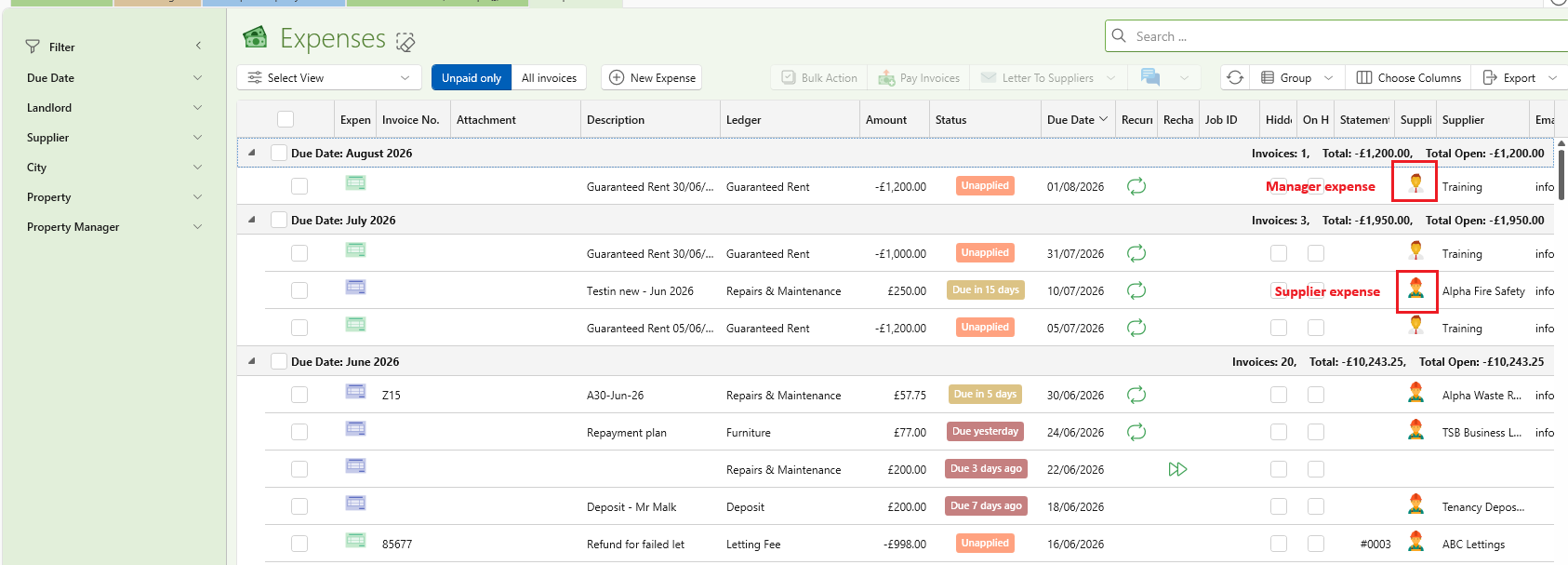
All invoices from the manager to the landlord will show as Unapplied until they get included in a managers statement.
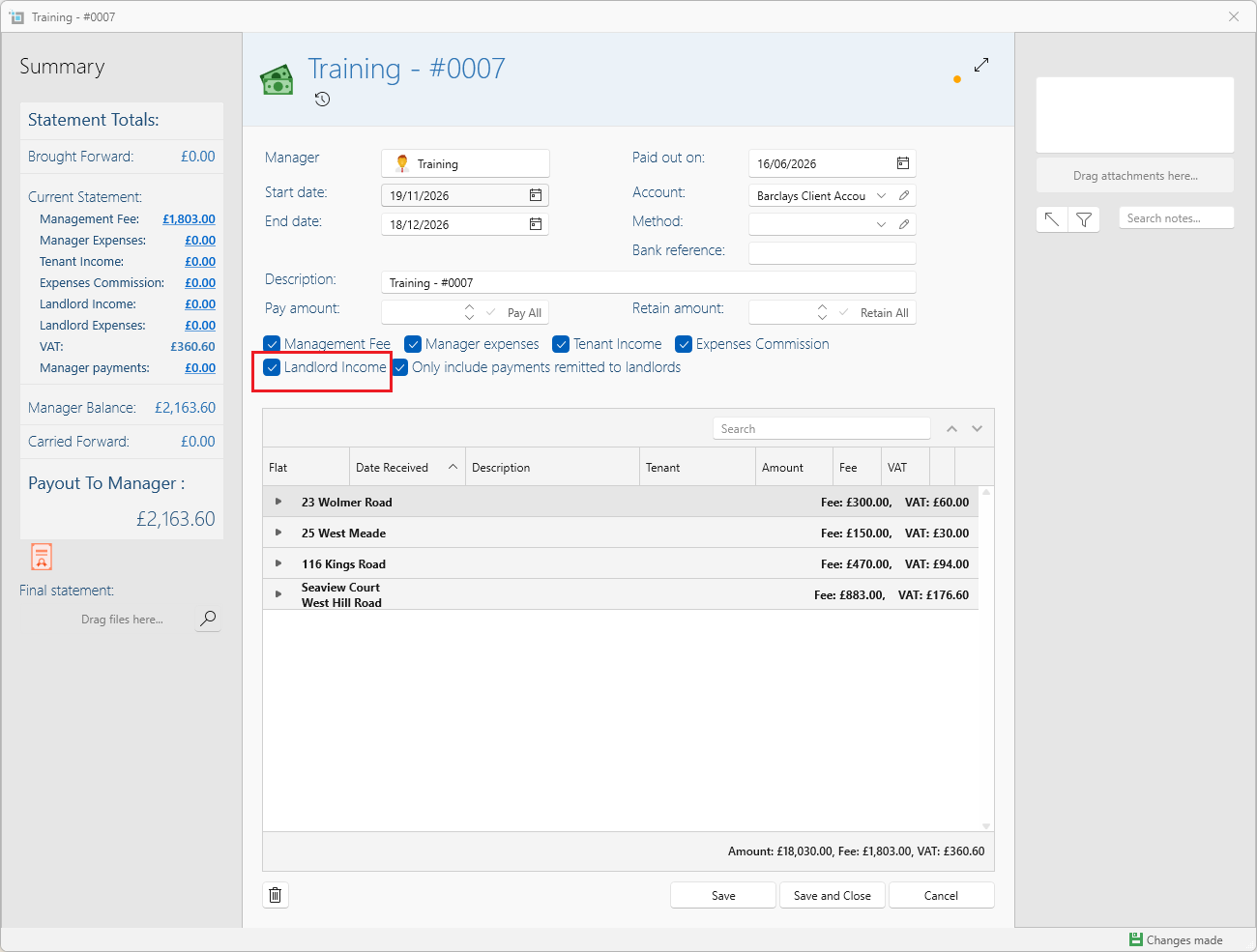
To receive the funds you will need to create a managers fee statement as usual, however you will need to tick Landlord income for these invoices to appear.