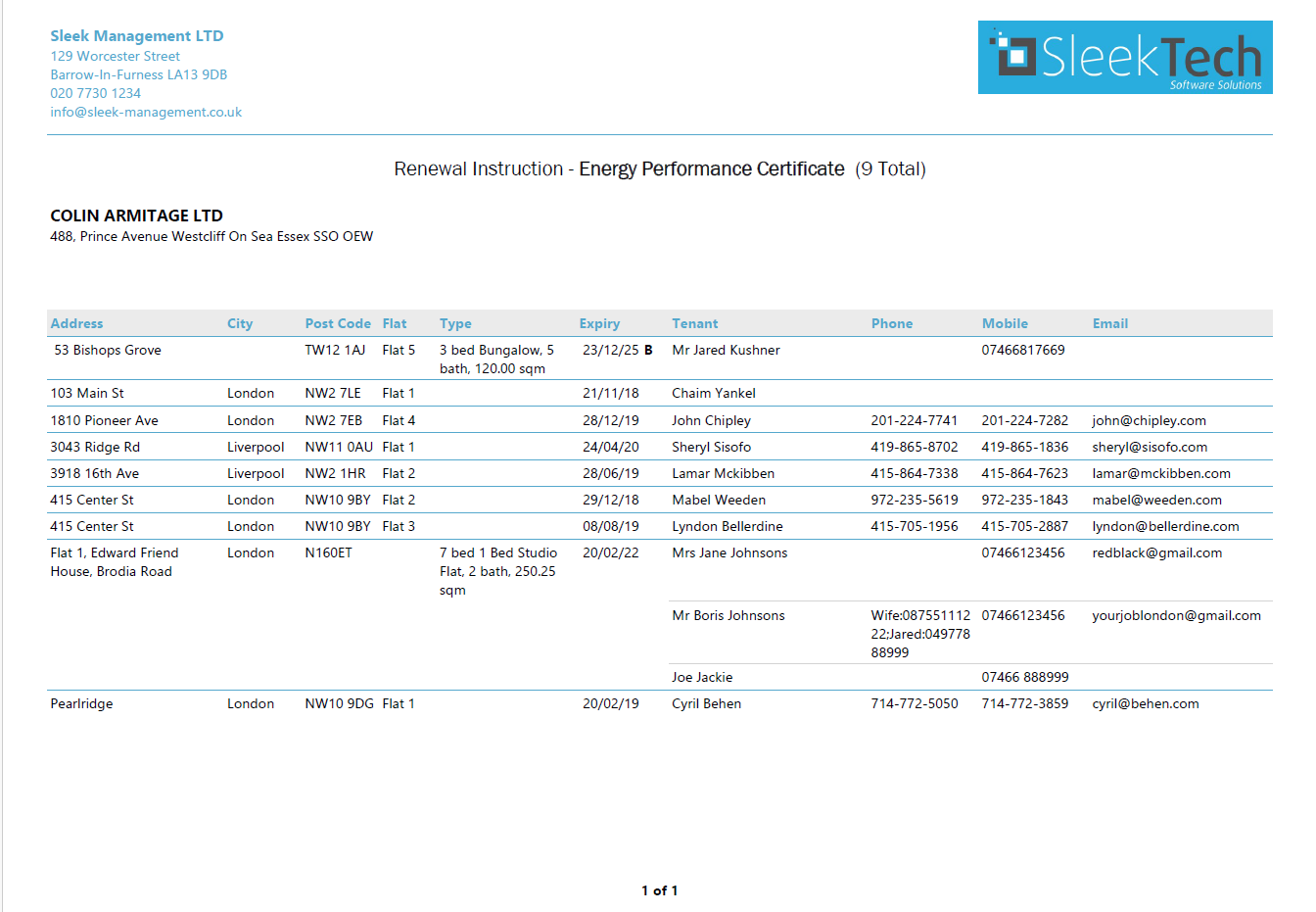
This guide explains how to instruct a supplier to order one or multiple certificates directly from the system, using a clear work-order report that includes all relevant property and tenant details.
Step 1: Start from the Compliance Dashboard
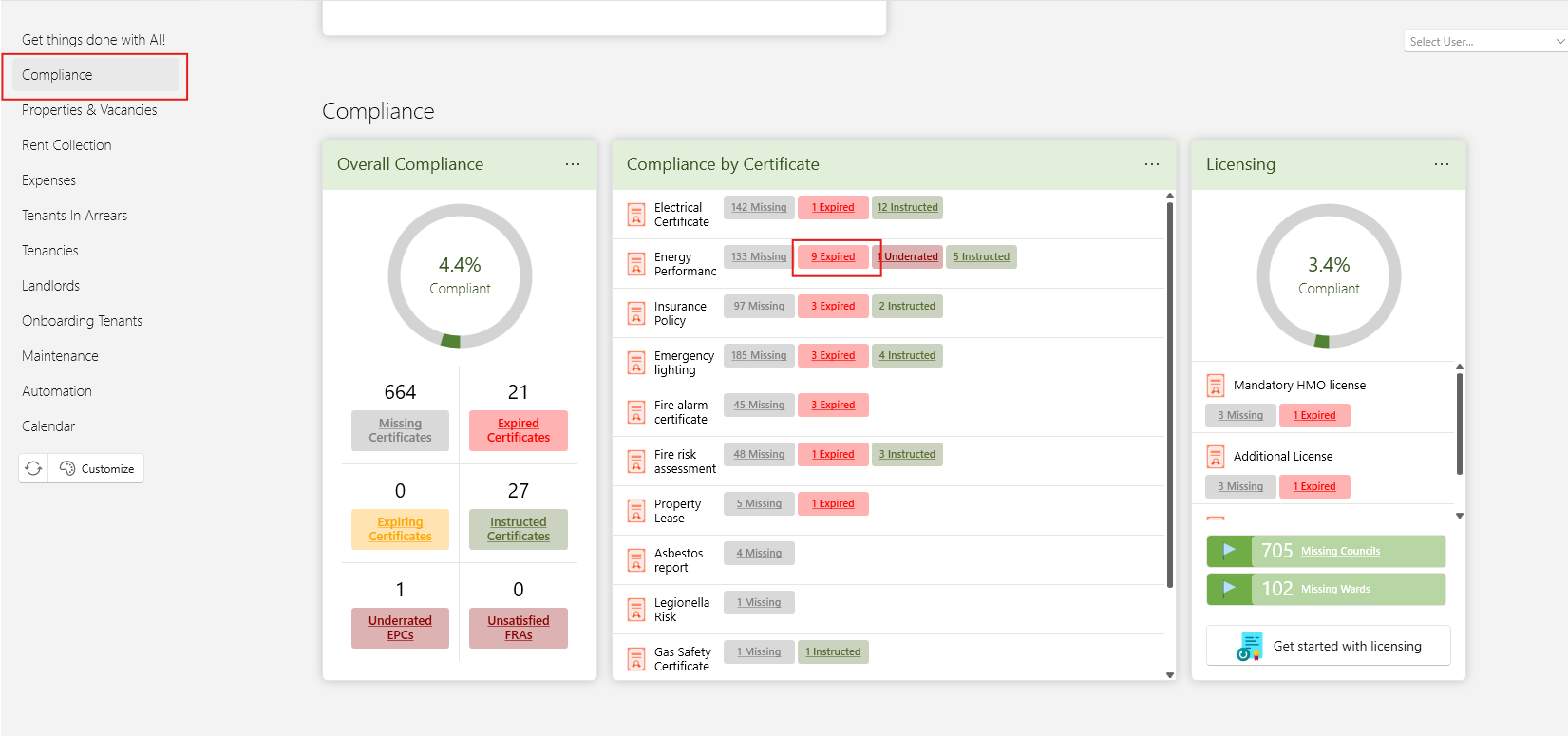
Open the Dashboardtab.
Go to the Compliance section.
The dashboard gives you a clear overview of all certificates that are:
Expired
Expiring soon
Missing
This allows you to immediately see which properties require action.
- Click on any ot the items to open the list of certificates.
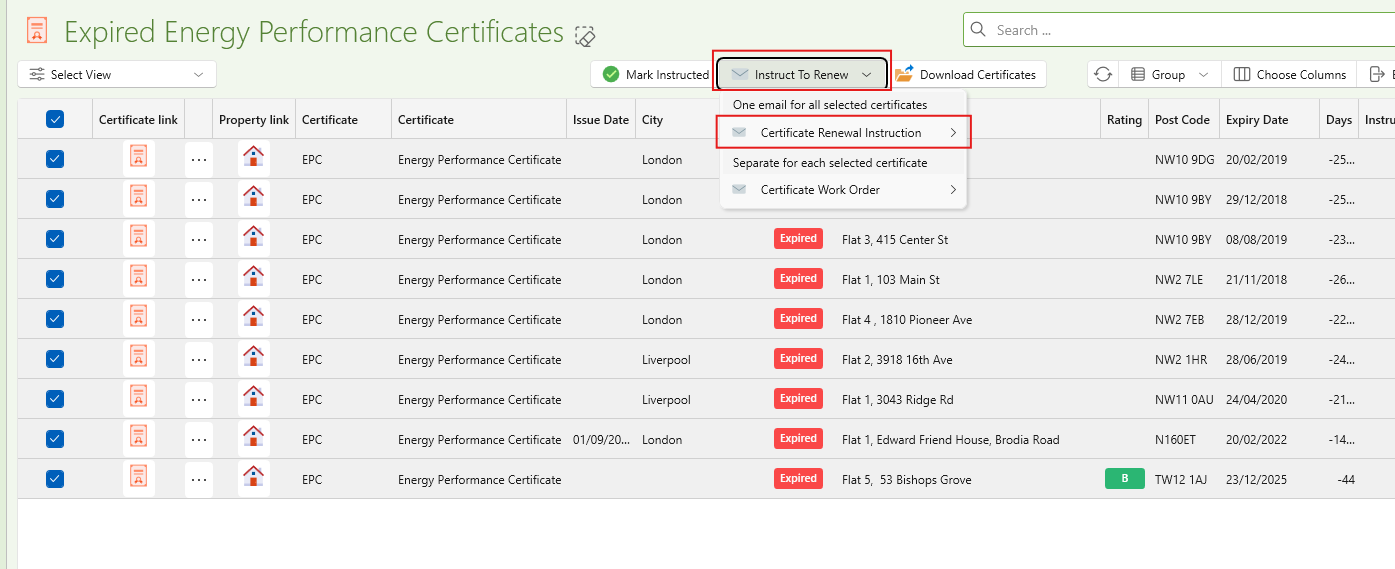
- Place a check next to the properties or certificates you want to order, or click the top checkbox to select all.
- Click Instruct To Renew
- Click Certificate Renewal Instruction or any of the other avaialbel templates.
- Choose to open with word, PDF or outlook.
- If using the email option it will open a prefilled email with a report attached showing clearly the list of certificates needed alongisde all relevant tenant info.