
This is how to create an additional Bank Account:
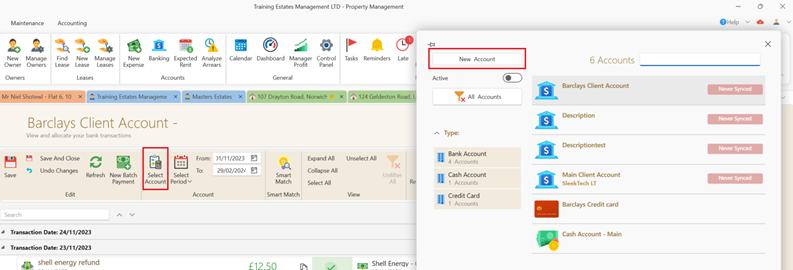
- Open the Banking window as above.
- Click Select Account.
- Choose New Account at the top left corner of the search panel.
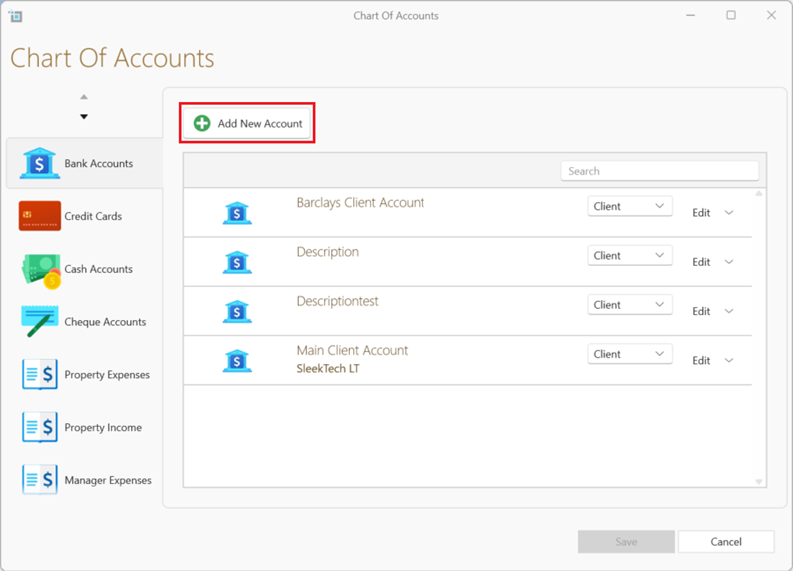
- Select +Add New Accounts.
- Enter your account description.
- Save.
Once you have created a new account you can sync the account to the bank by following the steps in the video link below
Alternatively you can add or edit your bank accounts directly in chart of account by selecting - Control Panel >Chart of accounts.
For further information please see the following article: Manage your account ledgers