
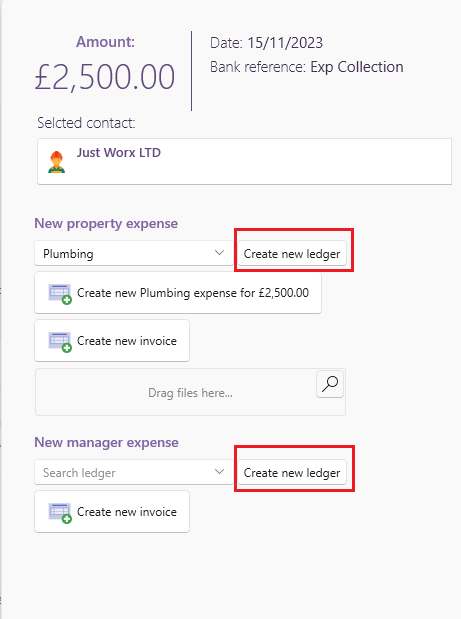
This is how to create a new ledger for a manager or property expense directly from the banking window.
Select an expense on the banking window.
- Click the find button and choose a supplier
- You can now select Create new ledger for either the property or for the manger.
- You can then fill in the description of the new ledger and press ok to save it.
For further details on how to edit your account ledgers click on the following article: