
This is how to record tenant past arrears for an existing lease.
- Find the desired lease.
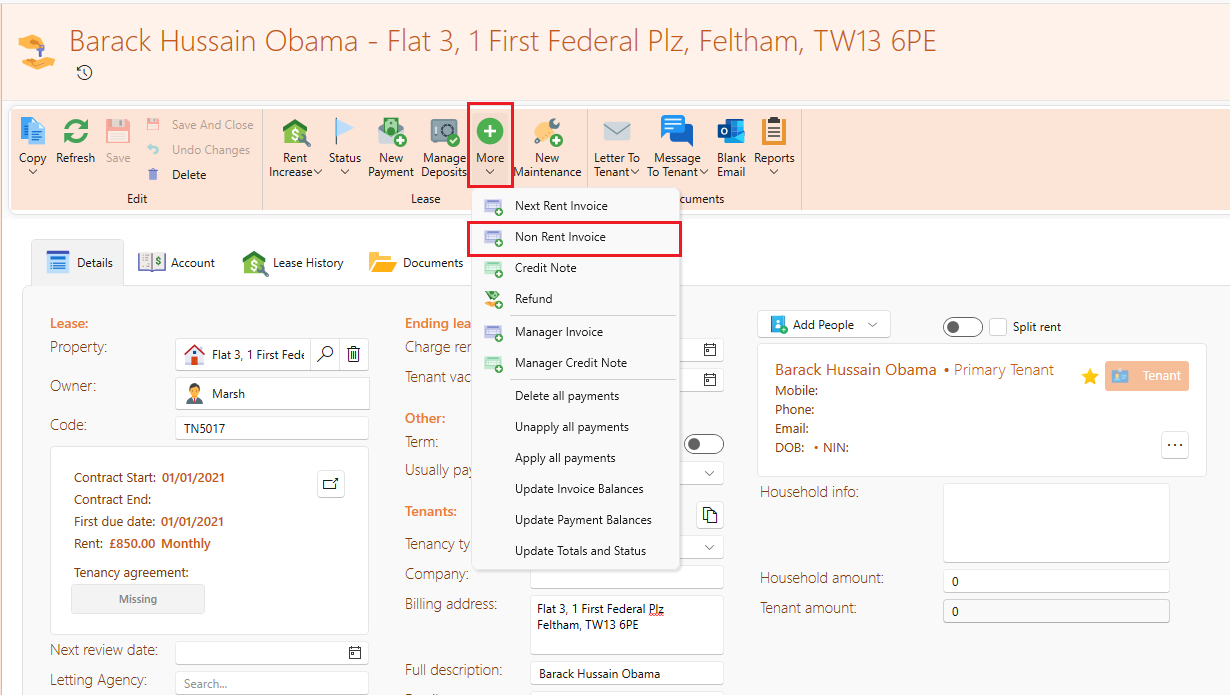
- On the page ribbon click on the More dropdown and then on Manual invoice.
- On the box that appears, fill in the amount that is outstanding, the date (date you started off) and description. The account ledger can be noted as Rent.
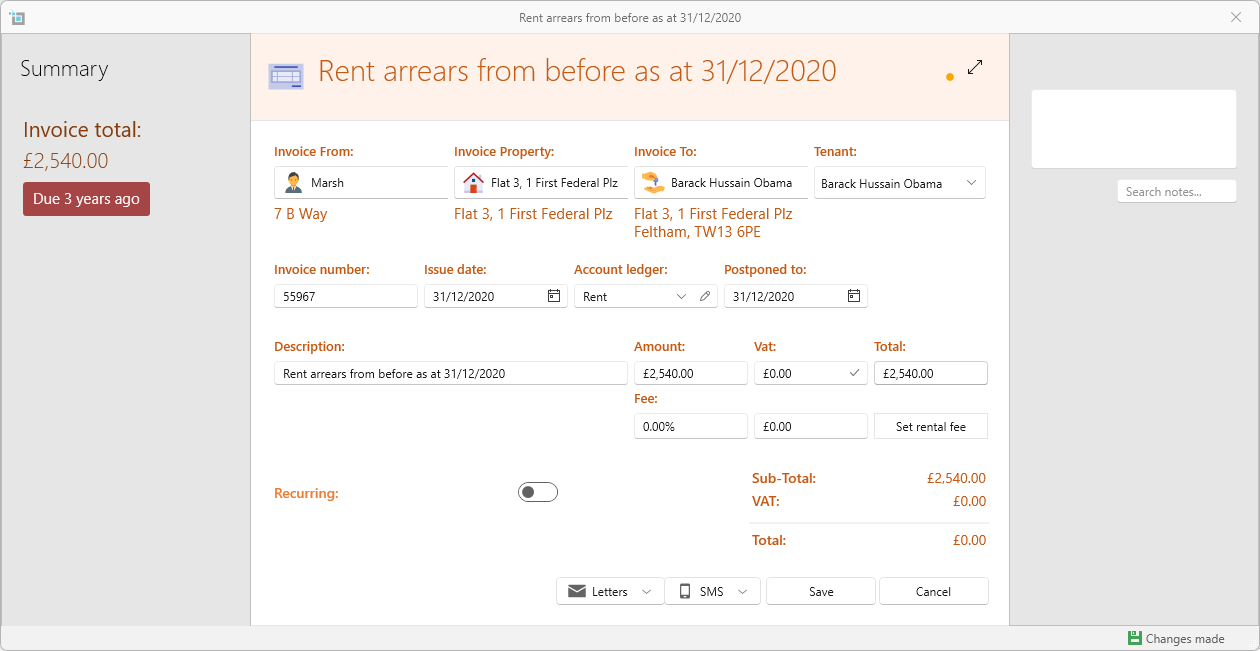
- Don't forget to click Set rental fee button to make sure you charge commission when collecting payments for this invoice.
- Save.
- You can now apply payments to this invoice like any other rental invoice.
If the tenant is not yet in the system, you can put in the arrears when entering the new lease in the system. See here for more on this:
Record tenant's past arrears when entering a new lease.