This is save a shortcut to the web portal to your home screen - Android:
- Click the following link on your phone or tablet: SleekTech Web Portal
- The portal will open in your default browser.
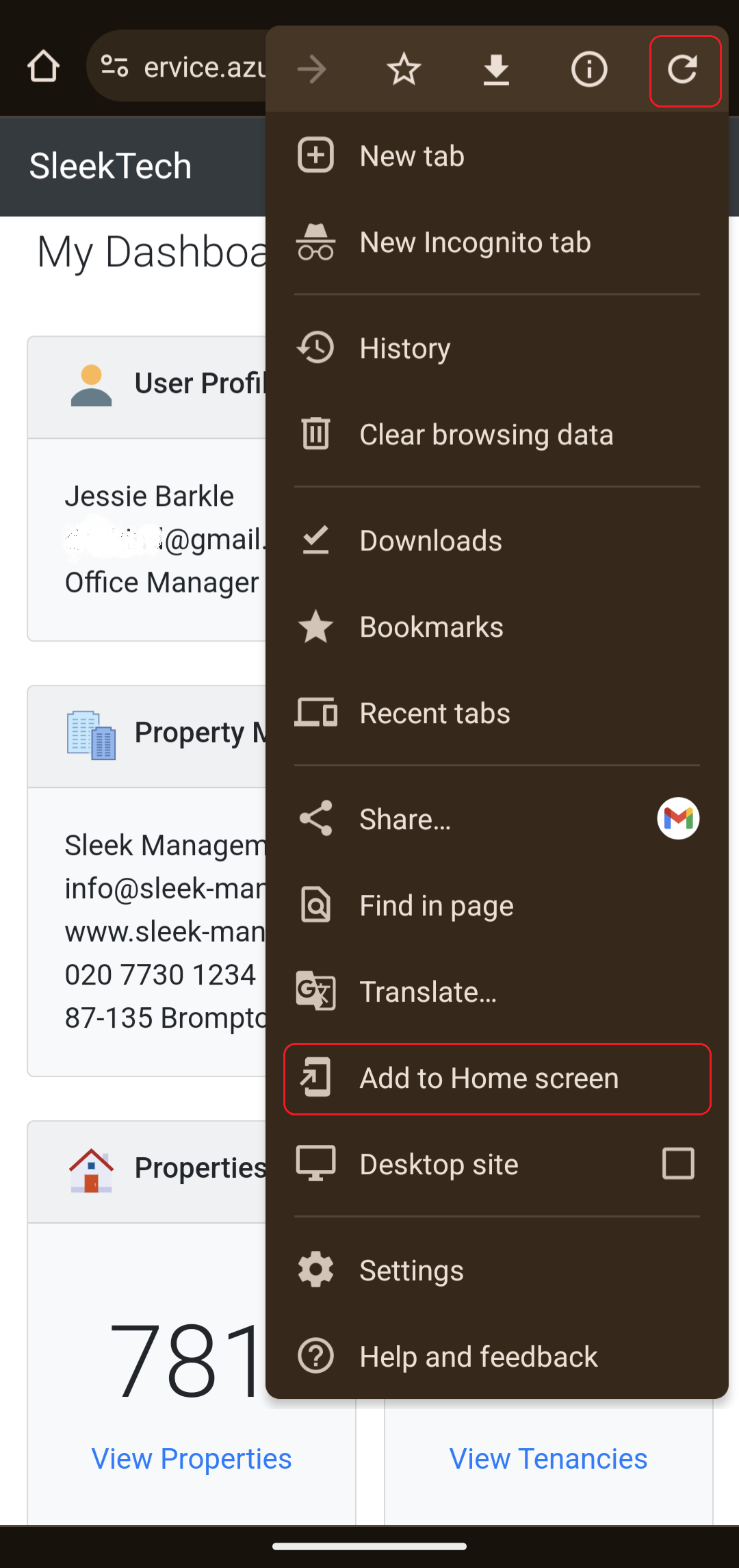
- Tap the 3 dot button at the top right of the browser.
- Tap on Add to Home Screen
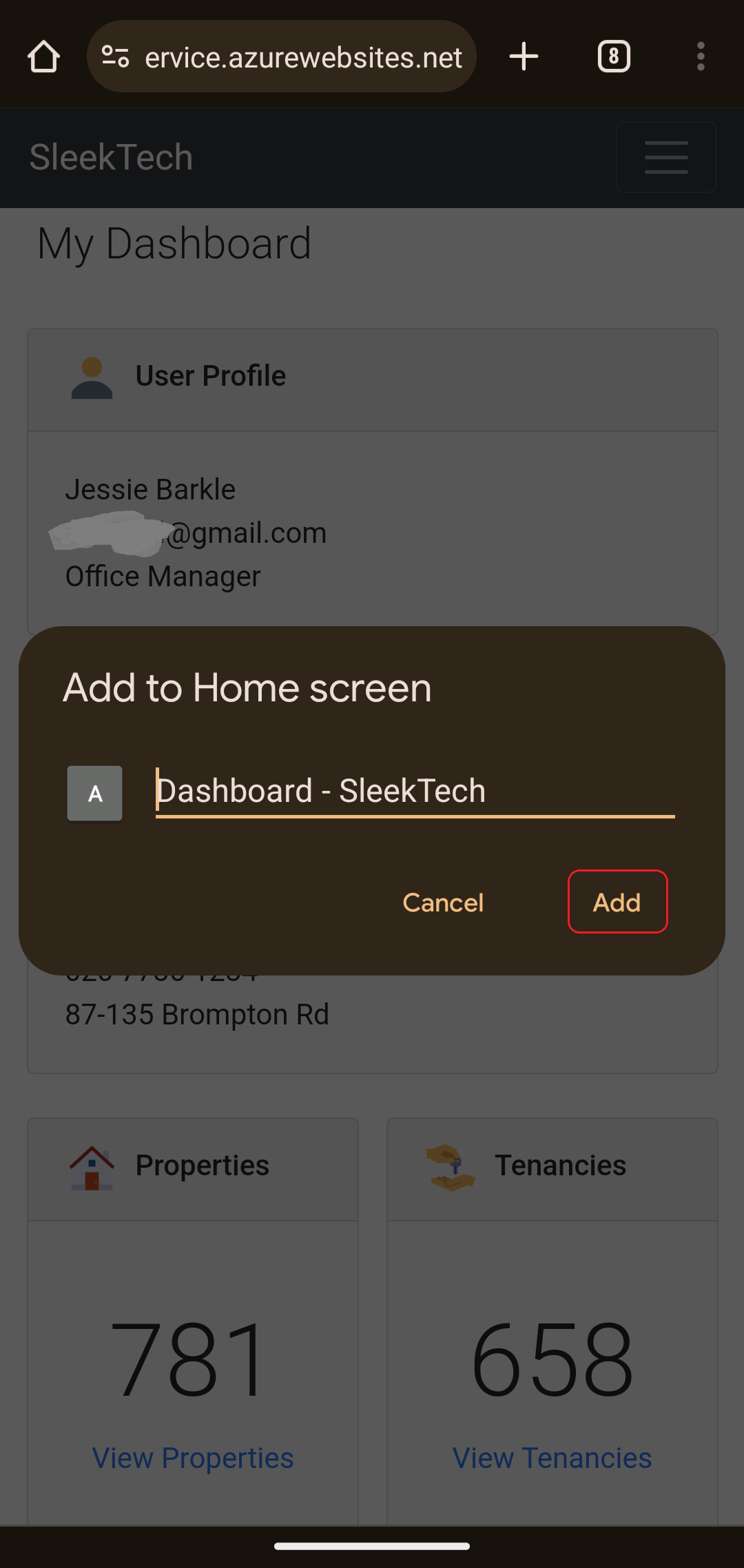
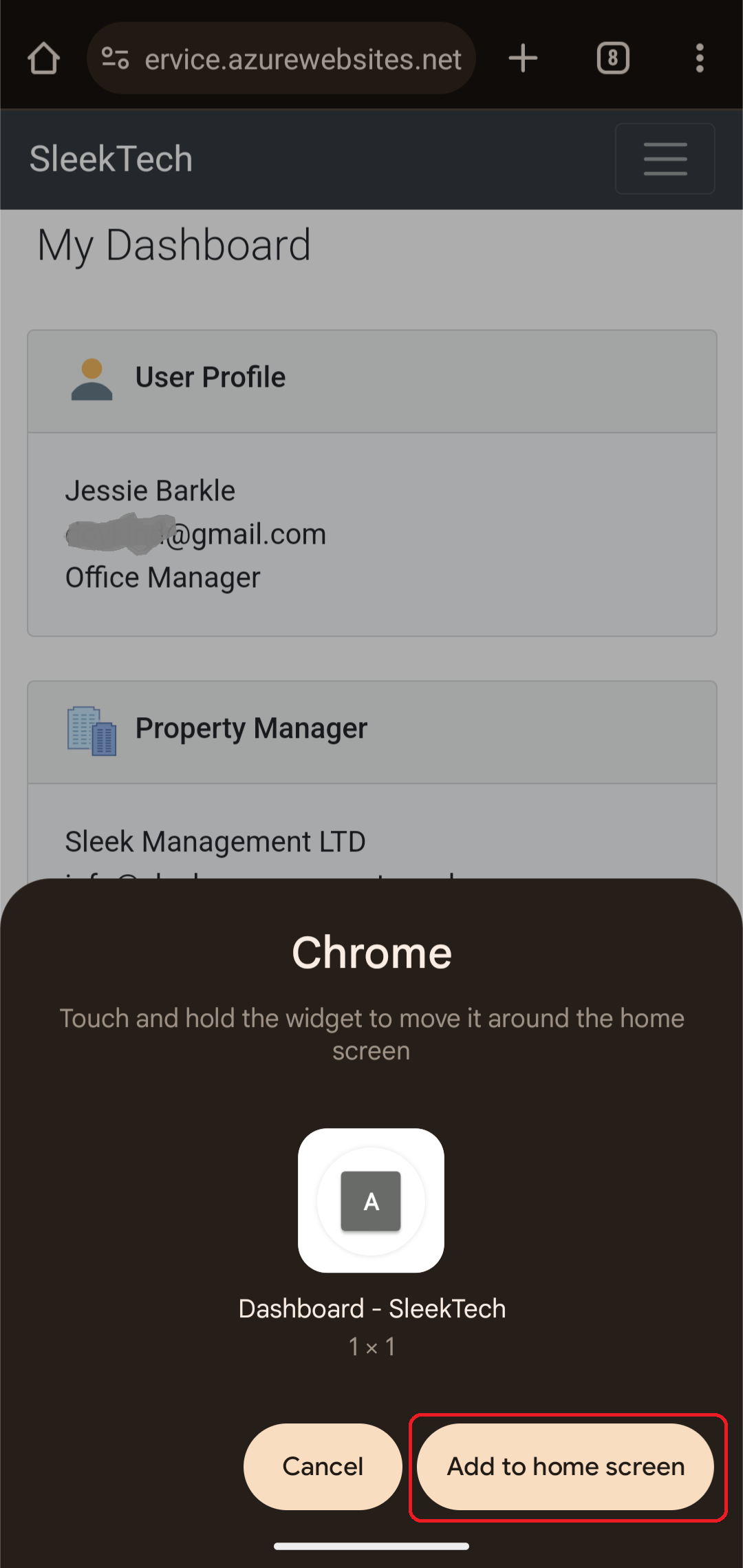
- Follow the rest of the process.