
To enter a maintenance job through the web portal, you can either do this through the property or through the lease.
How to enter a maintenance job through the property
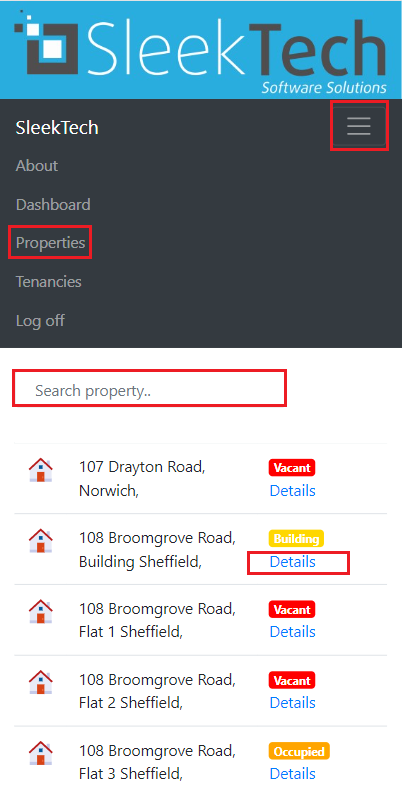
- At the top of the screen on the page ribbon, on the menu dropdown click on Properties
- Use the Search box to locate the property
- Click on Details at the left side of the property.
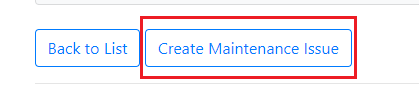
- Scroll down the page and click on Create Maintenance issue at the bottom
- Click on the dropdown of CategoryID and choose the correct option.
- Fill in the What's the problem box and other details if desired.
- Click on Create.
- The maintenance report will now appear. You can click on Upload image, Upload video or Upload audio if you want to upload anything for this issue.
How to enter a maintenance job through the lease
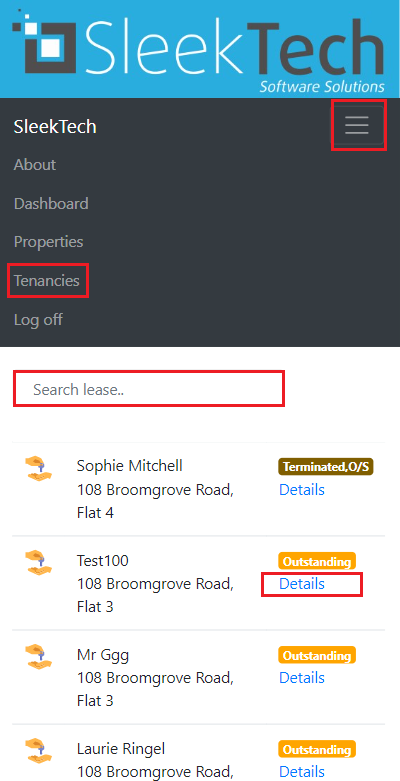
- At the top of the screen on the menu dropdown of the page ribbon, click on Tenancies
- Use the Search box to locate the lease
- Click on Details at the left side of the property.
- Scroll down the page and click on Create Maintenance issue at the bottom
- Click on the dropdown of CategoryID and choose the correct option.
- Fill in the What's the problem box and other details if desired.
- Click on Create.
- The maintenance report will now appear. You can click on Upload image, Upload video or Upload audio if you want to upload anything for this issue.