
This is how to adjust the settings that only supplier invoices that are fully paid will show up in the owner statement.
- Select Control Panel.
- From the Left panel select Owner Statements.
- Tick the option Don't include unpaid invoice on statement.
- Save.
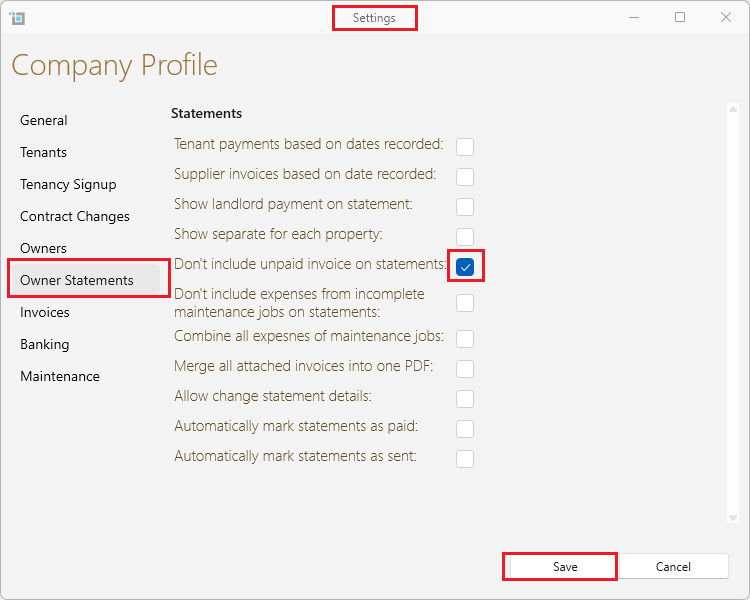
Once you have saved this option Supplier invoices will only show up in the owner statement once they have been fully paid.
Further information in regards to creating owner statements can be found by clicking on the following link: