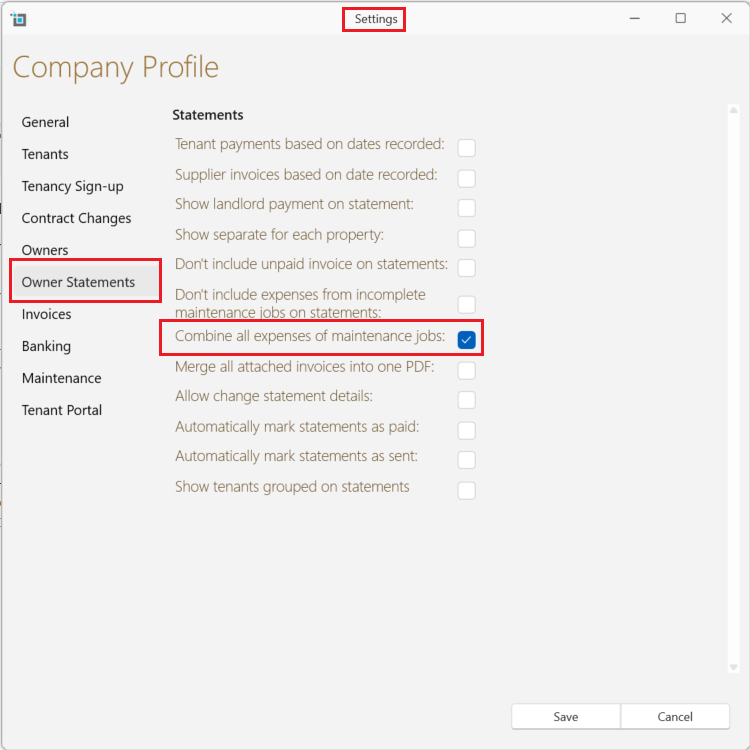
Understanding the description that will show up on the expense column in the owner statement.
When you create a maintenance task all the expenses that are added under that task are grouped together and show up in the statement as one large expense with the description showing the title of the maintenance task.
By default the description of each individual invoice will not show up on the statement.
Should you wish to have the description of each invoice show on the owner statement you can change the setting by selecting:
- Control Panel
- Settings
- Owners
- uncheck - Combine all expenses of maintenance job.
Now each invoice will show on the statement separately with the invoice description.