
SleekTech will automatically identify different licensing requirements for each property based on the rules you set up for different councils and wards.
How to create and amend councils
- From the Properties page ribbon click on Manage councils
- On the left hand side there is a list of councils already added to the system. If the council you desire is not listed, click on New council from the top left.
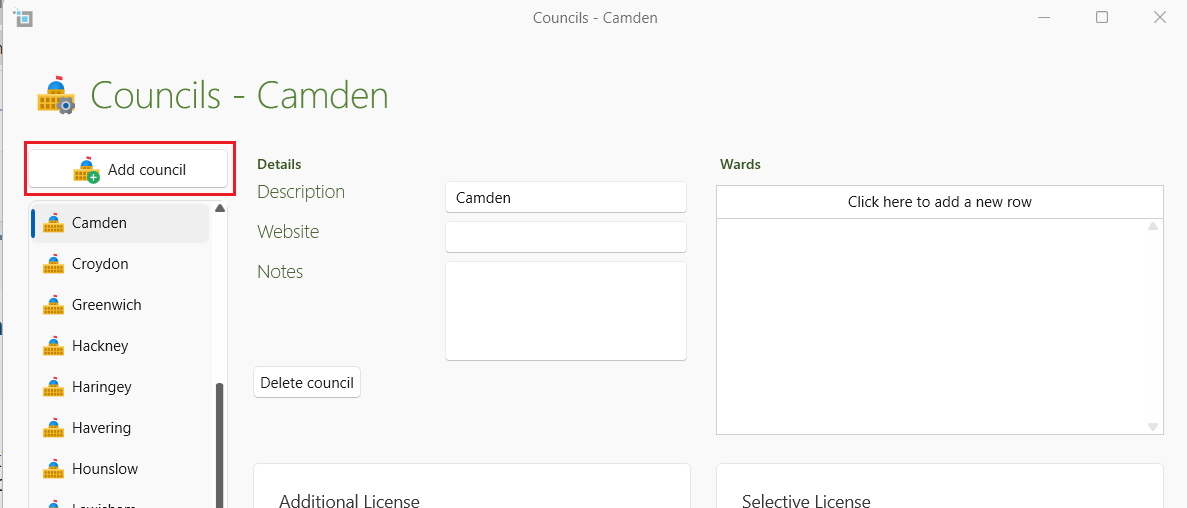
- To amend or view any council, scroll down the list on the left and click on the desired council. The council name will show up in the Description box at the top.
- The website and notes on this council can be added underneath the Description box if desired.
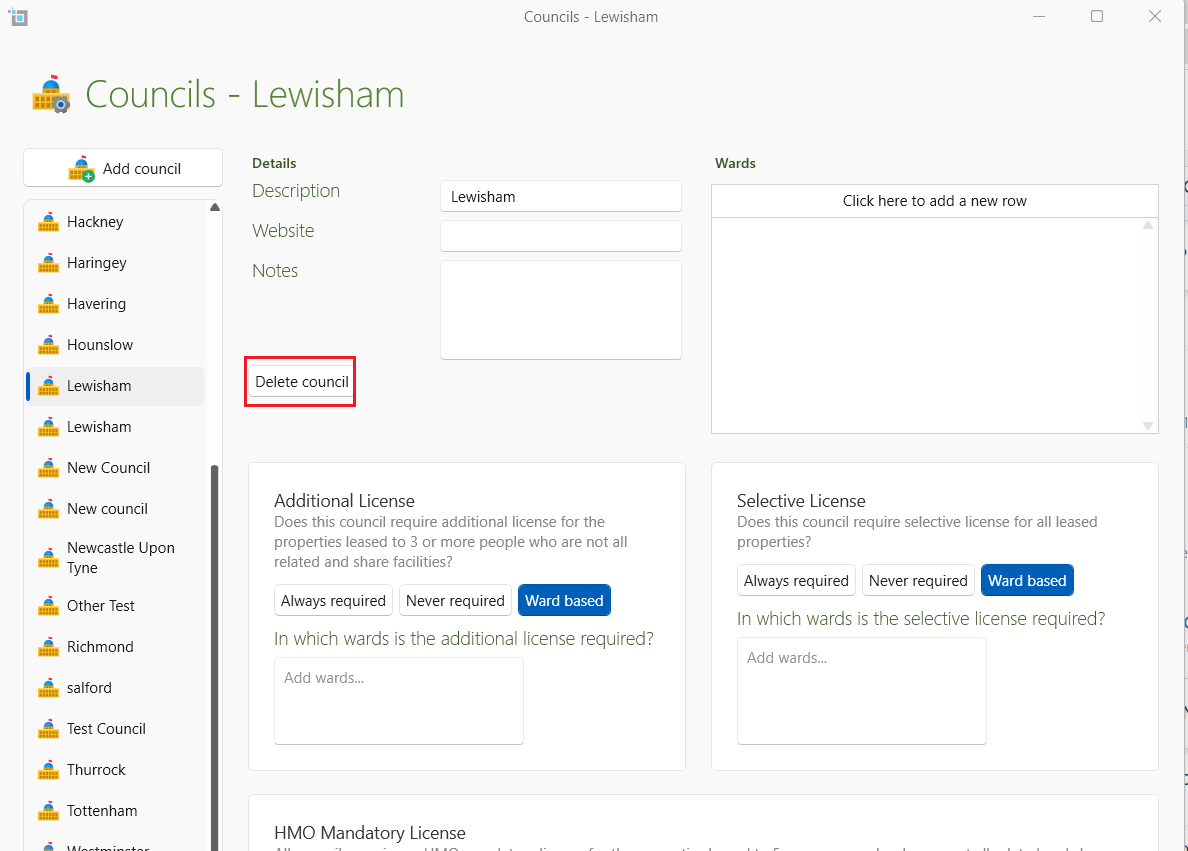
- To delete this particular council, click on the Delete box under the Notes section.
How to create and amend wards
- Click on the desired council as shown above.
- On the left side you can now add a ward within this council. Click on the top of the box to add a ward and then press Enter. Another box will appear after every time for you to add more wards if needed.
- If you wish to delete a ward, click on the delete button next to that particular ward.
- You now have 3 boxes at the bottom- Additional License, Selective License and HMO License.
- On the Additional License and Selective License you can click on the option required- either Always required, Never required and Ward based.
- If you click on Ward based, another box will come up. Click on the box and all wards that have been created on this council will be listed.
- You can now tick which wards require the license. Then click on OK
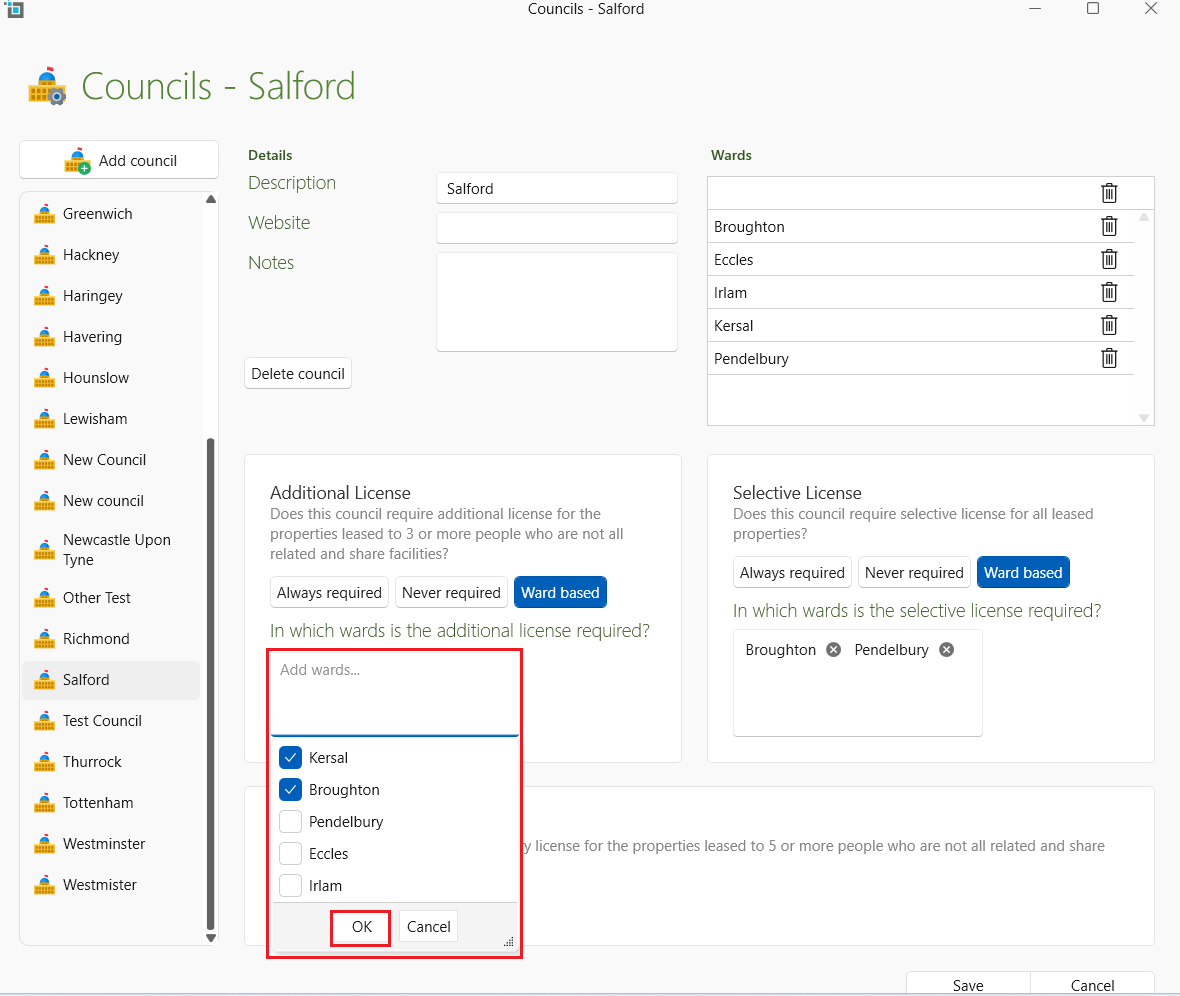
- To delete a ward from the list click on the cross button next to the ward.
- The HMO License box cannot be amended as this rule applies universally.
- Click on Save
- The system will now check and amend any leases according to the rules you have entered. The properties requiring a license will be shown on your dashboard and under Compliance on the property as missing. The dashboard will also tell you any properties that might need a certificate but they have the council or the ward name missing.
- For more information how to add certificates/licenses to the property:
How to add or remove a certificate option on the compliance tab.