
When you entered a property you might not have put the details of the council or wards. You might also want to amend properties to state the correct council or ward.
Please note: You will need the Bulk edit permission to be allowed to bulk edit the propertiesThis is how to amend multiple properties to a different council and/or ward
- Click on Manage properties from the Home page ribbon
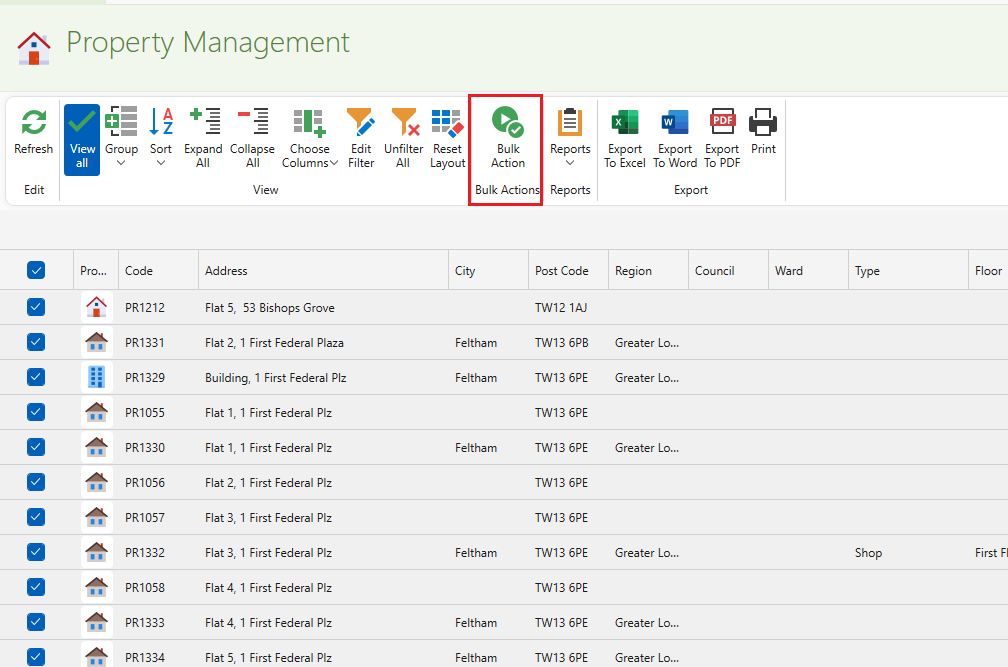
- On the left hand side click on the desired properties. You can also filter out to different owners/ addresses. See here for more guidance on filtering: How to navigate the Management windows
- Click on Bulk action from the page ribbon
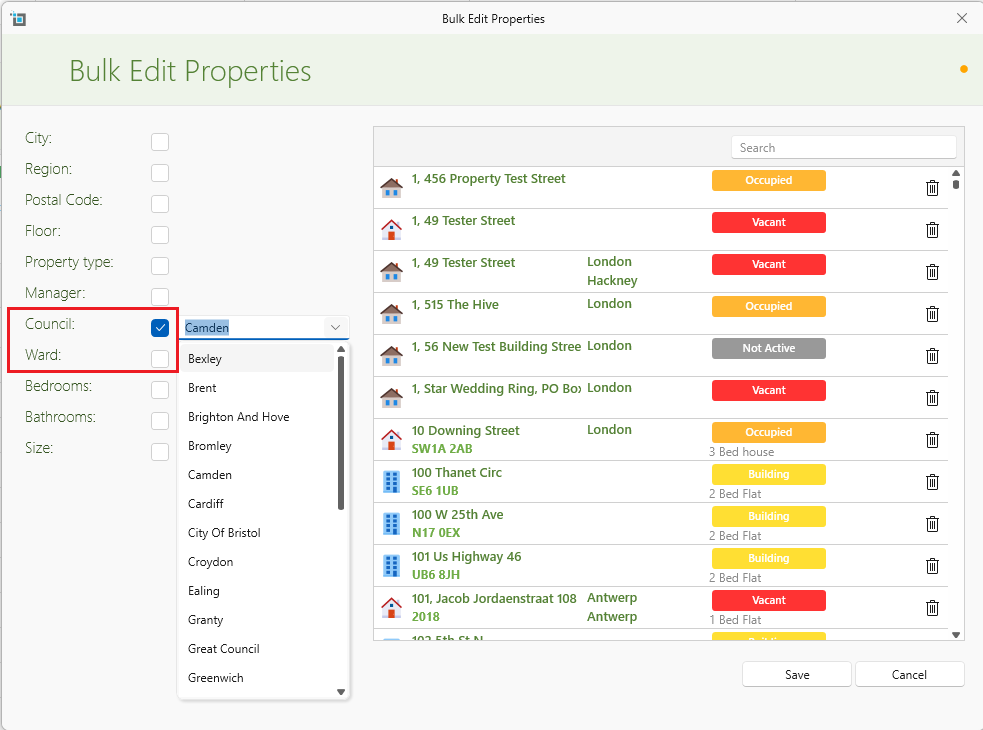
On the left hand side click on Councils. From the dropdown, choose the desired council. To add more councils not listed, see here: Manage Councils and Wards
The Ward option will now be shown underneath. From the dropdown, choose the desired ward if applicable.
Click on Save
- OnFor more on Bulk editing see here: