
When managing rental payments within SleekTech, you have the flexibility to control how dates are reflected on statements. By default, statements display rental payments based on the date the money is received in the bank. However, if you need to adjust this date for clarity or other reasons, you can utilise an alternative option.
Using Recorded Dates
Instead of the default receipt date, you can input a different date in the Date Recorded field when creating a tenant rent payment.
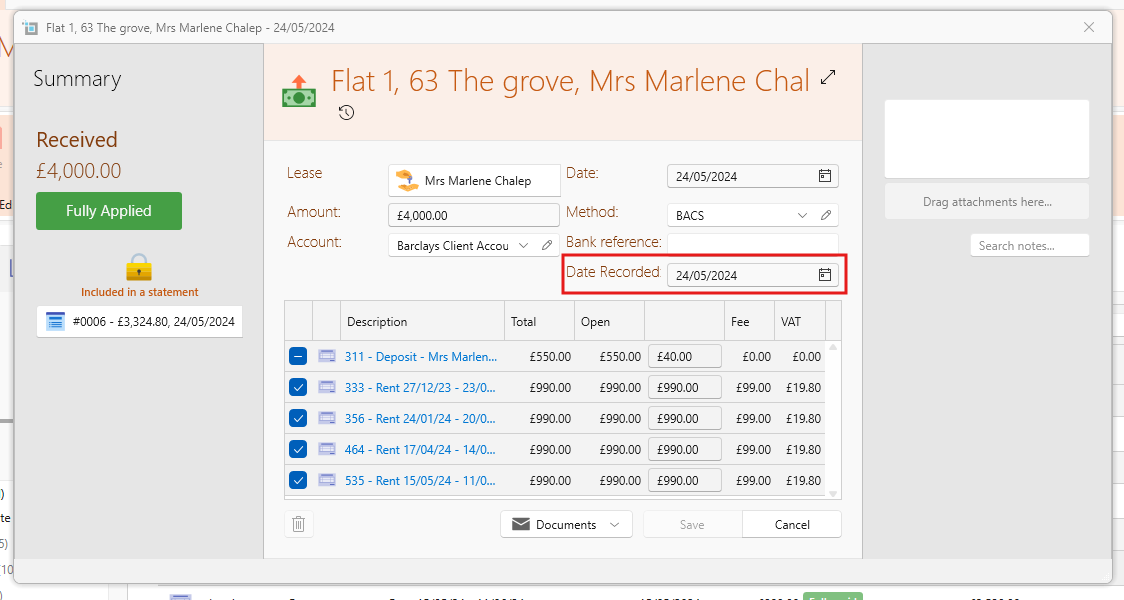
This recorded date will then be reflected on the generated statement, providing you with the flexibility to align the statement entries as needed.
Changing Default Settings
To ensure that statements reflect the recorded dates rather than the receipt dates, follow these steps to adjust the default settings:
Navigate to the Control Panel section of your account.
Locate and click on the Settings option within the Control Panel.
Look for Owner Statements in the navigation panel.
Tick the option that specifies Tenants payments based on dates recorded.
Once you're done, Save.
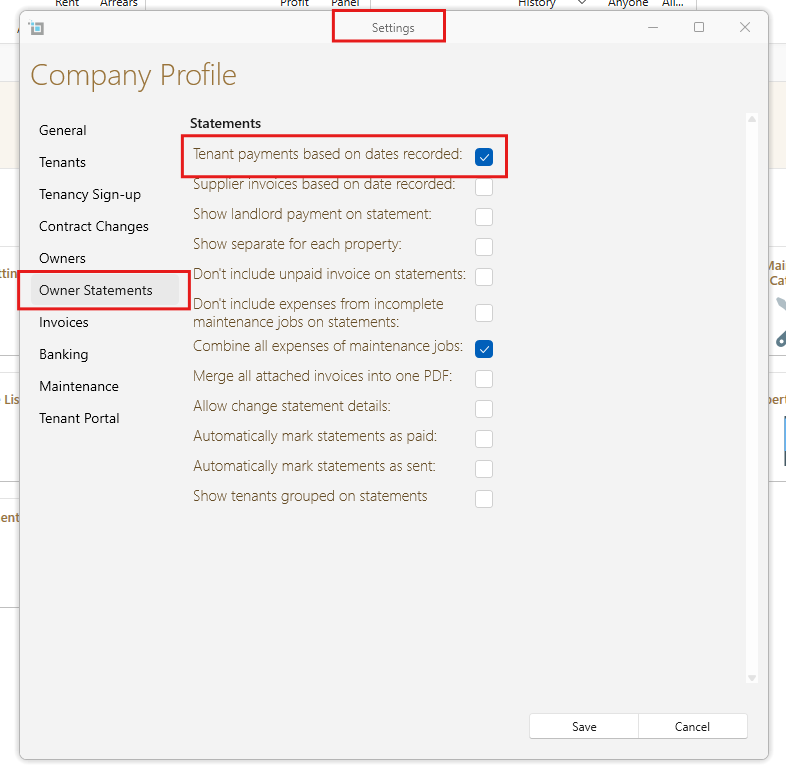
By selecting this option, your statements will be generated to display rental payments according to the recorded dates you input during payment creation.
Still in need of support?
If you have any further questions or require assistance with any other aspect of our services, please do not hesitate to contact our support team.
We are here to help you make the most of our platform and ensure smooth management of your rental operations.