
When dealing with rental payments that exceed outstanding rent amounts, our system offers two methods to effectively link these payments. Whether you prefer creating a future rent invoice or leaving the payment unapplied for future use, here’s how you can manage each approach:
Creating a Future Rent Invoice
Start by accessing the Banking section from the main ribbon.
Find the specific payment and choose Find Tenant to proceed.
Within the side panel options, select Create Next Rent Invoice and apply the excess payment accordingly.
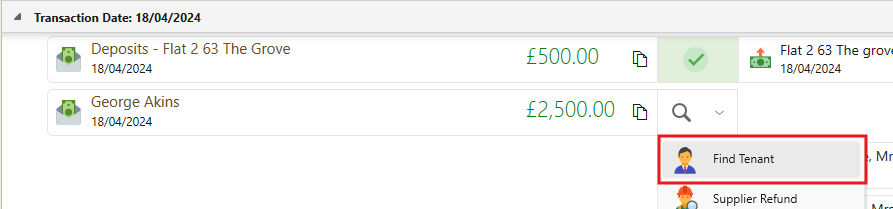
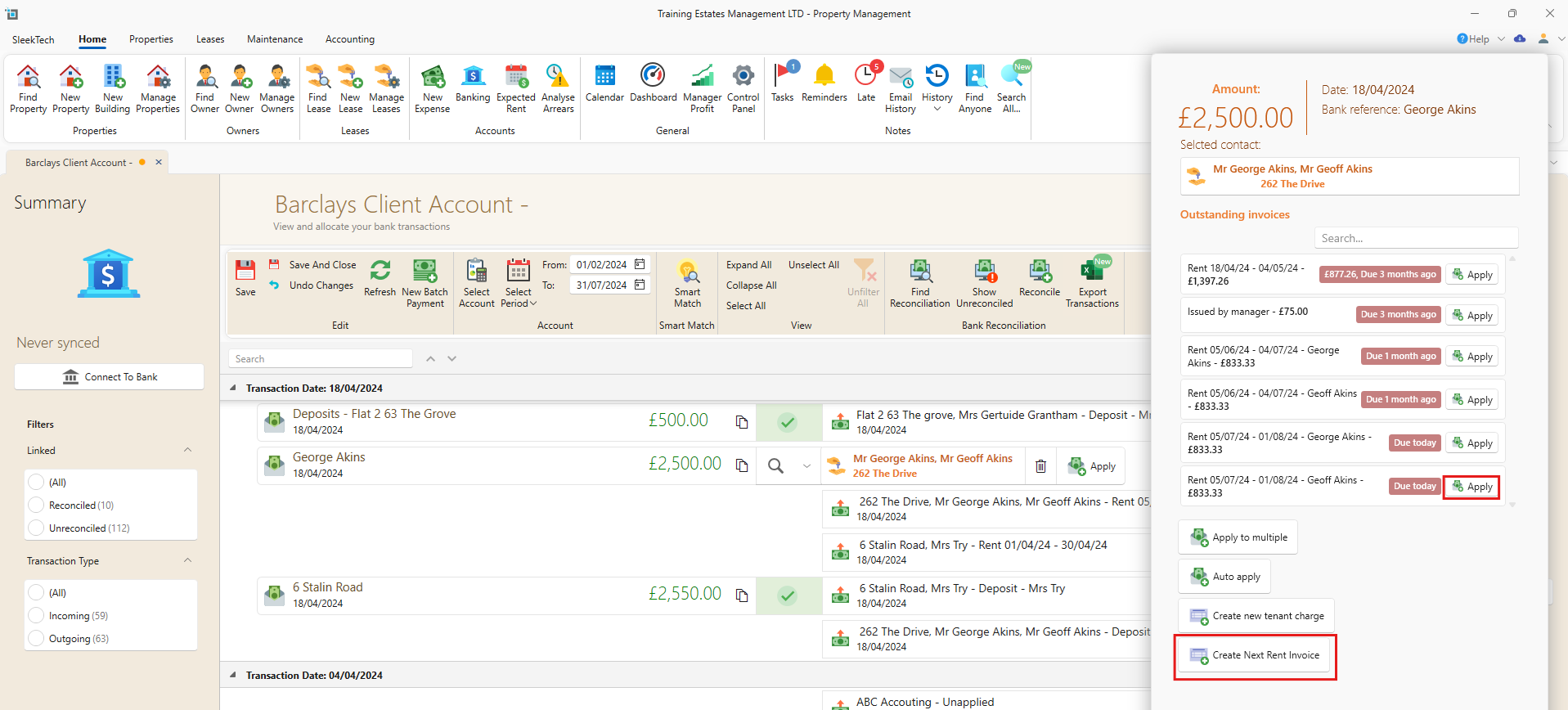
This method allows you to immediately apply the excess payment towards future rent obligations, ensuring accurate and timely account management.
Leaving the Payment Unapplied
From the main ribbon, navigate to the Control Panel section.
Locate the Tenants section within the navigation panel.
Select the option to Allow unapplied rental payments.
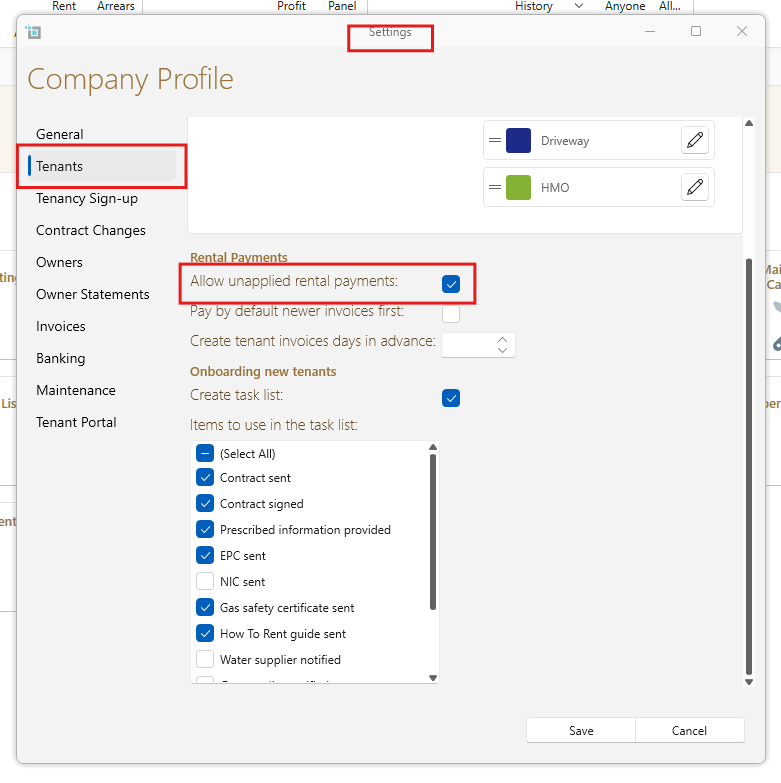
With this option enabled, you can save the payment without applying it to any specific charge. The overpayment will remain open on the tenant's account, giving you the flexibility to apply it to a future charge whenever necessary.
Conclusion
These methods provide you with flexibility in managing rental payments that exceed outstanding amounts. Whether you choose to create a future rent invoice or leave the payment unapplied, our system ensures efficient handling of excess payments to streamline your rental management process.
Still having trouble?
If you have any further questions or need assistance with any aspect of our services, please do not hesitate to reach out to our support team. We are here to help!