
The Analyse feature is designed to empower users with enhanced visualization capabilities, making it easier to understand and manage your financial data.
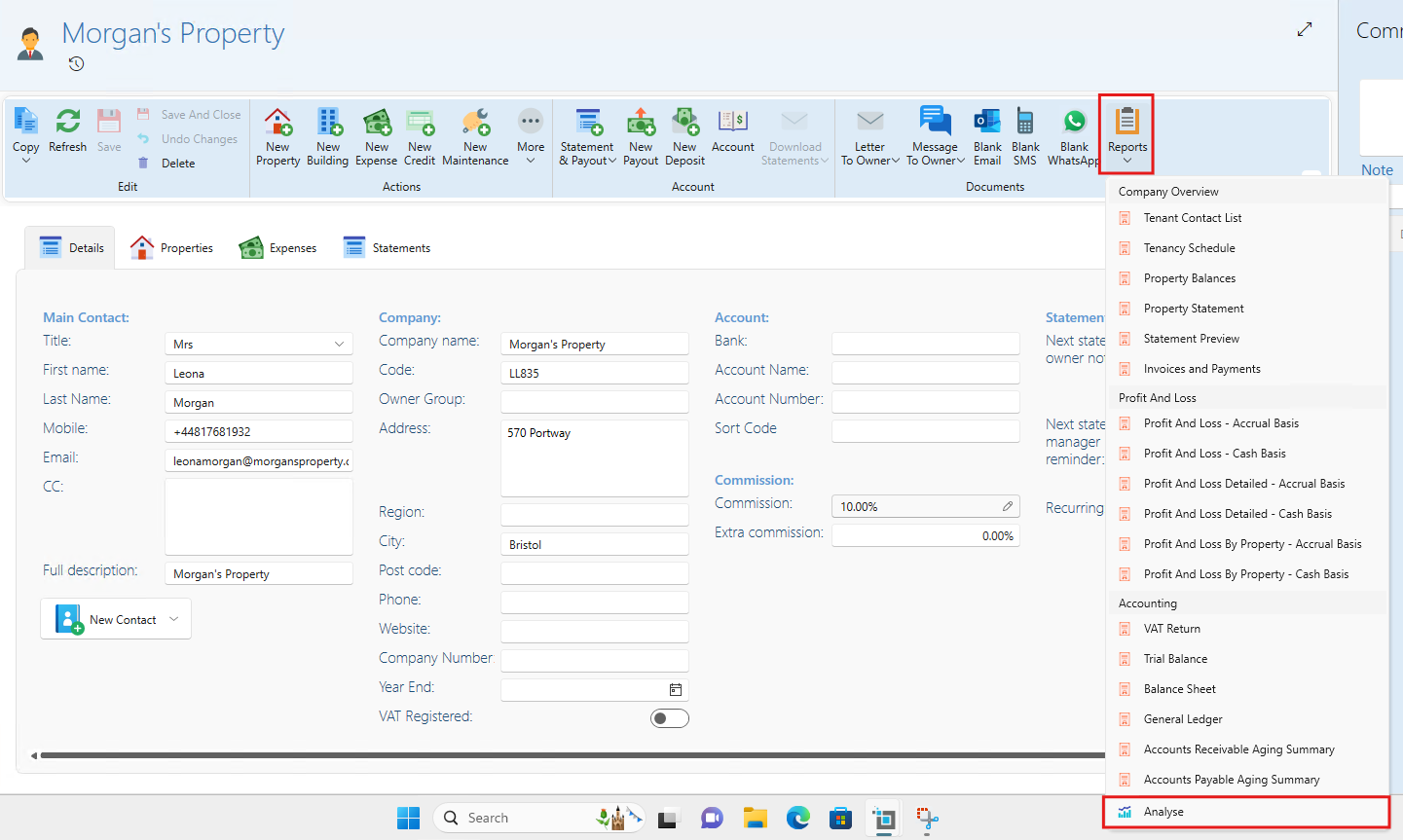
To locate the analyse feature:
- From the main ribbon, select Find Owner
- Go to the owner page
- Click on Reports
- Click on the Analyse button
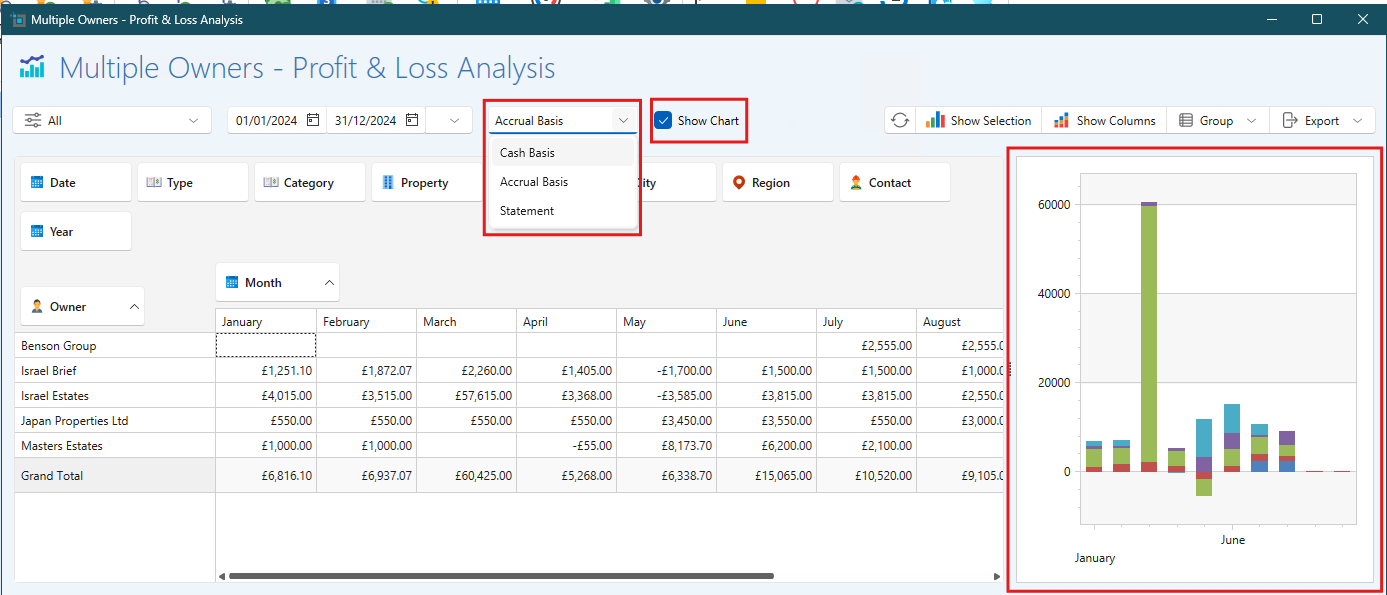
Visualization Options
The Analyse feature allows you to visualize data in multiple ways, enabling you to gain deeper insights into your transactions, income, and expenses. Choose from various representations of your reports to best suit your analysis needs.
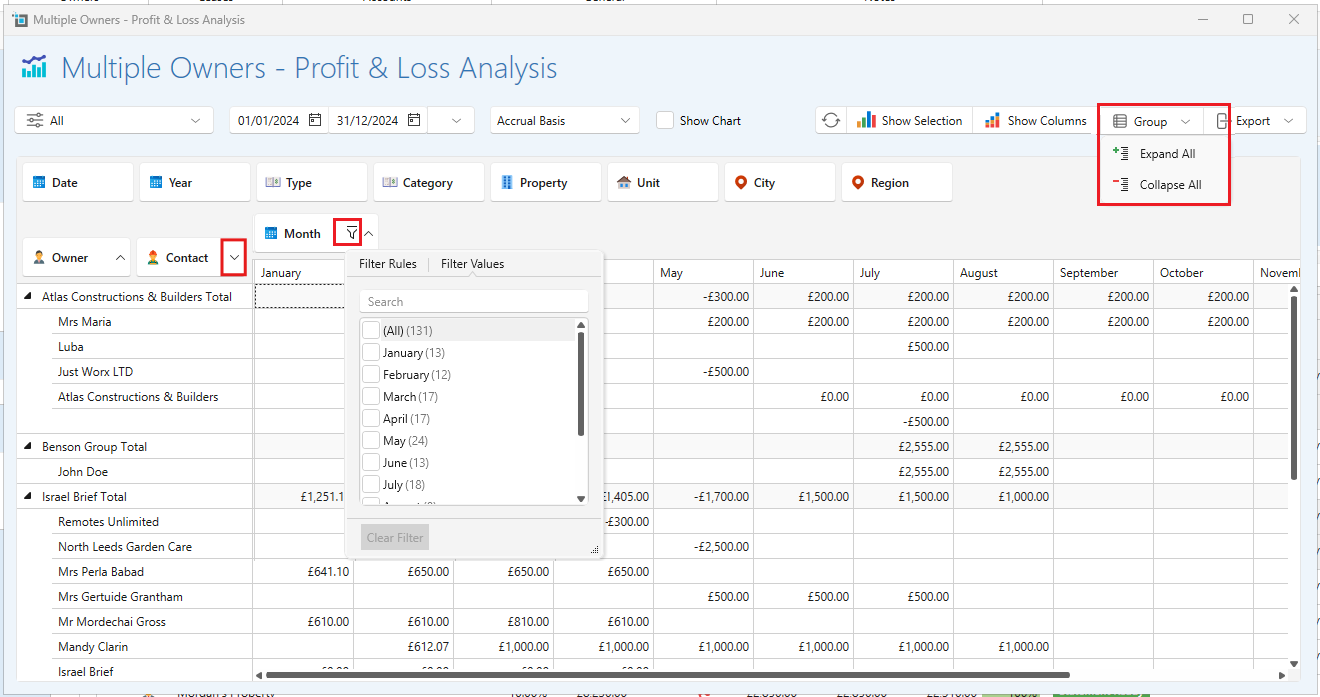
Grouping, Filtering, and Sorting
You can easily group, filter, and sort your data to focus on specific information. To help manage large datasets, you can collapse or expand all sections within your analysis. This feature provides a cleaner view and allows you to focus on the data that matters most.
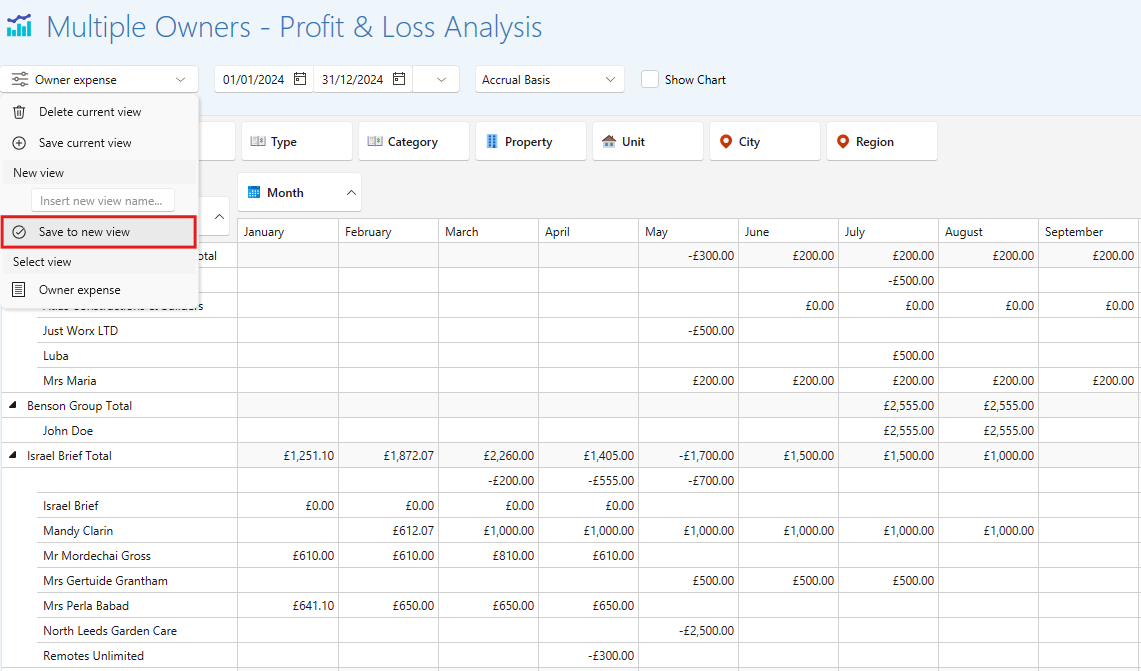
Saving Views for Easy Accessibility
Once you’ve customized your view, you can save it for easy access in the future. This feature ensures that you can quickly return to your preferred settings without needing to set them up again.
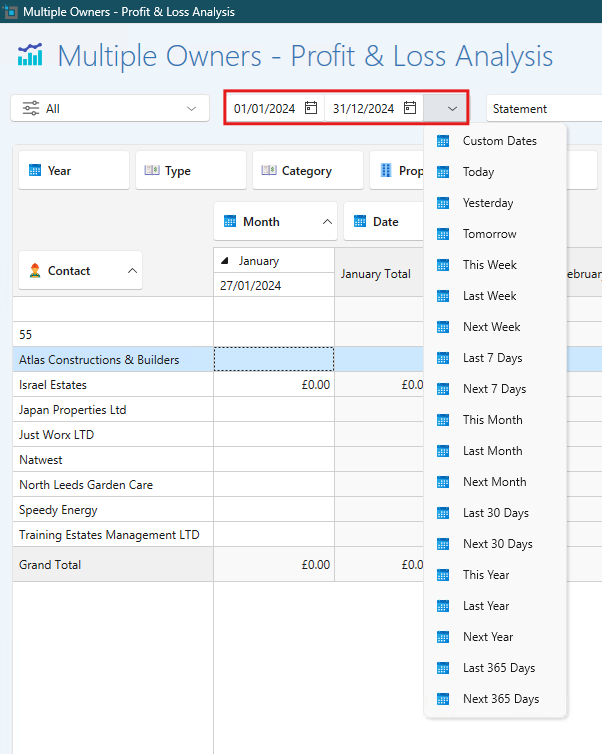
Setting Date Ranges
The Analyse feature allows you to set specific date ranges for your reports. This flexibility enables you to analyze performance over various periods, making it easier to track trends and make informed decisions.
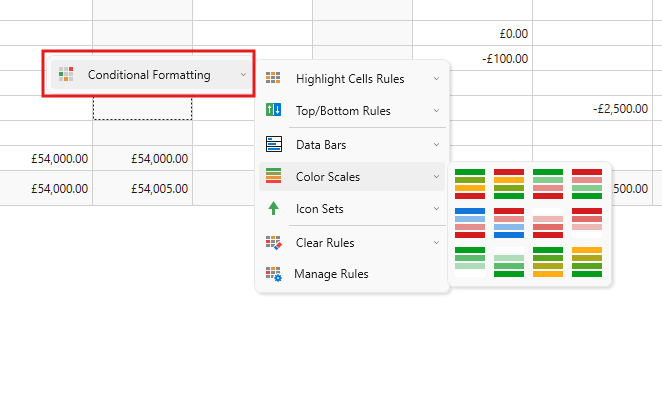
Conditional Formatting
By right-clicking on your visualizations, you can apply conditional formatting. This feature helps highlight important data points, allowing for quick identification of trends or anomalies.
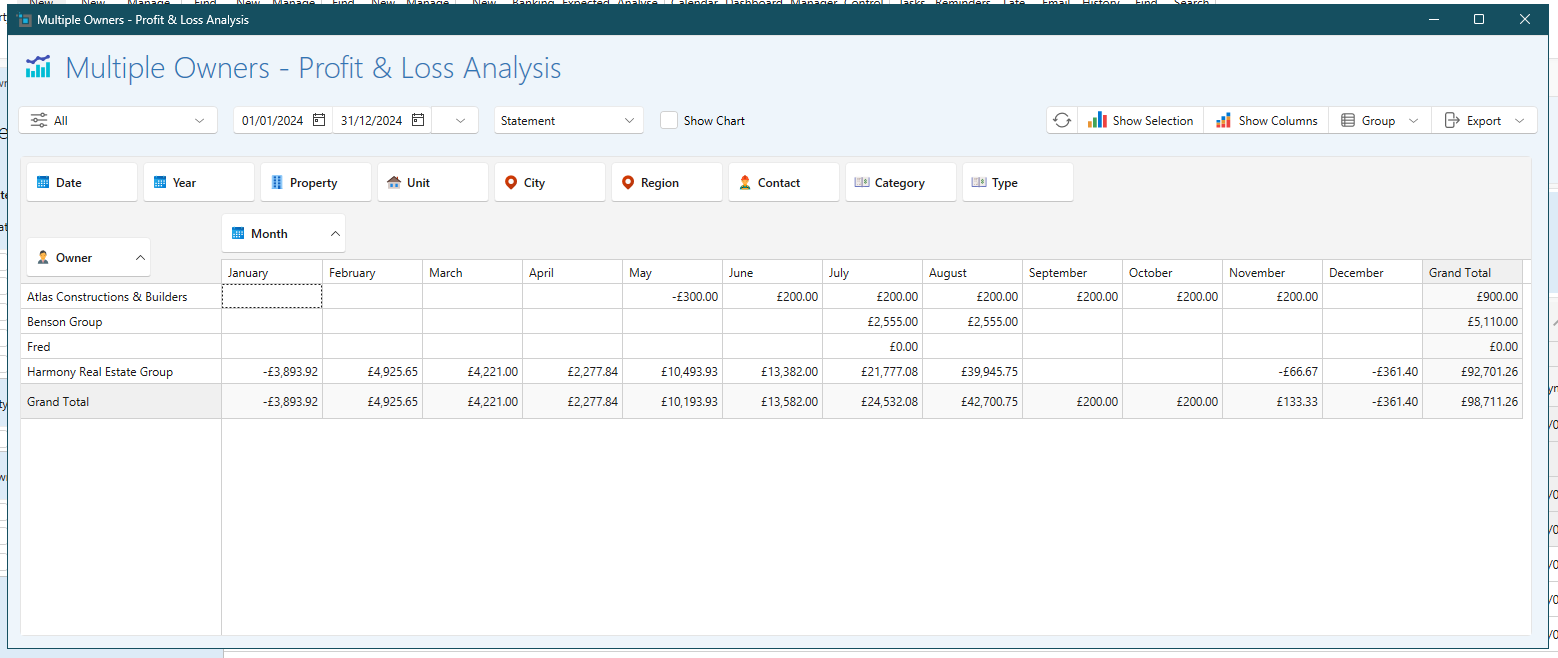
Multi-Landlord Functionality
The Analyse feature can be applied to multiple landlords simultaneously.
- Go to manage owners
- Select the owners you would like to include in the report
- Click reports
- Select your required analyse feature
This capability is invaluable for property managers handling various properties, allowing for a consolidated view of financial performance across different accounts.
Exporting Data
Once you’ve completed your analysis, you can easily export your data. This is particularly useful for sharing insights with colleagues or for further examination in other tools.

The new Analyse feature is a powerful tool that enhances your reporting capabilities. With its user-friendly options for visualization, grouping, filtering, and exporting data, you can easily manage your transactions, income, and expenses. By taking advantage of these functionalities, you’ll be better equipped to make informed decisions and improve your overall financial management.
For further assistance or questions about the Analyse feature, feel free to reach out to our support team!