
Exciting Navigation Update Coming Soon: SleekTech's New Sidebar Experience
In the next software update, we're bringing a whole new look and feel to SleekTech’s navigation to enhance usability and bring a modern touch to your workflow! Here’s a preview of what you can expect.
Key Changes
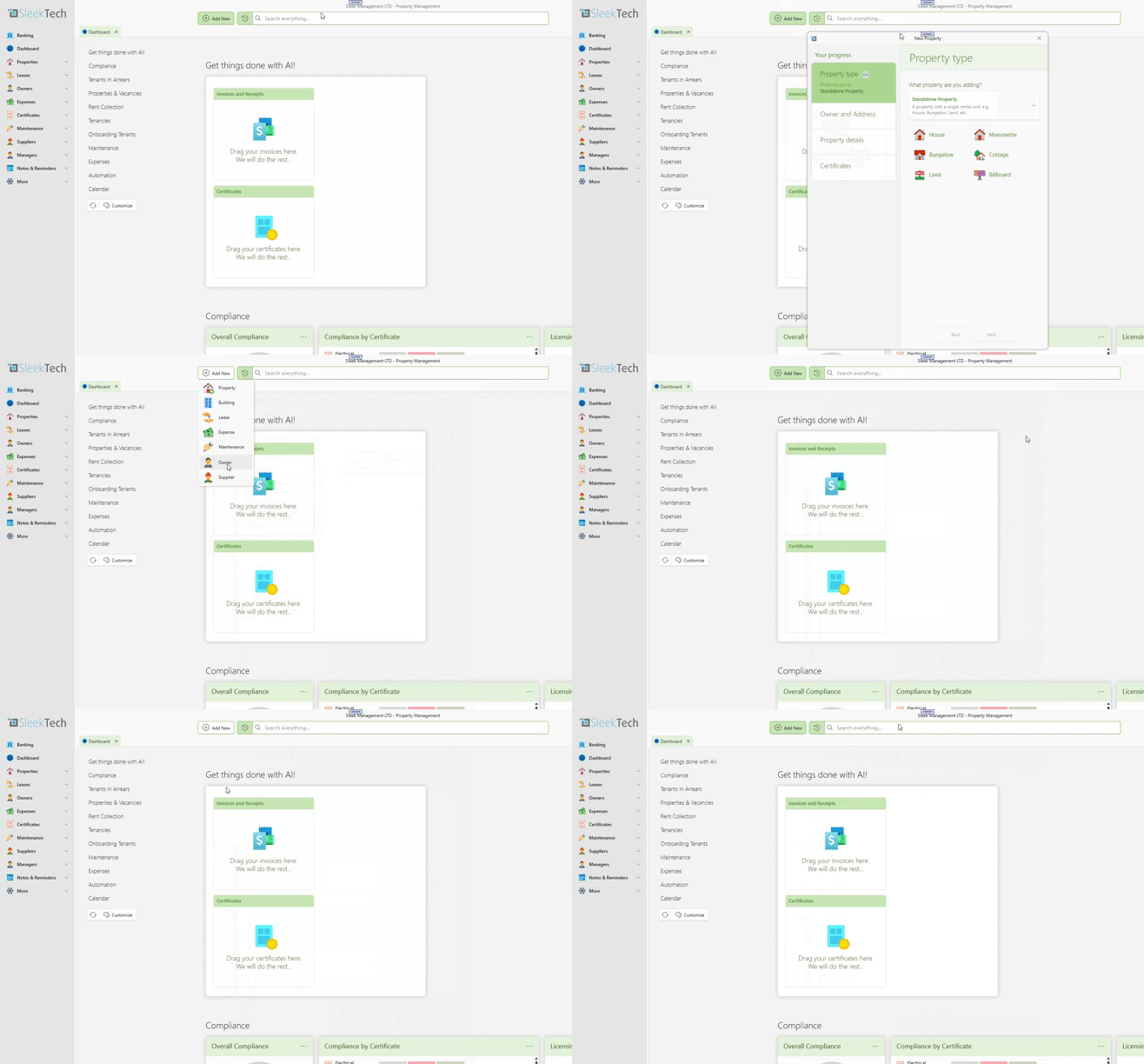
Switch to a Left-Hand Sidebar
We're moving the navigation from the top horizontal ribbon to a sleek, left-hand sidebar. This update brings a cleaner interface, in line with modern software design standards, to make accessing tools and commands easier and more intuitive.
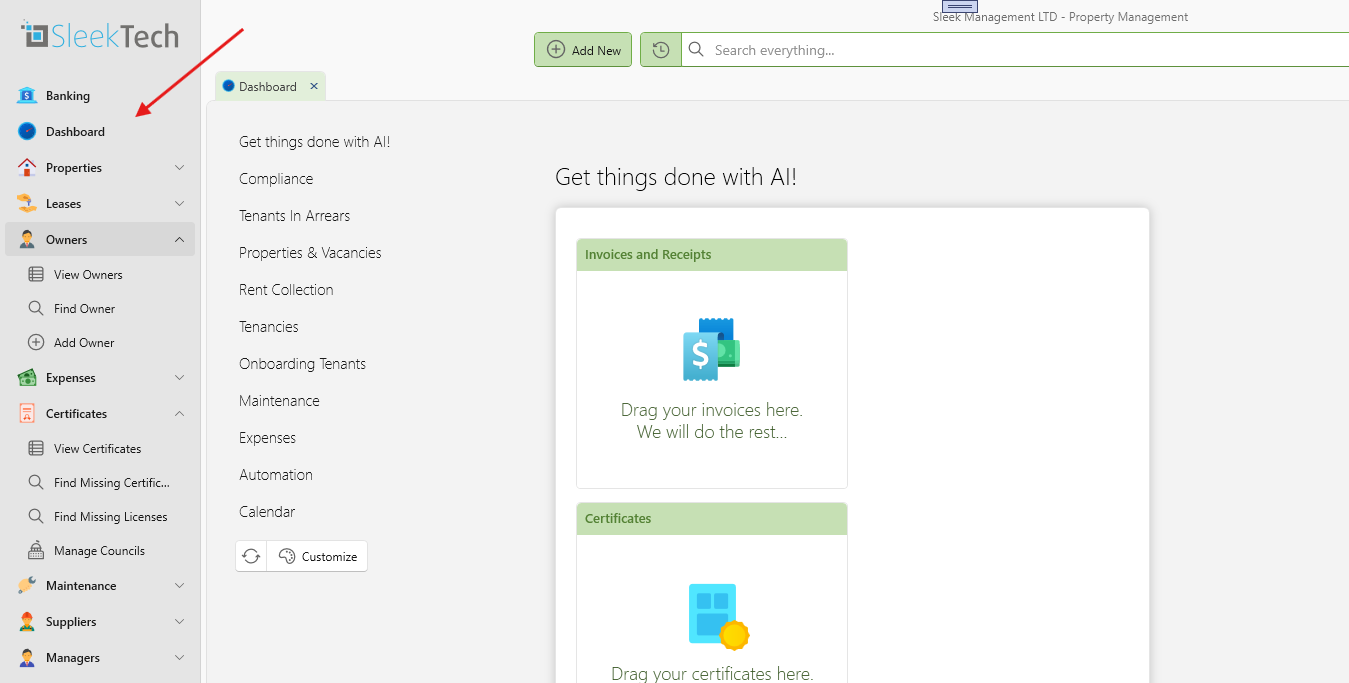
Organized Command Groupings
All commands will now be grouped by category within the sidebar. This change will help you quickly find what you need without unnecessary clicks, making your workflow smoother and more efficient.
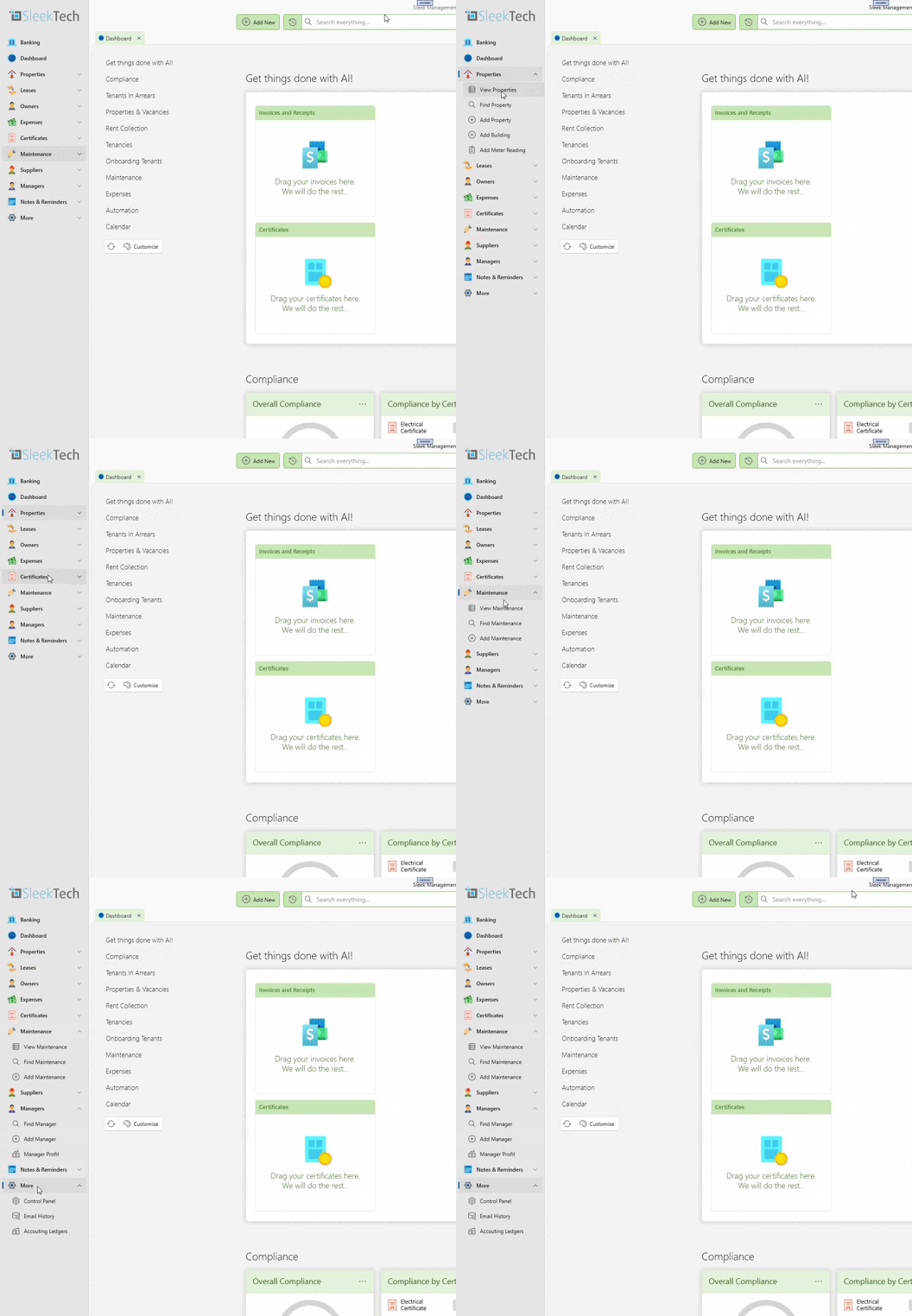
Favourites List with Customization Options
- Bookmark Commands: You can now bookmark frequently-used commands to add them to your personalized favourites list, accessible right at the top of the sidebar.
- Reorder Your Favourites: Organize your favourites list to match your preferences by reordering items as needed.
- Settings Saved Per User: Your customization choices, such as bookmarks and the order of favourites, will be saved individually for each user.
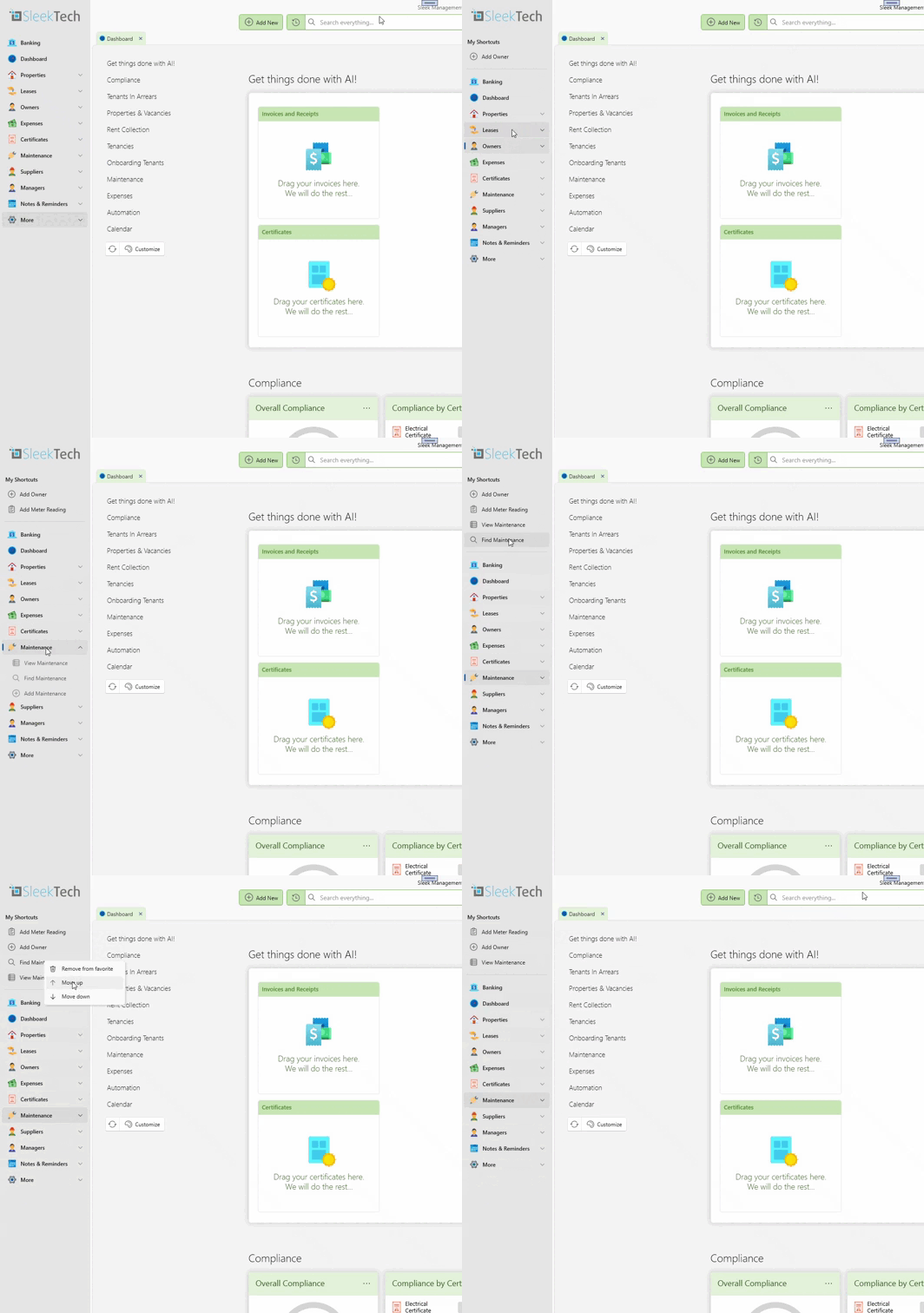
Collapsible Sidebar for More Workspace
If you need more screen space, you can collapse the sidebar with a single click, giving you extra room to work without distraction.
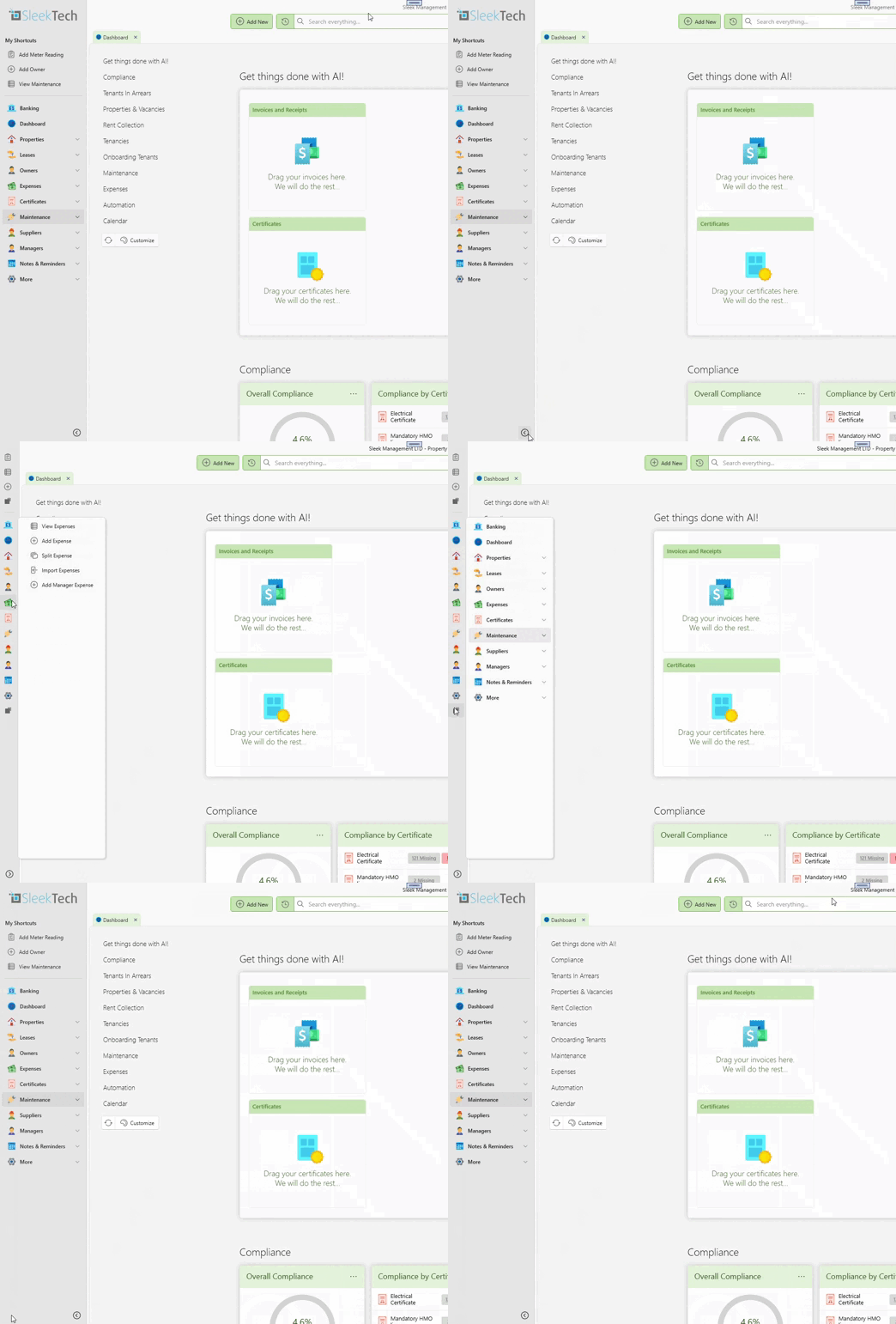
Improved Search Bar
A new, easily accessible search bar at the top of the sidebar lets you search across the entire software, making it easier to find specific properties, expenses, and other data quickly.
Next to the search bar, we’ve also added a Recent History button, allowing you to quickly revisit recently accessed pages and commands without needing to re-search. This feature streamlines your workflow by keeping important links at your fingertips.

New "Add" Button
We’re also adding a quick “Add” button to streamline adding properties, expenses, and other items in just a few clicks.
Transitioning to the New Design
We want to assure you that all existing commands are still here—just in a new layout designed to improve your experience. We’re confident that after a short adjustment period, you’ll find the updated interface to be even more convenient and intuitive than before.
If you have any questions about the new navigation or need guidance, please reach out, and our support team will be happy to assist.