
For a quick and efficient way to find your manager's profits for the past year, you can use built-in reporting features that streamline the process. Here’s how to do it:
1. Using the Manager Profit Button:
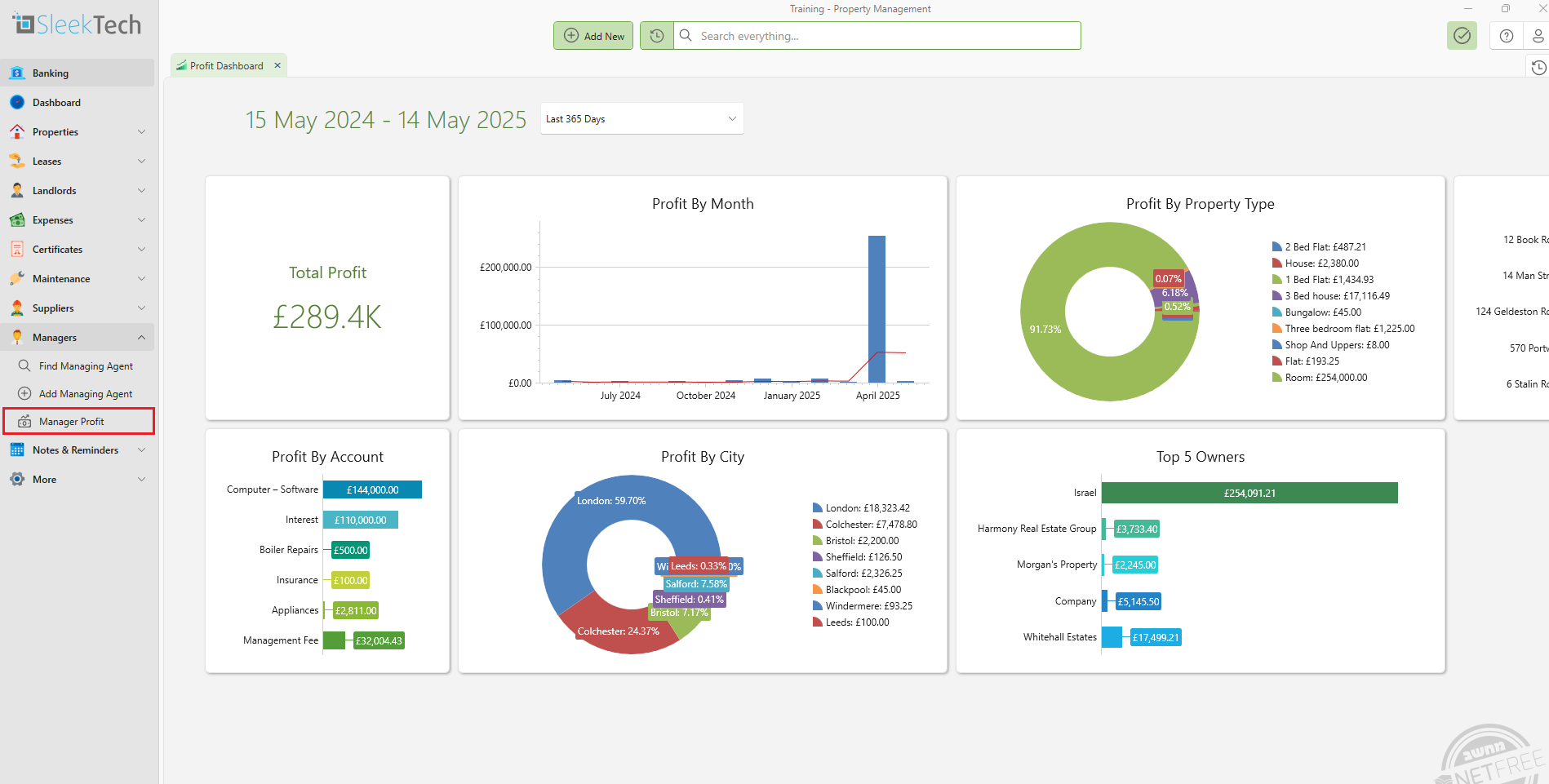
- Click on Managers from the side panel
- Locate the Manager Profit Button
- Set the Filter to Last 365
- The report will provide a quick snapshot of the manager’s income, expenses, and net profit over the past year.
- You can also filter out to any amount of time.
2. Using the Reports Feature:
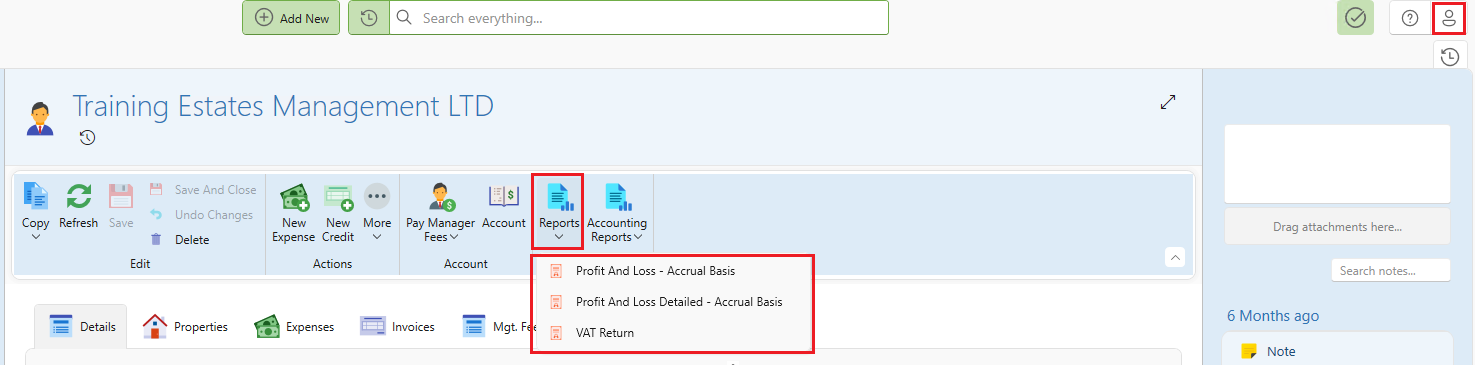
- Click on the User icon in your system, then select Company name from the dropdown list.
- Once you're on the Company page, navigate to the Reports button.
- In the Reports section, you’ll find detailed Profit and Loss statements, which will give you a comprehensive overview of the manager's financial performance for the past year.
- When running a Profit and Loss report for a manager, you can choose between three calculation methods:
Accrual: Calculates the management fee on the day the rent is collected (paid), as that’s when the manager raises the management invoice to the landlord.
Cash: Calculates only the management fees already included in landlord statements where the statement date falls within the selected date range. This reflects when the management fee funds are actually transferred from the landlord to the manager.
Statement: Not relevant for managers — this option applies only when running a Profit and Loss report on the landlord page.
- If needed, you can also use the VAT Return feature to check any relevant VAT-related figures tied to the manager's operations during the year.
By using these tools, you can quickly access and assess the manager's performance and profitability for the past year without having to dig through extensive reports.