
How to make phone calls to tenants from SleekTech
To make calls directly from SleekTech, you must have a calling app installed on your computer.
Here’s how to set up and use the calling feature:
- Navigate to the desired lease within SleekTech. You will see various communication options such as letters, emails, WhatsApp, SMS, and calls. This guide focuses on making calls.
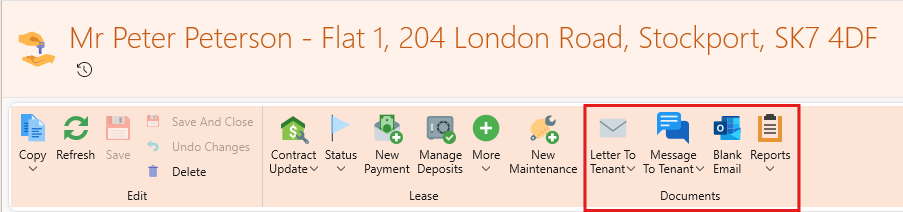
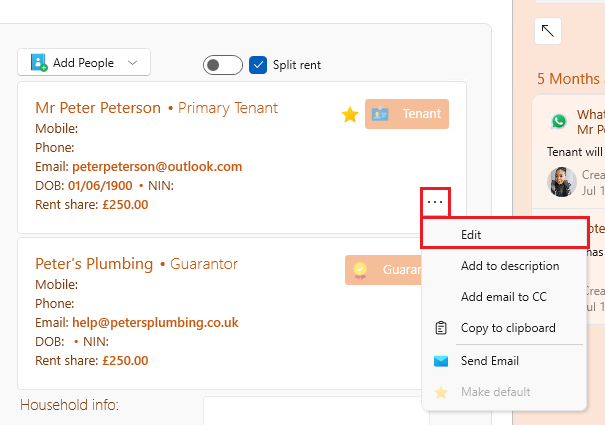
- Ensure that the tenant's phone number has been added to the lease. If the phone number is missing, follow these steps:
- Click on the three dots (more options) within the tenant details, then cick Edit.
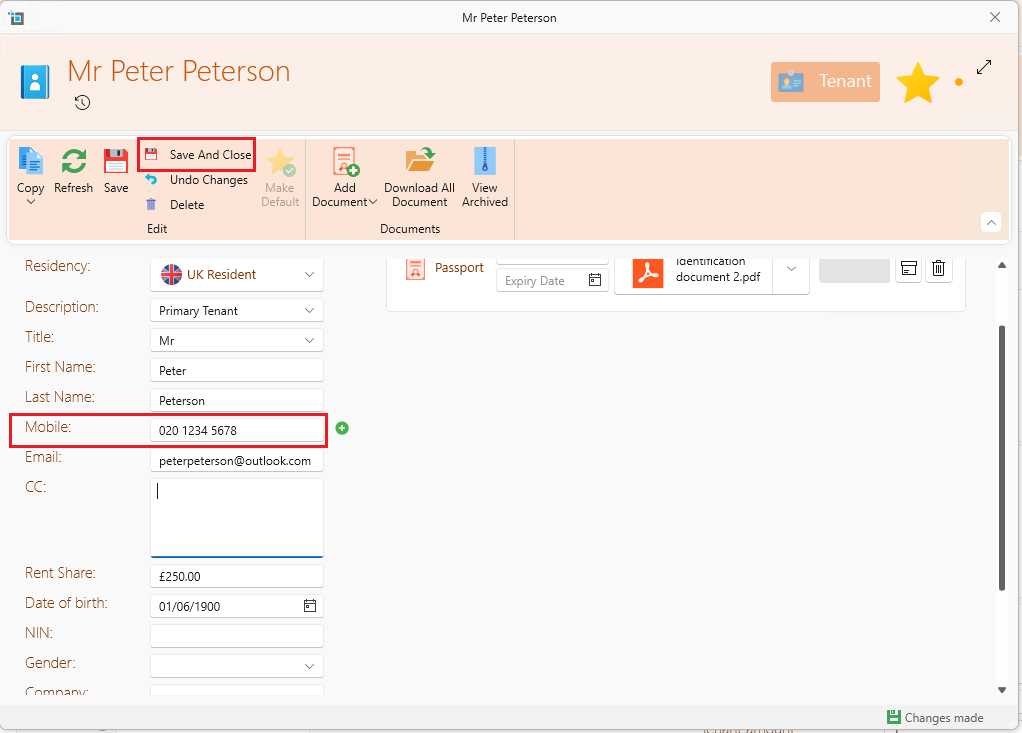
- In the Mobile field, enter the tenant’s phone number.
- Click Save to update the information.
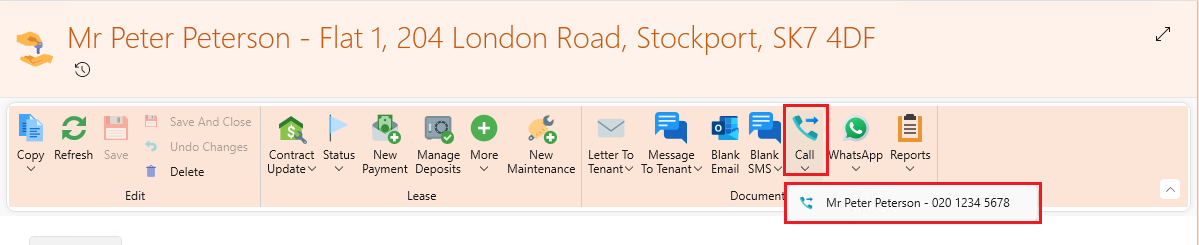
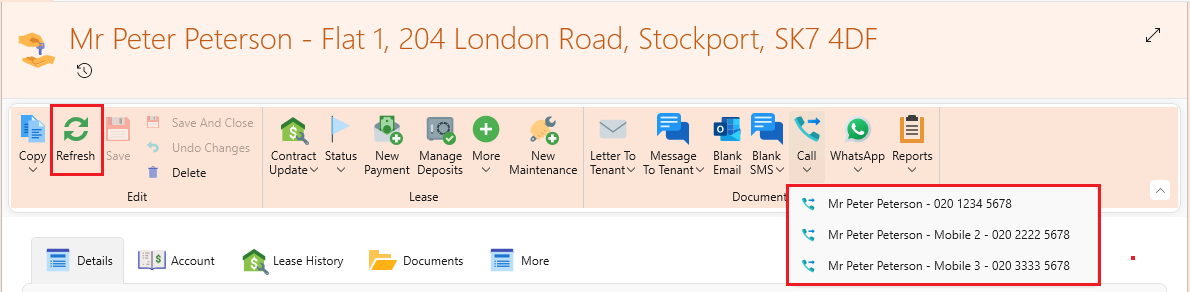
- Once the tenant’s phone number is added and saved, the call feature will become available for that tenancy. You can now make calls directly from the lease.
To add multiple phone numbers go back to the tenant information and click + next to the Mobile field. Then, click Save and close.
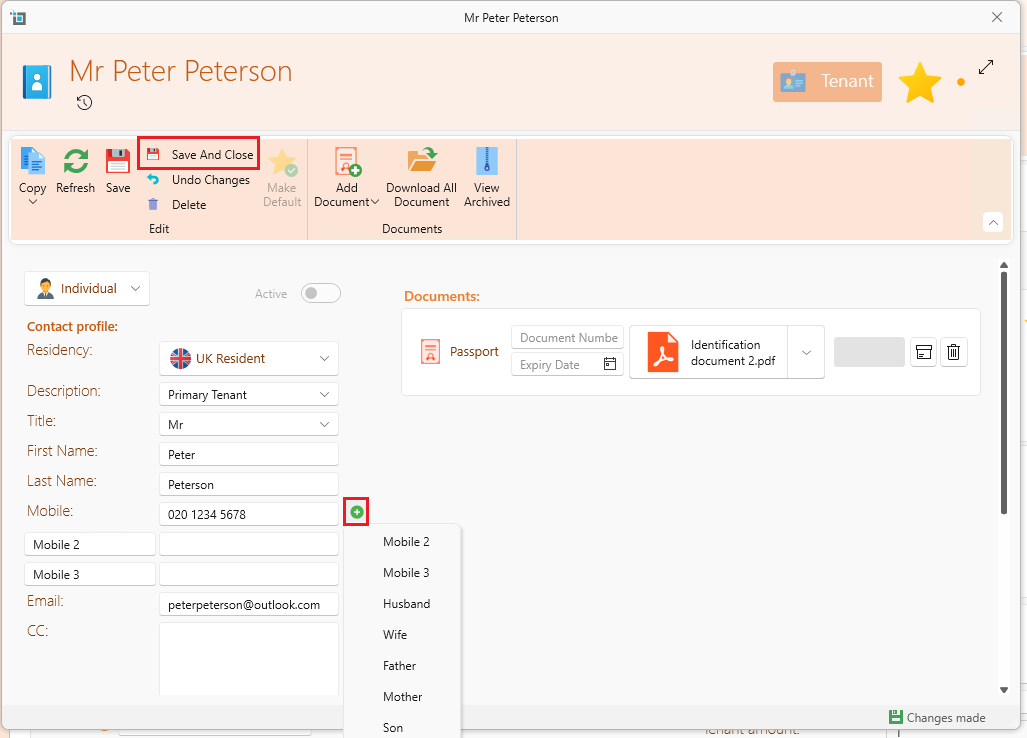
Once the tenant’s phone numbers are added and saved, click Refresh so that all the numbers become available and you can select which number to call directly from the lease.
How to change the default calling app
If you have multiple calling apps installed on your computer and SleekTech is using the wrong one, follow these steps to set the correct default calling app.
- Click on the search icon in your taskbar and type Settings in the search bar. Select Settings from the search results.
- Within the Settings window, type Apps in the search bar and select Default Apps from the options.
- In the section titled Set a default for file type or link type, search for "tel" in the list of protocols.
- Once "tel" appears, click on "Choose a default" next to it.
- A list of available calling apps installed on your computer will appear. Select your desired app to set it as the default calling app.
Once these steps are completed, your default calling app will be updated, and SleekTech will use this app for making calls.
If you encounter any issues or need further assistance, feel free to reach out to the support team.