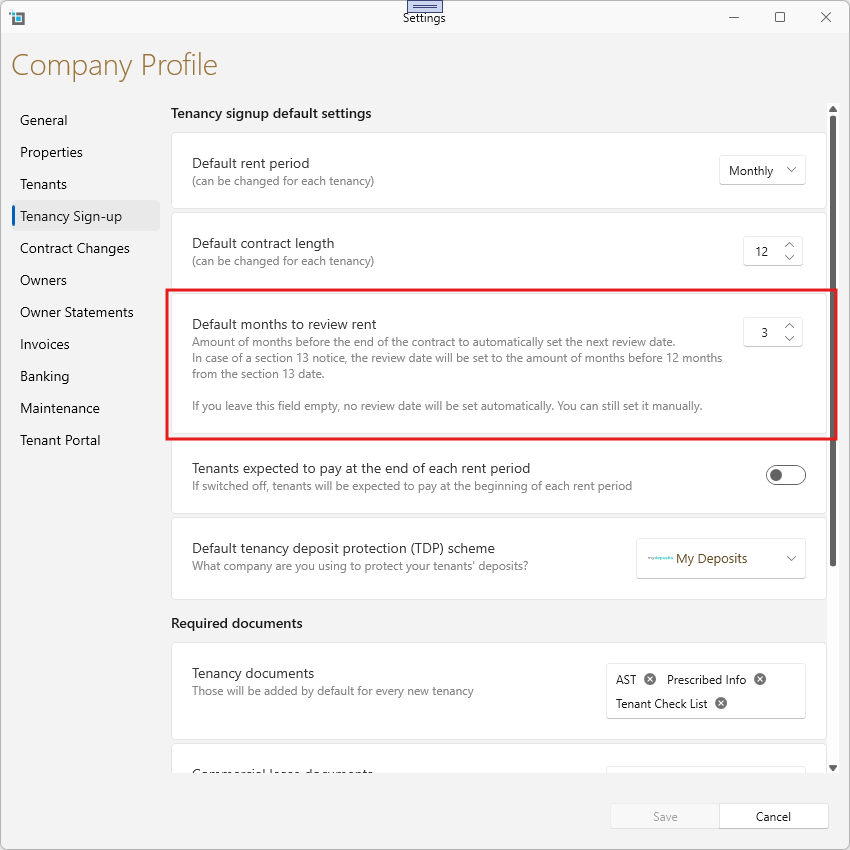
Rent review dates.
You can now set rent review dates to automatically pre fill based on contract and dates.
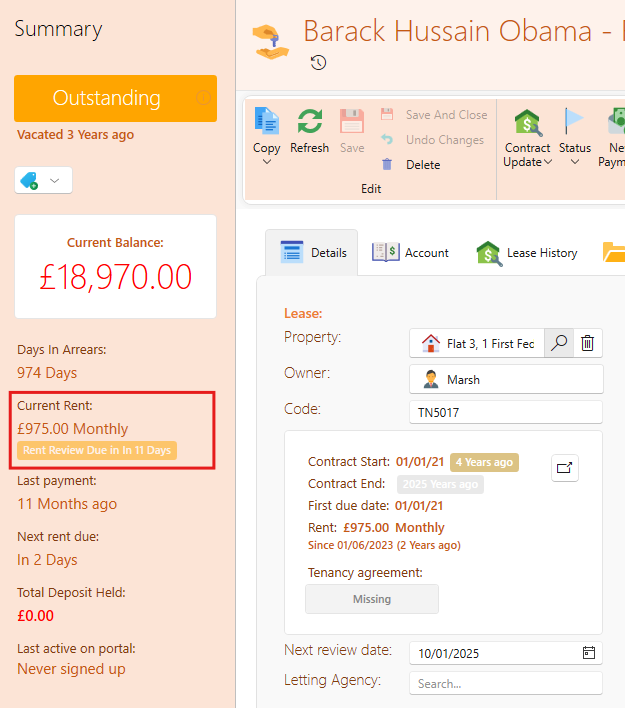
You will see a warning on the tenancy page once the rent review is due within the next 60 days.
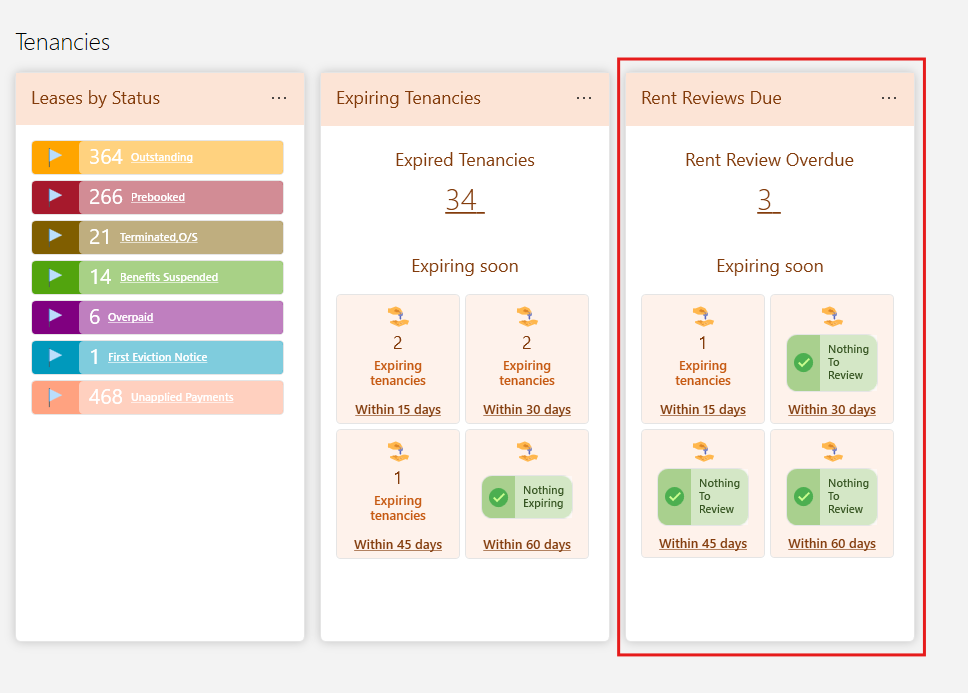
You're overdue rent reviews and the reviews become a due we'll show on the dashboard so you can easily access them and take the necessary action.
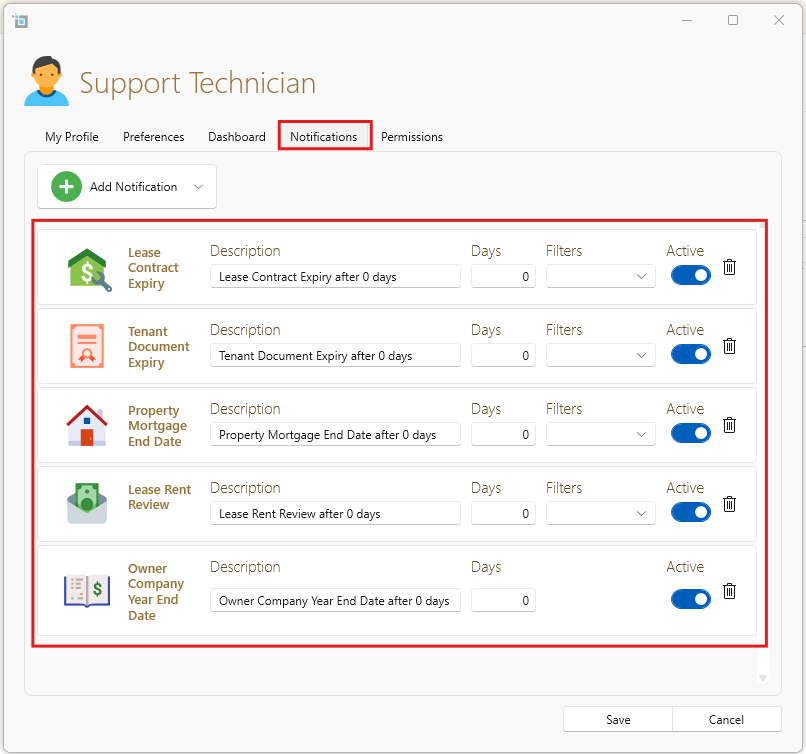
You can also set up automatic email reminders to be sent to you once your rent reviews are due within a specific amount of days.
If you would like more information on how to set this up and view rent reviews, have a look at this article: Rent Review Dates
Custom onboarding tenancy task list
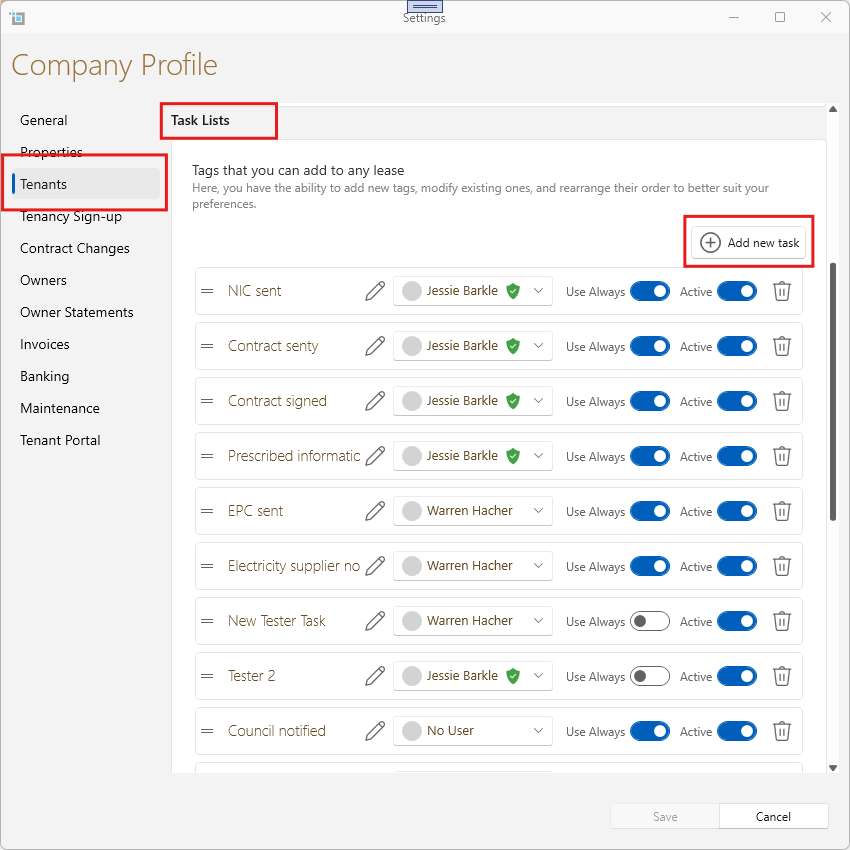
You can now customise the onboarding task lists for new tenants directly from the control panel and automatically assign them to a user within your system.
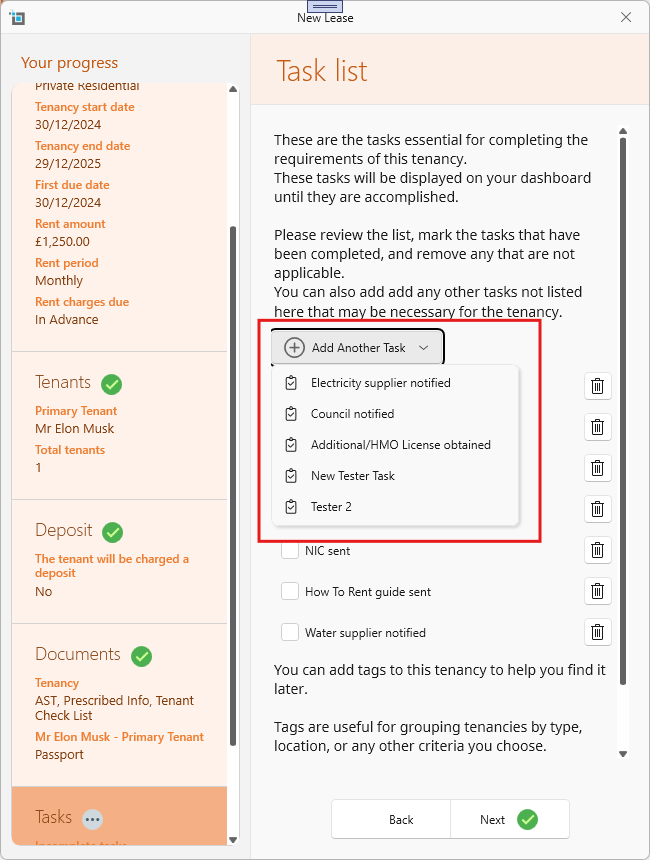
When creating new leases, the task list will be displayed like this:
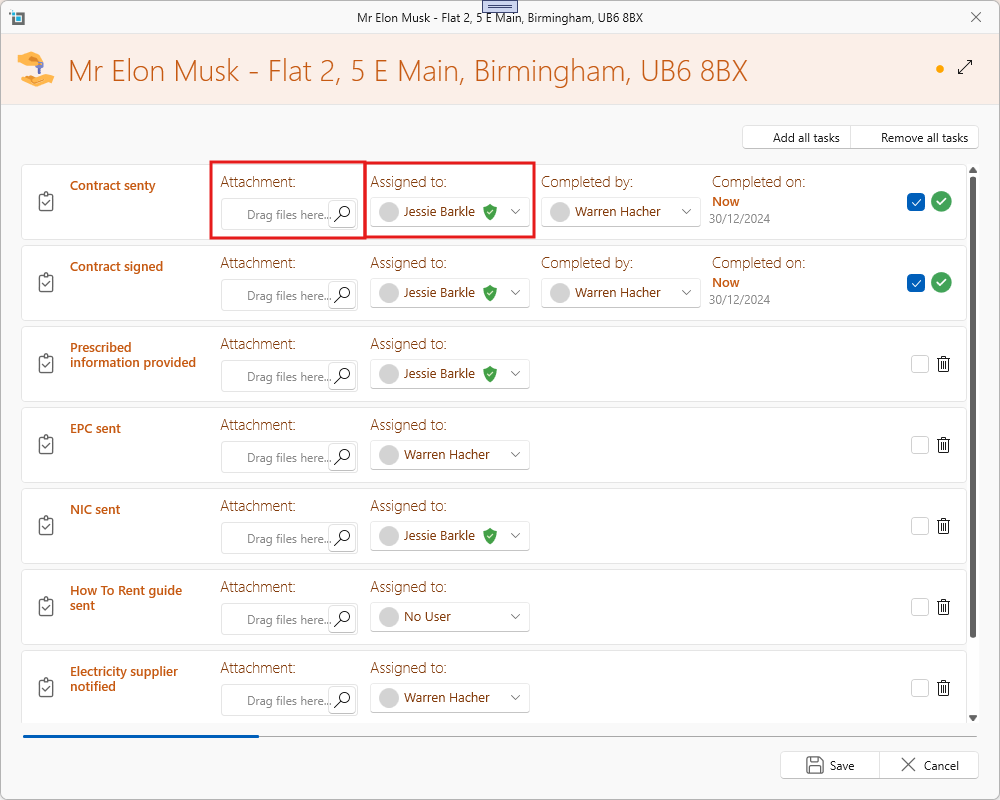
This allows you to assign tasks to different users, add attachments and see who completed each task.
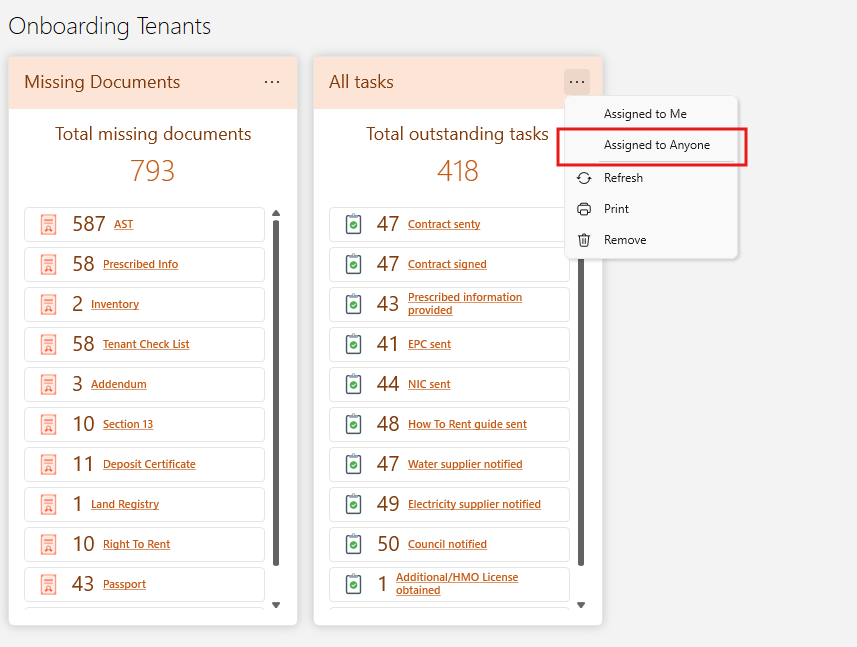
Outstanding onboarding tasks can also be viewed on the dashboard, with an option to filter and view only the tasks assigned to you.
For more information on task lists, see these articles:
New Maintenance window improvements.
From the control panel, you can configure how work orders should be notified to suppliers and tenants and choose whether to select from a default list or automate the process entirely.
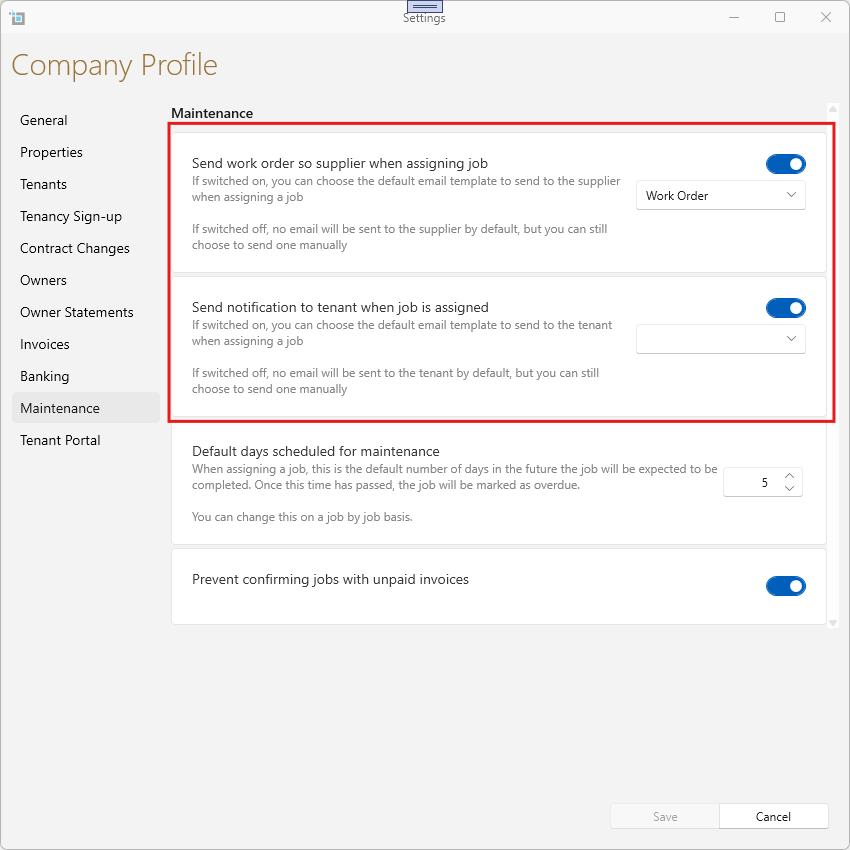
These notifications can be automatically sent to a tenant whenever a job is assigned to a contractor, ensuring they are kept informed throughout the process.
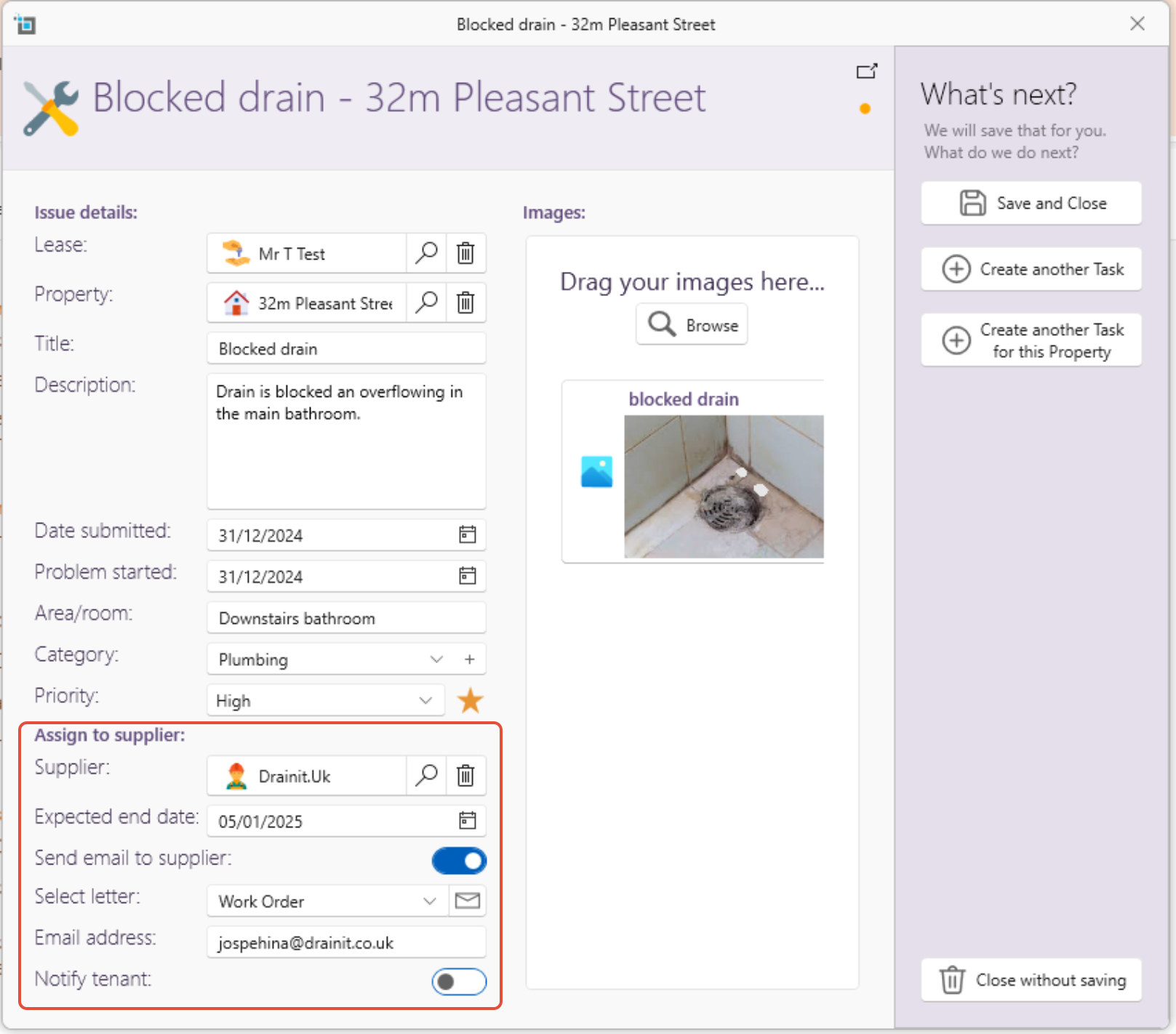
You can now also add images directly on the new maintenance page.
To see more click here: How to enter a maintenance job
Banking window improvements
The Banking window has been updated with several improvements:
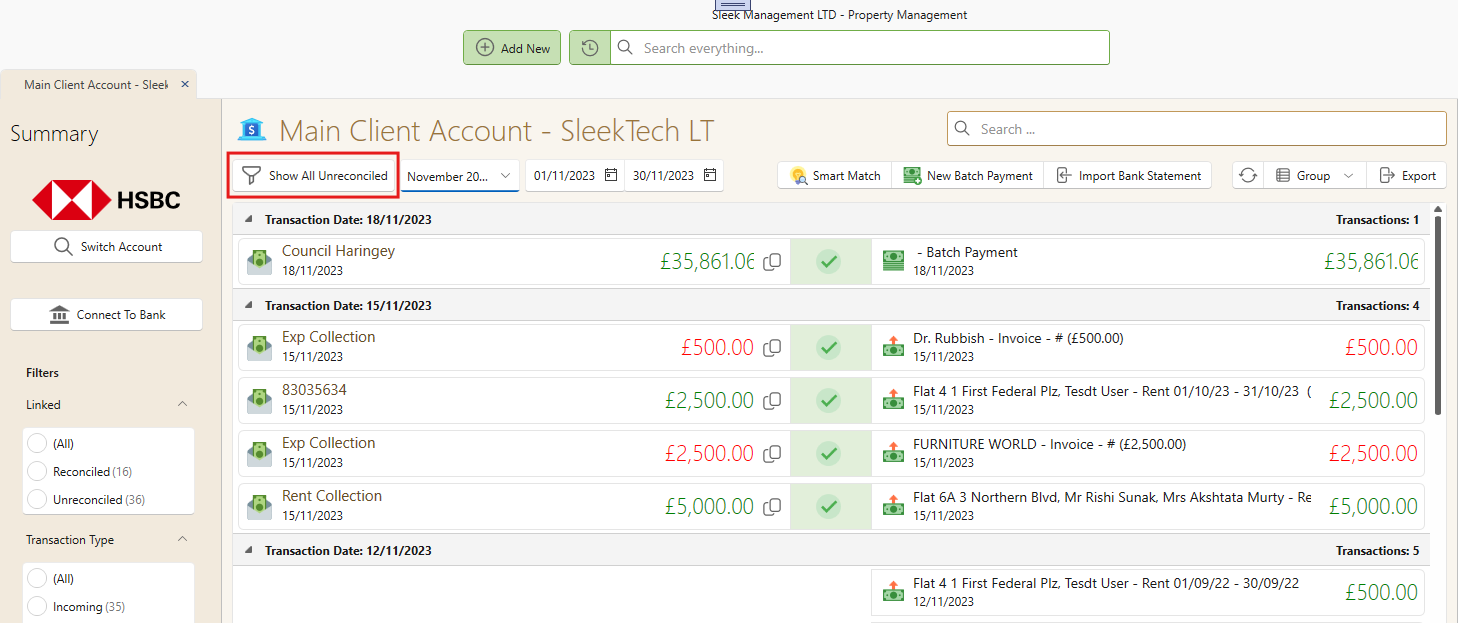
You can now switch between accounts using the left-side panel for easier navigation.
At the top of the window, you can filter to show either unreconciled transactions or those that are reconciled.
The date period can now be set directly without the need to click Refresh.
All changes are saved automatically, streamlining the process.
Custom user notifications
User-specific notifications can now be set at the individual level. Users will receive email notifications based on their configured rules.
See article: How to setup email notifications
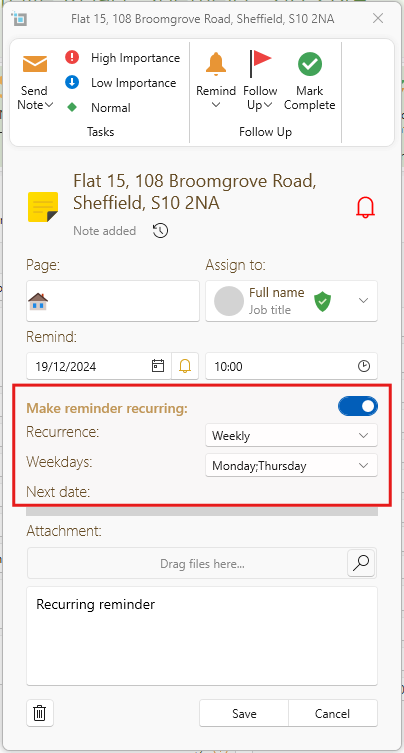
Recurring reminders
Based on the popularity of this request, you can now set reminders to recur at specified intervals.
Related article(s):
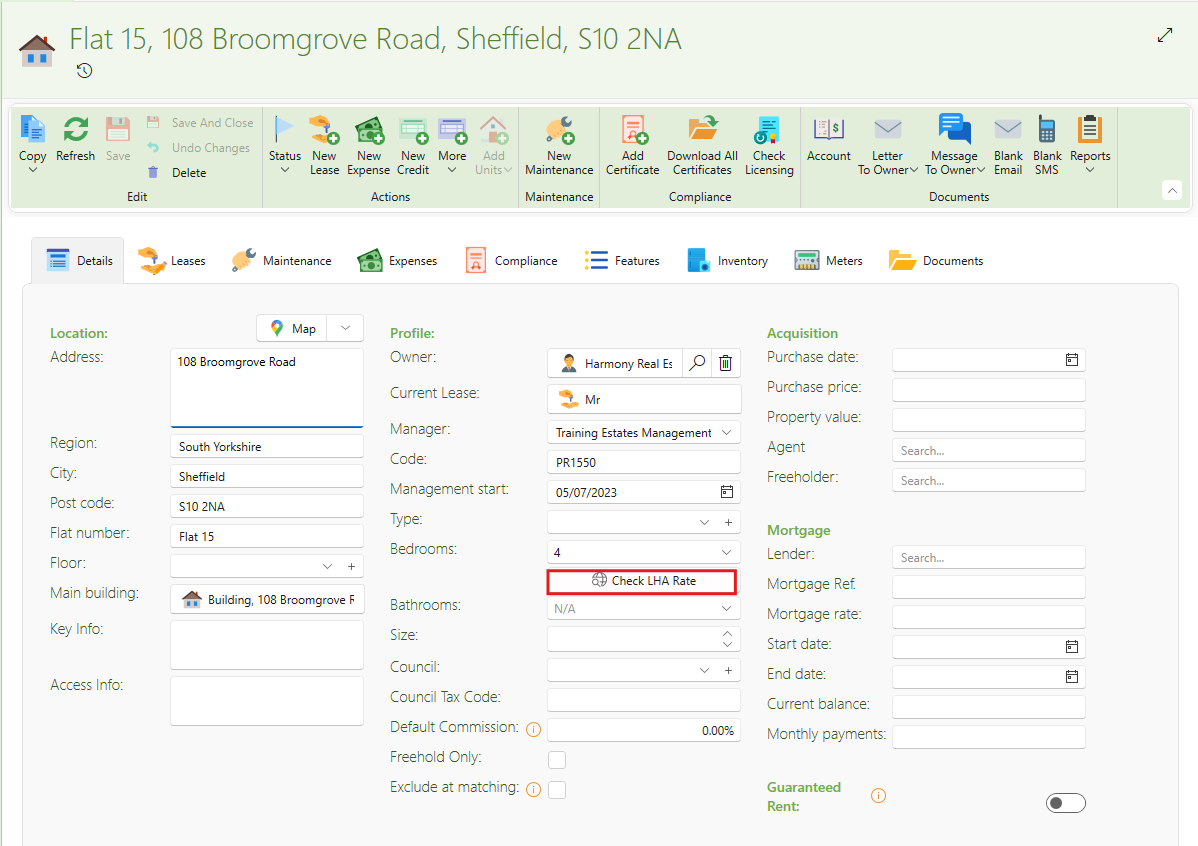
Option to check LHA rate form property.
You can now check the Local Housing Allowance (LHA) rate directly from the property page. This feature will be enabled only if the postcode and bedroom count are filled in. If the parent property has Shared Facilities enabled, the Shared Accommodation Rate will be displayed, taking the bedroom count into account.
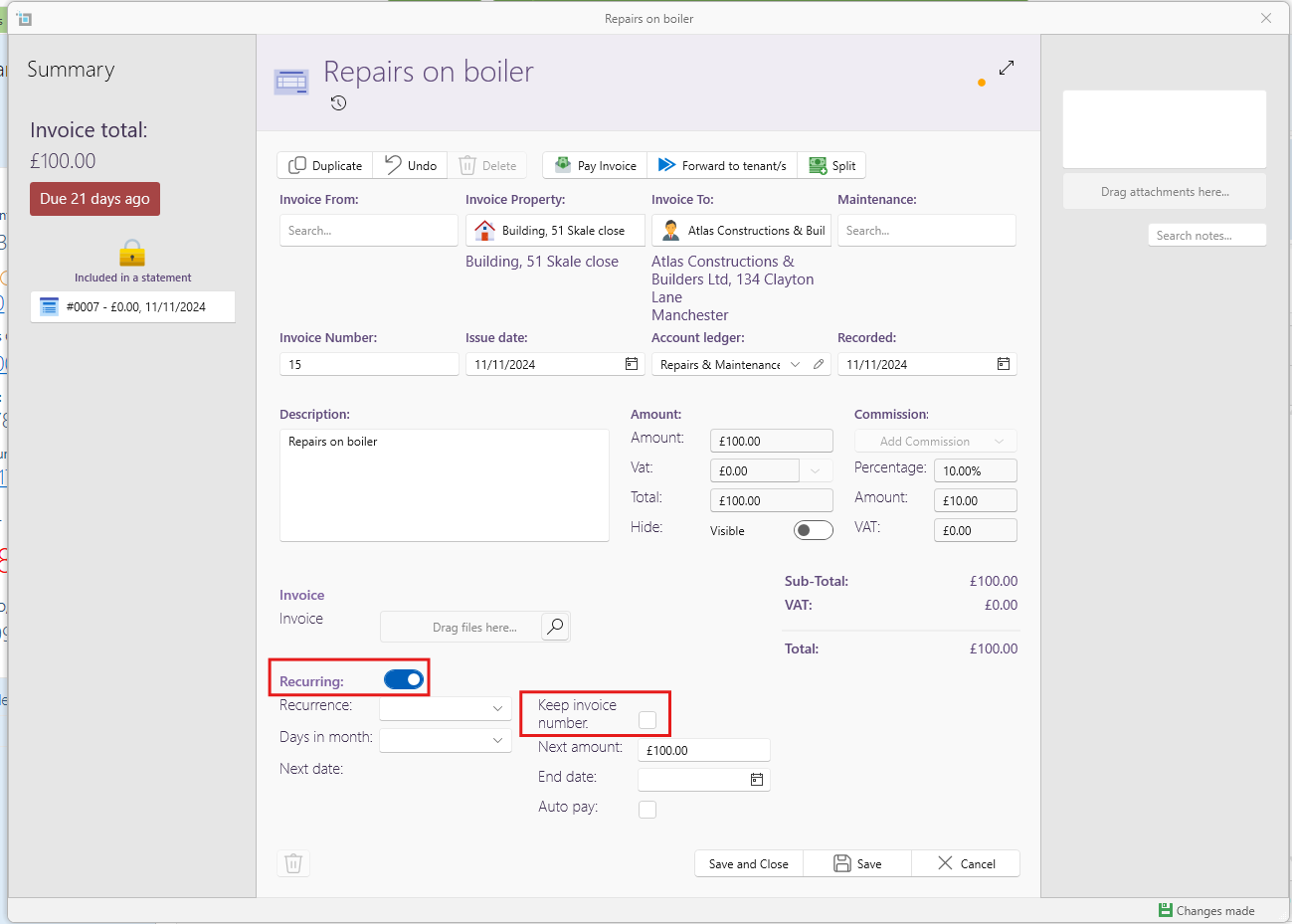
Keep invoice number for recurring supplier invoices.
SleekTech now has a new feature that gives you the option to keep the same invoice number in recurring invoices which can be used in an annual council tax bill split monthly, the council tax reference would remain the same through out the recurring invoices for that year.
Related article: How to create a recurring expense
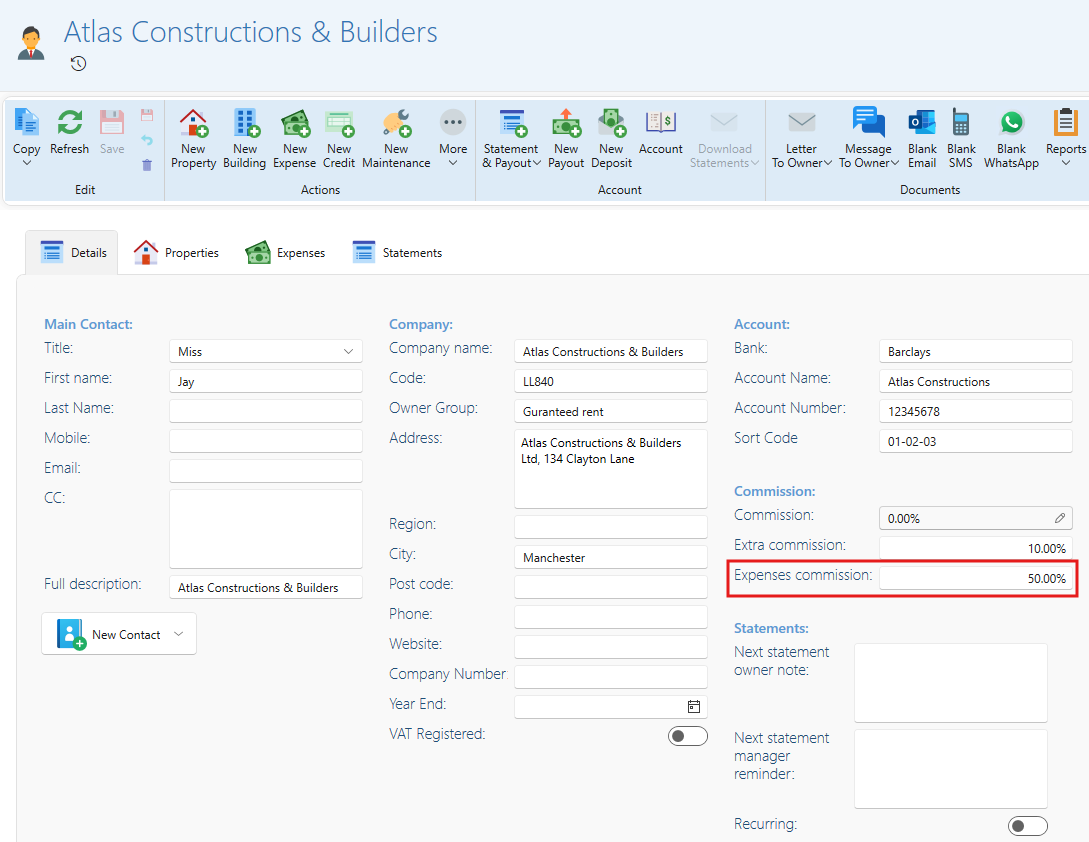
Default expense commission for owners
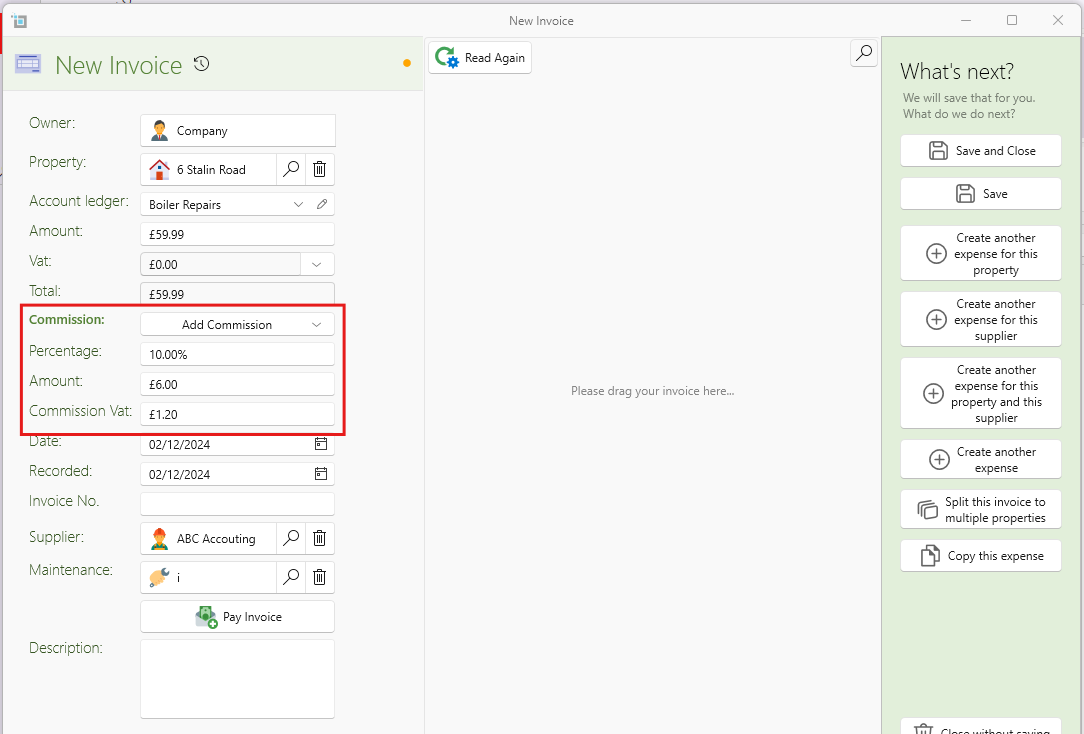
You can now set a default commission that will be prefilled in all new expenses for each owner. Additionally, you have the flexibility to manually add commission to any property expense as needed.
See article: Commission on expenses
Set expense commission directly on New Expense window
If an owner has an expense commission set on their page, both when dragging in and creating a quick invoice, the expense commission will be automatically added. This feature also works when charging the owner’s commission plus VAT on an invoice.
See article: When to set expenses commission on invoices
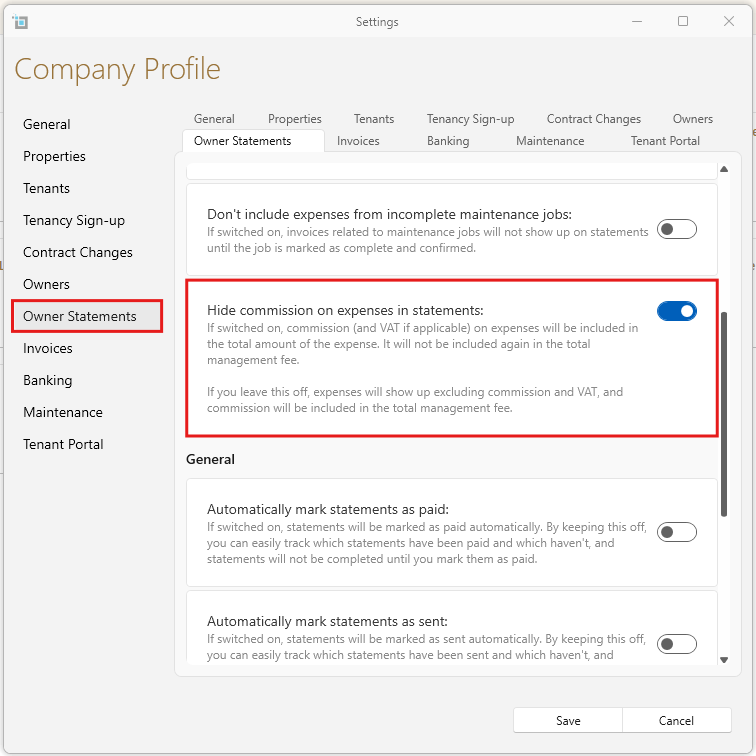
Option to hide expense commissions on the statement:
There is now an option to hide expense commissions on the statement, offering more flexibility in how information is presented. If left off, expenses show up exclusive of commission and VAT.
Related article: Commission on expenses
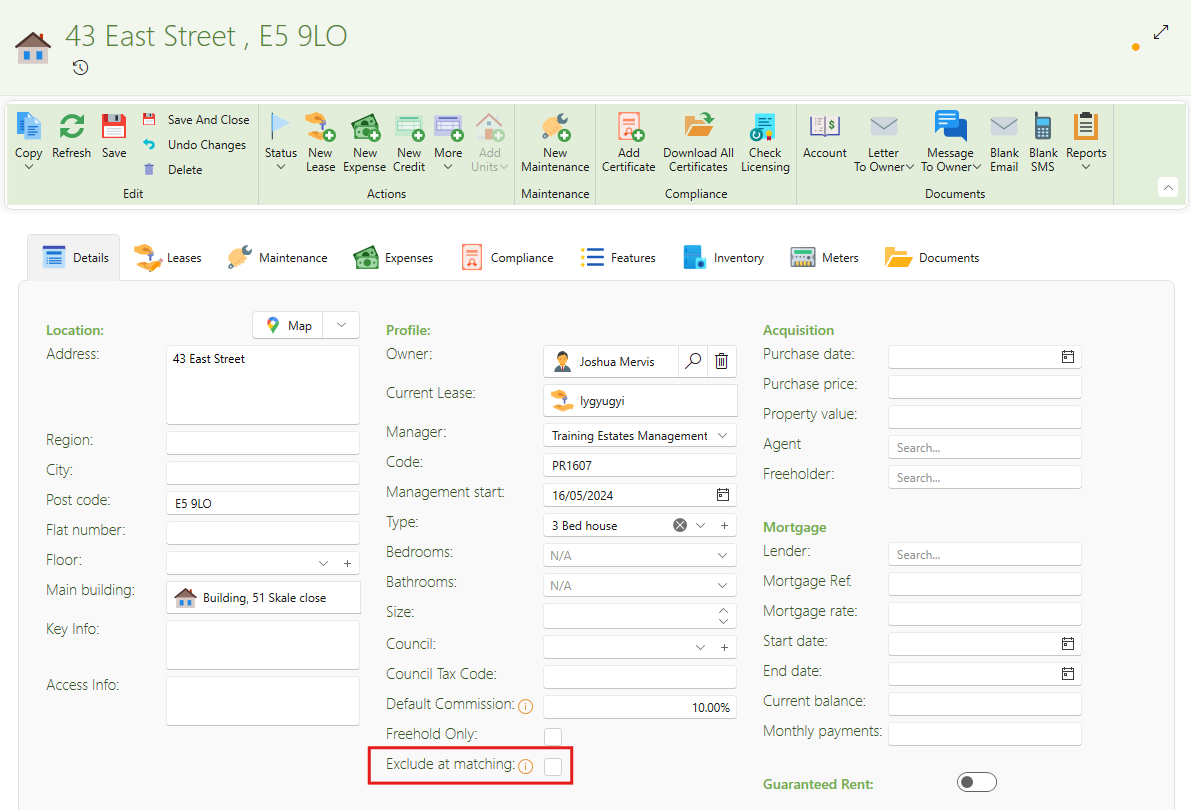
Exclude certain properties from matching by invoice and banking
Sometimes, companies include their own office properties in the system, which can interfere with invoice matching. You can now exclude these properties from the matching engine to avoid discrepancies.
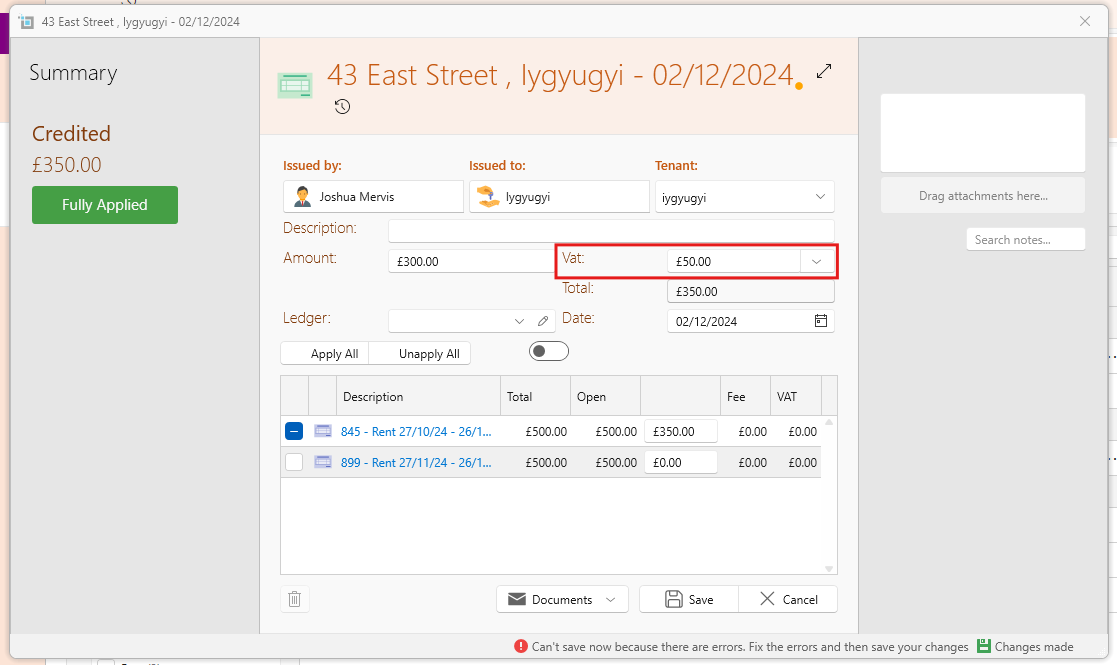
VAT on credit notes
VAT has now been added to credit notes, ensuring compliance with tax regulations.