
This guide will walk you through the steps to adjust rent review dates within the system, ensuring efficient management of tenancy agreements. You can set default months before the contract ends for automatic rent review date generation, and review the upcoming rent review dates on your dashboard.
Steps to Adjust Rent Review Dates
- Go to the Control Panel.
- Select Settings.
- In the Tenancy Sign-Up Default Settings, you will find an option to set the default months before the end of the contract for the system to automatically generate the next rent review date.
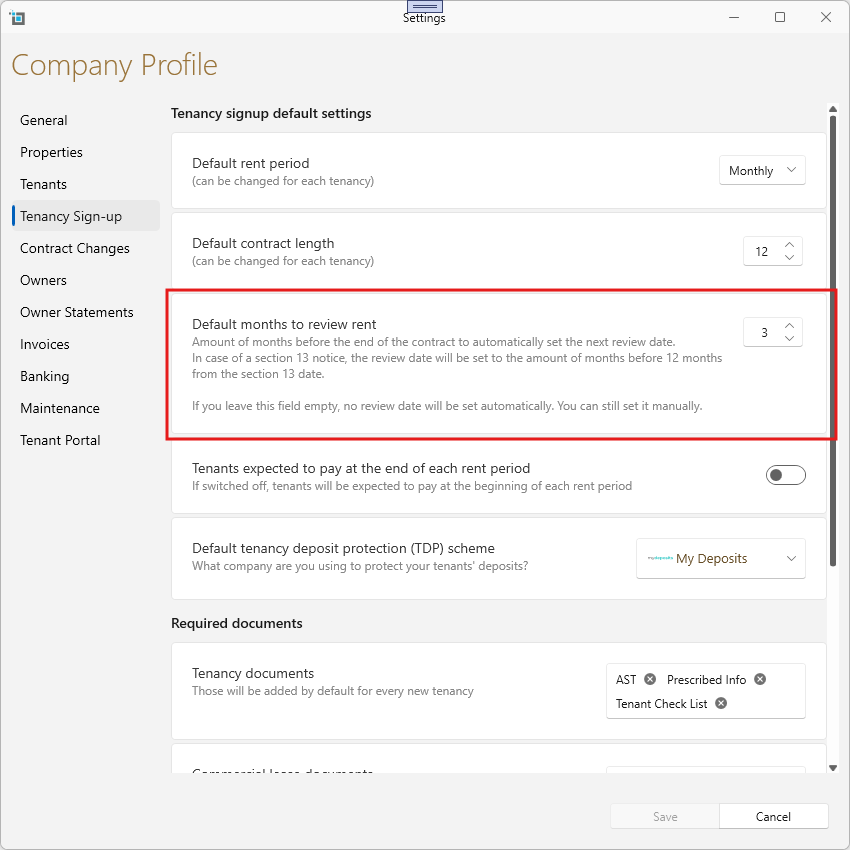
This setting ensures that rent review dates are configured in advance, based on the specified time frame.
For Section 13 tenancies, the review date will automatically be set to the number of months before 12 months from the Section 13 date.
If the field for rent review date is left empty, no automatic review date will be set. In this case, you will need to manually input the review date.
Important: Changing this setting will have no affect on existing tenancy contracts and will only affect new tenancies or contract renewals.
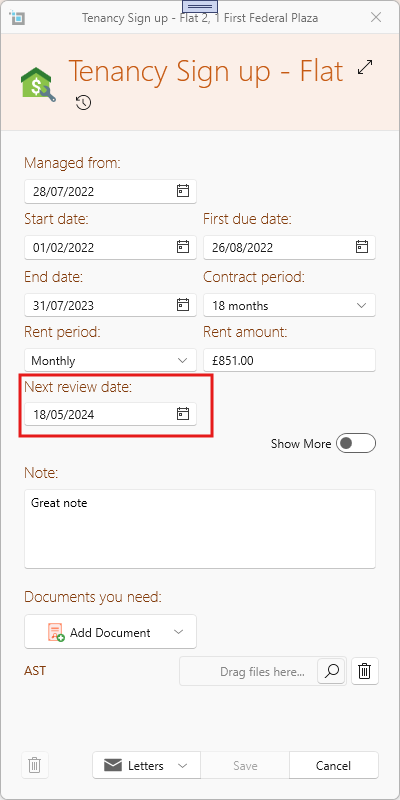
Rent review showing on the lease page.
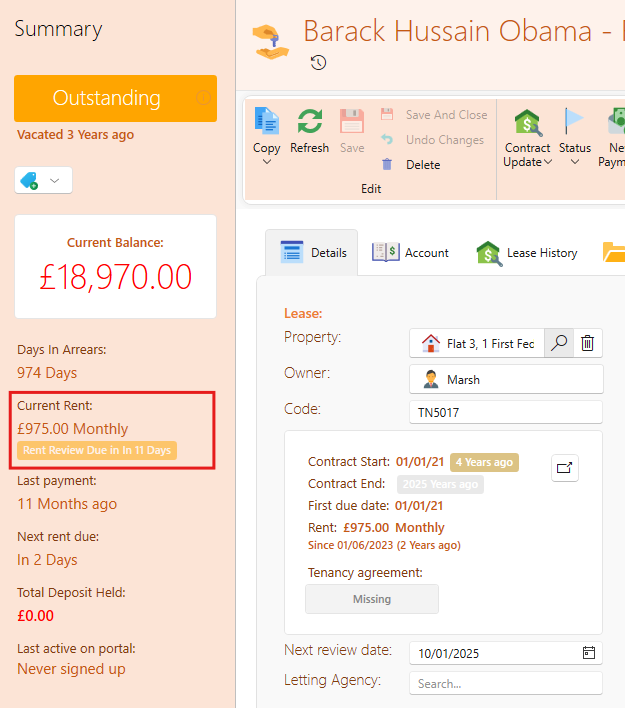
- You can monitor upcoming rent review dates within the Leases
- You will see an orange label once the rent review is due within the next 60 days.
- The label will turn right once the rent review is overview.
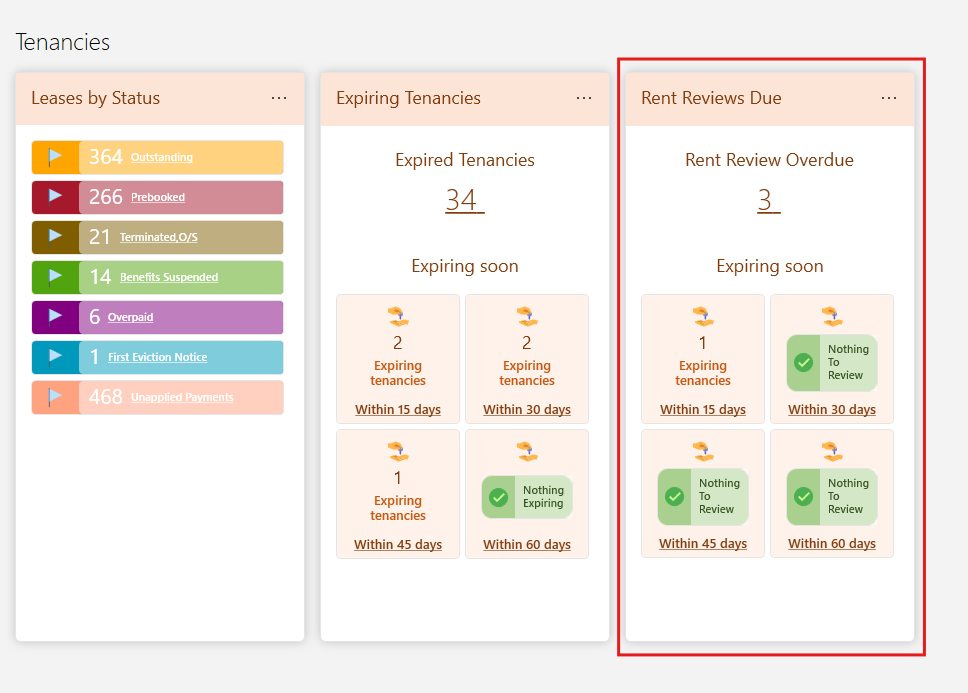
Rent reviews on the dashboard
- You can also monitor the rent review date on the Dashboard, where any review dates that require postponing or action will be listed under the Tenancies section.
- When a rent review comes due you can decide whether you want to increase or renew the contract in which case the rent review date will be pushed off based on the new contract, or if you wish to keep the current rent, you can update the Rent Review date to another time in the future that you want to review again.
- Ideally, the dashboard should display a 0 on the rent review card, indicating that no action is required for upcoming reviews.
Rent reviews email reminders.
You can also set up to get email notifications once rent reviews are due.
This is how it's done
- Click on the User icon and then select Edit Profile
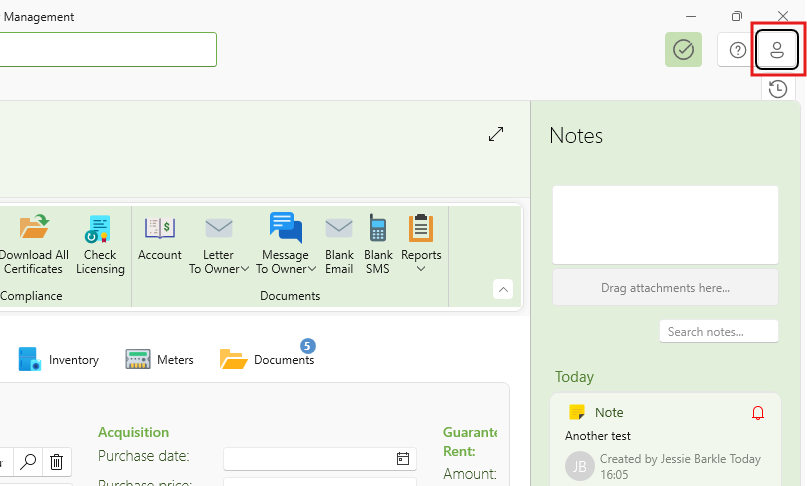
- Go to the Notifications tab
- Click Add Notification
- Select Lease Rent Review
- You can then set the amount of days prior to the rent review that you want to receive the notification.
- Under the Next Run column you'll see the amount of tenancies that will You'll be notified for in the next run
- You can click on it to see the list of tenancies
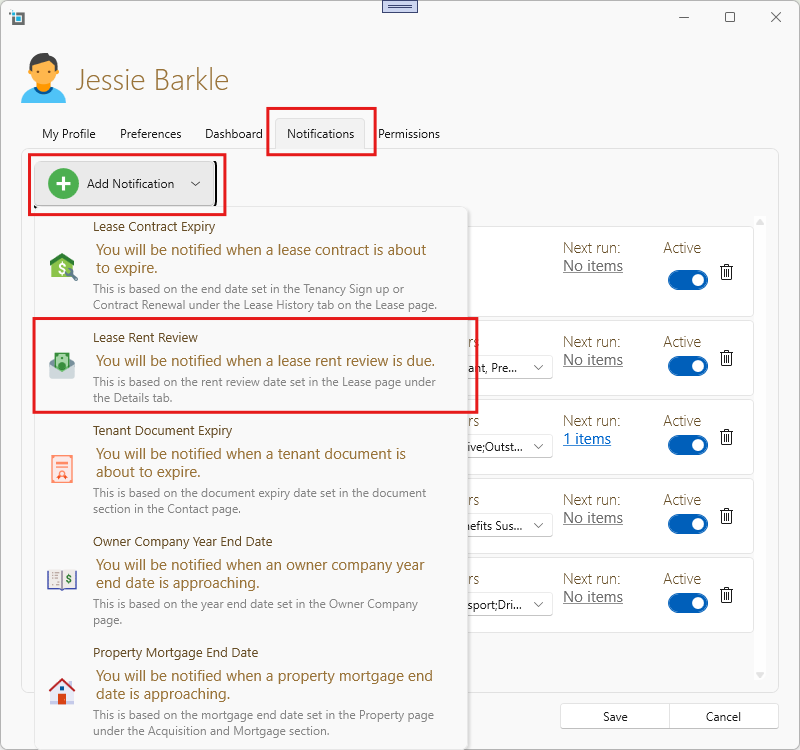
- Please note this notification is per user I will only send an email to your registered email address within SleekTech
- Each user that sets up this notification will get a separate email.
By configuring these settings, you can streamline the process of managing rent review dates and ensure that the necessary actions are taken in a timely manner.