Automated Arrears Chasing System
This feature allows you to automate the process of following up on overdue payments.
By setting predefined rules and schedules, the system will automatically send reminders to tenants with outstanding balances, reducing manual effort and improving collection efficiency.
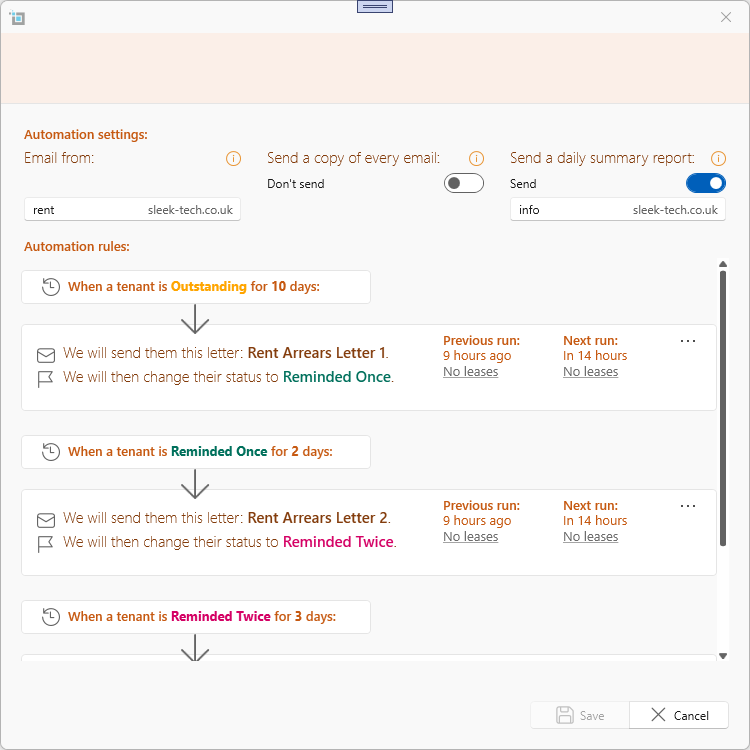
For more detailed information on setting up and utilizing the Automated Arrears Chasing System, please refer to our Automate chasing arrears guide.
Bulk Invoice Upload & Auto Processing
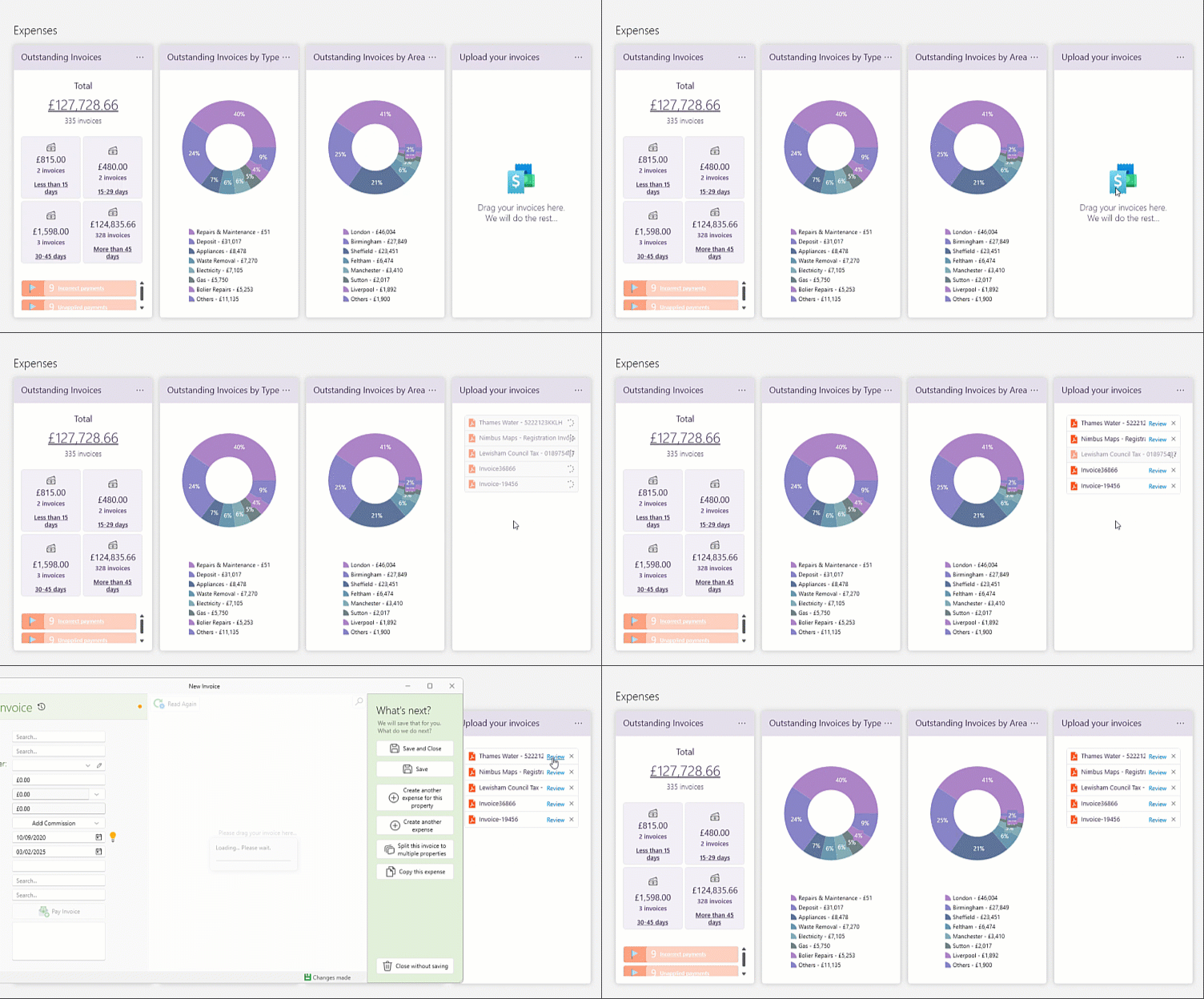
Uploading multiple invoices just got easier! You can now upload multiple invoices at once, and our system will automatically process them one by one.
? How it works:
✔ Upload up to 10 invoices at a time
✔ The system reads and processes each invoice automatically
✔ Once ready, you can click ‘Review’ on each invoice before saving
This feature speeds up invoice management, ensuring accuracy while reducing manual data entry.
The upload invoices card can be found on the dashboard under the Expenses section.
Property Type Selection
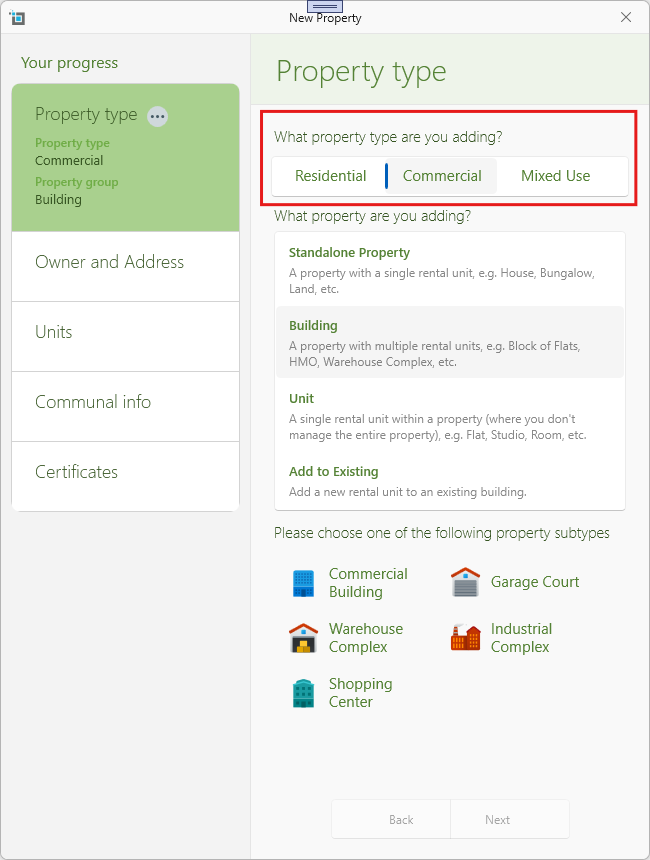
When setting up a new property, you will now have the option to select:
✔ Residential
✔ Commercial
✔ Mixed-Use
- Based on your selection, the system will provide relevant subtype options (e.g., apartment, office space, retail unit).
- This ensures properties are correctly categorized from the start, making it easier to manage leases and reporting.
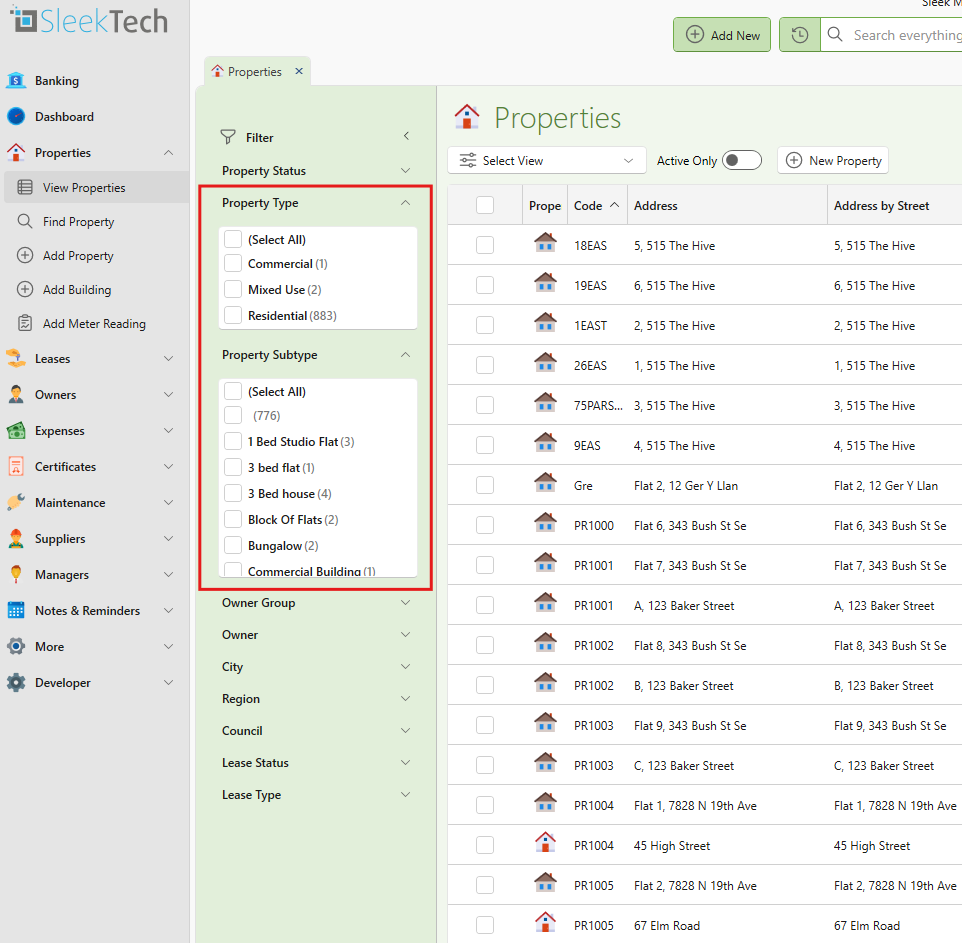
In the View Properties and View Leases pages, you will now be able to filter by Property Type (Residential, commercial etc.) and by Property Subtype (Flat, office , shop etc.)
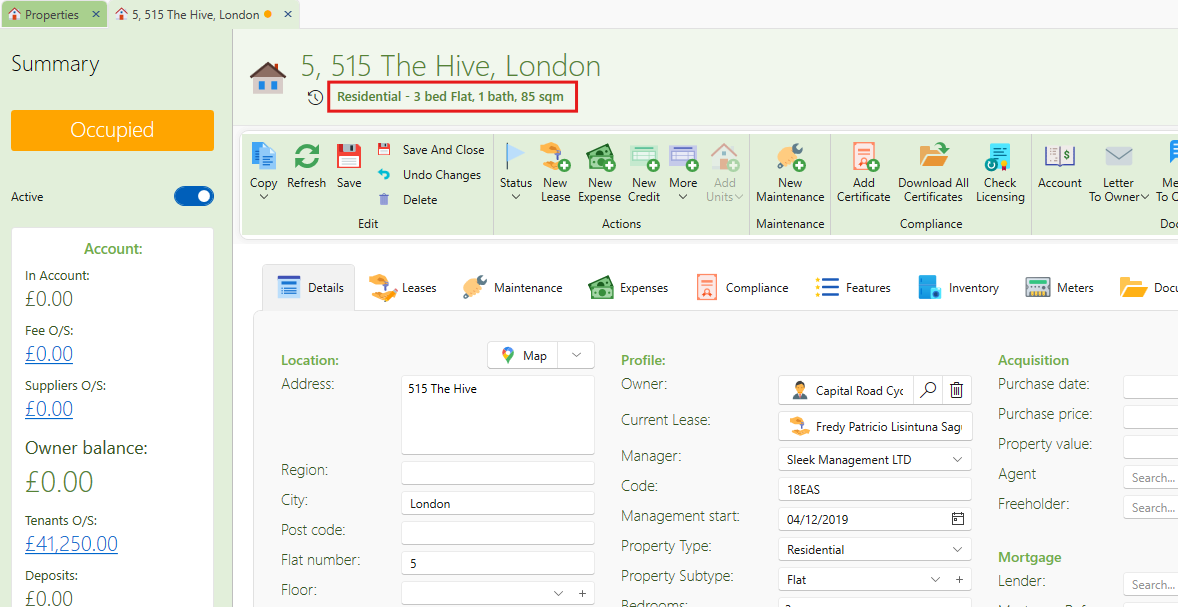
The property type and other basic specs will now show nicely at the top of the property page under the address.