Streamlined Page Editing Feature
This update brings a cleaner look and adds security, as users tend to open pages numerous times to view details without changing anything, safeguarding against accidental changes.
These changes will affect the following 5 pages:
- Properties.
- Owners.
- Leases.
- Suppliers.
- Manager.
Please note that some users won’t be able to use the Edit button due to user permissions, only users granted permission to edit will have access.
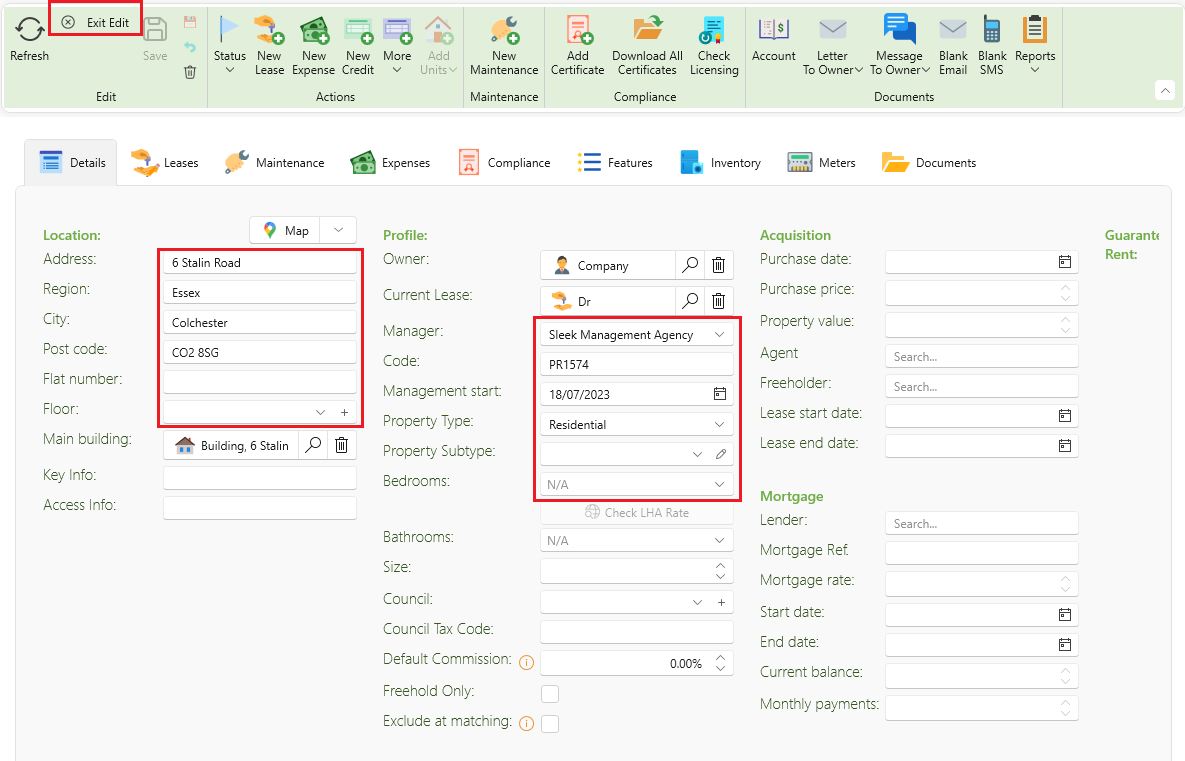
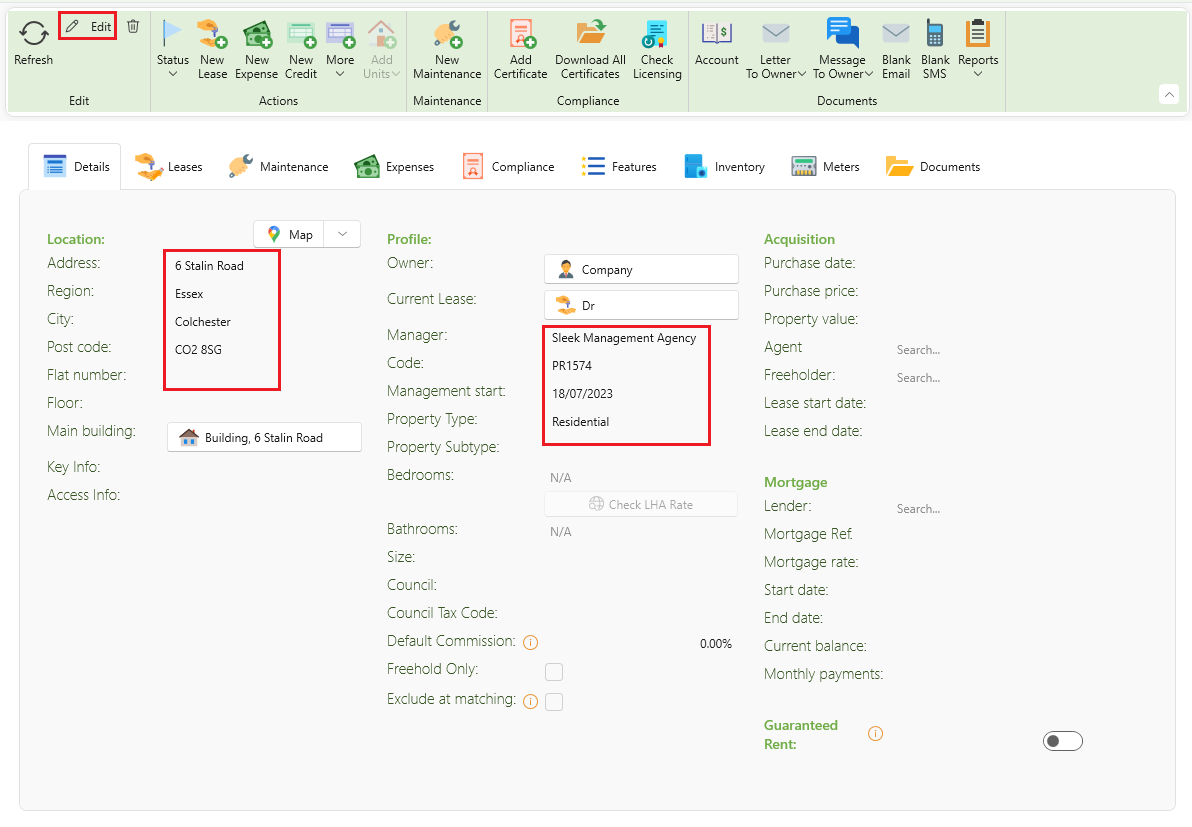
This new feature will ensure that when pages open, hey appear in a non-editable state, enabling users to review content without distractions. By clicking the Edit button, users can quickly switch to editing mode, simplifying the process of managing and updating their pages.
You will notice that the Edit button is highlighted.

This is how the page will be displayed before you click the Edit button. As you can observe, the fields are currently in a non-editable state, which prevents any modifications until the editing function is activated.
This is how the page will be displayed once you click the Edit button. As you can observe, the fields are now editable, allowing you to make modifications and updates as needed.