
Sometimes, when trying to connect to the bank, it will come up with an error that your ID or Username is not recognised even though you entered it all correctly.
There are a few things you can try but it the cause is probably Techloq.
First try to log in to the bank in the regular way, not through SleekTech.
Once logged in, close the tab and any other tabs that are open.
Then try again through SleekTech.
If this does not work, you can try copying the web address of the first box that comes up.
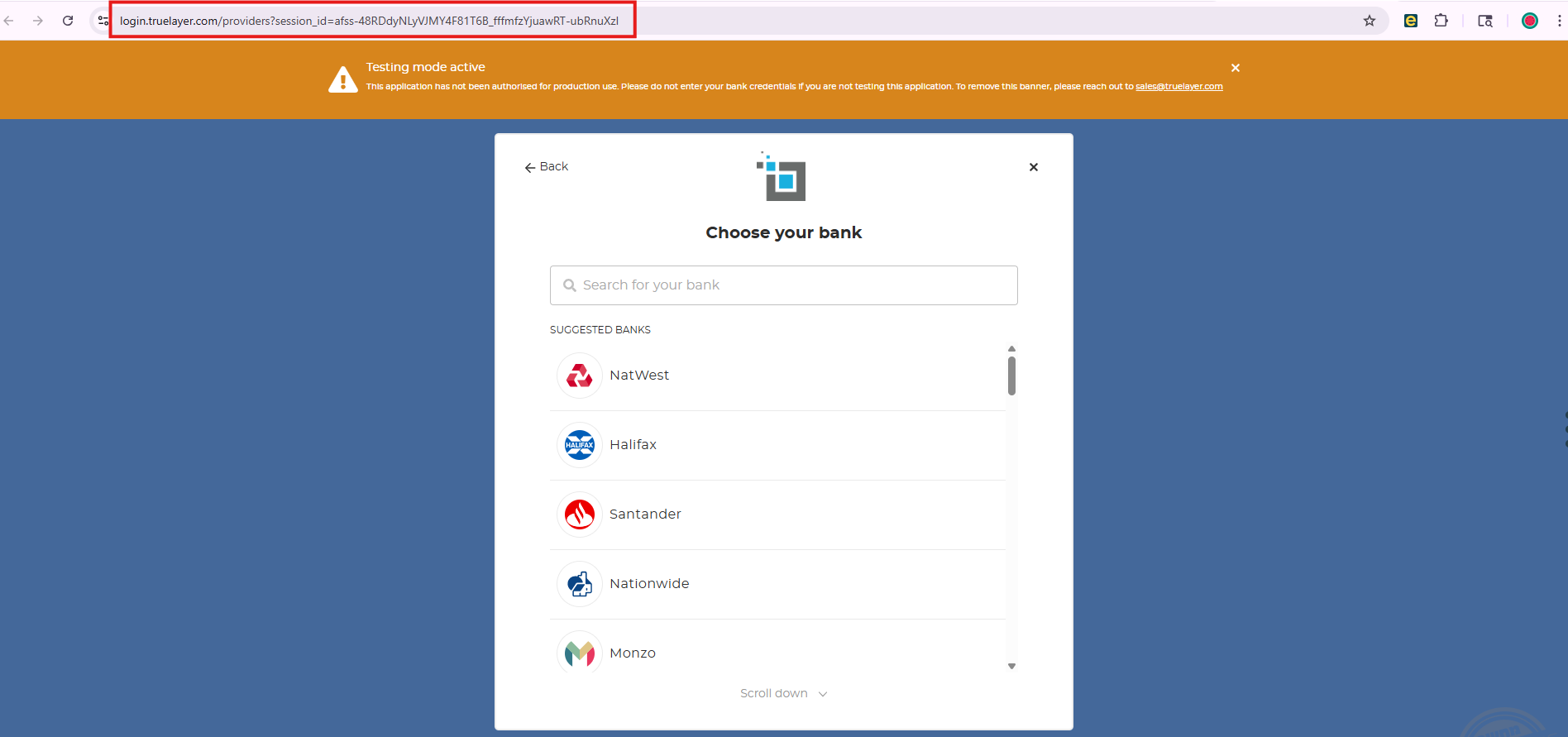
Paste this URL in a different browser such as Edge.
If all these options do not work, it is probably caused by Techloq.
Ask the client to copy the URL as shown above. He should send this to his email. Then he should open the email on a phone/tablet that is not blocked by Techloq, and click on the URL. Then he should follow the instructions and connect in the same way he would connect on his PC.
Once he has connected on that device, he can come back to SleekTech and the bank should be connected.