What’s New in SleekTech – February Update

We’ve rolled out a powerful set of improvements focused on accuracy, speed, and control — the things that make the biggest difference in day-to-day property management.
From smarter safeguards that prevent overcharging, to faster certificate renewals, cleaner recurring workflows, and more flexible letters and attachments, this release is all about removing friction and letting SleekTech do more of the thinking for you.
Whether you’re managing finances, compliance, communications, or everyday admin, these updates are designed to save time, reduce errors, and make your processes feel smoother and more predictable.
Let’s jump in.
Smarter Invoicing & Financial Controls
Avoid Overcharging with New Invoice Frequency Rules
We’ve introduced a smart new feature to help you avoid accidentally overcharging landlords or duplicating entries: Invoice Frequency Rules.
You can now configure certain ledgers (like property income or expenses) to warn you if too many invoices are entered for the same property within a defined period — for example, more than one boiler repair in 5 years or one insurance invoice per year.
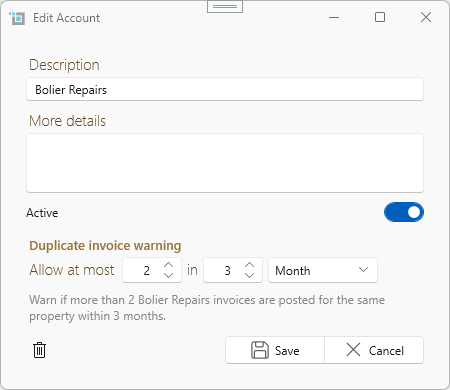
Set your rules in the Control Panel > Chart of Accounts. These warnings help ensure accuracy while still allowing you to proceed if needed.
Learn more about Invoice Frequency Rules
Better Control with Journal Entries
Journal entries are a powerful tool for correcting balances, reallocating funds, or handling situations where money needs to move between accounts without any physical payment taking place. They are especially useful for handling edge cases, corrections, and internal adjustments that don’t fit standard invoicing workflows.
To help you use journal entries confidently and correctly, we’ve published two new knowledge base articles:
These guides explain when journal entries should be used, how debits and credits work in SleekTech, and walk through real-world scenarios such as moving balances between tenancies, correcting postings, or reallocating funds.
Recurring invoice upgrades
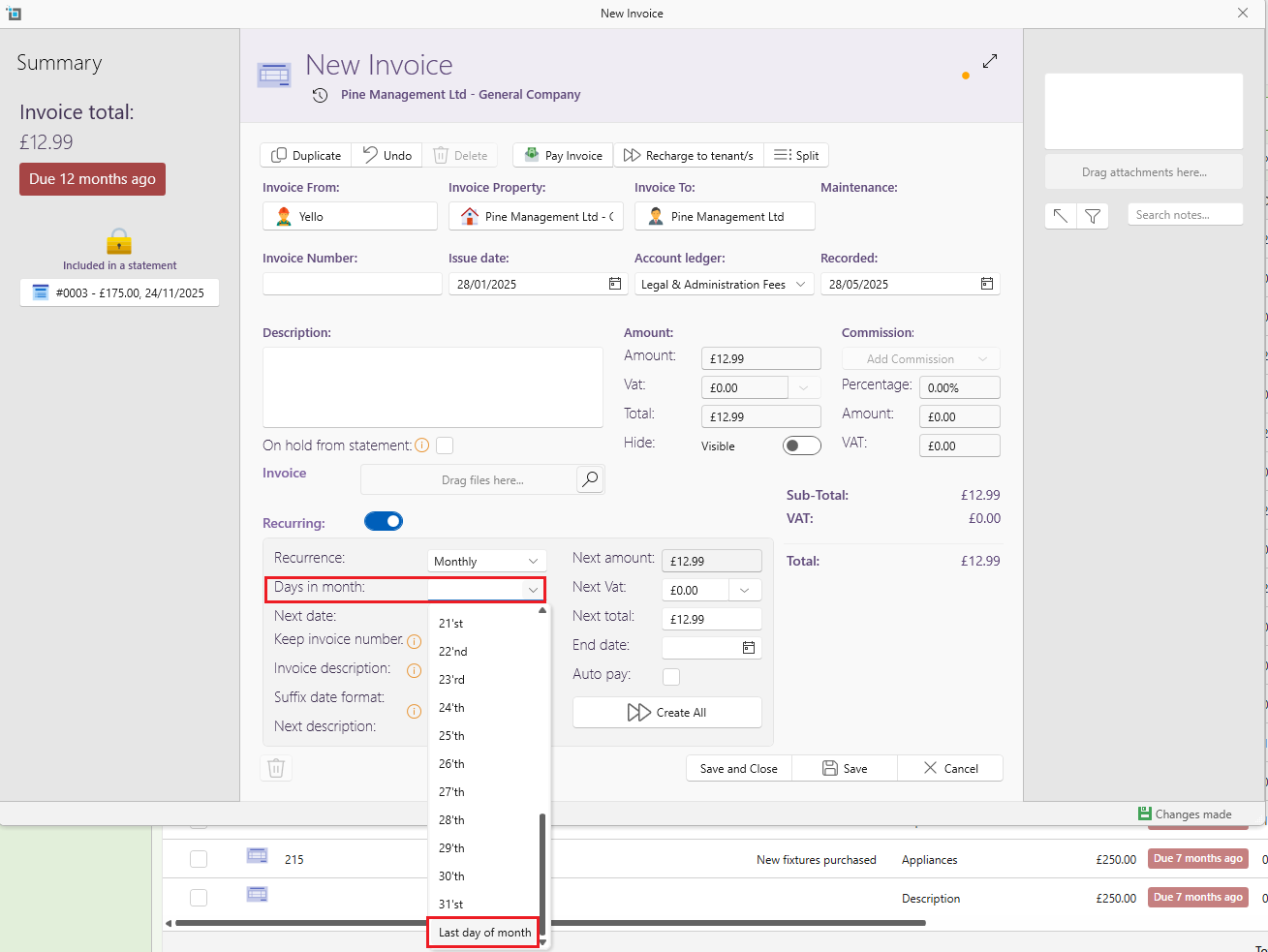
Wherever you use recurring charges like landlord statements, supplier invoices, tenant charges, or guaranteed rent – you can now select “Last day of month” as the recurrence date.
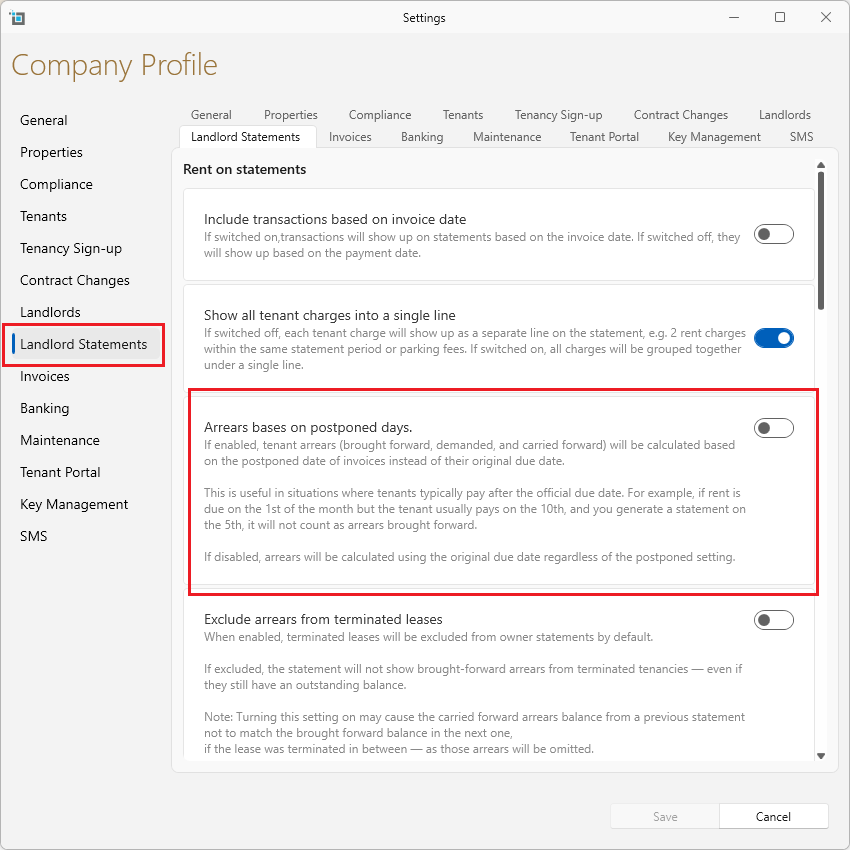
Control arrears more intelligently
A new setting allows statements to calculate arrears brought forward and carried forward based on the tenant’s usual payment behaviour rather than invoice due dates. This keeps statements more accurate when tenants consistently pay a few days late.
Lease improvements
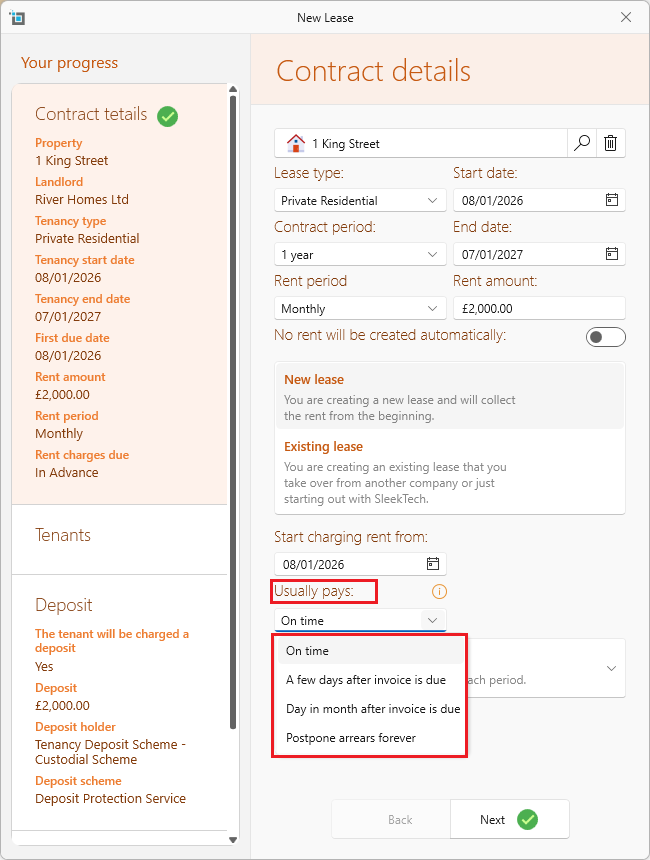
New lease setup: capture usual payment date right away
You can now set the tenant’s usual payment date directly from the Create Lease window – no need to remember to do it later.
Certificates & Compliance – Faster and Clearer
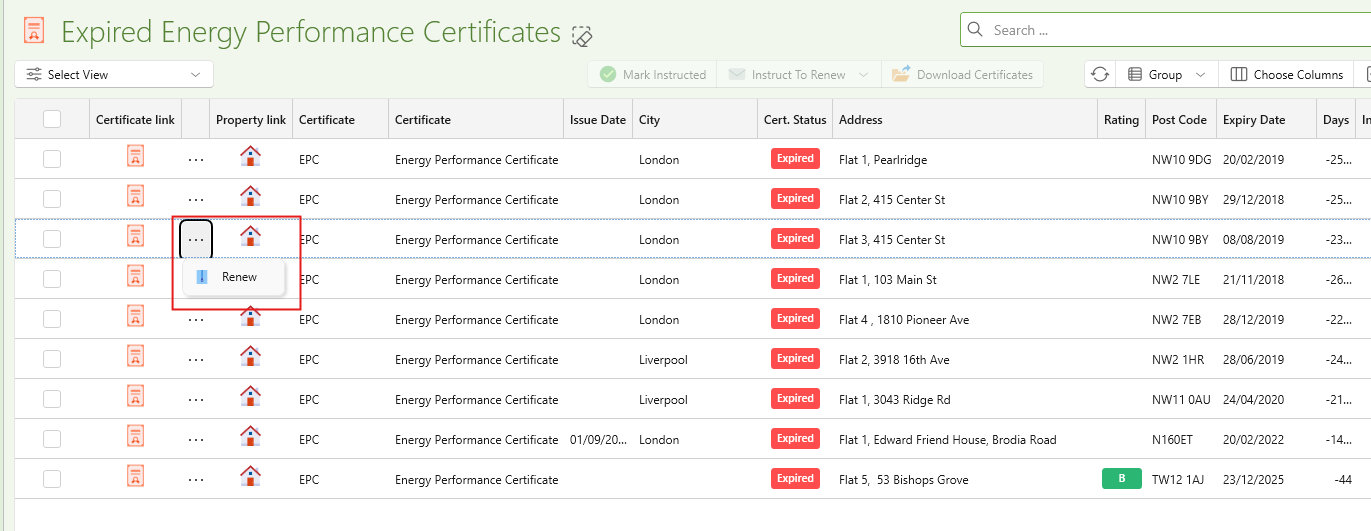
Archive and renew certificates faster
No more navigating into individual property windows. From the dashboard or certificates window, you can now archive expired certificates and upload new ones directly in one go.
Add Certificate Dates During Property Creation
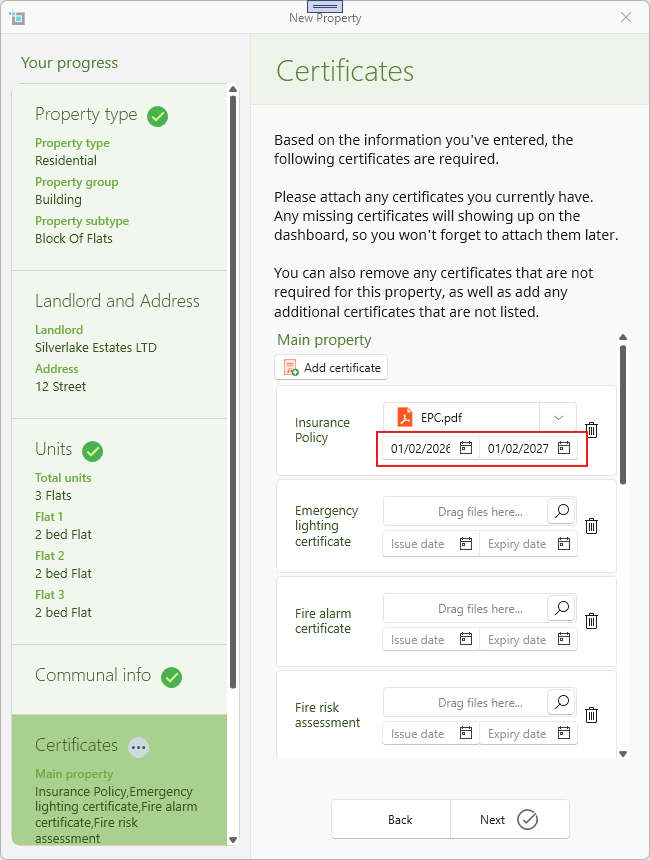
You can now enter certificate issue and expiry dates at the time of creating a new property.
This helps ensure compliance information is complete from day one and reduces the need for follow-up edits later.
When an issue date is entered, the expiry date is automatically pre-filled based on the default validity period.
Send grouped certificate reports to suppliers
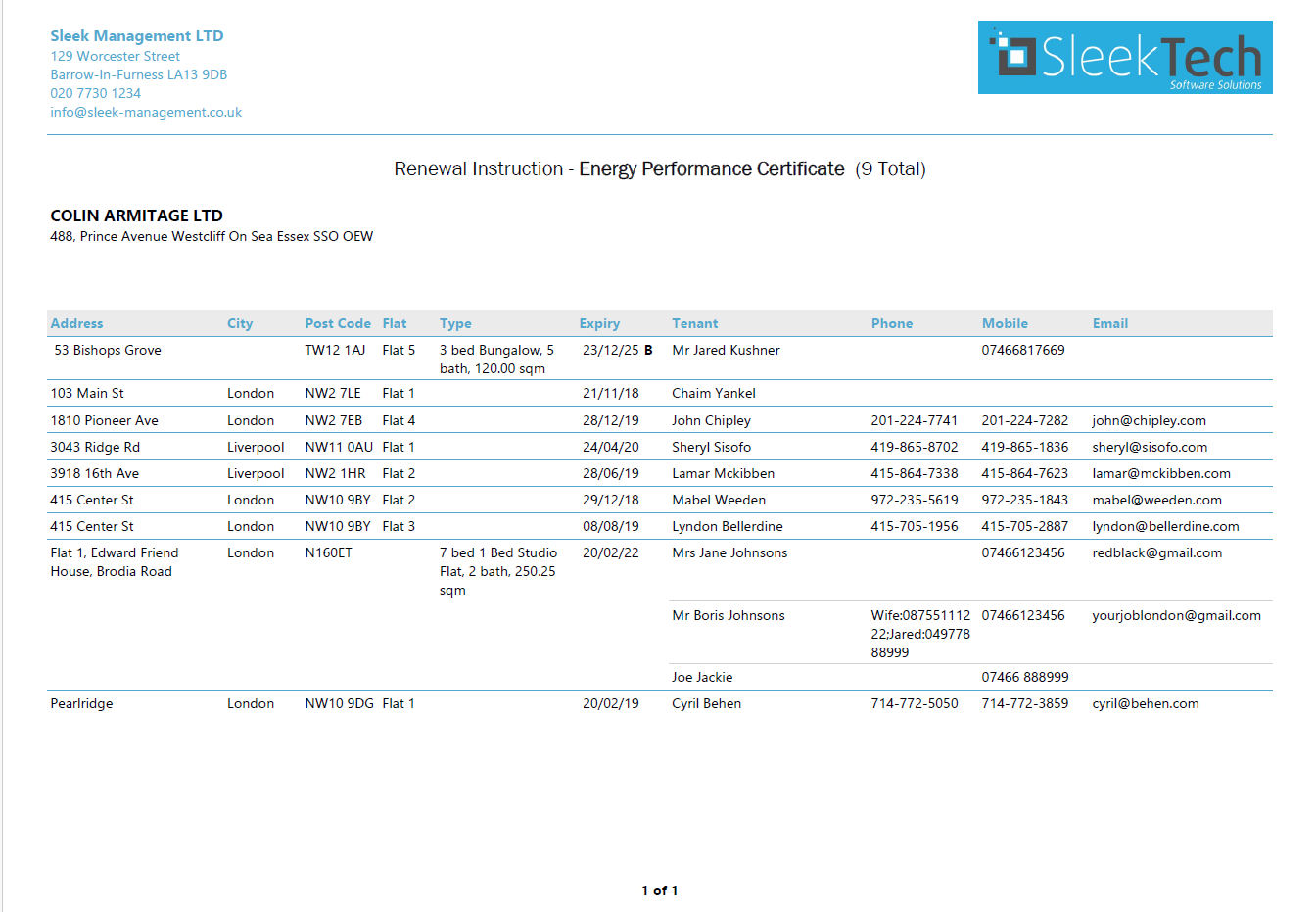
When emailing certificates to suppliers, you can now send one combined report with all relevant certificates clearly listed. This replaces the older method of separate emails or exporting to Excel.
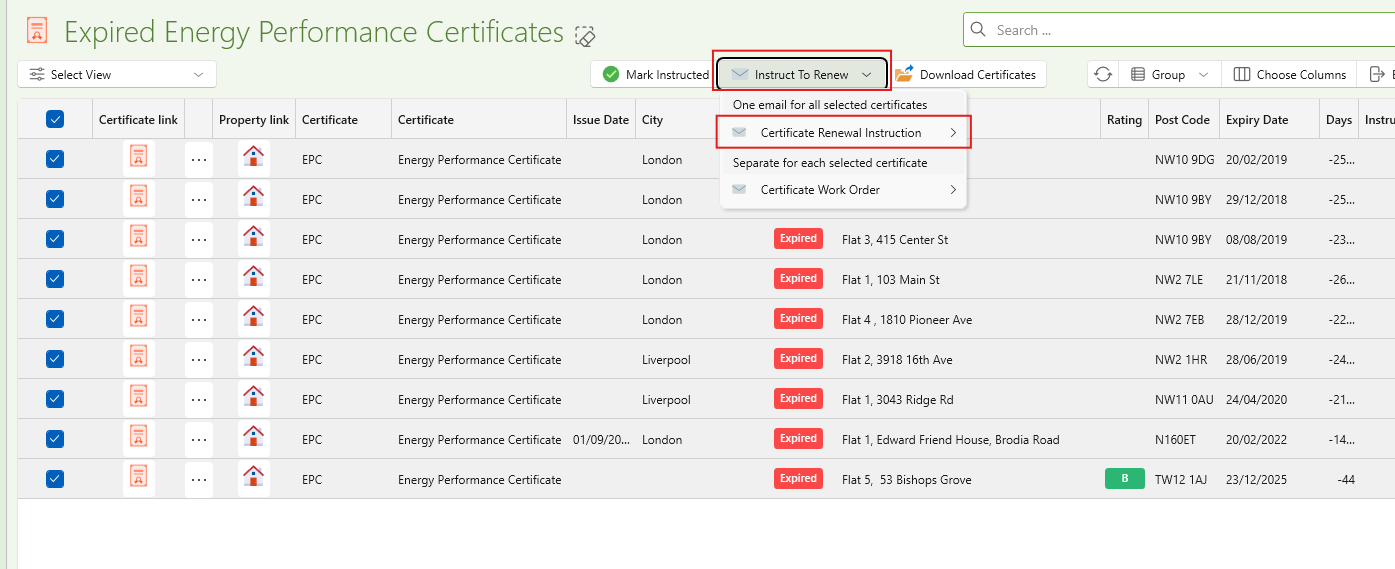
If using the email option it will open a prefilled email with a report attached showing clearly the list of certificates needed alongisde all relevant tenant info.
Letters, Templates & Attachments
Add static documents to letter templates
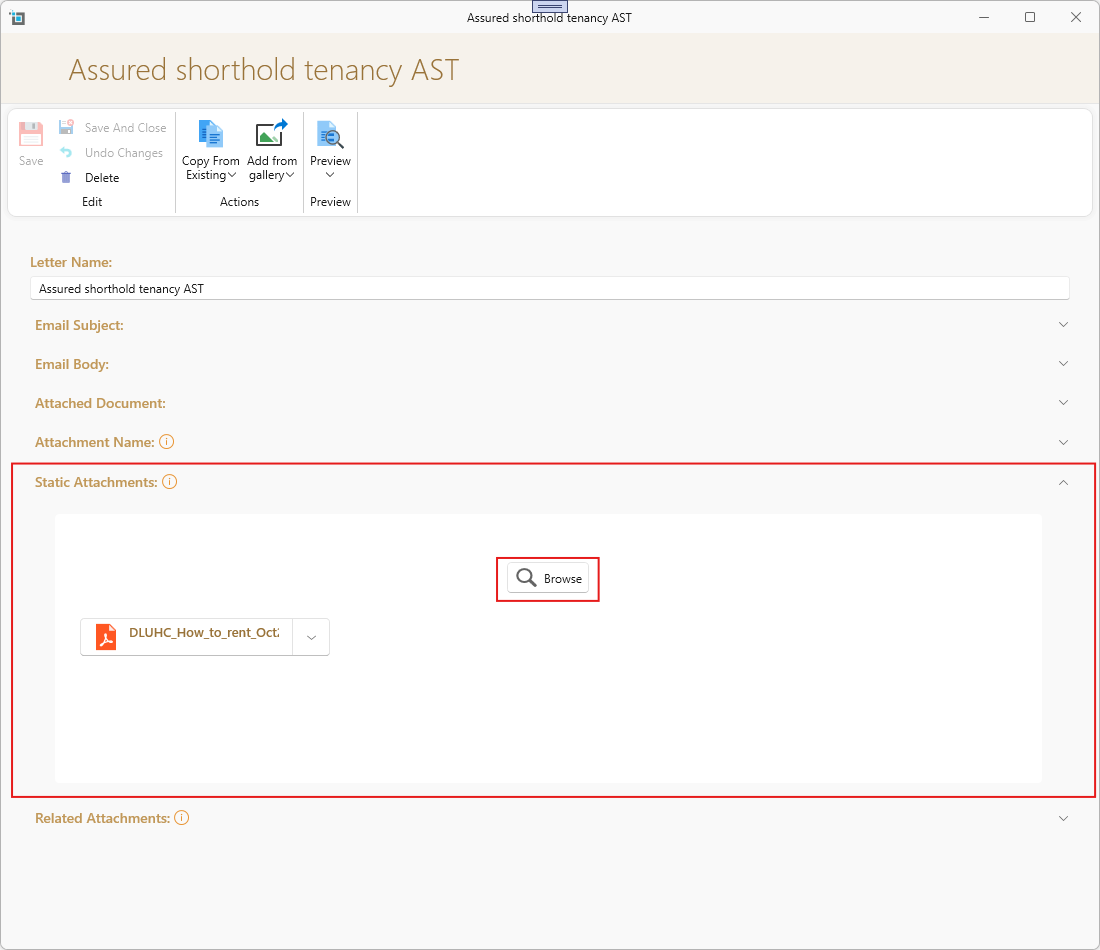
Want to send the “How to Rent” guide together with your AST? You can now attach one or more static documents to any letter template.
Static documents are files that will always be included whenever that letter is sent — no need to remember to add them manually each time.
How it works
Attach one or more static documents to a letter template
Choose the order they should appear in
Whenever the letter is generated, those documents are automatically included
Use dynamic related attachments
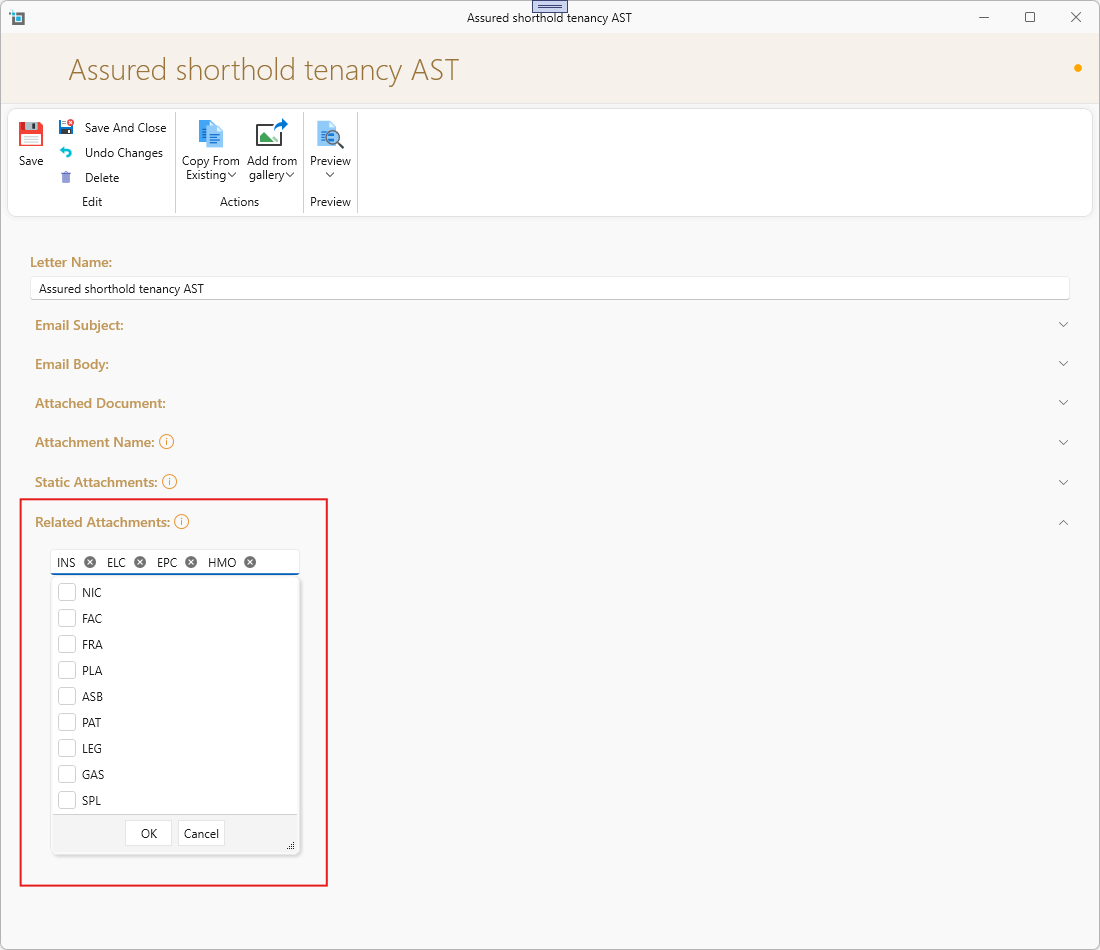
Select context-based attachments such as the property’s EPC or safety certificate to be included automatically when sending a letter.
When configuring dynamic related attachments, make sure the documents are selected in the correct order.
The order you set here is the order in which the documents will be attached and presented when the letter is generated.
For more acount how to edit and customise your letter tempaltes see here:
How to design customised templates for email and letters
Notes, Tasks & Everyday Productivity
Postcode area filtering
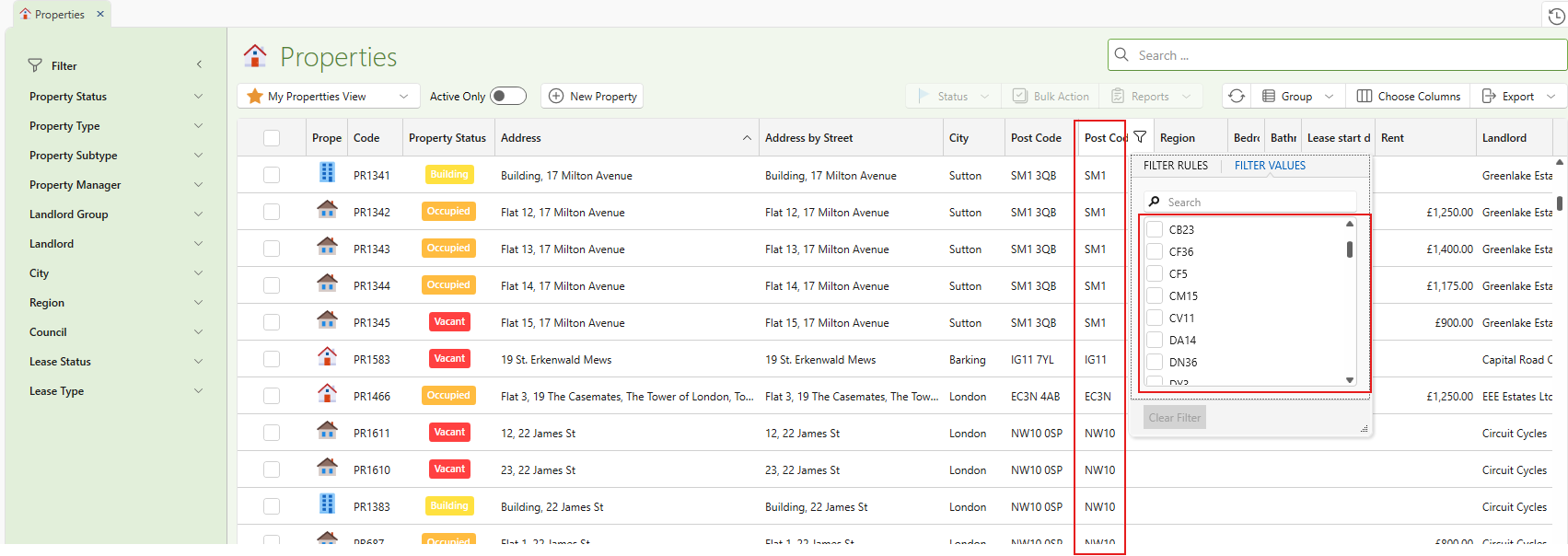
We now automatically extract the postcode district (e.g. NW11) from your full postcode, making it easy to filter and group by location across your data and reports.
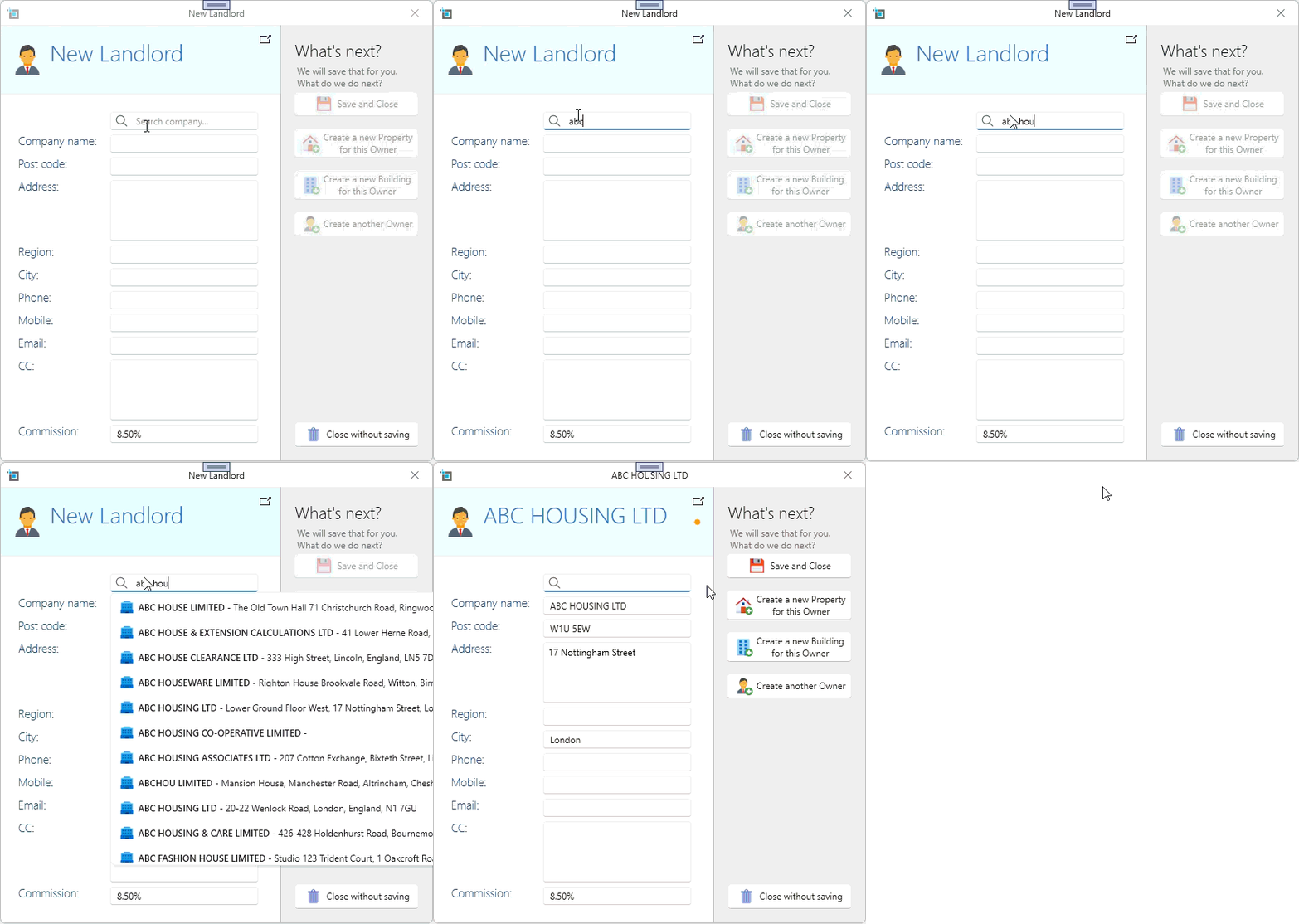
Company data now connected to Companies House
When adding new landlords, suppliers or managers, you can now search directly from Companies House and auto-fill their registered name and address in seconds.
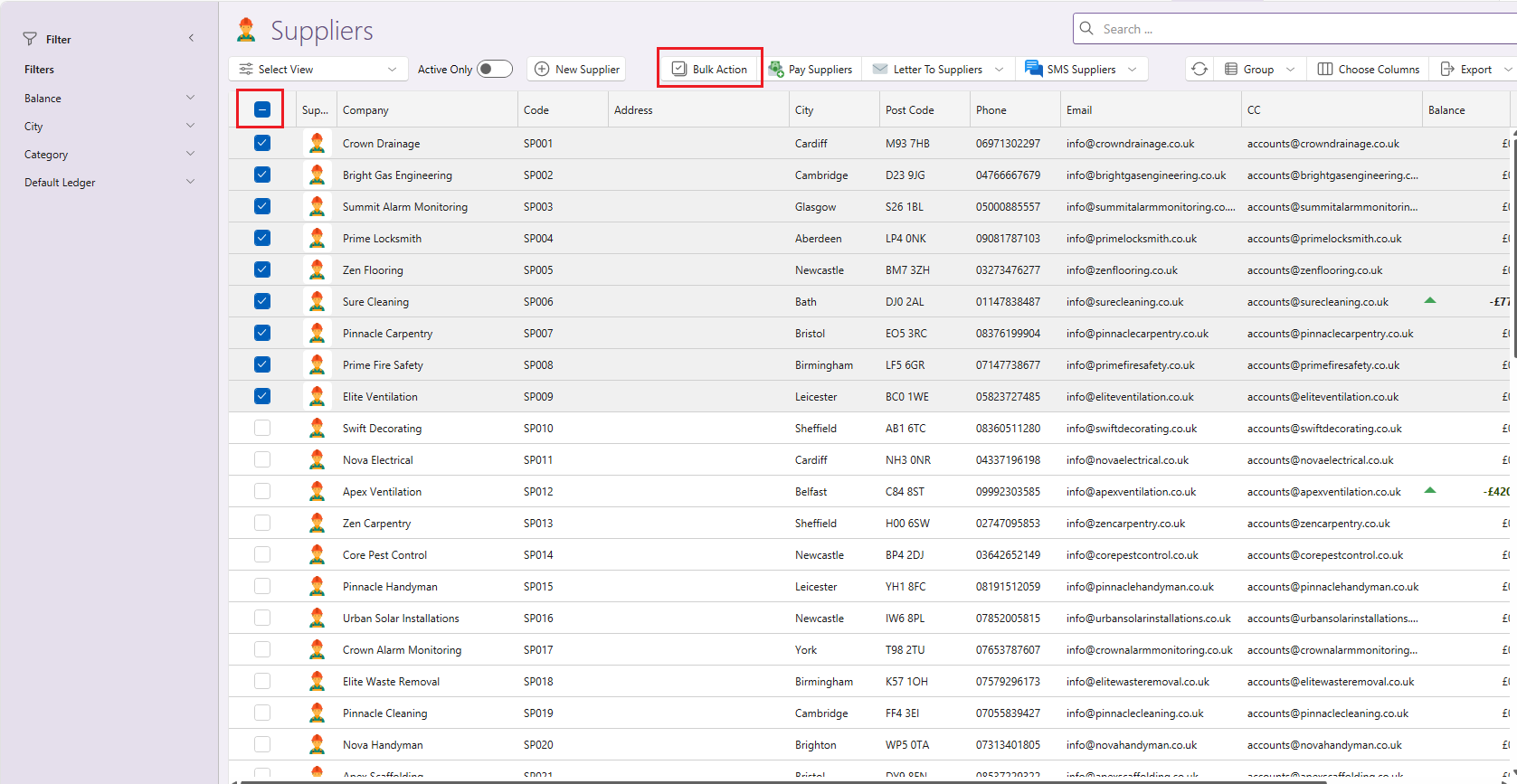
Bulk edit on suppliers
Similar to properties and leases, you can now bulk edit suppliers, making it quicker to update shared fields across multiple supplier records in one go.
Pin notes, tasks, or reminders
You can now pin important notes, tasks, or reminders so they always stay visible at the top — perfect for key instructions and urgent follow-ups.
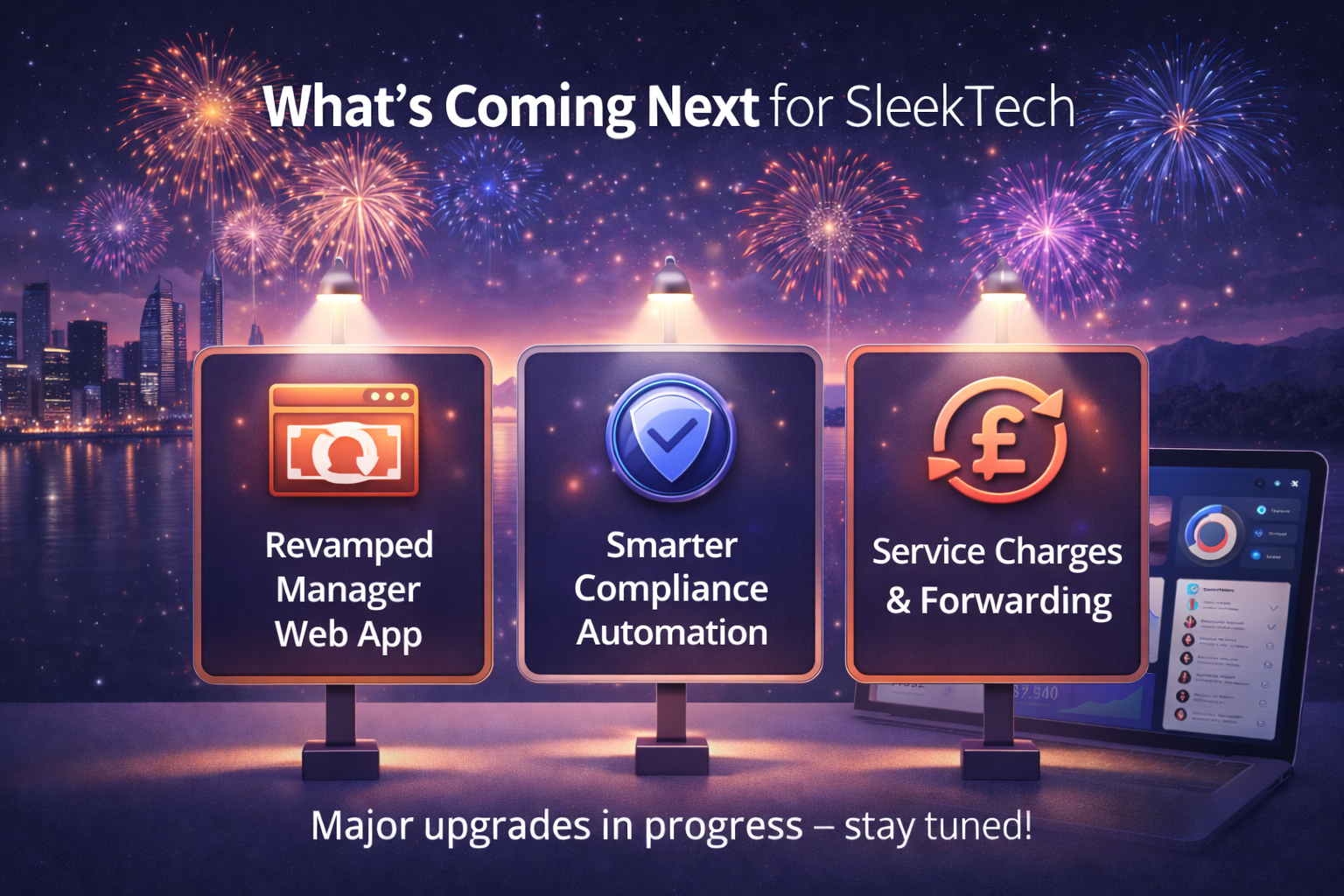
What We’re Working On Next
We’re not slowing down.
Alongside the improvements in this release, we’re actively working on some major upgrades that many of you have been asking for:
A completely revamped Manager Web App
We’re rebuilding the manager web app from the ground up, packed with requested features, improved performance, and a cleaner, more intuitive experience.
Smarter, more automated compliance
We’re taking compliance automation even further - reducing manual steps and giving your contractors more control to manage their own work, helping to take pressure off your day-to-day workload.
Service charges & commercial forwarding
Enhanced support for service charges, including forwarding charges to commercial tenants and long leases, giving you greater flexibility and accuracy for more complex property setups.
All of this is focused on the same goal: less admin for you, fewer errors, and more confidence that everything is handled properly in the background.
More updates coming soon.