
Understanding Journal Entries
A journal entry is a fundamental accounting tool used to record financial movements without physically moving money. It is a virtual way of reallocating balances between accounts while keeping your records accurate and fully balanced.
Journal entries are commonly used to move balances between tenants, suppliers, landlords, or internal accounts where no bank transfer or cash movement is required.
How Journal Entries Work
Every journal entry always has two sides:
Debit
Credit
Even though no physical funds change hands, the system remains balanced because every debit has a corresponding credit.
Think of a journal entry as a ledger adjustment. You are telling the system that funds have moved from one account to another, without withdrawing or depositing money in a bank.
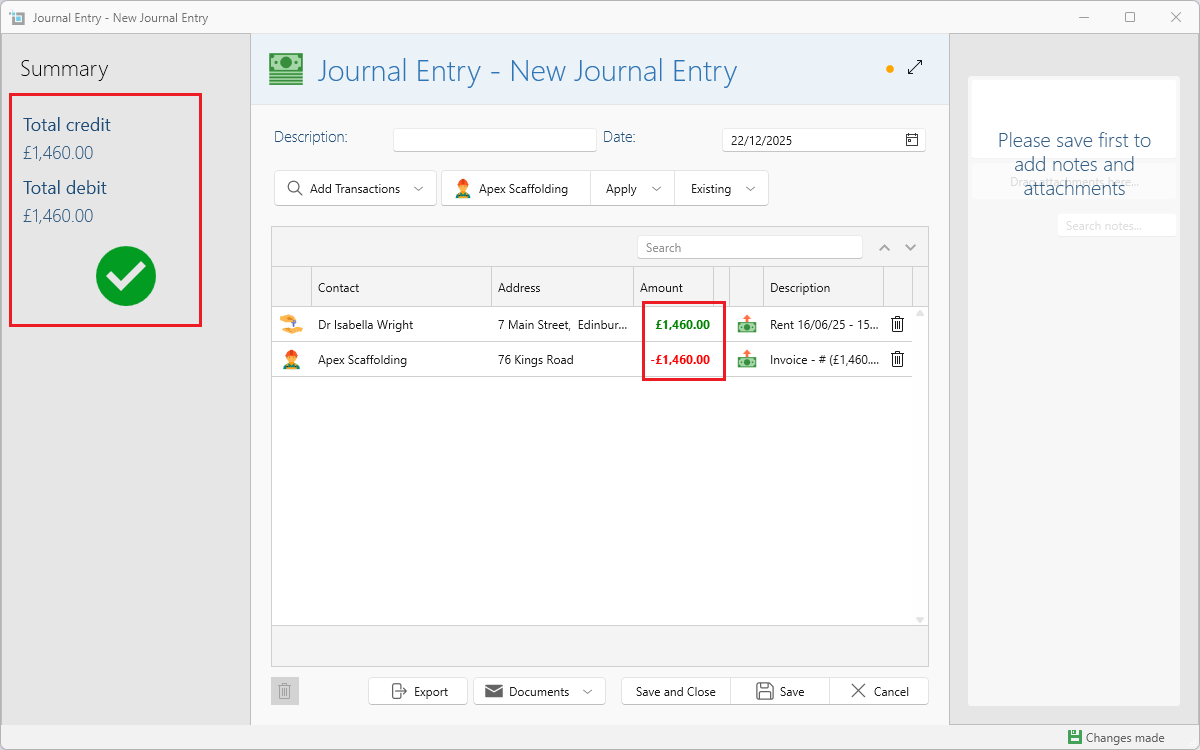
A journal entry cannot be saved unless the total incoming and outgoing amounts balance to zero.
Common Journal Entry Scenarios
Journal entries are typically used when money needs to be reallocated internally but no real payment should be made. They help keep accounts accurate while avoiding unnecessary bank transactions.
Common scenarios include:
Transferring a tenant’s deposit from one tenancy or property to another
Offsetting a holding deposit against a letting agent’s invoice
Moving funds between landlords
Adjusting balances between tenants, suppliers, or landlords where no cash movement is required
These scenarios all follow the same core principle:
one outgoing transaction and one incoming transaction that balance to zero.
For full step-by-step instructions for each use case, see:
Common Journal Entry Scenarios
How to Create a Journal Entry
Click Add New at the top of the screen
or click More from the side panel.Select Add Journal Entry.
The Journal Entry window opens with today’s date prefilled.
Enter a description (optional).
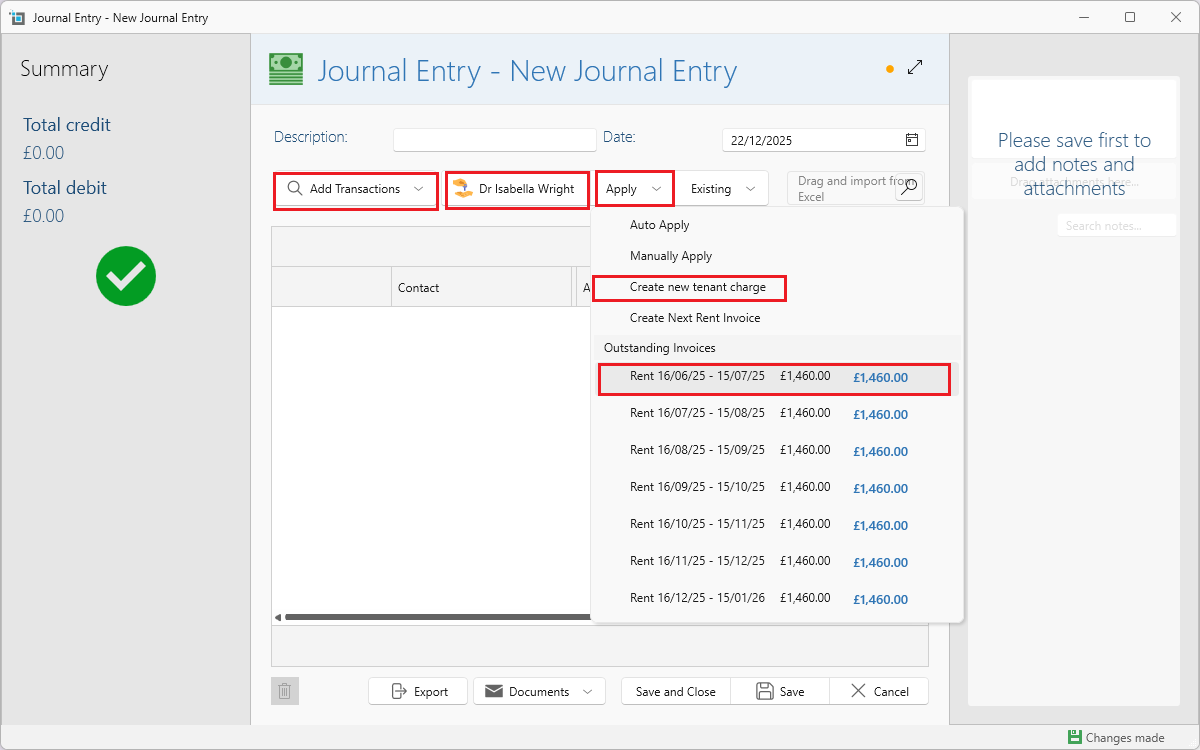
Click Add Transaction.
Choose the appropriate transaction type (see below).
Select the tenant, supplier, or landlord.
Click Apply and apply the amount to an existing invoice/refund, or create a new one if needed.
Add a second transaction in the opposite direction (incoming vs outgoing).
Once the balance reaches zero, click Save and Close.
Journal Entry Transaction Types Explained
Tenant Incoming Payment
Record money received from a tenant.Tenant Outgoing Payment
Record money paid to a tenant (for example, a refund).Supplier Outgoing Payment
Record money paid to a supplier or agent.Supplier Incoming Payment
Record money received from a supplier (for example, a refund or credit).Landlord Payout
Record money paid out to a landlord.Landlord Deposit
Record money received from a landlord.
Once selected, the relevant tenants, suppliers, or landlords will appear for you to choose from.
Where to view all journal transactions
- You can find all journal entries you have created by going to Banking.
- Click on Switch account on the side and select Journal entry from the list of banks.
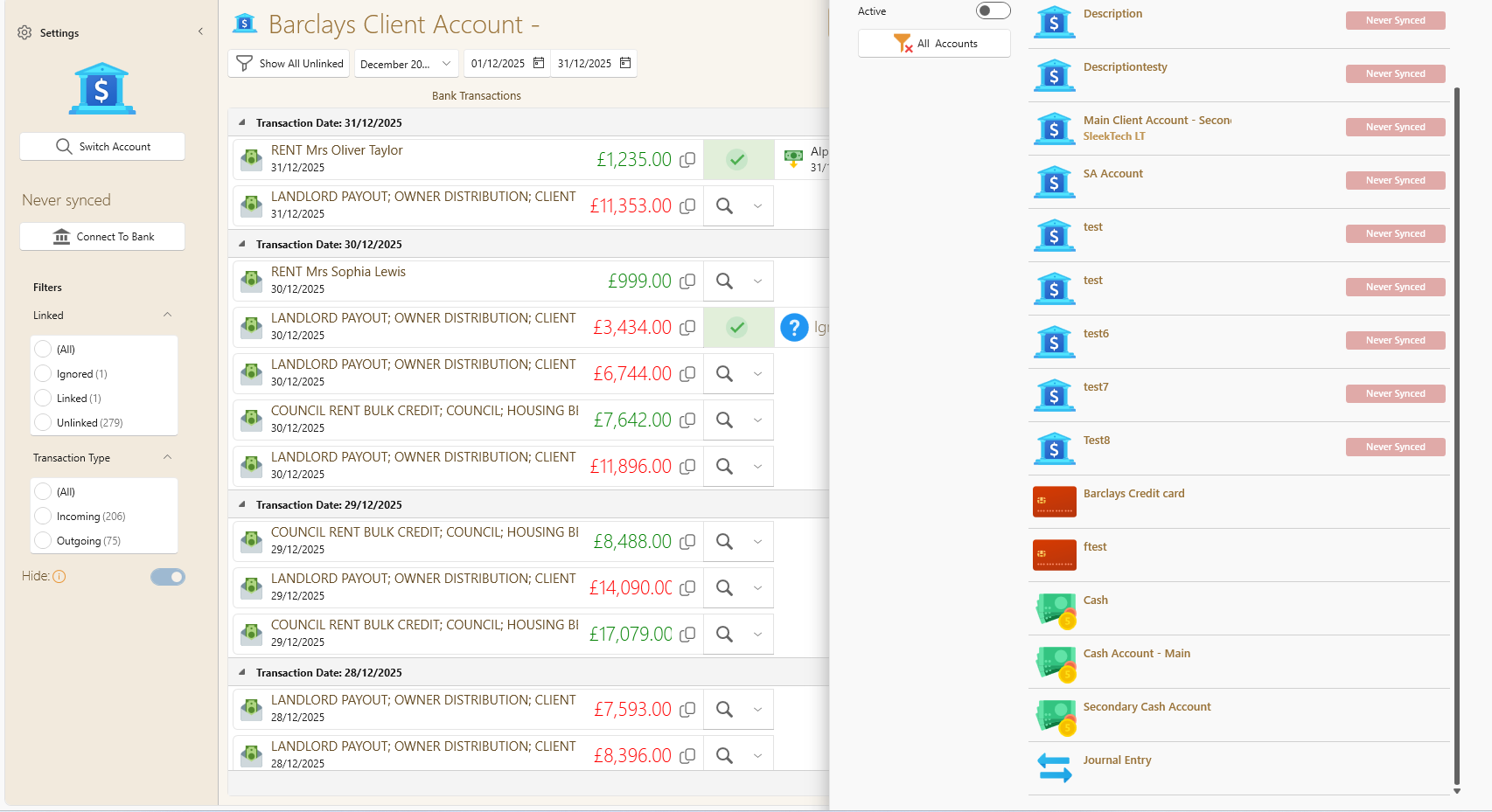
- Each journal entry has a green money icon which is clickable and allows you to view all transactions within that journal entry.
- You can also view the journal entries if you go to the tenant/supplier that you used in the journal entry and you will see the payment listed as journal entry.
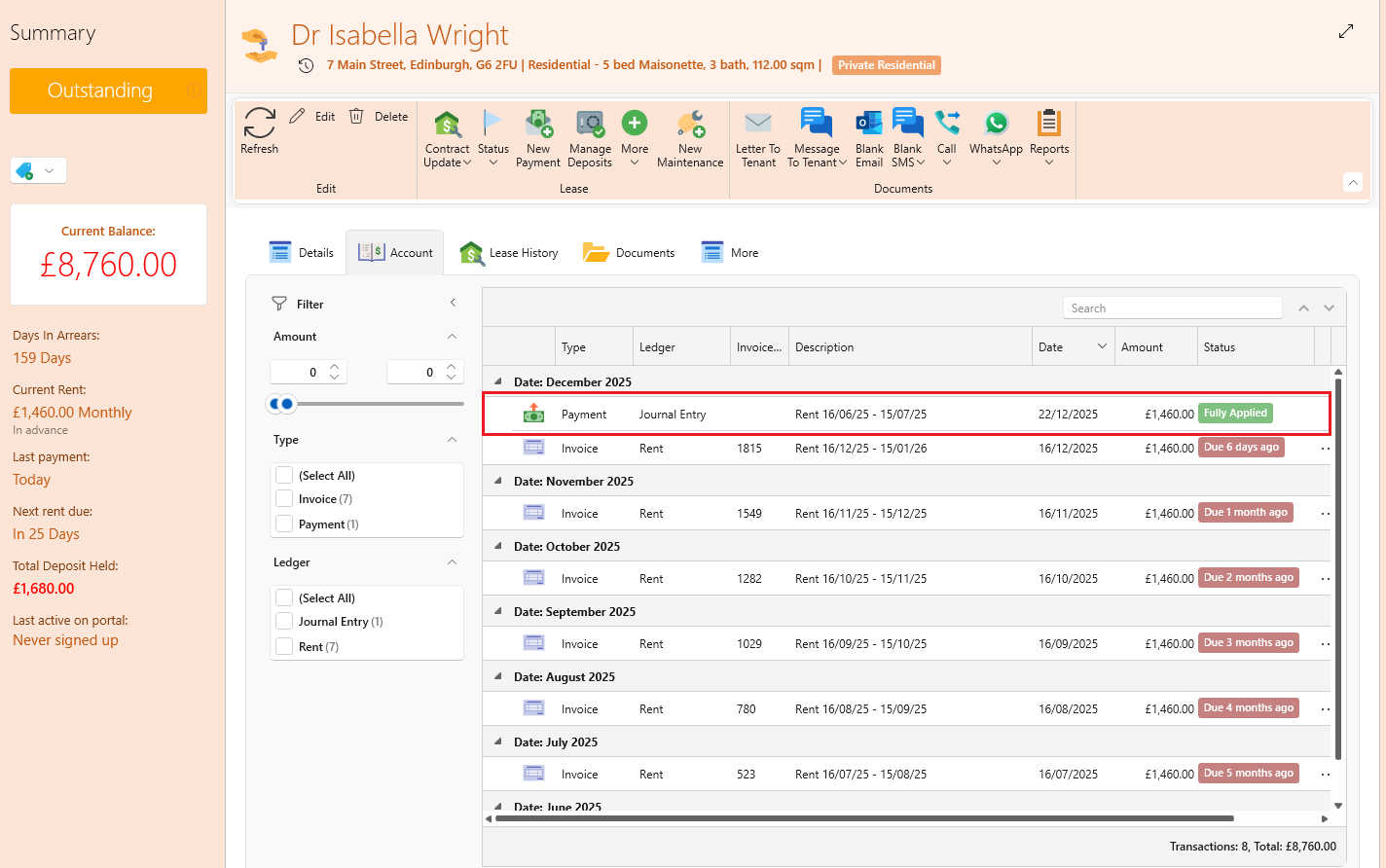
Please note: All transactions are virtual and do not appear in any banks besides for the journal entry bank. However, the payments will show up in statements as regular.
Deleting a Payment That Is Part of a Journal Entry
Payments that are part of a journal entry cannot be deleted individually.
Because a journal entry must always balance:
- You must delete or reverse the entire journal entry
- This ensures both the debit and credit sides are removed together
To do this:
- Open the journal entry
- Delete each transaction
- You can now delete the full journal entry