
Renters’ Rights Act 2026 – New Hub & Tools
The Renters' Rights Act 2026 is coming into effect on 1 May 2026, bringing significant changes across the rental sector.
We understand this is a major shift for agents and landlords, and we’ve worked hard to make things as clear and streamlined as possible within SleekTech.
To support you, we have:
- Introduced new workflows to help you stay compliant
- Automated key processes where possible
- Created a dedicated Renters’ Rights Hub with clear guidance and step-by-step instructions
View the full guide here:
Renters’ Rights Act 2026 – What It Means for You & How SleekTech Will Support You
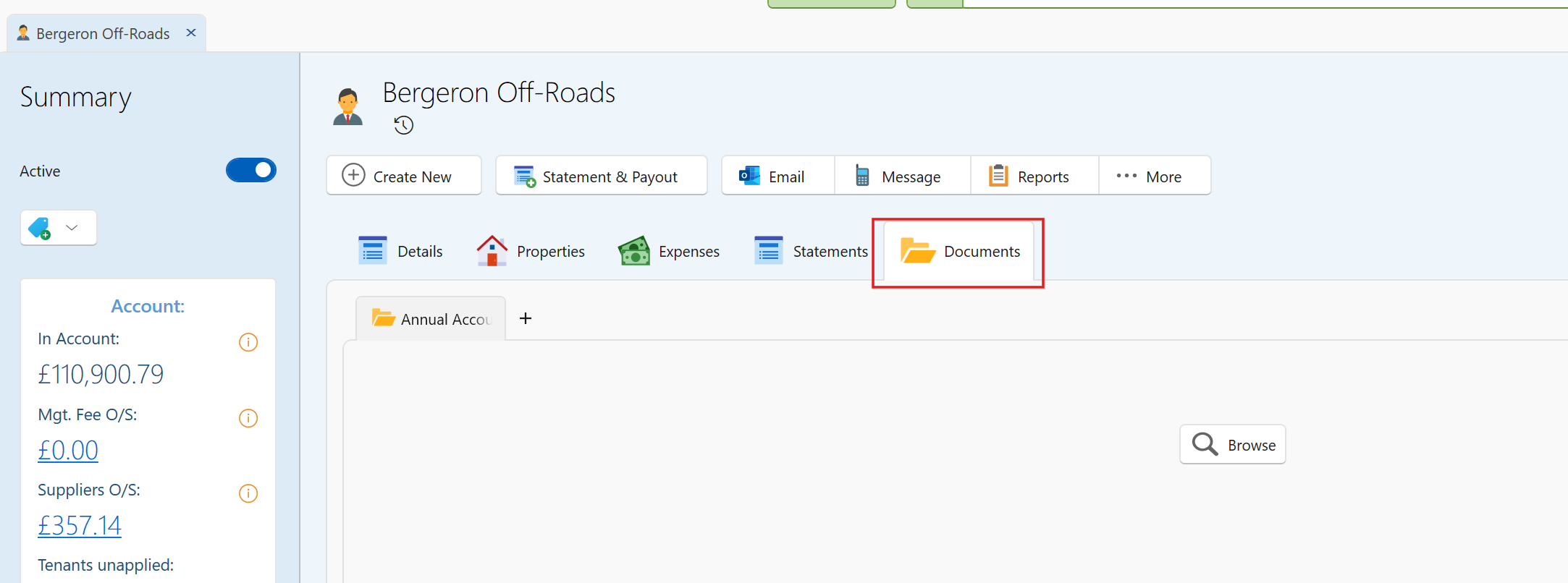
Documents Now Available on Landlord Pages.
You can now access the Documents tab directly on Landlord pages, bringing it in line with existing functionality on:
- Property pages
- Lease pages
This allows you to store and manage landlord-specific documents in one clear, central place.
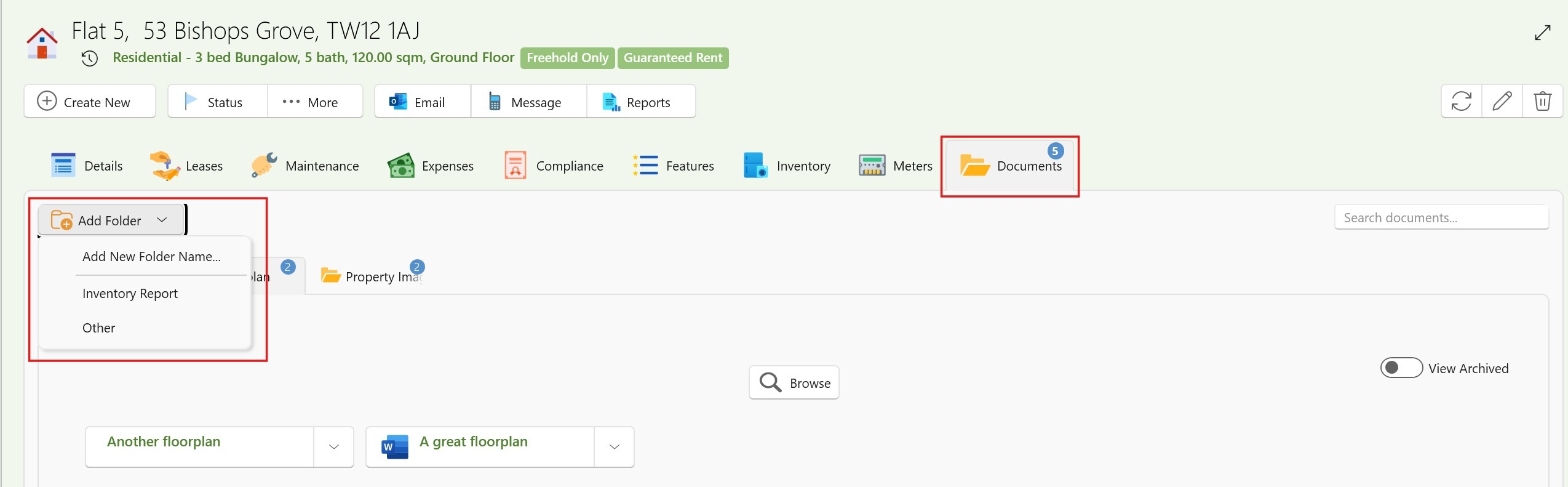
Improved Folder Management & Organisation.
We’ve made significant improvements to how folders work within the Documents tab:
- Folders are now specific to each page, instead of showing all possible folders at once.
- You can add folders per individual Property, Lease, or Landlord, giving you more control
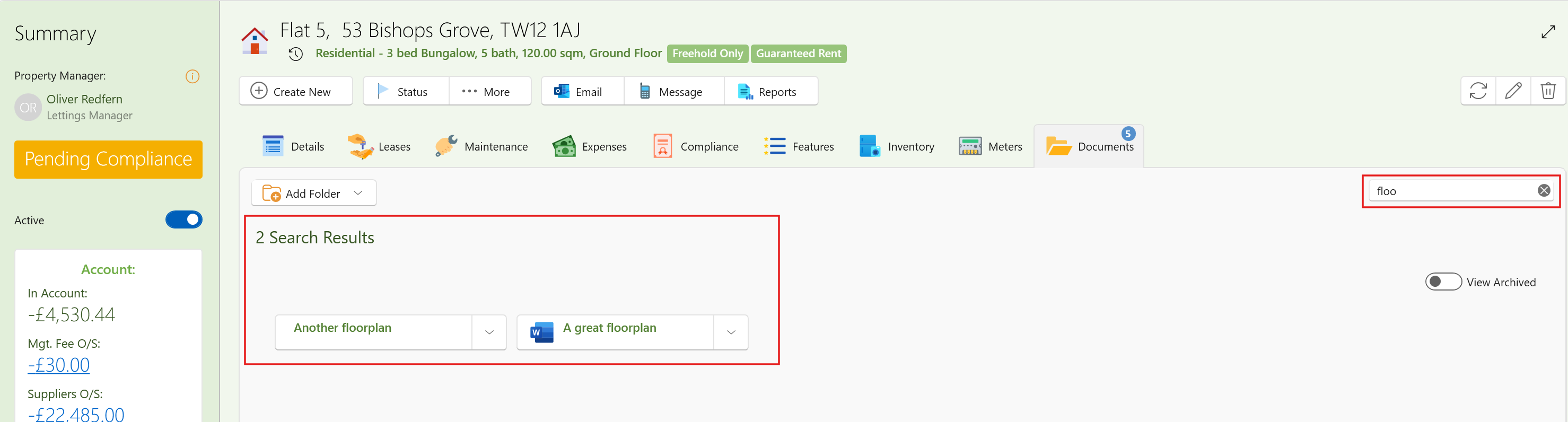
- Improved search within the Documents tab on each page
- Ability to merge folders easily (e.g. combining duplicates like “Floor Plans” and “Floorplans”)
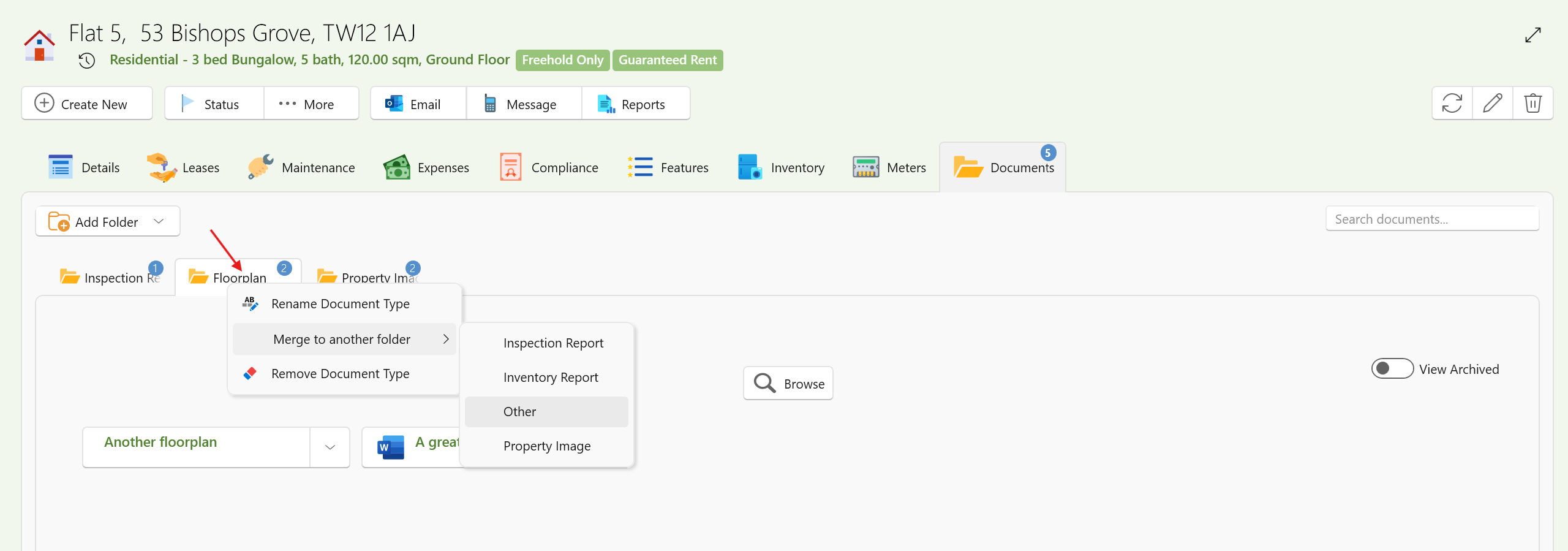
These changes make document organisation cleaner and more relevant to each record.
Enhanced Global Search
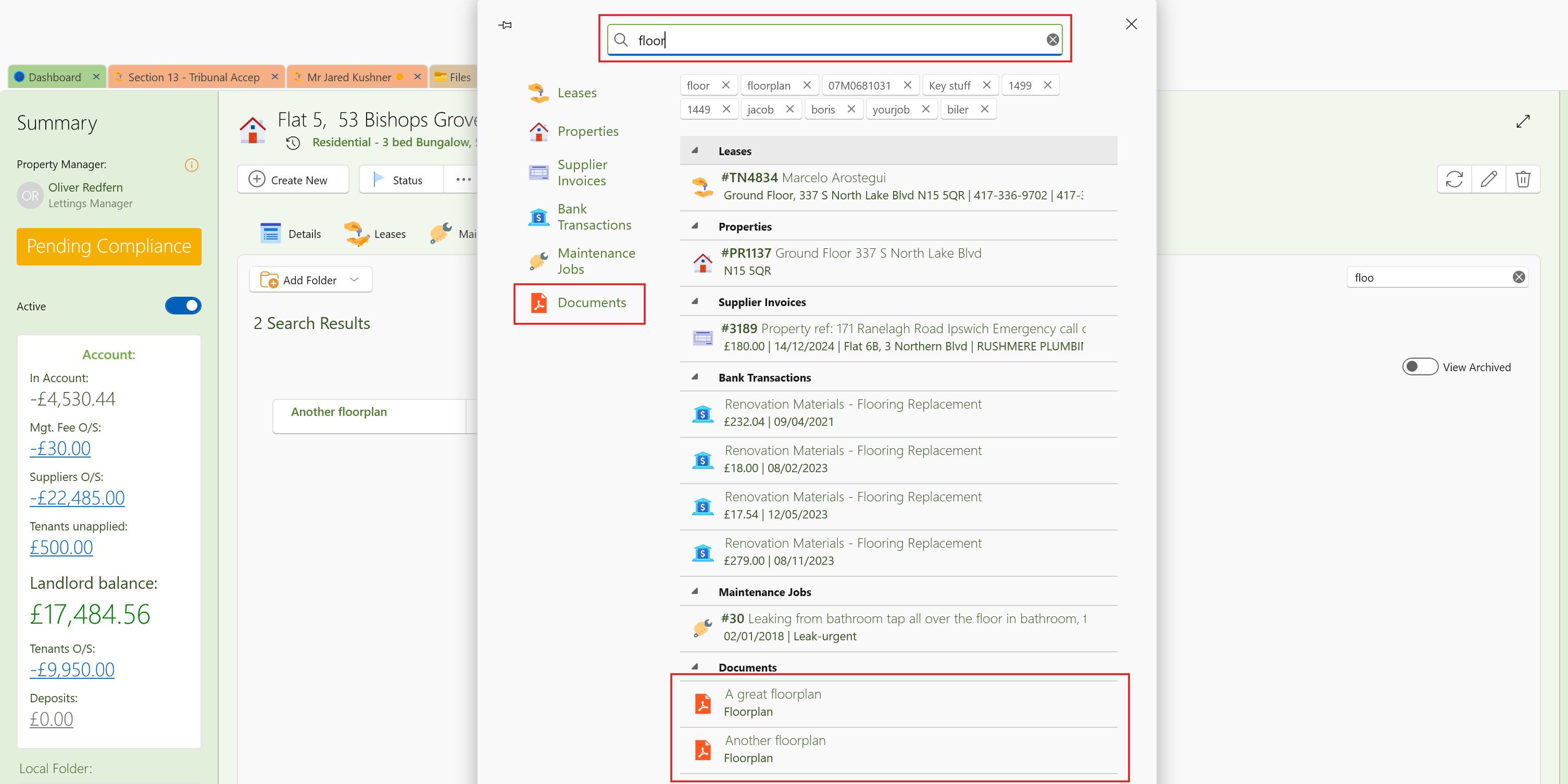
The main system search now includes document file names and descriptions.
This means you can quickly locate documents from anywhere in SleekTech and jump straight to the relevant record.
New Centralised File Management Window
We’ve introduced a brand new Files window to manage all documents across your system:
Access it via:
Left Menu → Files → View Files
From here you can:
- View all documents in one place
- Search, filter, group, and export
- Select multiple files to:
- Download in bulk
- Move between folders
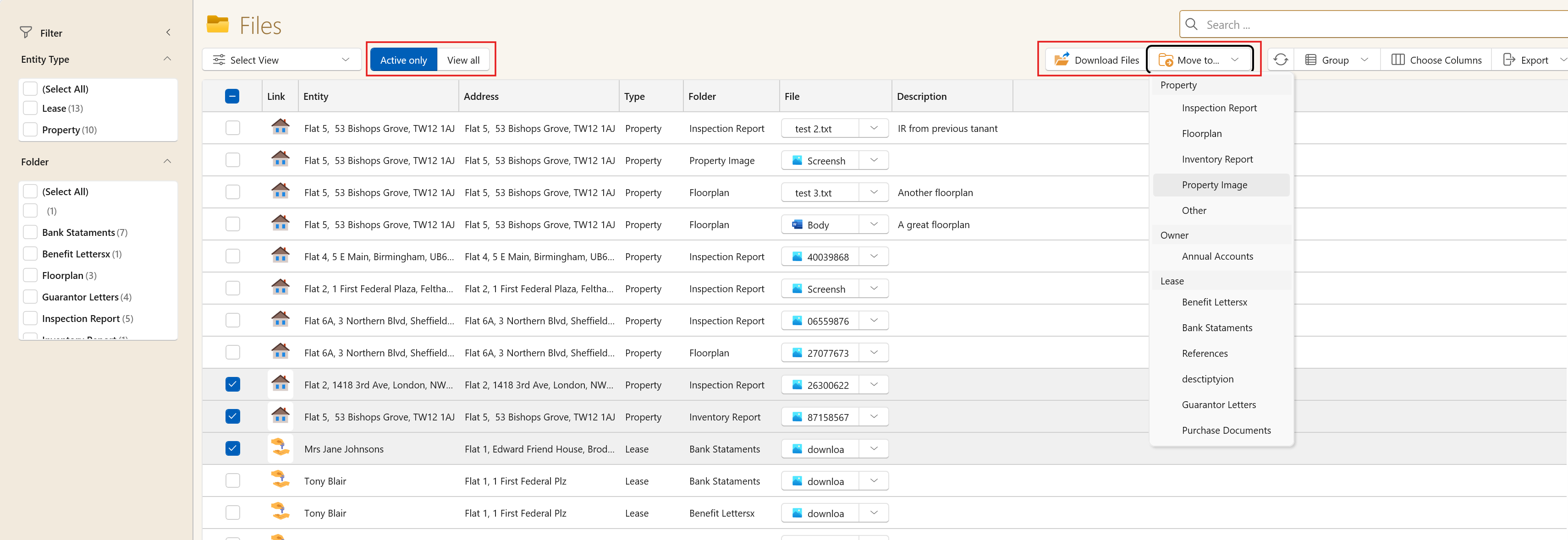
This provides a powerful, centralised way to manage documents at scale.
Learn More
For full guidance on adding, organising, and managing documents, see:
Adding and Managing Documents on Pages
Maintenance Priority Levels – Now Fully Customisable
Maintenance priority levels have always been available in SleekTech, but we’ve now significantly enhanced them to give you much more flexibility and visibility.
What’s new:
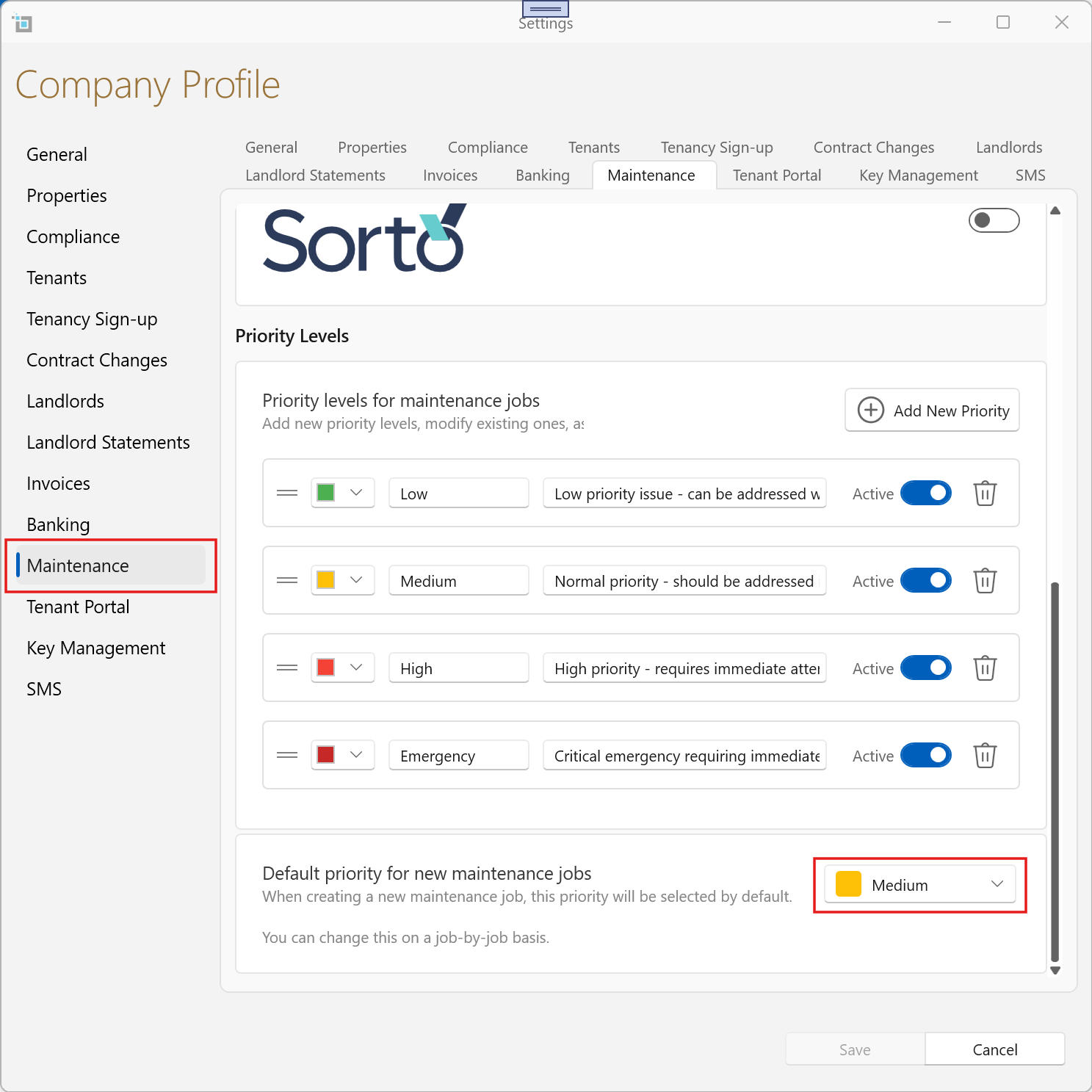
- Customisable Priority Levels
You can now add, edit, reorder, and tailor priority levels to suit your workflow, including colours and descriptions for clearer guidance.
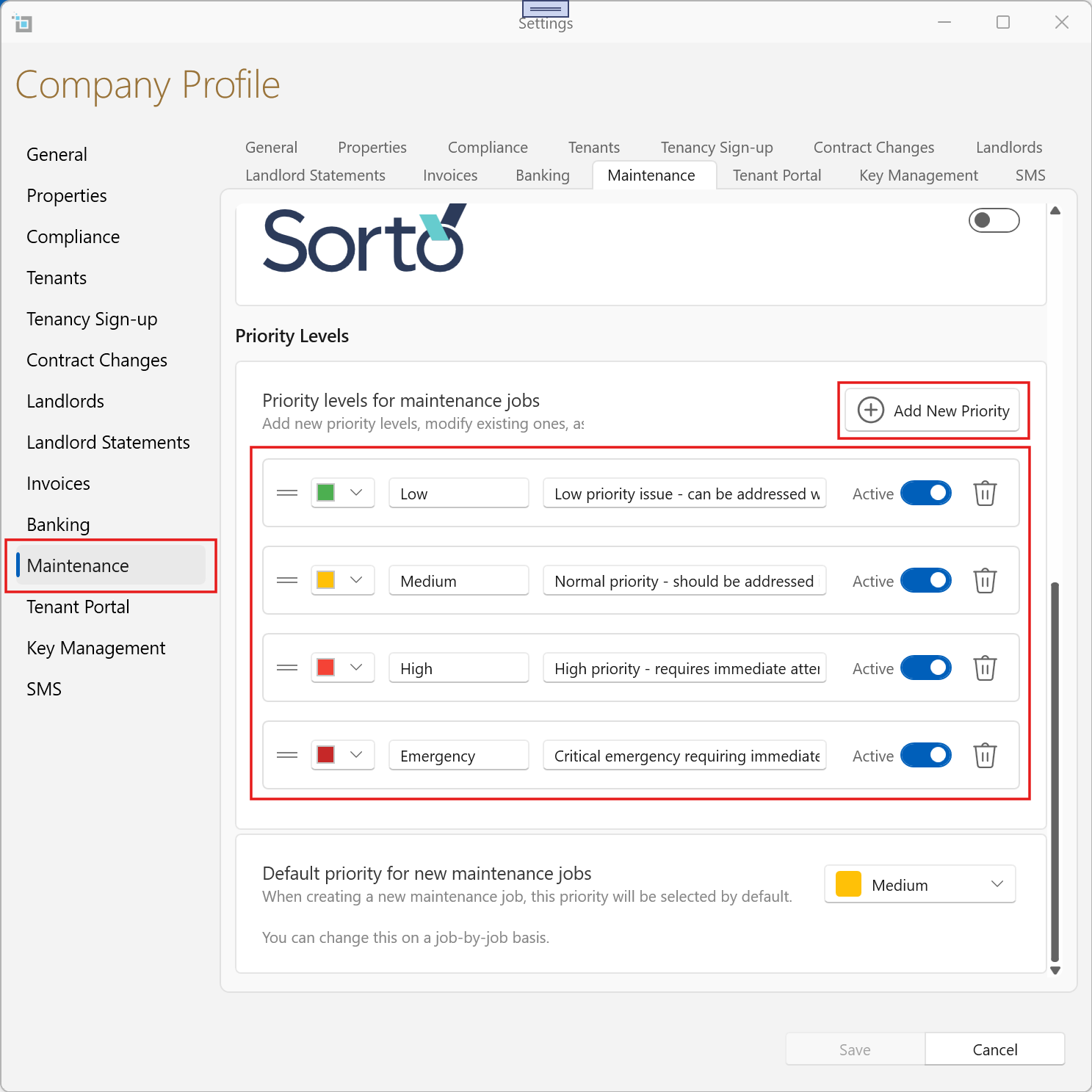
- Default Priority Setting
Set a default priority for new maintenance jobs to ensure consistency across your team.
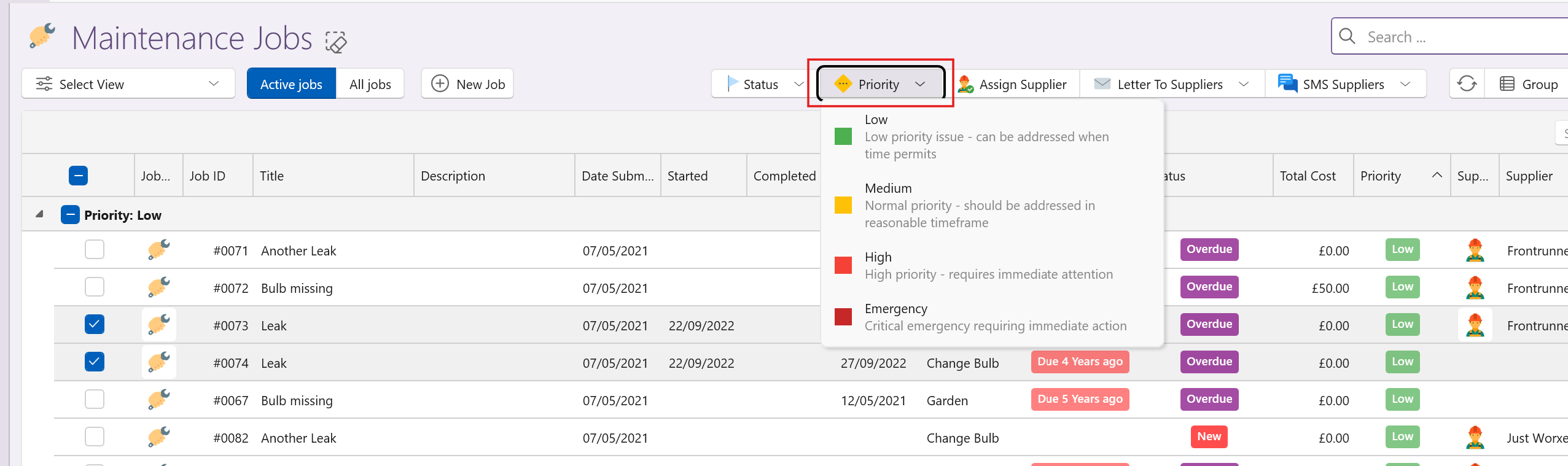
- Bulk Updates Made Easy
Update priority levels across multiple jobs at once from View Maintenance or directly from dashboard views.
- New Dashboard Cards
- Jobs grouped by Priority Level
- Jobs grouped by Assigned Supplier
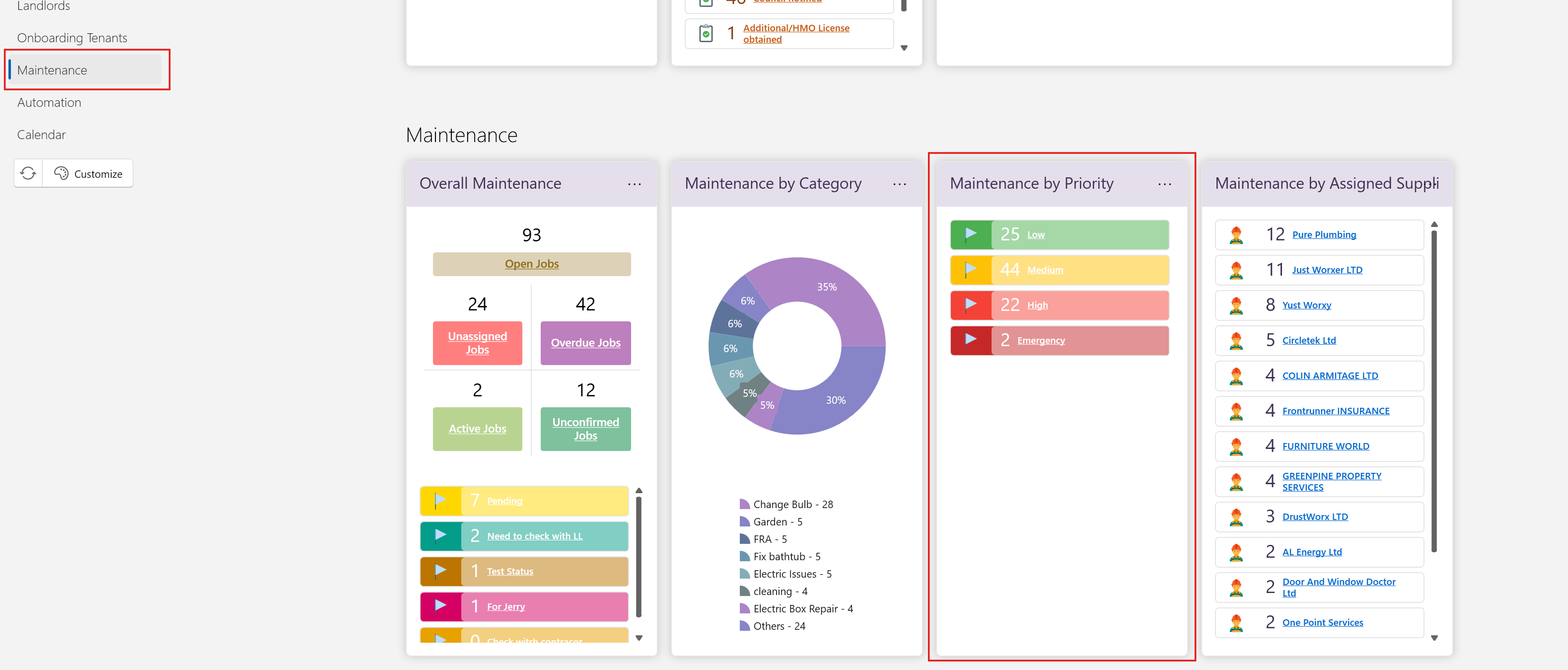
These updates make it much easier to manage workload, prioritise effectively, and gain better visibility over your maintenance operations.
For full guidance on setting up and using priority levels, see:
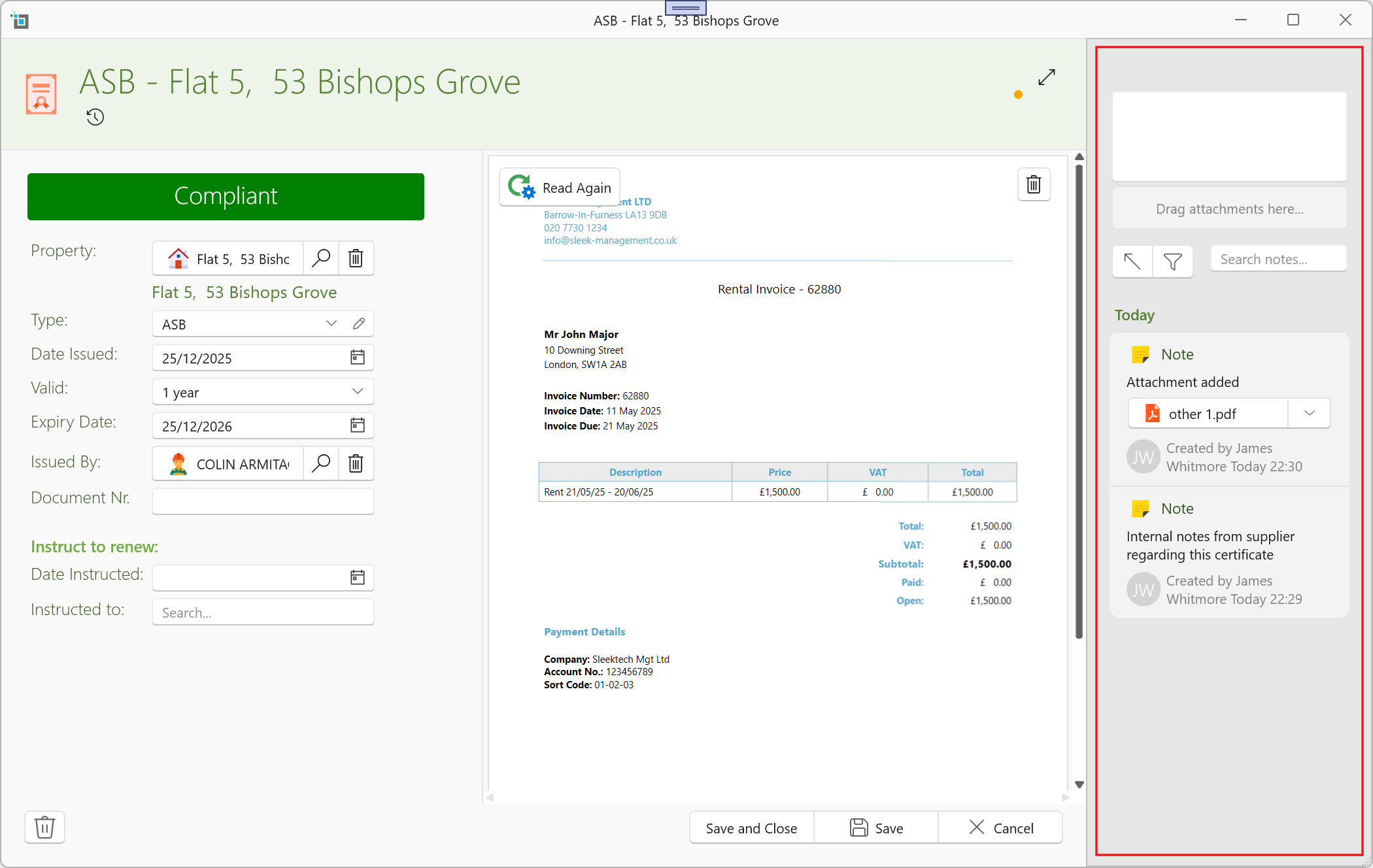
Notes & Attachments Added to Certificates
You can now add Notes and Attachments directly within the Certificate window, bringing it in line with other areas such as:
- Property
- Lease
- Landlord
What this means:
- Store additional context, communication, and internal notes
- Upload supporting documents and attachments
- Track specific requirements and supplier details
- Keep everything related to a certificate in one place
- Supporting documentation
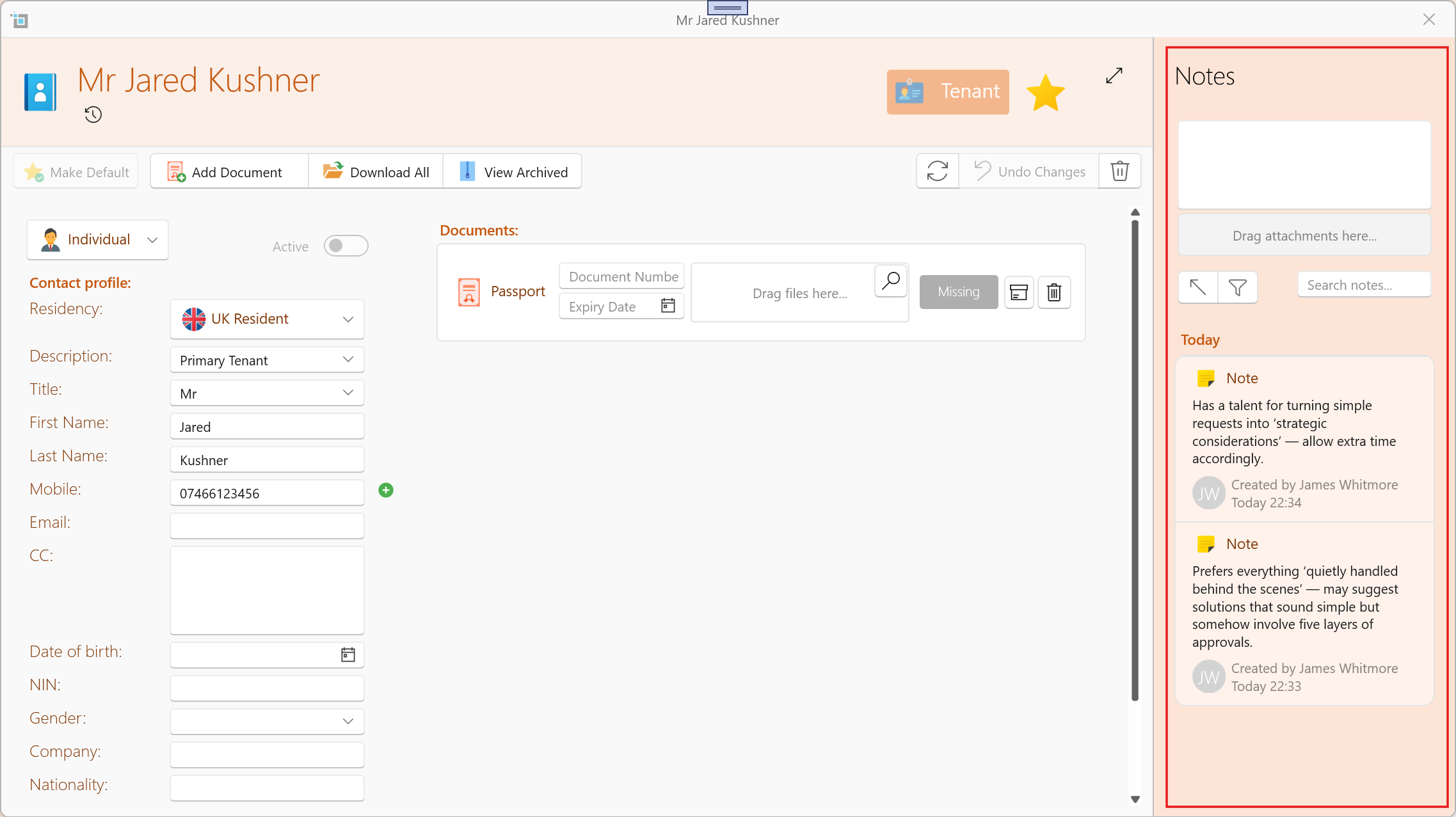
Notes & Attachments Added to Tenancy Contact Window
You can now add Notes and Attachments directly to individual Tenancy Contacts, enhancing how you manage tenant-specific information.
Previously, notes and documents could only be added at the main tenancy level — this update brings that same flexibility down to each contact.
What this means:
- Store contact-specific notes and communication
- Upload documents linked to individual tenants
- Keep more granular, organised records per contact
- Avoid mixing tenant-specific details at tenancy level
Bulk Edit Expenses
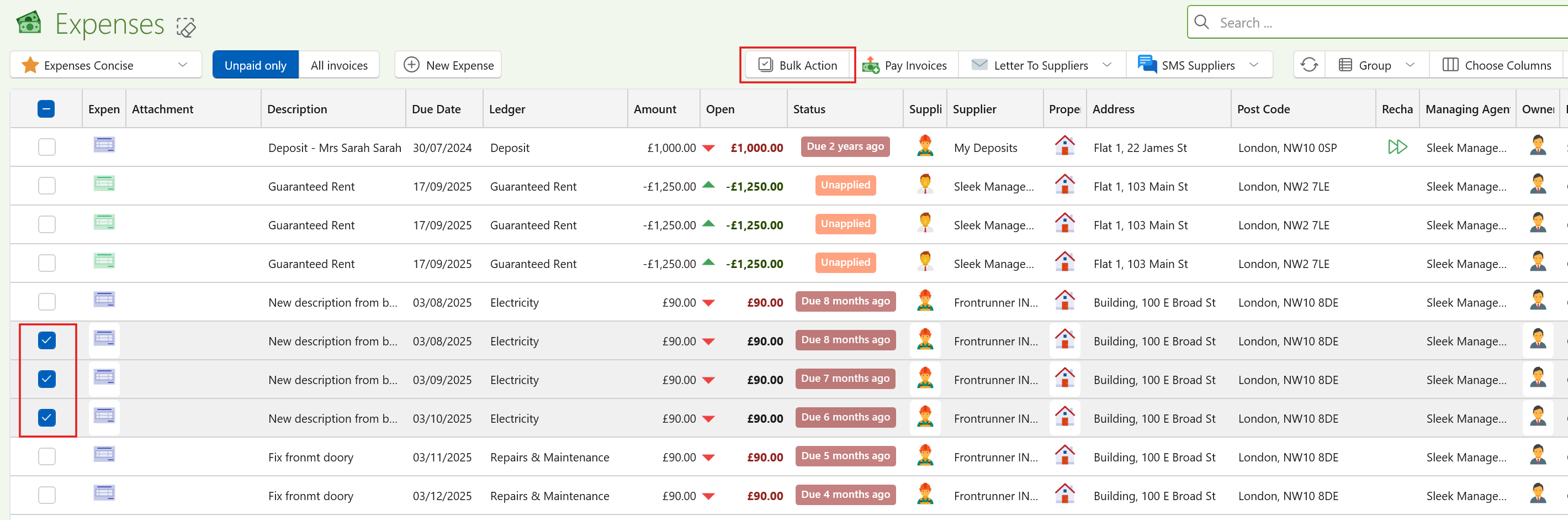
You can now bulk edit expenses directly from View Expenses.
What this means:
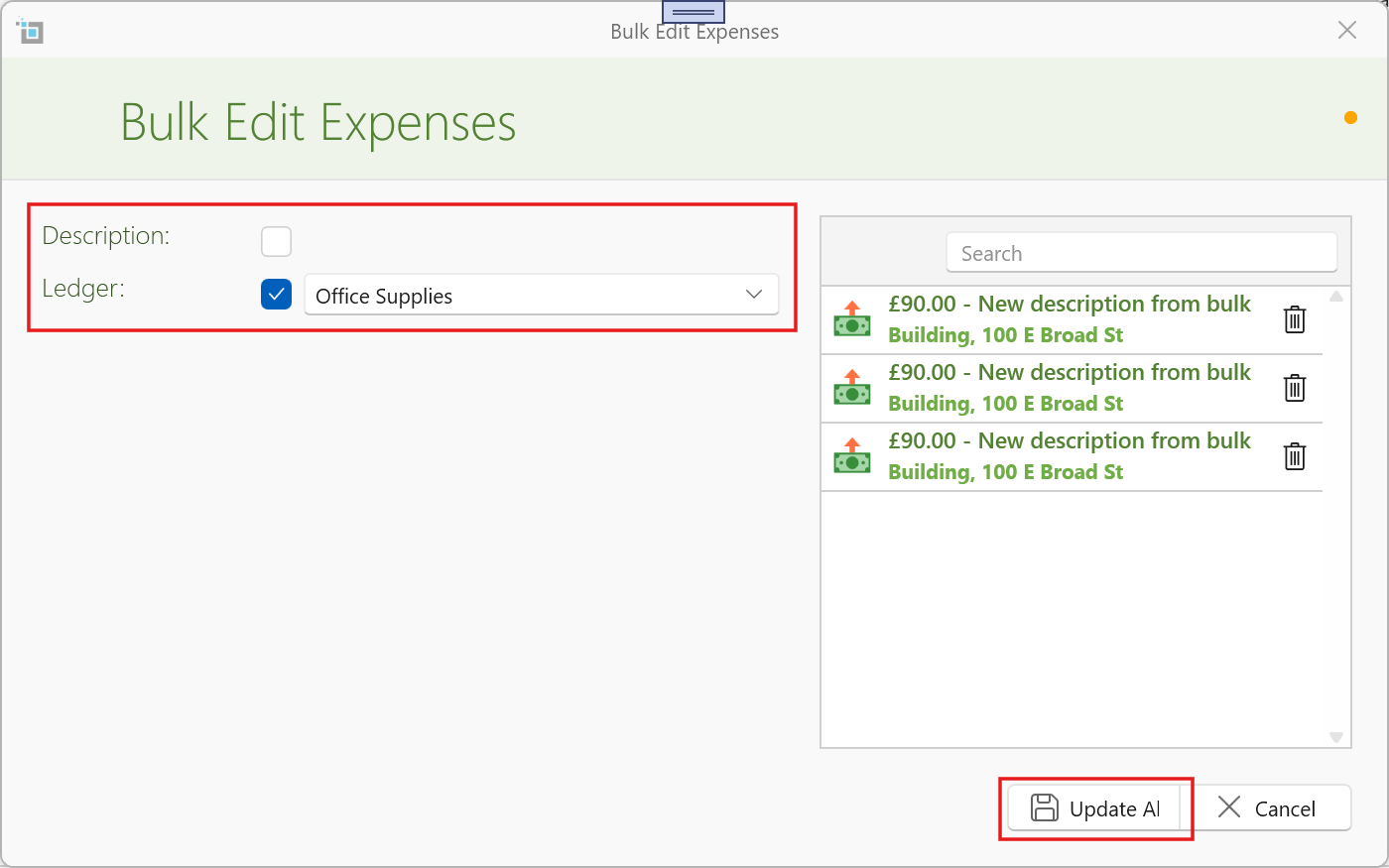
- Update descriptions and ledger allocations across multiple expenses at once
- Review and refine your selection in a popup before applying changes
- Remove any unwanted items before confirming
- Quickly correct incorrectly allocated entries
This is especially useful when adjustments are required — for example, if your accountant advises that all “Legal & Professional Fees” should be reclassified to “Consultancy”, this can now be done in seconds.
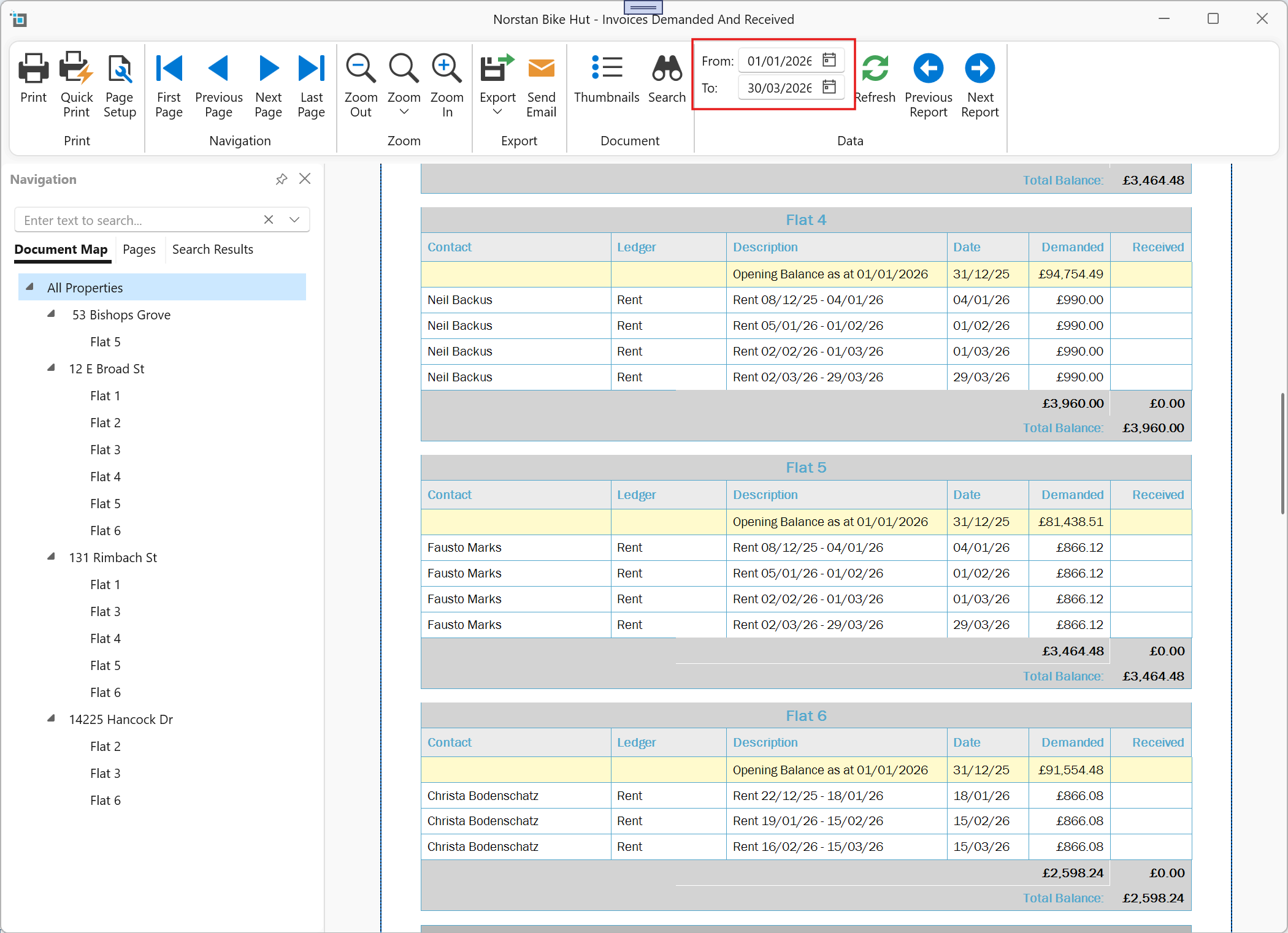
New Report – Rents Demanded & Received
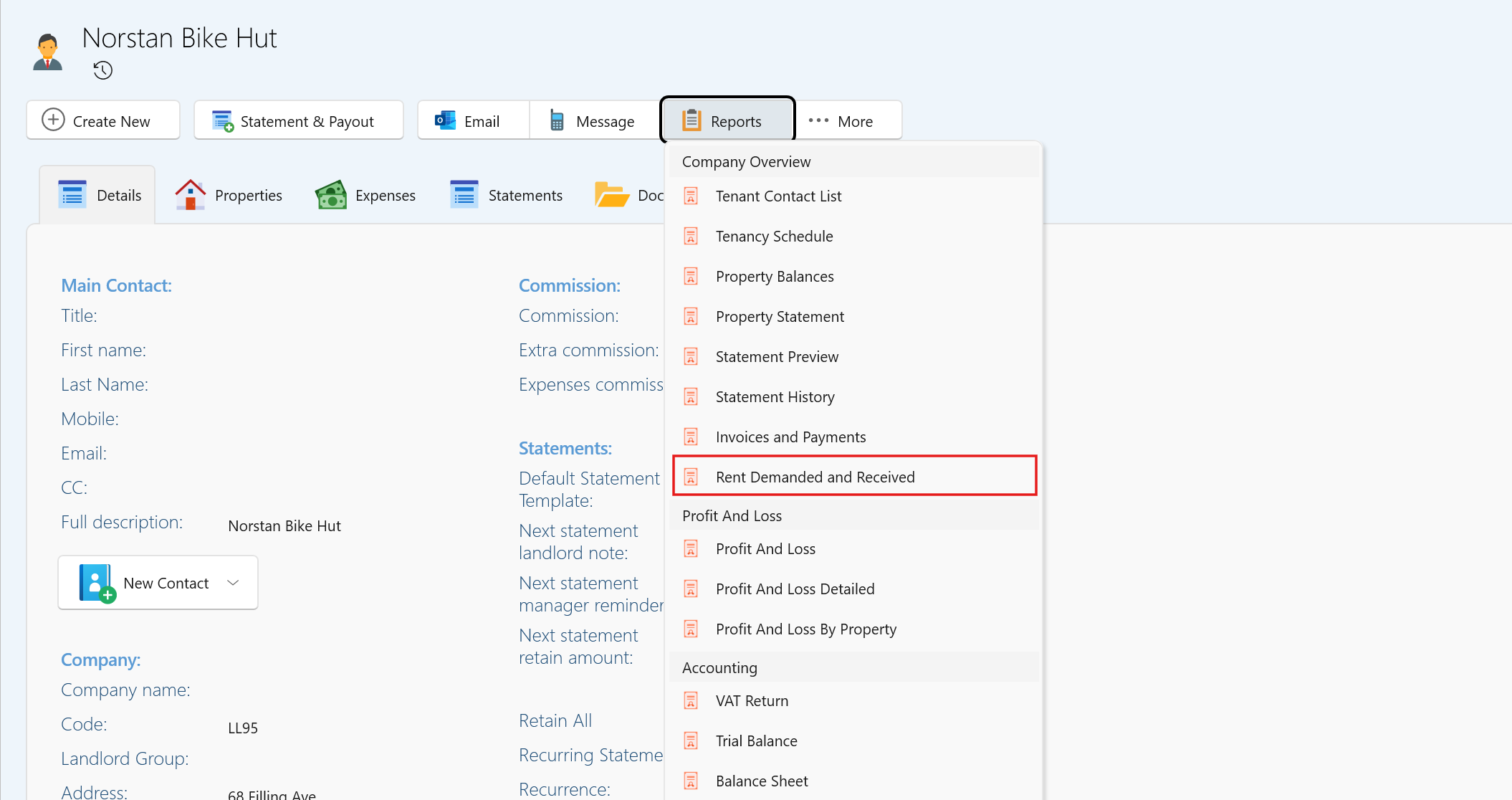
We’ve added a new report available on both Property and Landlord pages:
Rents Demanded & Received
What this means:
- View all rent demanded and received within a selected date range
- Generate reports per individual property or across an entire landlord portfolio
- Easily provide clear summaries of rental performance
This report is especially useful when requested by lenders or for general financial reviews.
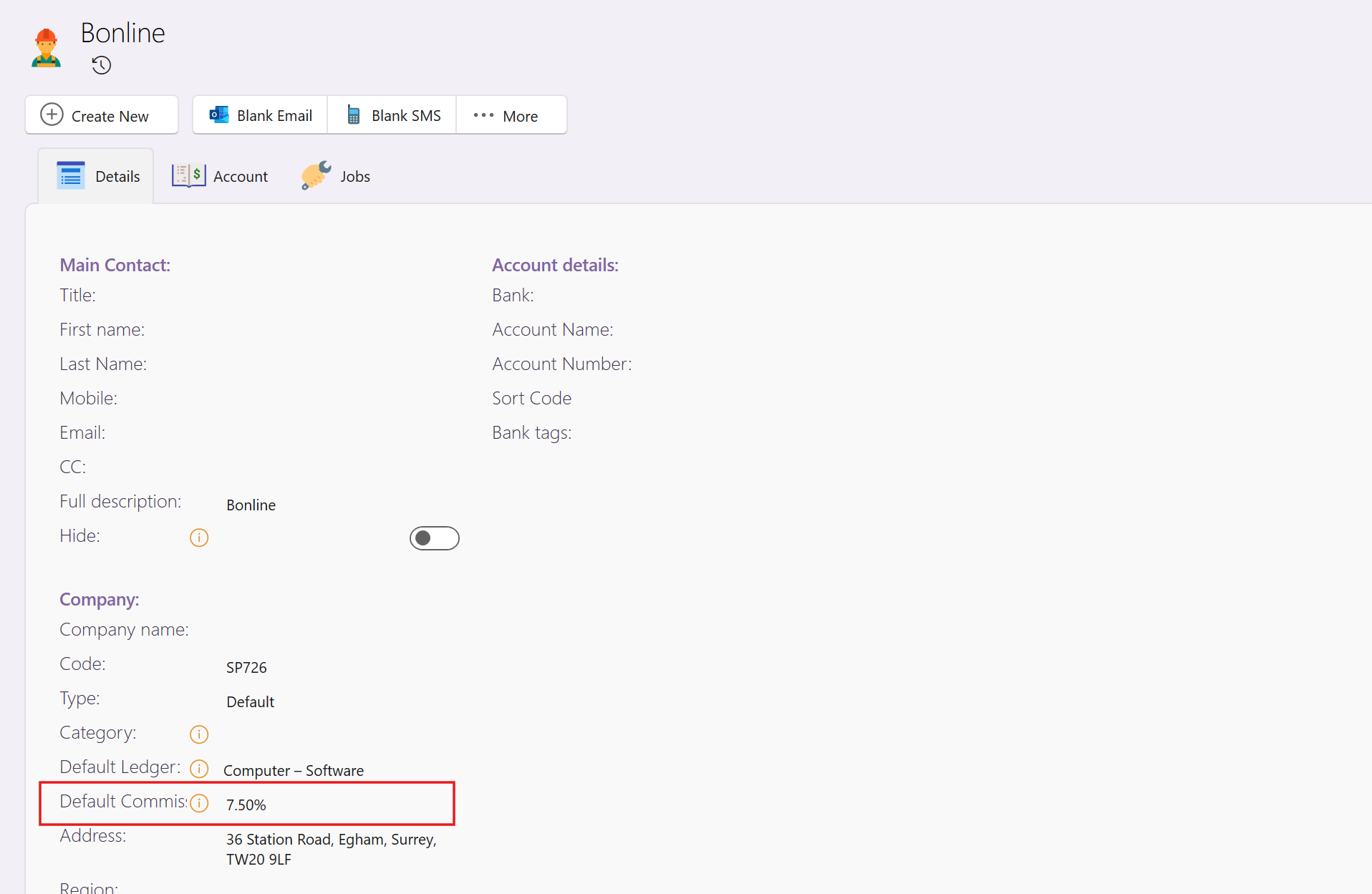
Default Commission on Supplier Expenses
For companies that charge commission on property expenses, we’ve introduced a smarter and more flexible way to handle this.
What this means:
- You can now set a default commission percentage per supplier
- When creating an expense for that supplier, the commission is automatically applied
- The supplier’s commission takes precedence over the landlord’s default expenses commission
How it works:
- If a supplier commission % is set → it will always be used
- If the supplier commission is 0 → the system falls back to the landlord’s default expenses commission
- If neither is set → no commission is applied
Calculation:
- Commission is calculated on the invoice net amount
- Or net + VAT, if the system setting “Include VAT in commission calculation” is enabled
This enhancement ensures accurate and consistent commission handling, while reducing manual input when processing supplier invoices.