Send required Certificates to Tenants (Automation)
You can now automate sending certificates directly to tenants, helping you stay compliant without manual effort.
For certificate types where tenant delivery is required (such as Gas Safety Records), the system can now:
- Automatically send the certificate when it is created or renewed
- Ensure tenants receive the most up-to-date document
- Support your compliance obligations with consistent delivery
This removes the need to manually track and send certificates, reducing the risk of missed communications and helping you maintain compliance with minimal effort.
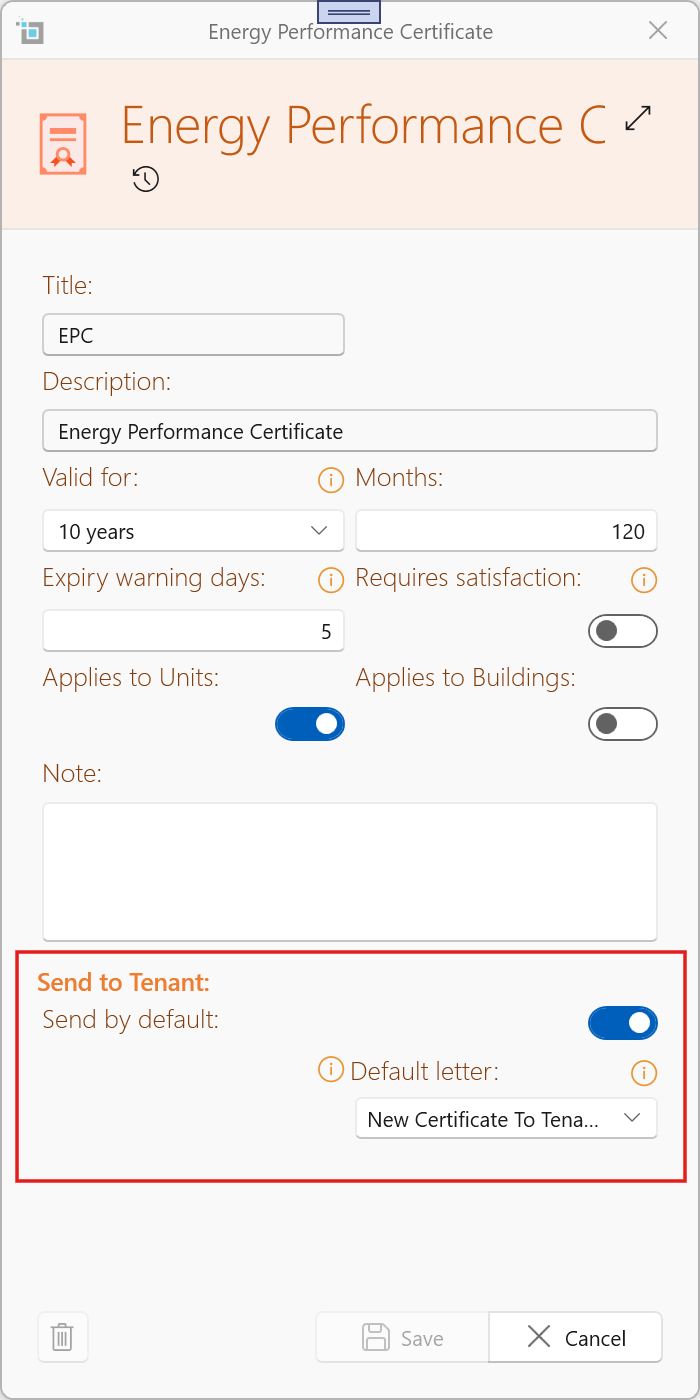
For full details, see:
Sending Certificates to Tenant
Find Missing Certificates
A Find Missing Certificates tool is now available under the Certificates menu.
This tool scans your system and identifies properties where required certificate requirements are missing based on your current rules.
You can:
- Detect gaps after creating or updating certificate rules
- Review and filter results before applying changes
- Bulk-add missing certificates to ensure all properties are properly tracked
Once added, these certificates will be included in dashboard tracking, expiry warnings, and compliance monitoring.
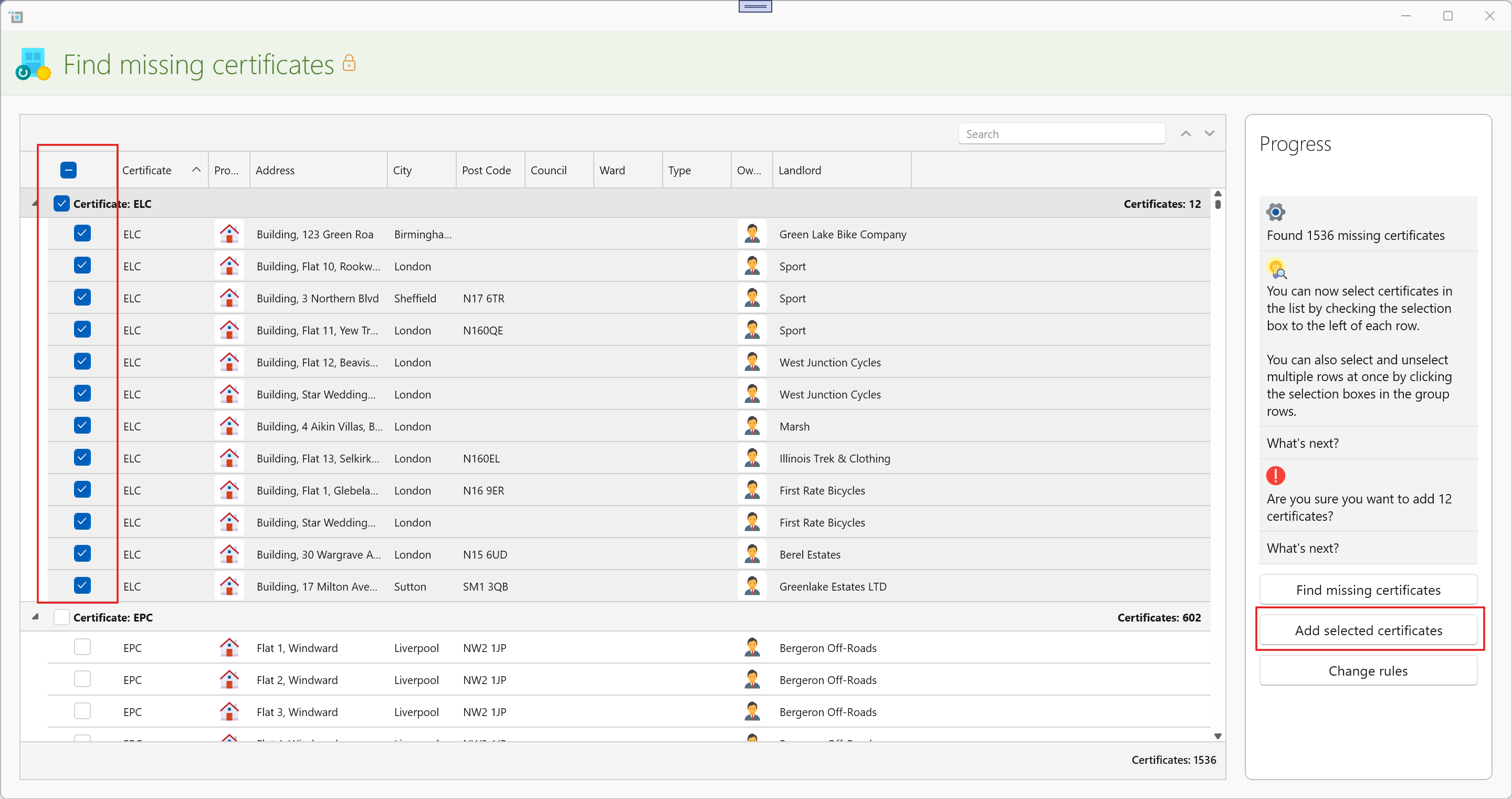
This makes it quick and easy to bring your entire portfolio in line with your latest compliance settings.
For full guidance, see:
Find Missing Certificates
New Tenancy Window Improvements
We’ve made major improvements to the New Tenancy workflow to make lease setup faster, clearer, and more complete from the very beginning.
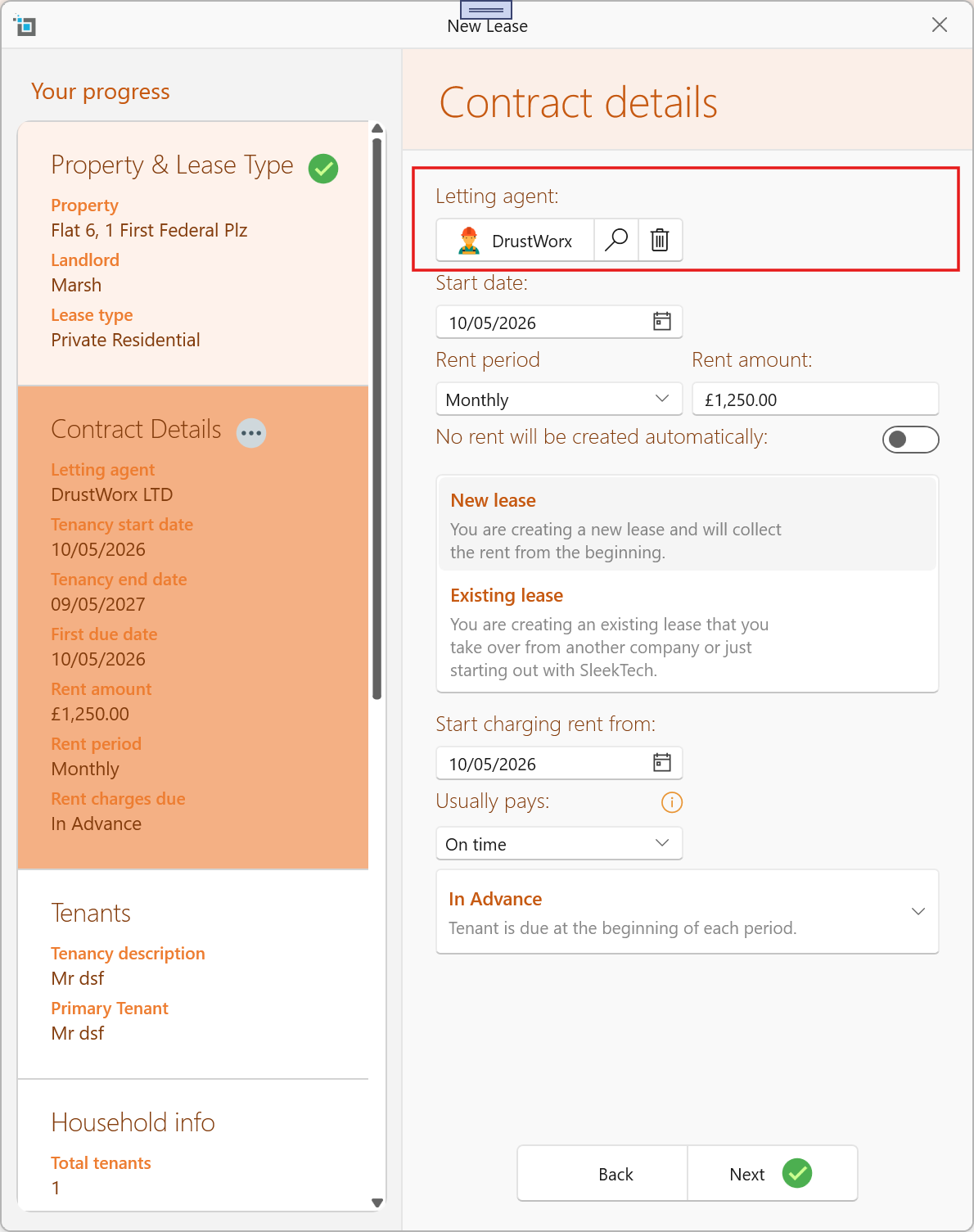
Letting Agent Setup During Lease Creation
You can now add the letting agent immediately while creating the new lease, without needing to save the tenancy first and go back into the lease later.
Improved Contact Setup
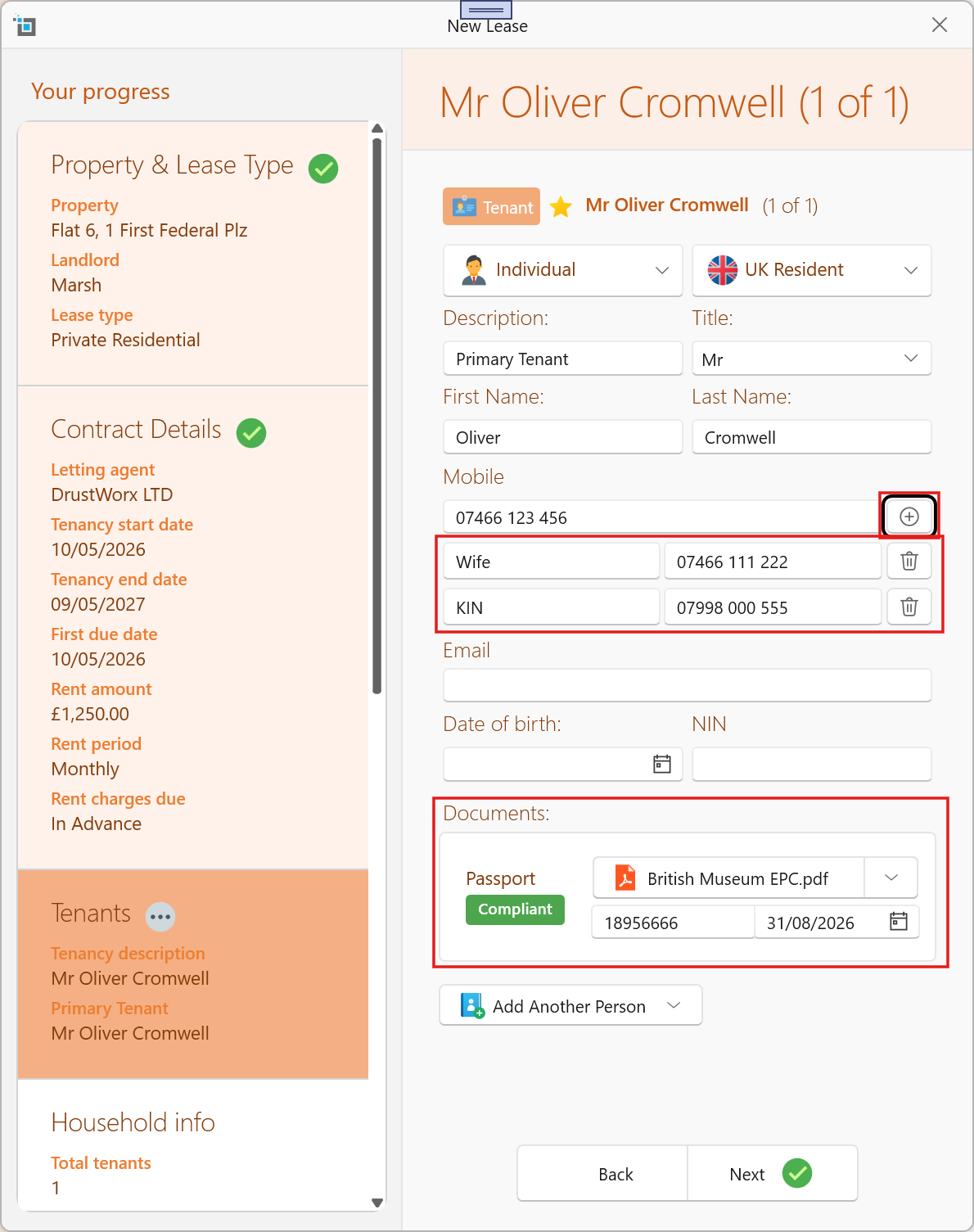
When adding tenant contacts during the tenancy setup process, you can now:
- Add additional phone numbers immediately
- Enter passport, Right to Rent, and other document numbers directly during setup
- Add expiry dates for passports, visas, Right to Rent documents, and more
This helps ensure all important compliance and contact information is captured from the start.
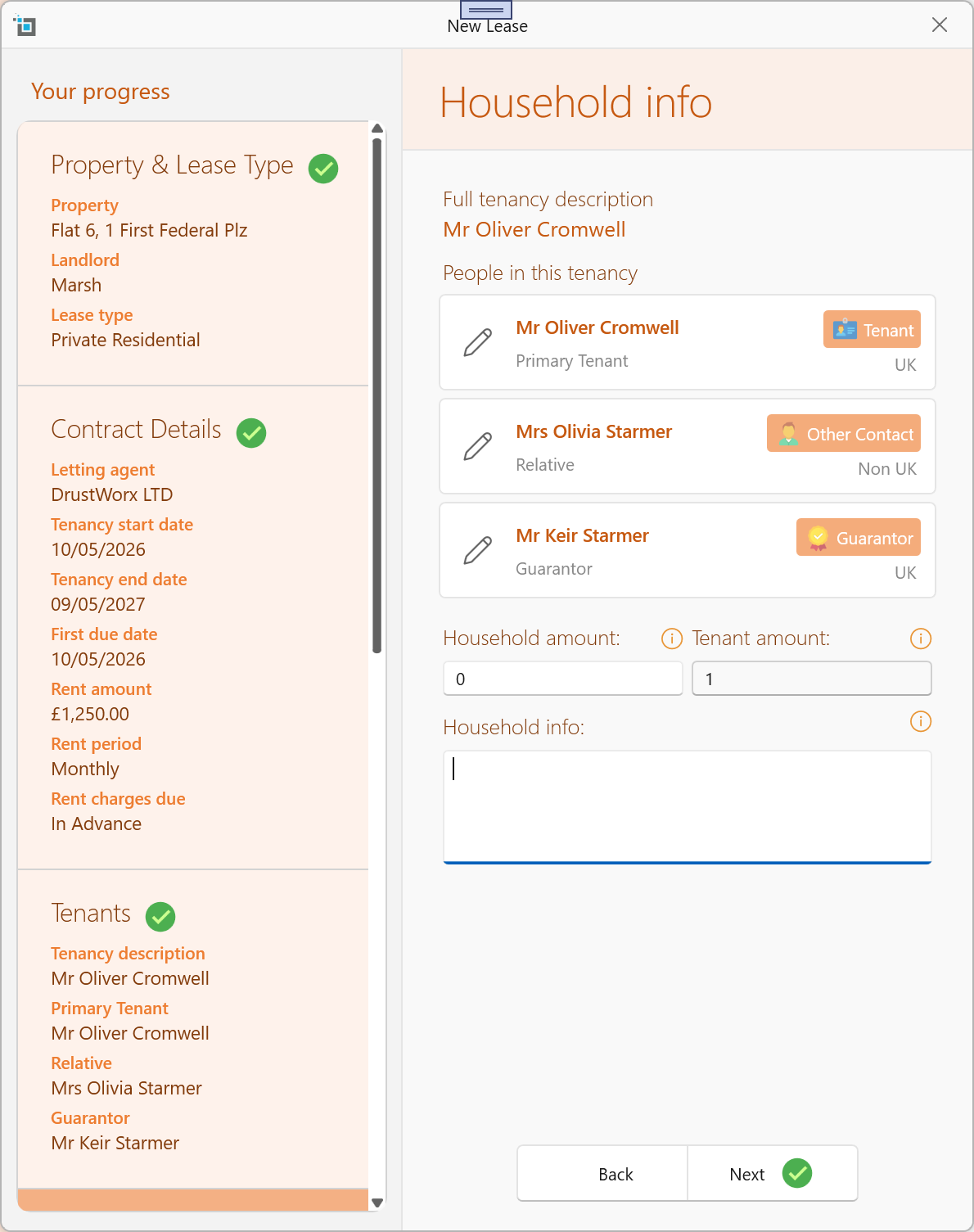
Clear Contact Overview & Edit Options
A brand new review section now provides a clear overview of all contacts added to the lease before finalising the tenancy.
You can also quickly go back and edit any contact directly from the overview screen without restarting the process.
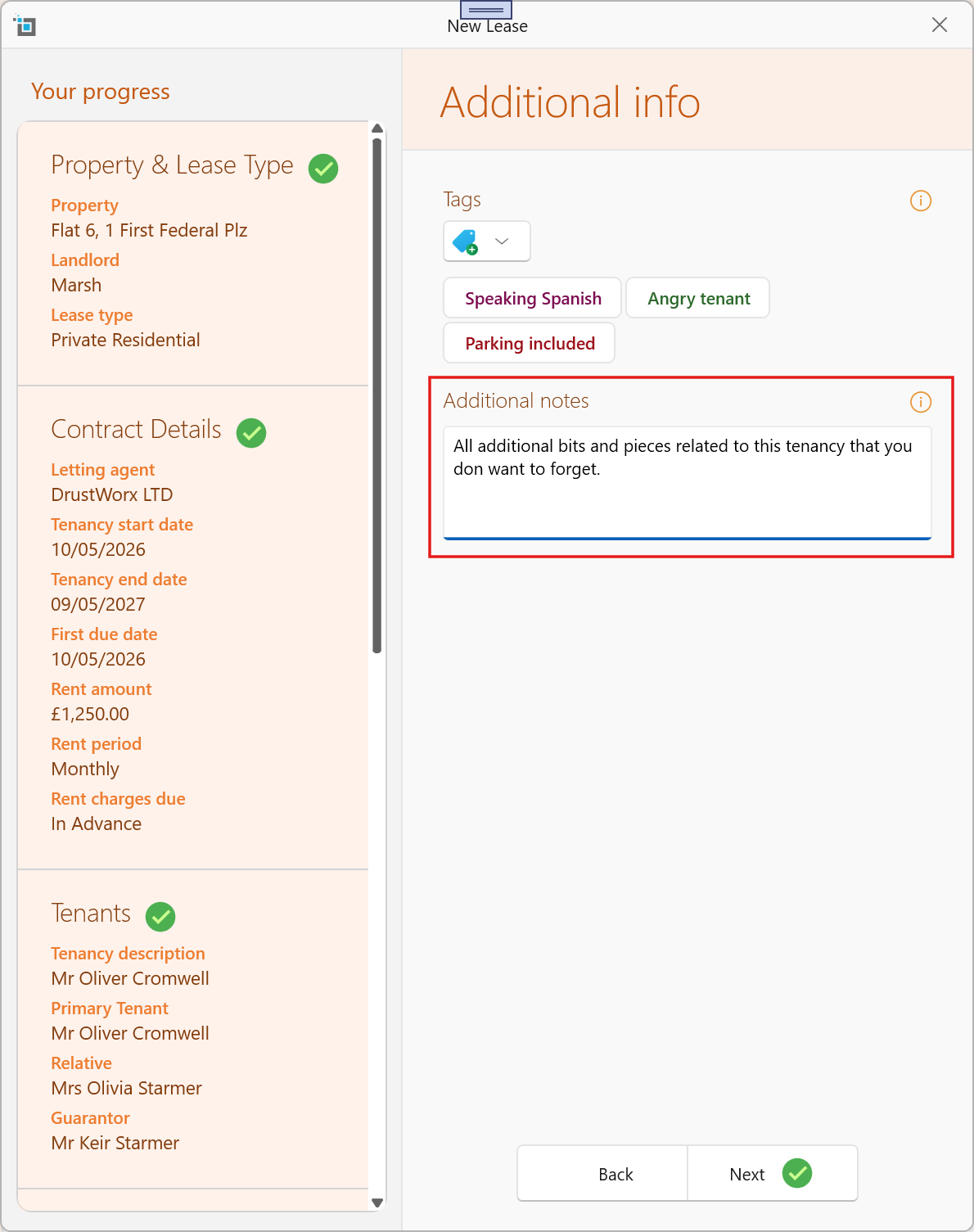
Additional Lease Notes Section
A new section has been added allowing you to enter any important notes relevant to the lease during setup.
These notes will automatically be added as a pinned note on the lease window once the tenancy is created.
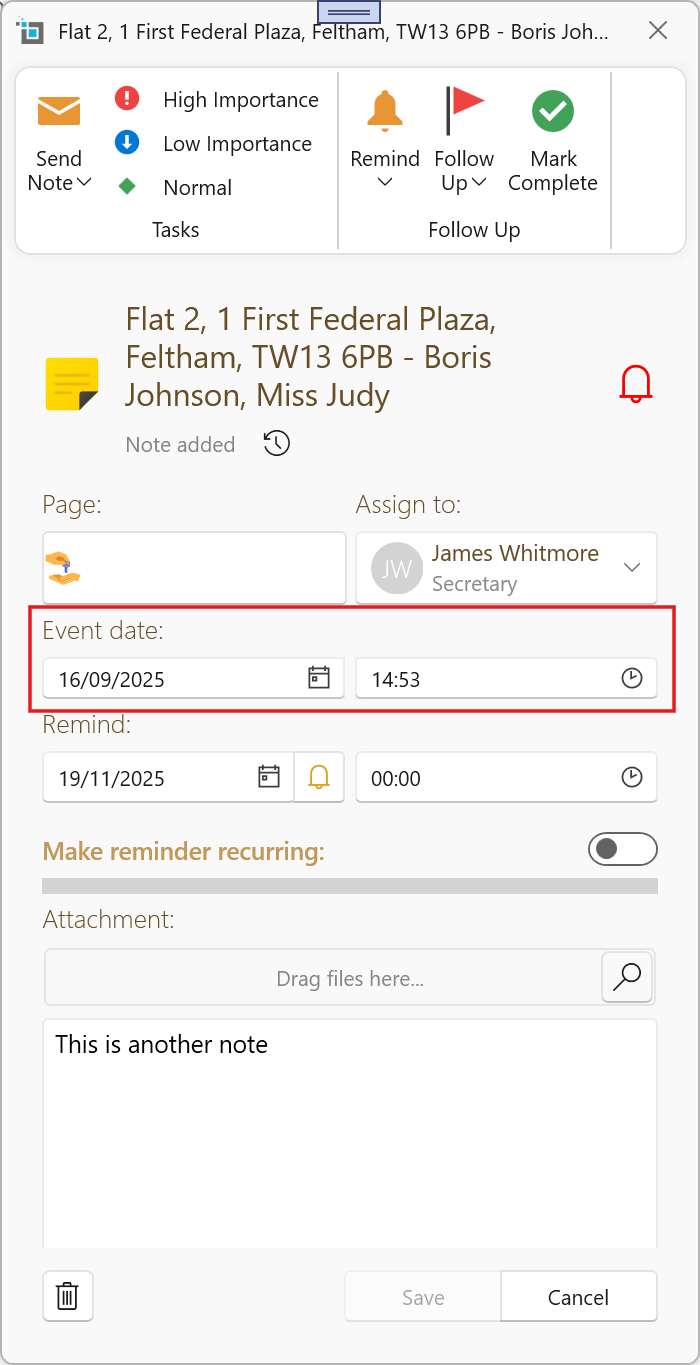
Editable Event Dates for Notes & Reminders
When adding notes and reminders, it is sometimes useful to record events that happened earlier — for example, logging tenant calls or conversations after the weekend.
We have now added a new editable Event Date field on the Note view.
By default, the Event Date will be set to today’s date when creating a note, but it can now be adjusted as needed to reflect when the actual event or conversation took place.
For auditing purposes, the system will still separately record and display the actual date and time the note was entered into the system, so it remains clear when the record was created
Improved Tenancy Letter & Email Templates
We’ve made major improvements to tenancy letter and email templates, allowing you to dynamically populate all people linked to the lease directly within your documents and emails.
New “All Tenants” Template Option
In the template Options section, you can now select All Tenants.
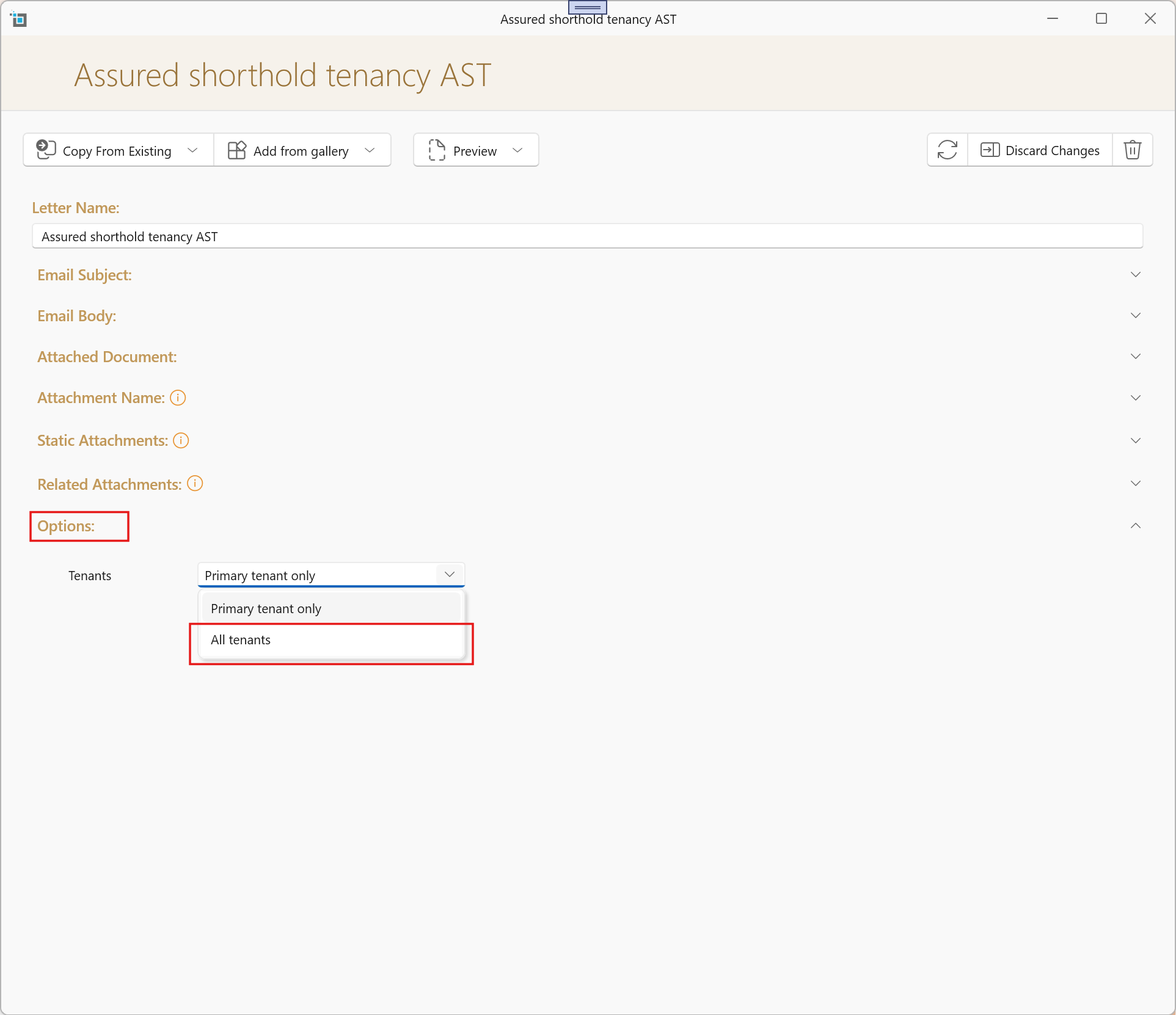
Once selected, when editing the attached document or email body, you can use the new repeating field blocks:
LeaseTenantStartLeaseTenantEnd
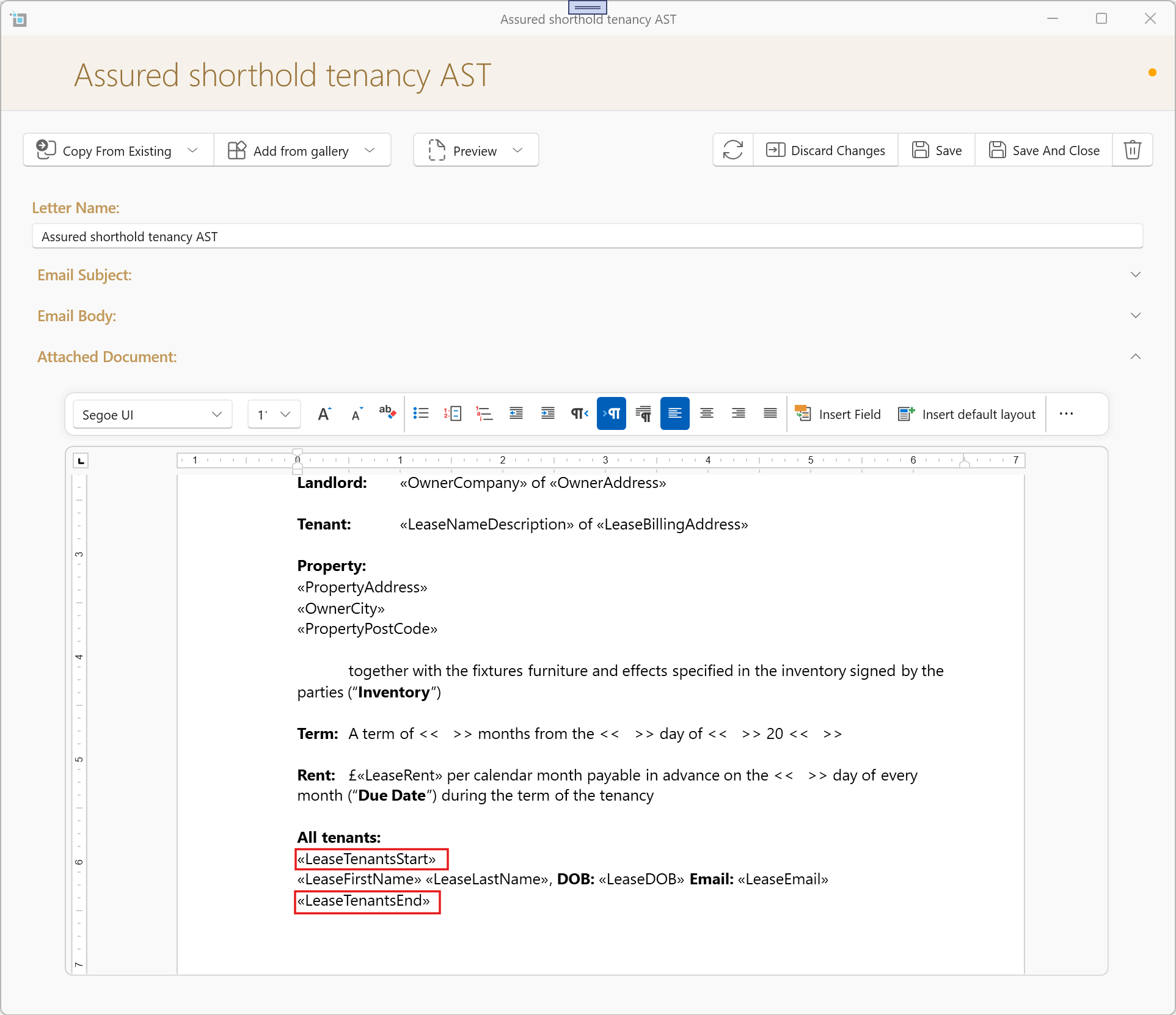
Anything placed between these two fields will automatically repeat once for each tenant linked to the lease.
For example, you can place fields such as:
Name
Phone Number
Email Address
Date of Birth
The system will then automatically generate one line or section per tenant.
Additional Repeating Contact Groups
The same functionality is now available for:
Other Contacts
Using:
OtherContactStartOtherContactEnd
Guarantors
Using:
GuarantorStartGuarantorEnd
This allows highly flexible templates that automatically populate all relevant people connected to the tenancy.
New Property Manager Fields
We have also added three new merge fields for the assigned property manager:
ManagerNameManagerPhoneManagerEmail
These can now be inserted into tenancy letters, notices, and email templates.
Looking Ahead – Renters’ Rights Workflow Improvements
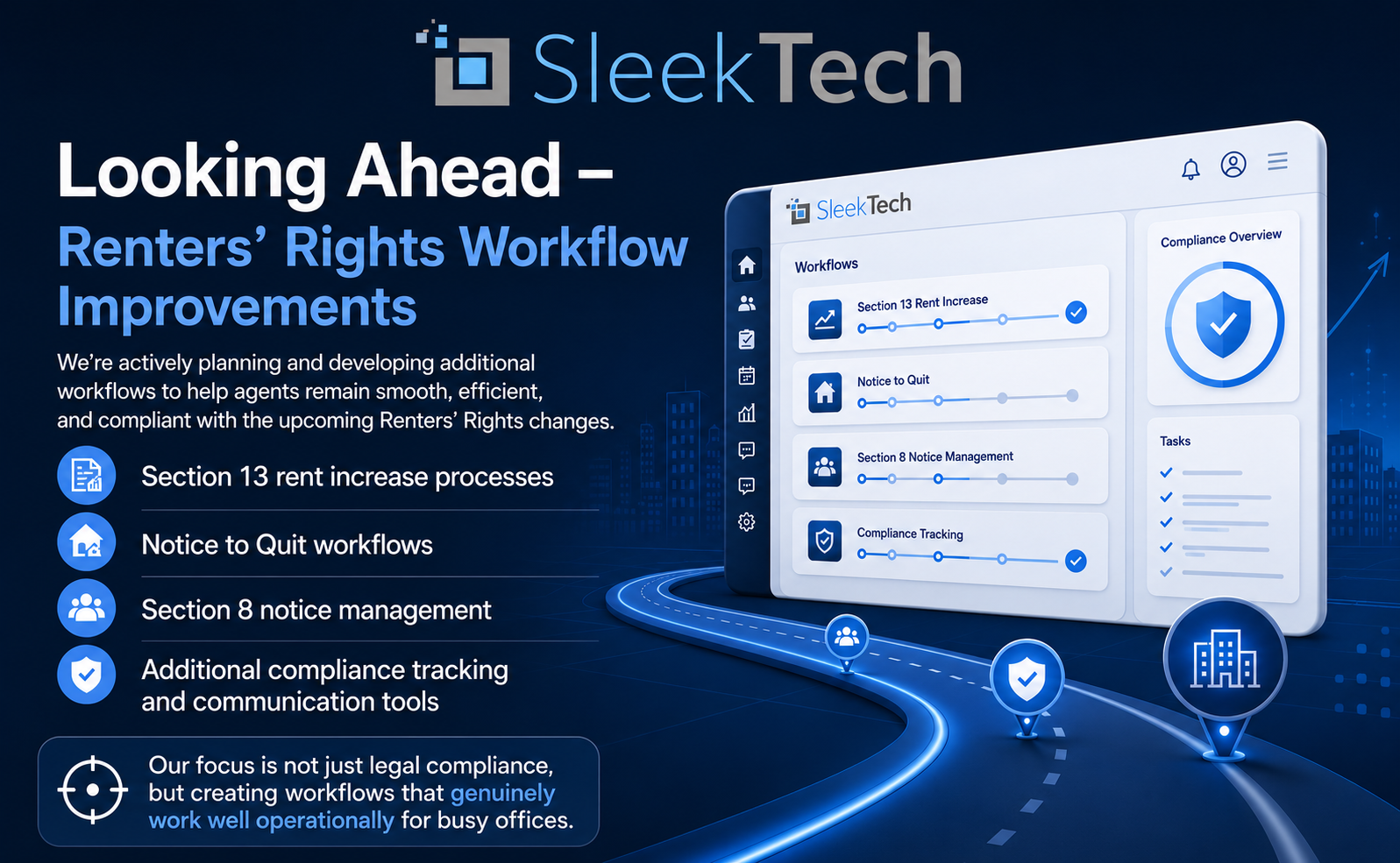
We are actively planning and developing additional workflows to help agents remain smooth, efficient, and compliant with the upcoming Renters’ Rights changes.
This includes future workflow areas such as:
- Section 13 rent increase processes
- Notice to Quit workflows
- Section 8 notice management
- Additional compliance tracking and communication tools
At the moment, we are heavily consulting and enquiring with large firms across the industry to ensure the implementation is not only fully compliant with the legislation, but also matches realistic day-to-day office workflows used by real teams in practice.
Our focus is not just legal compliance, but creating workflows that genuinely work well operationally for busy offices.
Come Meet Us at the JTrade Property Show
We’re excited to announce that we’ll be exhibiting this Wednesday 13th at the JTrade Property Show at Alexandra Palace — one of the key events in the property industry calendar.
If you’re attending, we’d love for you to stop by and meet the team at Stand C14. It’s a great opportunity to chat with us about the latest platform updates, upcoming Renters’ Rights workflows, and how we’re continuing to help agencies streamline their operations and stay compliant.
Whether you’re an existing customer or simply curious about what’s coming next, come and say hello — we look forward to seeing you there!