
SleekTech includes configurable Maintenance Priority Levels to help you organise jobs, respond appropriately, and ensure urgent issues are handled first.
Default Priority Levels
By default, SleekTech includes:
- Low
- Medium
- High
- Urgent
These provide a ready-to-use structure for classifying maintenance jobs.
Customising Priority Levels
You can tailor priority levels to match your workflow.
How to Customise
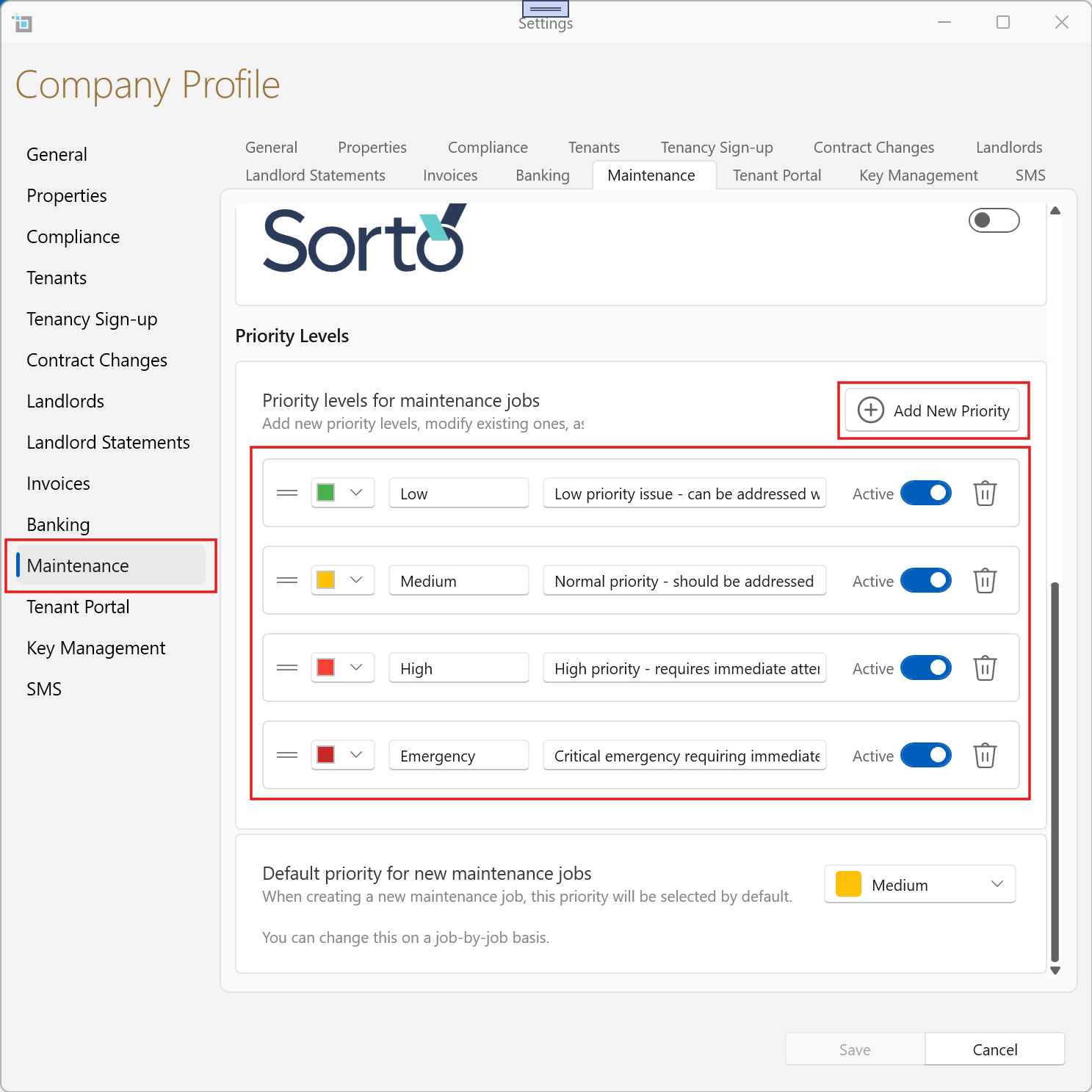
- Go to Control Panel
- Click Settings
- Open the Maintenance tab
- Navigate to Priority Levels
From here you can:
- Add new priority levels
- Edit existing ones
- Set a colour for visual clarity
- Add a description to guide users
Reordering Priority Levels
- Simply drag and drop the priority levels to change their order
- The order reflects how they appear throughout the system
Setting a Default Priority
You can define a default priority for all new jobs.
How to Set
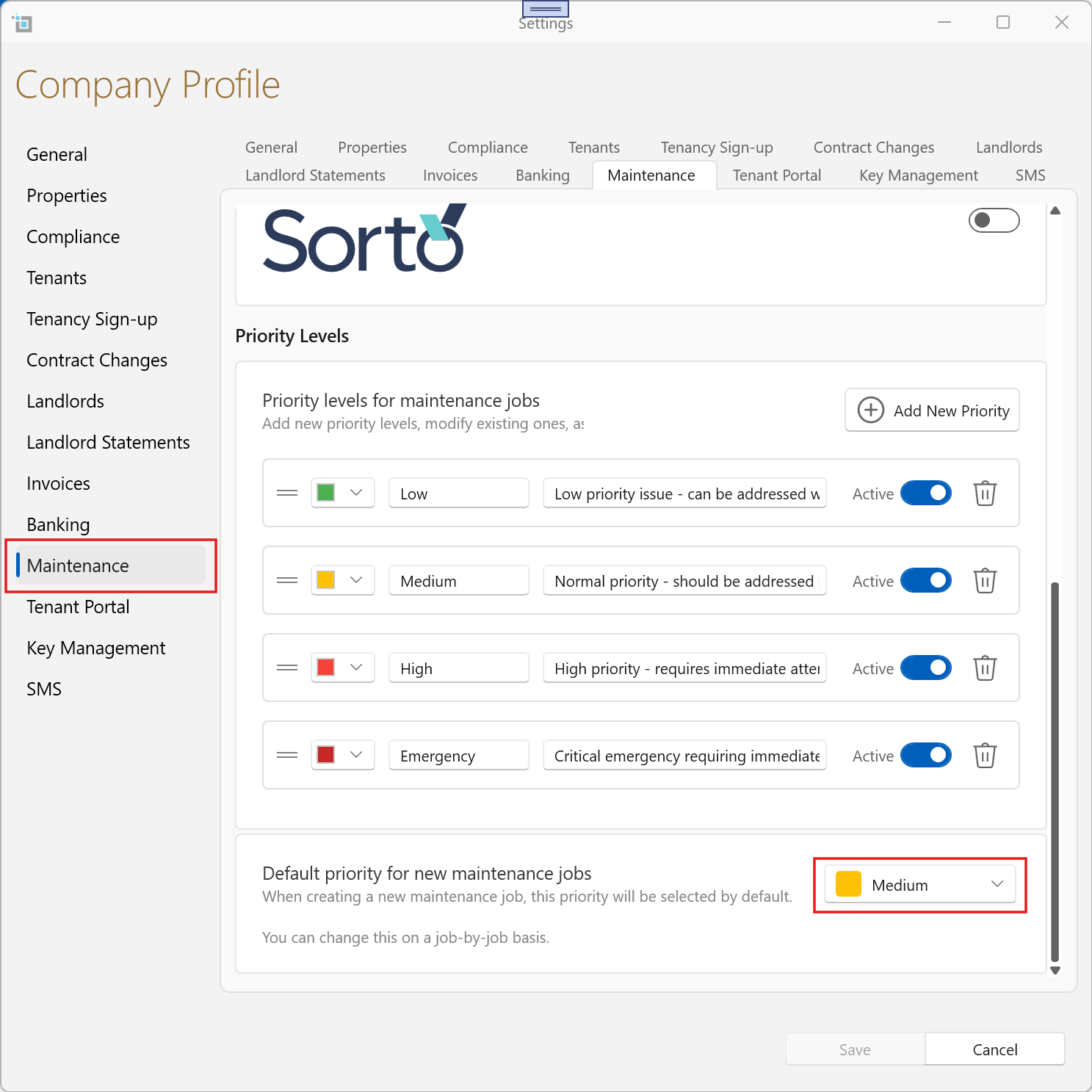
- Go to Control Panel → Settings → Maintenance tab
- Find the section “Default Priority for Maintenance Job”
- Select the desired priority level
This ensures every new job starts with a consistent priority.
Updating Priority on Jobs
Individual Jobs
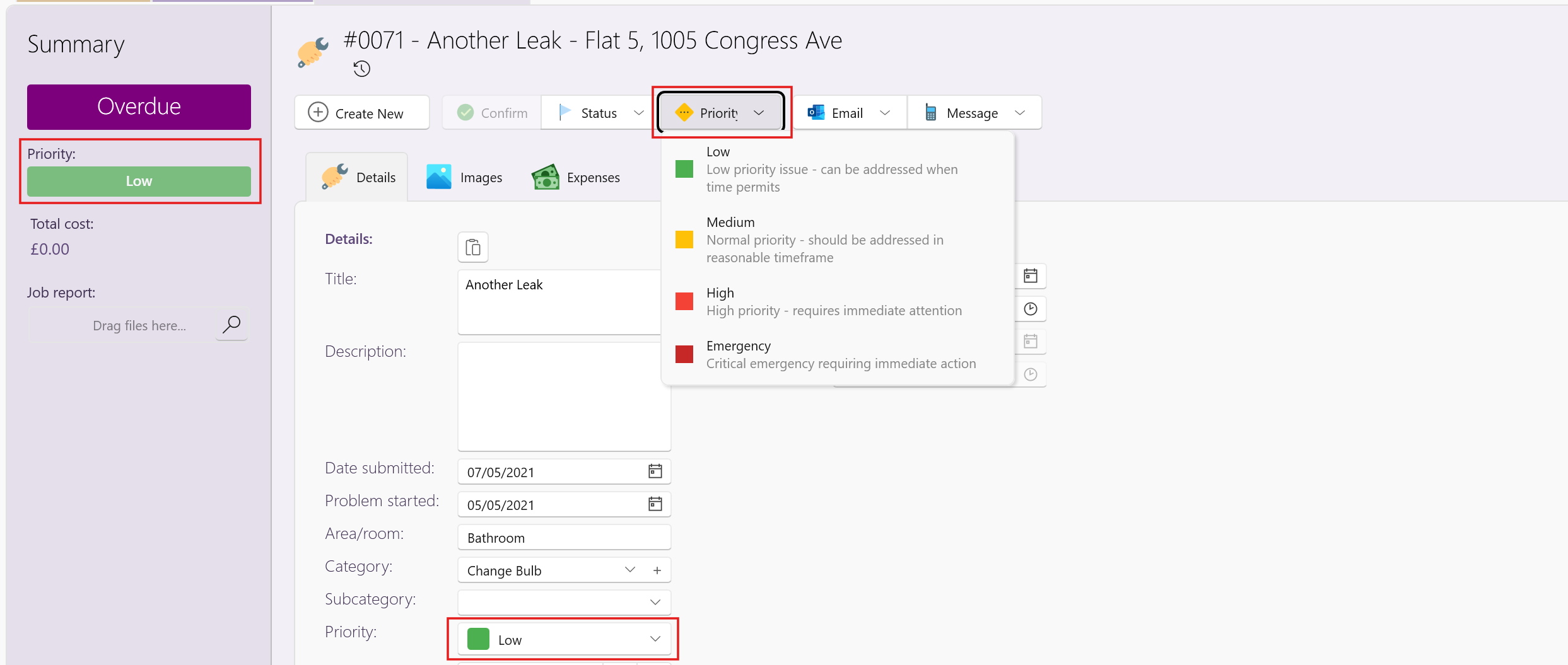
- Open any Maintenance Job
- Update the Priority field as needed
Bulk Updates
You can update multiple jobs at once.
Option 1: From View Maintenance
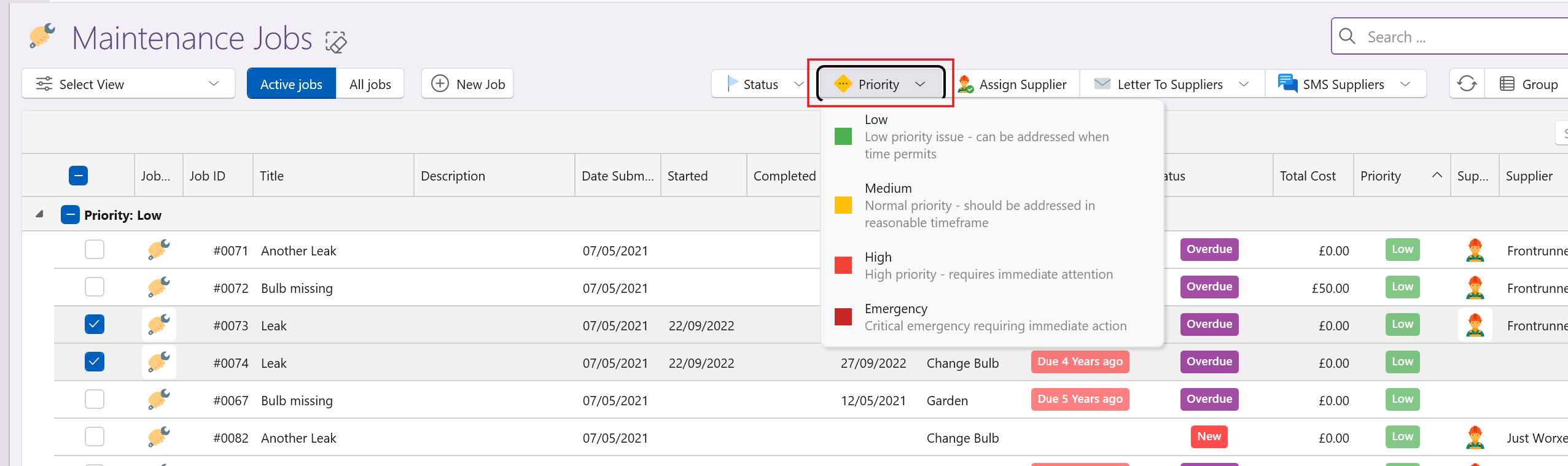
- Open View Maintenance
- Apply filters as needed
- Select one or multiple jobs
- From the top command bar, choose Priority
- Select the required level
Option 2: From Dashboard
- Go to the Maintenance Dashboard
- Click into any relevant card (e.g. jobs by priority or supplier)
- Apply additional filters if needed
- Select multiple jobs
- Use the top command bar → Priority
Dashboard Insights
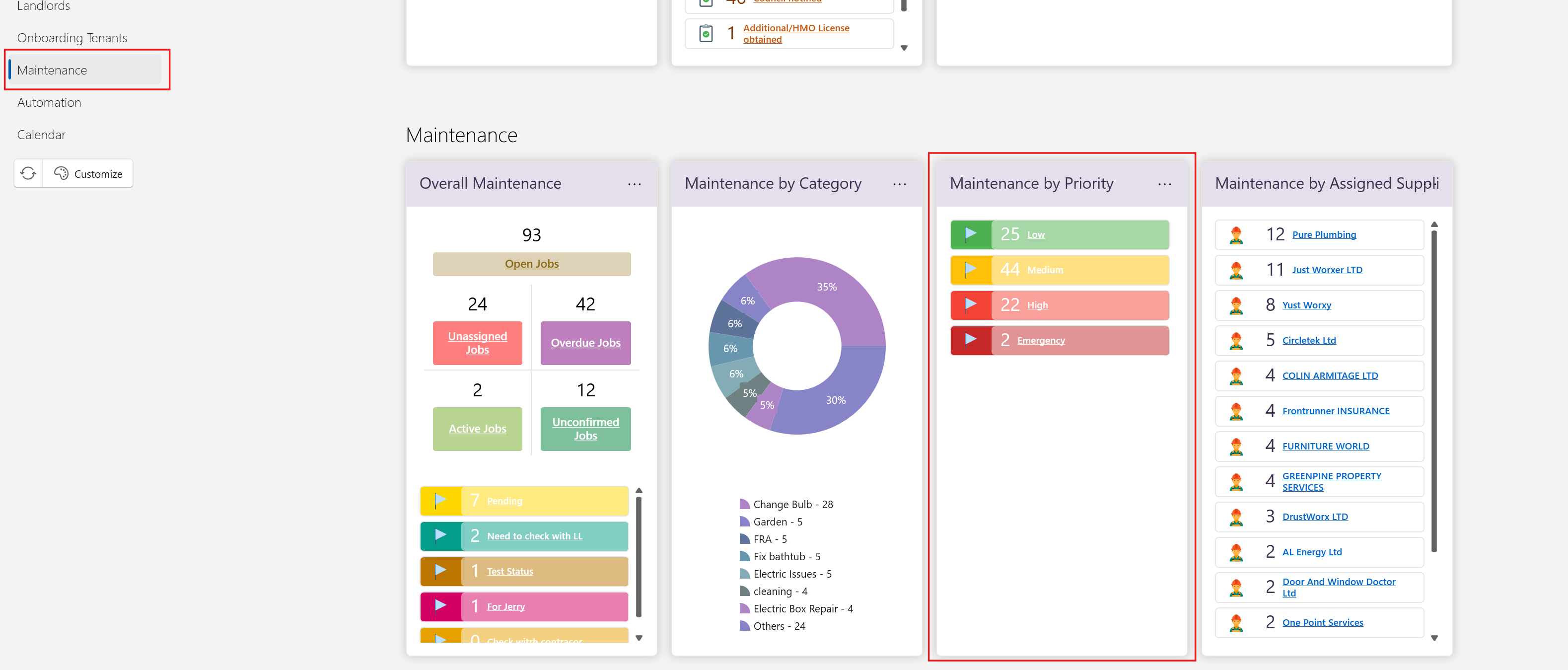
Jobs by Priority Level
- Quickly see how many jobs fall into each priority category
- Helps identify urgent workload
Jobs by Supplier
- View jobs grouped by assigned supplier
- Helps manage workload distribution
Summary
Maintenance Priority Levels allow you to:
- Clearly define urgency
- Standardise job handling
- Update jobs efficiently (individually or in bulk)
- Gain visibility through dashboards
Using these tools effectively ensures the right jobs are prioritised at the right time.