
SleekTech allows you to quickly update multiple expenses at once, saving time and ensuring consistency across your records.
This is particularly useful when correcting allocations or updating descriptions across a group of expenses.
How to Bulk Edit Expenses
- Open View Expenses
- Apply filters as needed (e.g. by date, property, supplier, or ledger)
- Select one or multiple expenses
- Click Bulk Edit
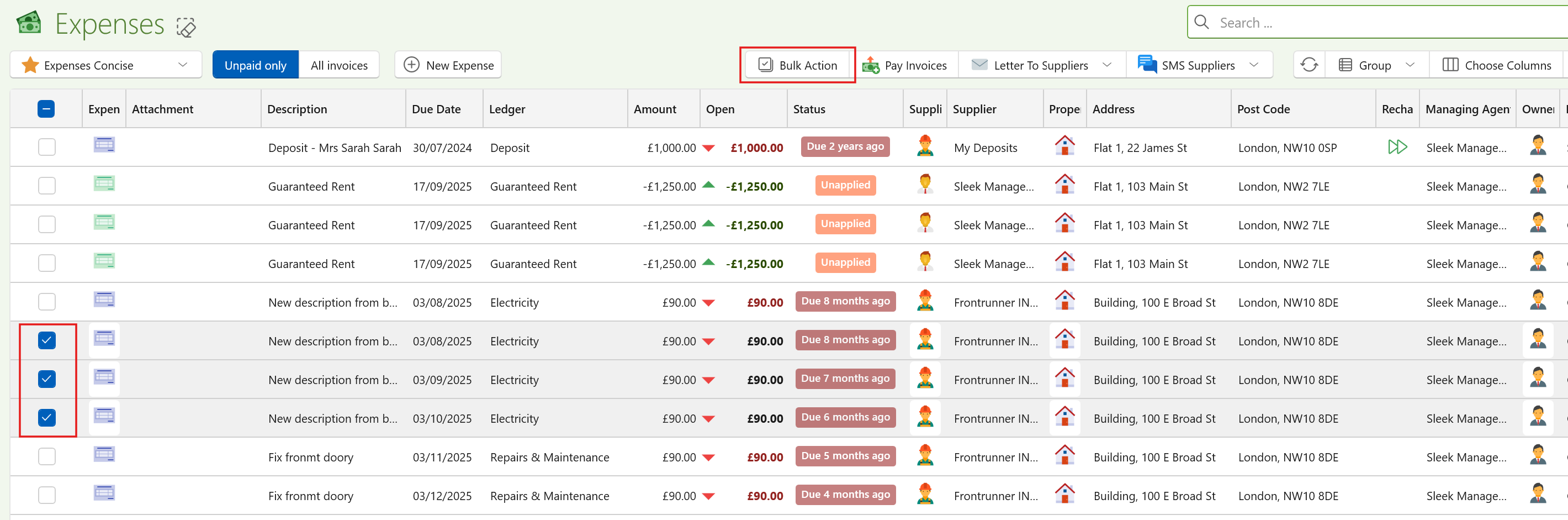
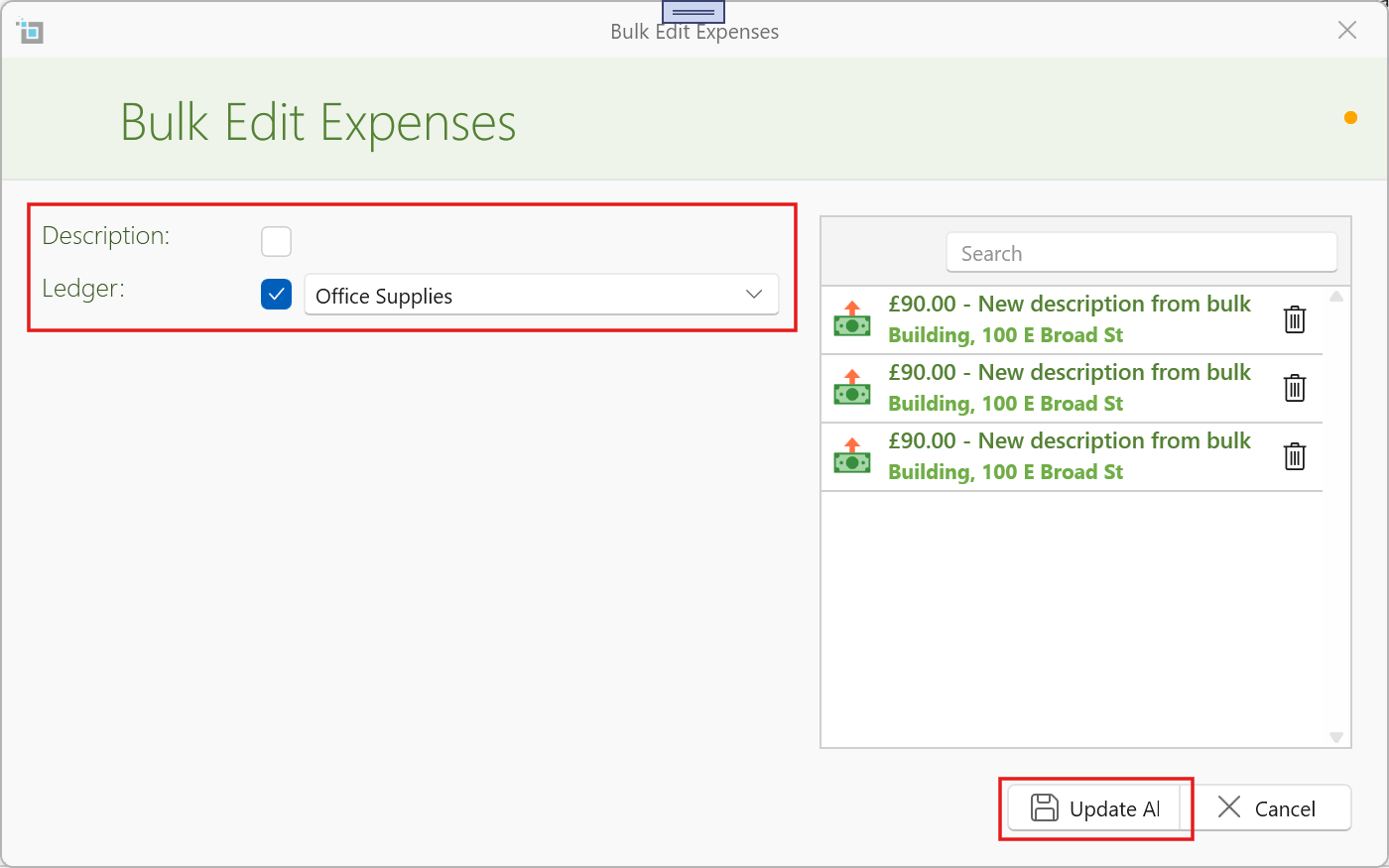
A popup window will open showing all selected expenses.
- In this window you can:
- Review the selected expenses
- Remove any items you don’t want to include
- Update the Description
- Update the Ledger
- Click Update All to apply the changes
All remaining selected expenses will be updated in one go.
When to Use This
Bulk editing is ideal for:
- Correcting incorrectly allocated expenses
- Standardising descriptions
- Updating ledger classifications across multiple entries
Summary
Bulk editing helps you:
- Save time on repetitive changes
- Maintain consistency across records
- Quickly correct mistakes