
A Webhook tells your own system the moment something changes in SleekTech.
Instead of your integration downloading everything every few minutes to look for changes, SleekTech sends it a short message as soon as a property, tenancy, certificate, landlord or tenant contact changes.
Your integration then reads just that record again.
This article is for whoever builds or runs your integration.
If you are new to the SleekTech API, start with Building Your Own Integrations with the SleekTech Open API.
Before You Start
- Only Admin users can add webhooks.
- Every webhook belongs to an API Key, and only sends changes that key is allowed to read.
If you do not have a key yet, create one first on the same screen. - Your system needs a public https:// address that can receive a POST request.
Addresses inside a private network are not accepted.
Add a Webhook
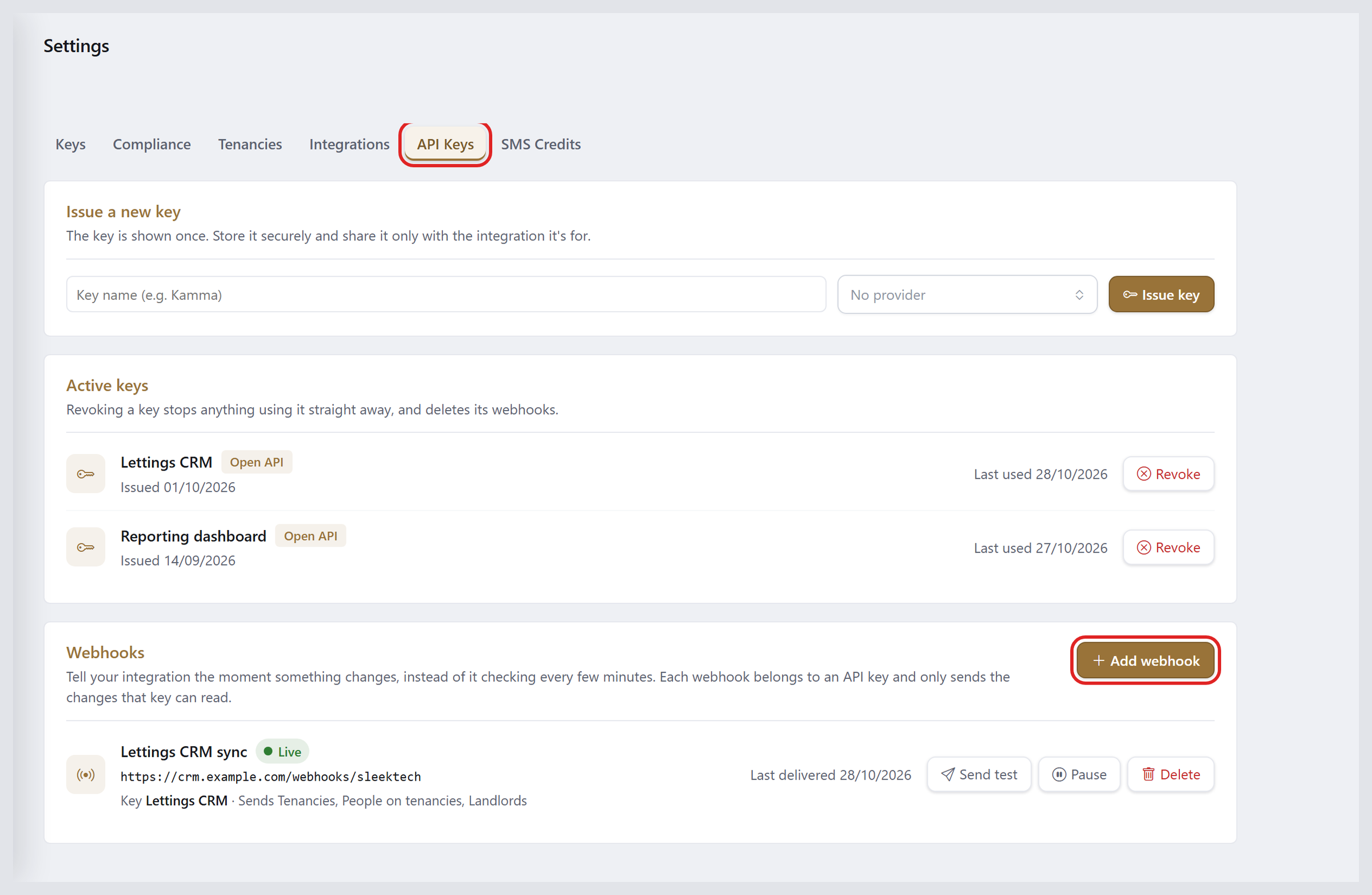
- In SleekTech, open Settings - Web from the More group in the left menu.
- Open the API Keys tab.
- In the Webhooks section, click Add Webhook.
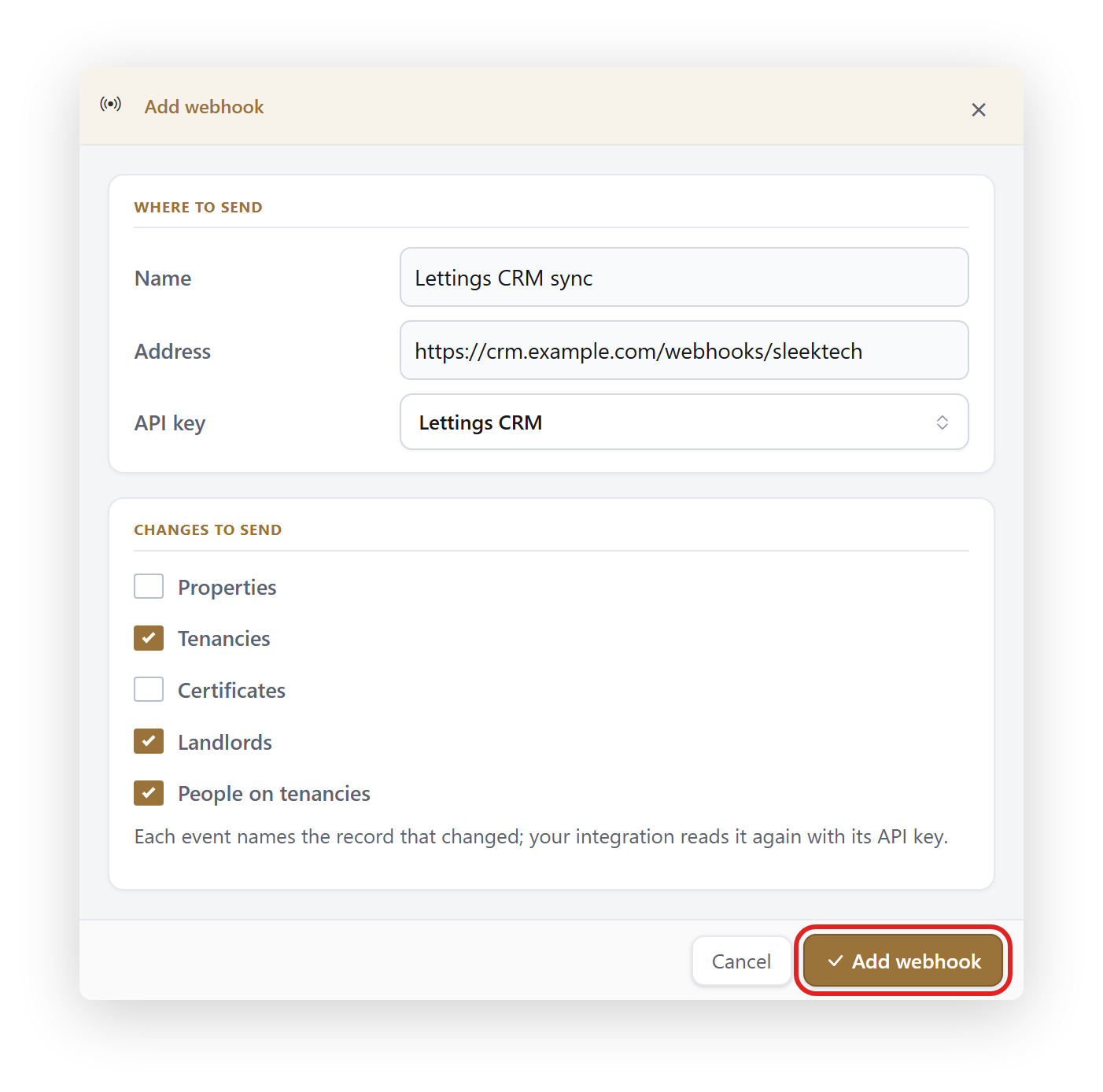
- Enter a Name so you can tell this webhook apart later, for example Lettings CRM Sync.
- Enter the Address your system receives webhooks on.
- Choose the API Key it belongs to.
- Under Changes to Send, tick the kinds of change your system needs.
Only the kinds your key can read are offered. - Click Add Webhook.
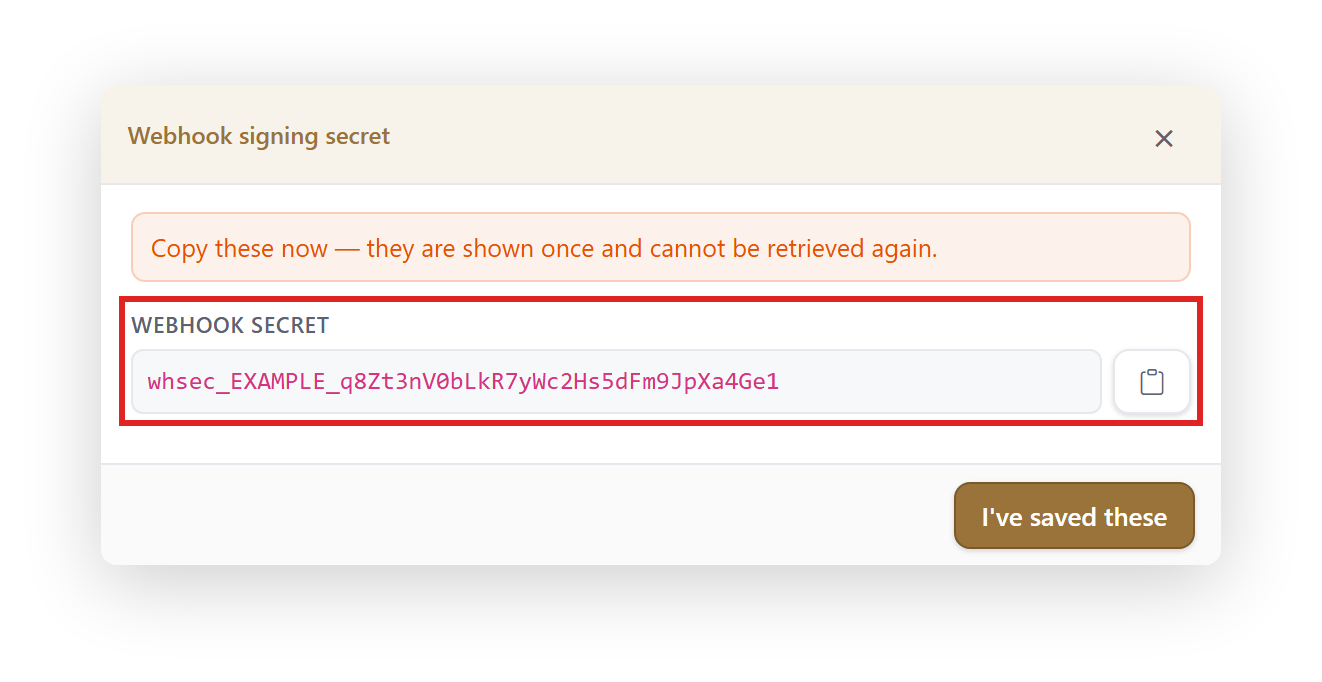
SleekTech then shows the webhook's Signing Secret.
Copy it straight away and give it to your integration: it is shown once and cannot be retrieved again.
If you lose it, delete the webhook and add it again.
Check It Works
- Click Send Test on the webhook.
SleekTech sends a signed test message straight away and tells you whether your system accepted it. - The test message has the type test, so your system can safely ignore it.
- The webhook's status shows Live when deliveries are working, and Failing with a short reason when they are not.
What Your System Receives
Each change arrives as a POST request with a small JSON body.
It names the record that changed, never its details.
{

  "id": 90311,

  "type": "tenancy-people",

  "entityId": "350",

  "action": "updated",

  "occurredAt": "2026-10-28T09:29:00"

}- id is the change's own number.
It only ever increases, and it is the same number the changes feed shows. - type is properties, tenancies, certificates, landlords or tenancy-people.
- action is created, updated or deleted.
- occurredAt is the time of the change, in UTC.
To get the record's current details, read it again with your API key at https://connect.sleek-tech.co.uk:
- properties: GET /v1/properties/list?ids=1,2,3
- tenancies: GET /v1/tenancies/list?ids=1,2,3
- certificates: GET /v1/certificates/list?ids=1,2,3
- landlords: GET /v1/landlords?ids=1,2,3
- tenancy-people: GET /v1/tenancies/people?tenancyIds=1,2,3 For this type, entityId is the tenancy's id, and the call returns everyone on that tenancy.
A deleted change means the record is gone, so there is nothing to read again.
Balances and other running totals do not send changes.
Check Every Message Is From SleekTech
Every message is signed using the open Standard Webhooks format, so ready-made libraries can check it for you.
Each request carries three headers: webhook-id, webhook-timestamp and webhook-signature.
The signing secret itself is never sent.
Your system should reject any message whose signature does not match, and reply with a 2xx status within 10 seconds to accept it.
An example in Node.js:
// npm install standardwebhooks express

import express from "express";

import { Webhook } from "standardwebhooks";


const secret = process.env.SLEEKTECH_WEBHOOK_SECRET;   // whsec_...

const wh = new Webhook(secret.replace(/^whsec_/, ""));

const app = express();


app.post("/webhooks/sleektech", express.raw({ type: "application/json" }), (req, res) => {

  let event;

  try {

    event = wh.verify(req.body.toString(), req.headers);   // throws if the signature is wrong

  } catch {

    return res.sendStatus(400);

  }

  if (event.type !== "test") {

    // queue event.type + event.entityId to be read again

  }

  res.sendStatus(200);

});


app.listen(3000);
If the same webhook-id arrives twice, it is the same change sent again, so it can be skipped.
If Your System Is Down
- SleekTech keeps retrying a change for up to 24 hours, waiting a little longer each time.
- If a webhook fails for 3 days without a single success, it is paused and shows Paused: Kept Failing.
Fix your system, then click Resume. - To catch up on anything missed, read the changes feed: GET /v1/events?after=<the last id you processed>.
It holds every change for 30 days.
Good to Know
- Changes made outside SleekTech's screens, such as a bulk import, do not send webhooks.
A full read once a day keeps your system completely in step. - You can have up to 5 webhooks.
- Revoking an API key deletes its webhooks too.
- Keep your API key and signing secret private.
See Keeping Your API Key Private and Secure.