
You can suggest an improvement to SleekTech, and vote for ideas other customers have already suggested, from the Ideas button on any web screen.
We review new ideas every week.
The ideas with the most votes move up our list.
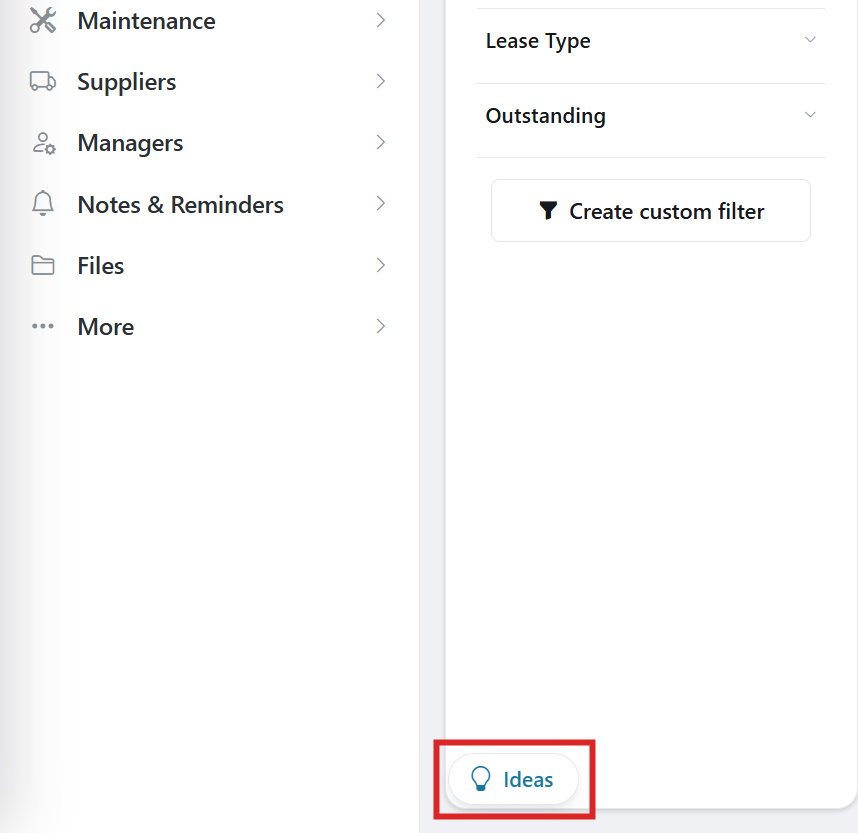
Where To Find It
The Ideas button is at the bottom left of the web screens, for example Properties, Tenancies and Maintenance.
If your screens still open in the desktop window, see Switching between the web and desktop screens.
Check Whether Someone Has Already Asked
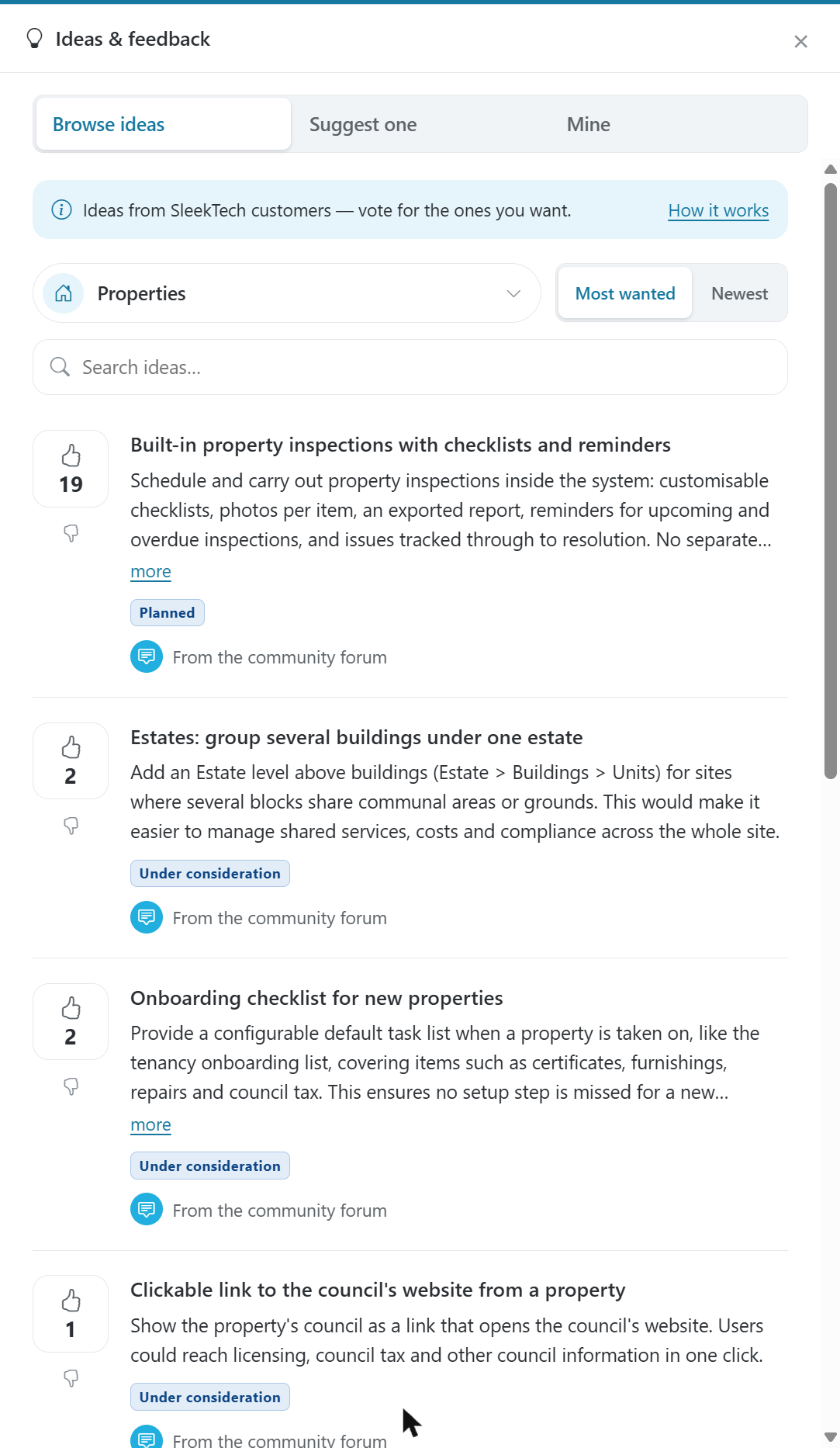
- Click Ideas at the bottom left of the screen.
The panel opens on Browse Ideas. - Type a few words into Search Ideas, or choose an area to see only the ideas for that part of SleekTech.
- Use Most Wanted or Newest to change the order.
- If you find your idea, click the thumbs-up on it to vote.
A vote from you counts for more than a new copy of the same idea.
Click it again to take your vote back.
Suggest A New Idea
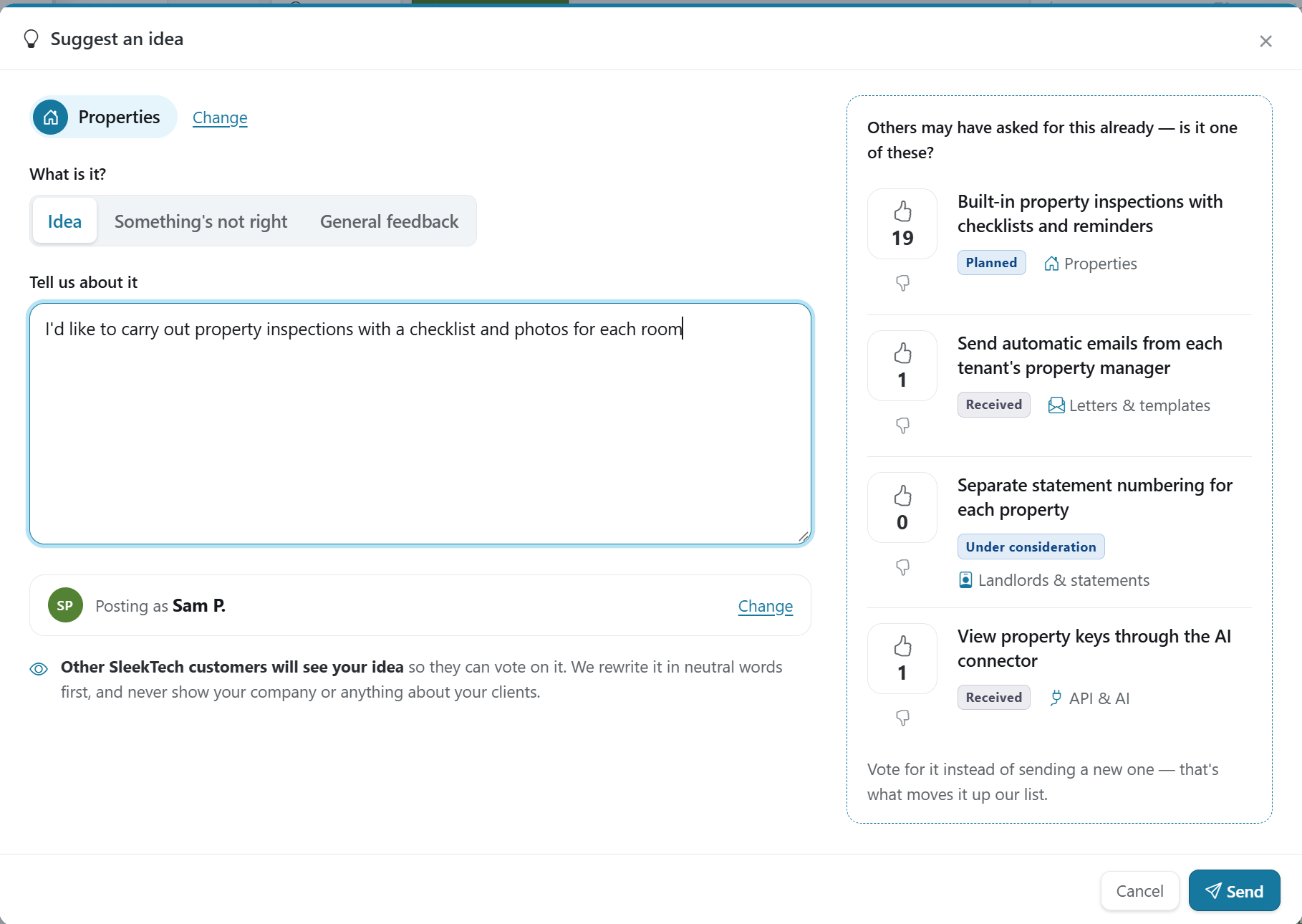
- In the Ideas panel, click Suggest One.
- Choose the part of SleekTech your idea is about.
- Describe what you would like and why it would help you.
As you type, we show ideas that sound similar.
If one of them is what you mean, vote for it instead of sending a new one. - Click Send.
Other SleekTech customers will see your idea.
We reword every idea in neutral language before it appears on the board, so it never shows your company, your clients, your properties or any amounts.
Only the name you choose appears next to it.
Choose How You Appear
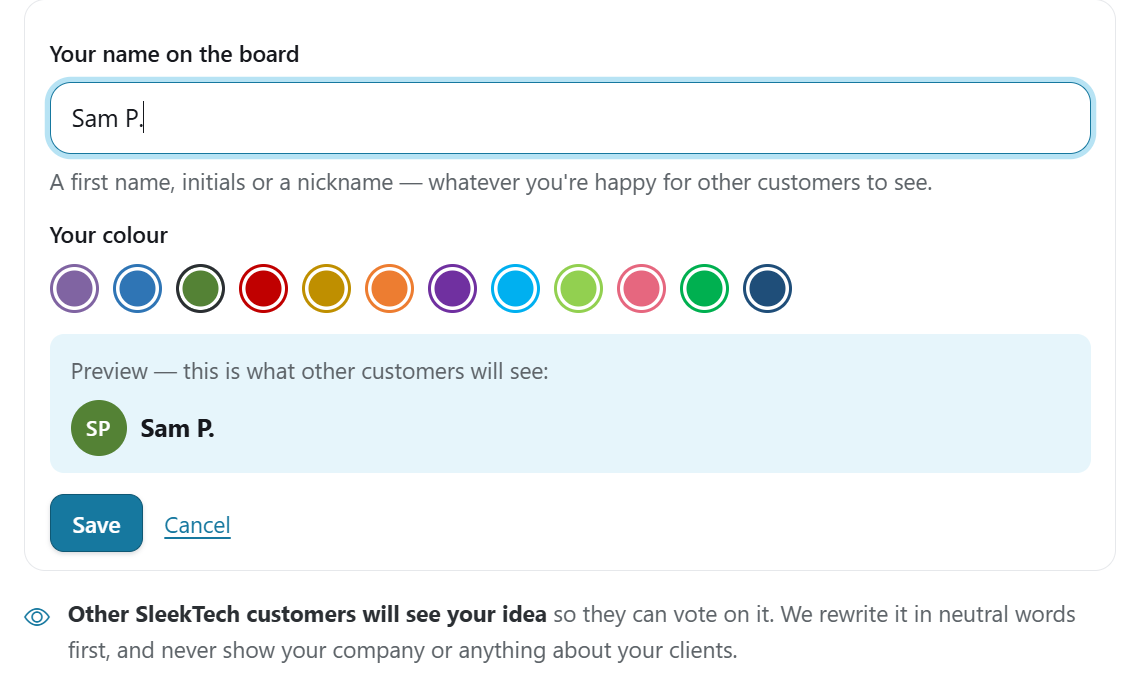
You choose the name and the colour other customers see next to your ideas.
Your name starts as your first name and the initial of your surname.
Your company is never shown.
- Click Ideas, then Suggest One, and choose an area.
- Under the text box you will see Posting As with your current name.
Click Change next to it. - Type the name you want under Your Name On The Board.
A first name, initials or a nickname all work. - Pick Your Colour, check the Preview, and click Save.
Your new name shows on every idea you have posted, straight away.
Follow Your Ideas
Click Mine to see everything you have asked for, both in the panel and by email to our support team, and where each idea stands.
We email you when something you suggested or voted for goes live.
- Received — we have it and will look at it in our weekly review.
- Under Consideration — we would like to build it, but it is not scheduled yet.
- Planned — we are going to build it.
- Live — it is now in SleekTech.
- Already Available — you can already do this, and we have added a link that shows you how.
- Not Planned — we have decided not to build it for now.
- Passed To Support — it was a support question rather than an idea, so our support team has picked it up.
A Problem Rather Than An Idea?
If something is wrong with your own records, such as an invoice, a payment or a statement, please raise a support ticket instead, so the team can look into it.
The Suggest One page has a link to do that.
You can suggest up to three ideas a day.
You can vote as often as you like.